
1. Introducere și Pesteview
Thank you for choosing the 7artisans 35mm T2.0 Cine Lens. This manual provides essential information for the proper setup, operation, and maintenance of your lens. This lens is designed for full-frame mirrorless cameras with an L-Mount, including compatible Leica, Sigma, and Panasonic models.
The 7artisans 35mm T2.0 Cine Lens features a large T2.0 aperture, enabling excellent low-light performance and smooth bokeh. Its optical design minimizes focus breathing, ensuring stable framing during focus adjustments. The lens is constructed with a durable metal body and offers a precise 270-degree focus throw for accurate manual focusing.

Pesteview of the 7artisans Spectrum Series Cine Lenses, including the 35mm T2.0 model.
2. Configurare
2.1 Conținutul pachetului
- 7artisans 35mm T2.0 Cine Lens (L-Mount)
- Capac lentilă față
- Capac lentilă spate
- Focus Wrench

The lens package includes the 35mm T2.0 lens, front and rear caps, and a focus wrench.
2.2 Atașarea obiectivului la cameră
- Asigurați-vă că aveți camera foto oprită.
- Remove the rear lens cap from the 7artisans lens and the body cap from your camera.
- Aliniați indicele de montare de pe obiectiv cu indicele corespunzător de pe corpul camerei.
- Gently insert the lens into the camera mount and rotate it clockwise until it clicks into place. Do not force the lens.
2.3 Camera Settings: "Release Without Lens" Mode
As a manual focus lens without electronic contacts, your camera must be set to "Release Without Lens" mode to function correctly. Failure to do so will prevent the shutter from firing.
Refer to your camera's instruction manual for the exact location of this setting. Common menu paths are illustrated below:

Example camera menu interfaces demonstrating the 'Release without lens' setting for various camera brands.
3. Instrucțiuni de utilizare
3.1 Focalizare manuală
The 7artisans 35mm T2.0 is a manual focus lens. Rotate the focus ring to achieve sharp focus. The lens features an extra-long 270-degree focus throw, allowing for precise and delicate focus adjustments, which is ideal for video production.

The lens features a long focus throw for precise manual focusing.
3.2 Reglarea diafragmei
The lens has a de-clicked aperture ring, allowing for smooth and silent aperture adjustments during video recording. The aperture ranges from T2.0 to T16. Rotate the aperture ring to select your desired T-stop.

The T2.0 large aperture allows for bright images in low light and shallow depth of field.
3.3 Optical Performance
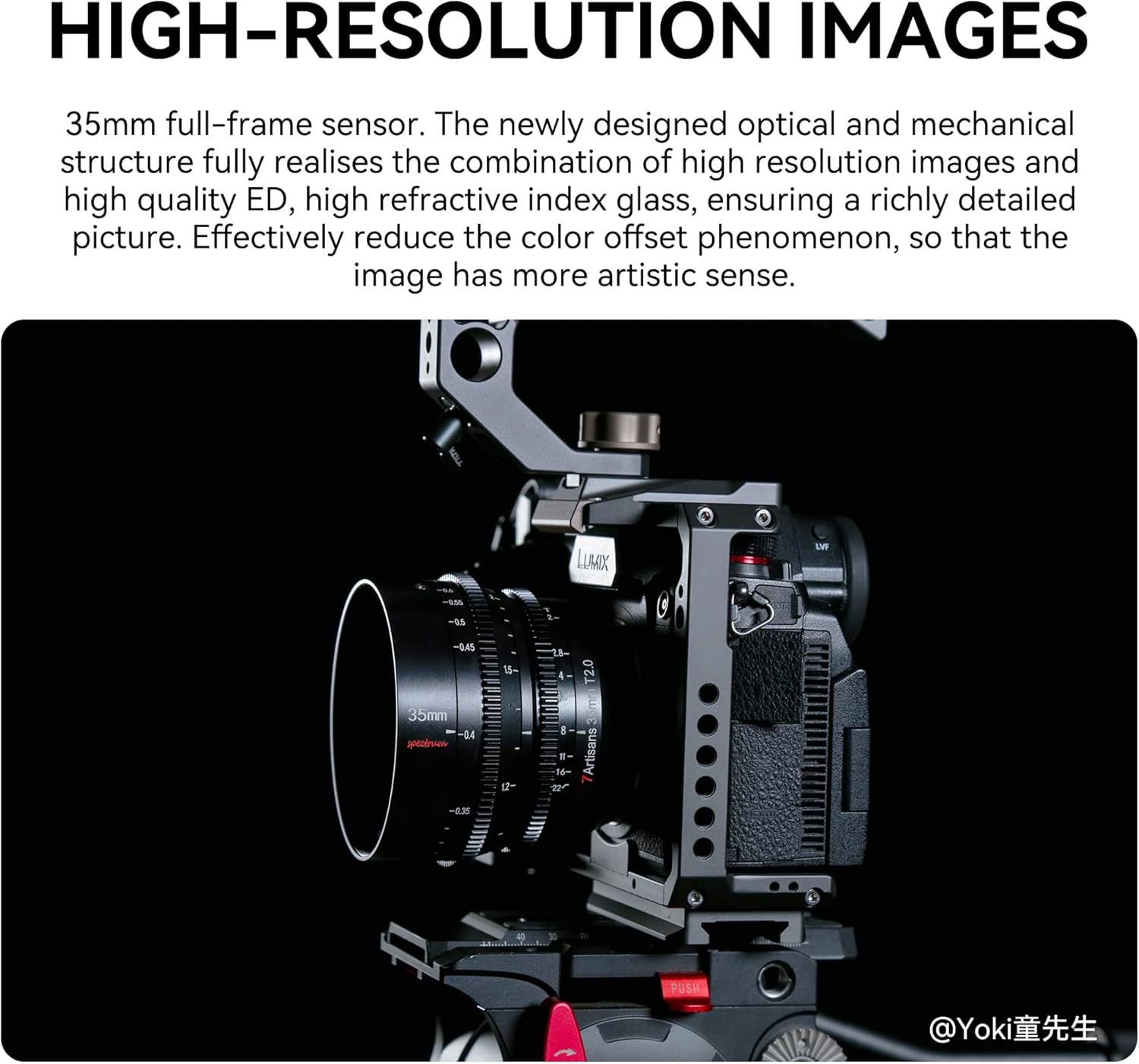
The lens is designed to deliver high-resolution images with minimal distortion and chromatic aberration. Its optical construction, including ED and high refractive index glass, ensures detailed and color-accurate results.

The lens produces high-resolution images with rich detail.
3.4 Uniform Color Balance and Low Breathing Effect
The Spectrum series lenses are engineered for a uniform color balance across the range, simplifying post-production when switching between lenses. The lens also exhibits an almost "zero" breathing effect, maintaining image stability during focus changes.

The Spectrum series lenses maintain a uniform color balance for consistent footage.
3.5 Sample Videos
Prezentare videoasingsample footage captured with the 7artisans 35mm T2.0 Cinema Lens.
Pesteview video of the 7artisans Spectrum Series Cinema Lenses.
Video demonstrating the 7artisans 35mm, 50mm, and 85mm T2.0 lenses.
4. Întreținere
4.1 Curățarea lentilei
- Folosiți o lavetă moale, fără scame, sau o perie pentru lentile pentru a îndepărta praful de pe suprafețele lentilelor.
- Pentru pete persistente, aplicați o cantitate mică de soluție de curățare a lentilelor pe o lavetă din microfibră și ștergeți ușor lentila cu mișcări circulare.
- Avoid touching the glass elements directly with your fingers.
4.2 Depozitare
- Atașați întotdeauna capacele față și spate ale obiectivului atunci când obiectivul nu este utilizat.
- Depozitați obiectivul într-un loc răcoros și uscat, ferit de lumina directă a soarelui și de temperaturi extreme.
- Dacă depozitați pentru perioade lungi de timp, luați în considerare utilizarea unui agent de dezumidificare pentru a preveni apariția mucegaiului.
5. Depanare
5.1 Camera Not Firing Shutter
Problemă: The camera does not take photos or record video when the lens is attached.
Soluţie: This is a common issue with manual lenses that lack electronic contacts. You must enable the "Release Without Lens" or a similar setting in your camera's menu. Refer to Section 2.3 for more details and examples.
5.2 Unsharp Images
Problemă: Imaginile apar neclare sau nefocalizate.
Soluţie: Ensure you are manually focusing correctly. Utilize your camera's focus peaking or magnification features to assist with precise focusing. Check that the lens elements are clean and free from smudges.
6. Specificații
| Caracteristică | Caietul de sarcini |
|---|---|
| Marca | 7 artizani |
| Numele modelului | Spectrum Series (L-Mount) |
| Distanța focală | 35mm |
| Diafragma maximă | T2.0 |
| Diafragmă minimă | T16 |
| Montura pentru obiectiv | Leica L. |
| Tip de focalizare | Focalizare manuală |
| Distanța minimă de focalizare | 0.3 metri |
| Unghiul de View | 64 de grade |
| Dimensiunea filtrului | 8.2 de centimetri |
| Numărul de lame de diafragmă | 11 (from feature bullets, specs say 9, using feature bullets for consistency with other features) |
| Acoperirea lentilelor | MC Multilayer Coating |
| Stabilizarea imaginii | Optical (Note: Lens itself does not have IS, this likely refers to camera body IS) |
| Nivel de rezistență la apă | Nu este rezistent la apă |
Detailed specifications for the 7artisans Spectrum Series lenses.
7. Garanție și asistență
7.1 Informații despre garanție
This 7artisans lens comes with a 1 an garanție from the date of purchase. The warranty covers manufacturing defects and malfunctions under normal use. It does not cover damage caused by misuse, accidents, unauthorized repairs, or normal wear and tear.
7.2 Asistență pentru clienți
For technical assistance, warranty claims, or any other inquiries, please contact 7artisans customer support through their official channels or the retailer where the product was purchased. Please have your purchase receipt and product model information ready when contacting support.