
1. Introducere
This manual provides detailed instructions for the setup, operation, and maintenance of your AUN ET30S Android 9.0 Smart LED Full HD 1080p Projector. Please read this manual thoroughly before using the projector to ensure optimal performance and longevity.
The AUN ET30S projector offers a large, 1080P Full HD viewing experience with 4000 lumens brightness. It features Android 9.0, 1GB RAM, 8GB memory, built-in Playstore for applications, 2.4G Wi-Fi, and Bluetooth 4.0. Its wide compatibility allows connection to various devices including TV boxes, PCs, laptops, tablets, and smartphones.

Image 1.1: AUN ET30S Projector with its Android 9.0 interface projected, showing various applications.
2. Ce se află în cutie
Carefully unpack your AUN ET30S projector and verify that all items listed below are included and in good condition:
- 1x AUN ET30S Projector
- 1x Remote Control (AAA batteries not included)
- 1x cablu de alimentare
- 1x Manual de utilizare
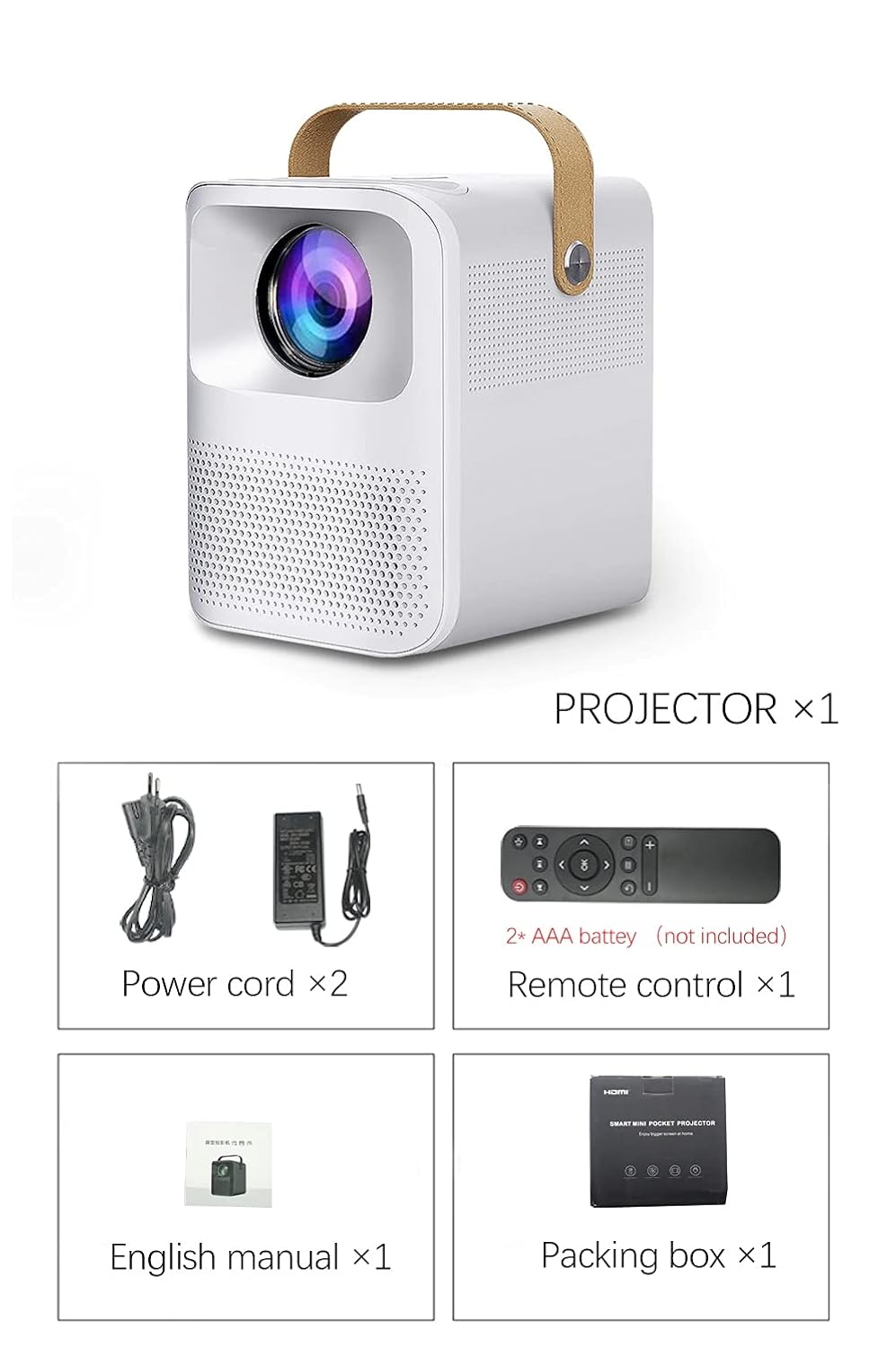
Image 2.1: Packaging contents of the AUN ET30S Projector.
3. Produs terminatview
The AUN ET30S projector is designed for ease of use and versatility. Familiarize yourself with its physical components and dimensions.
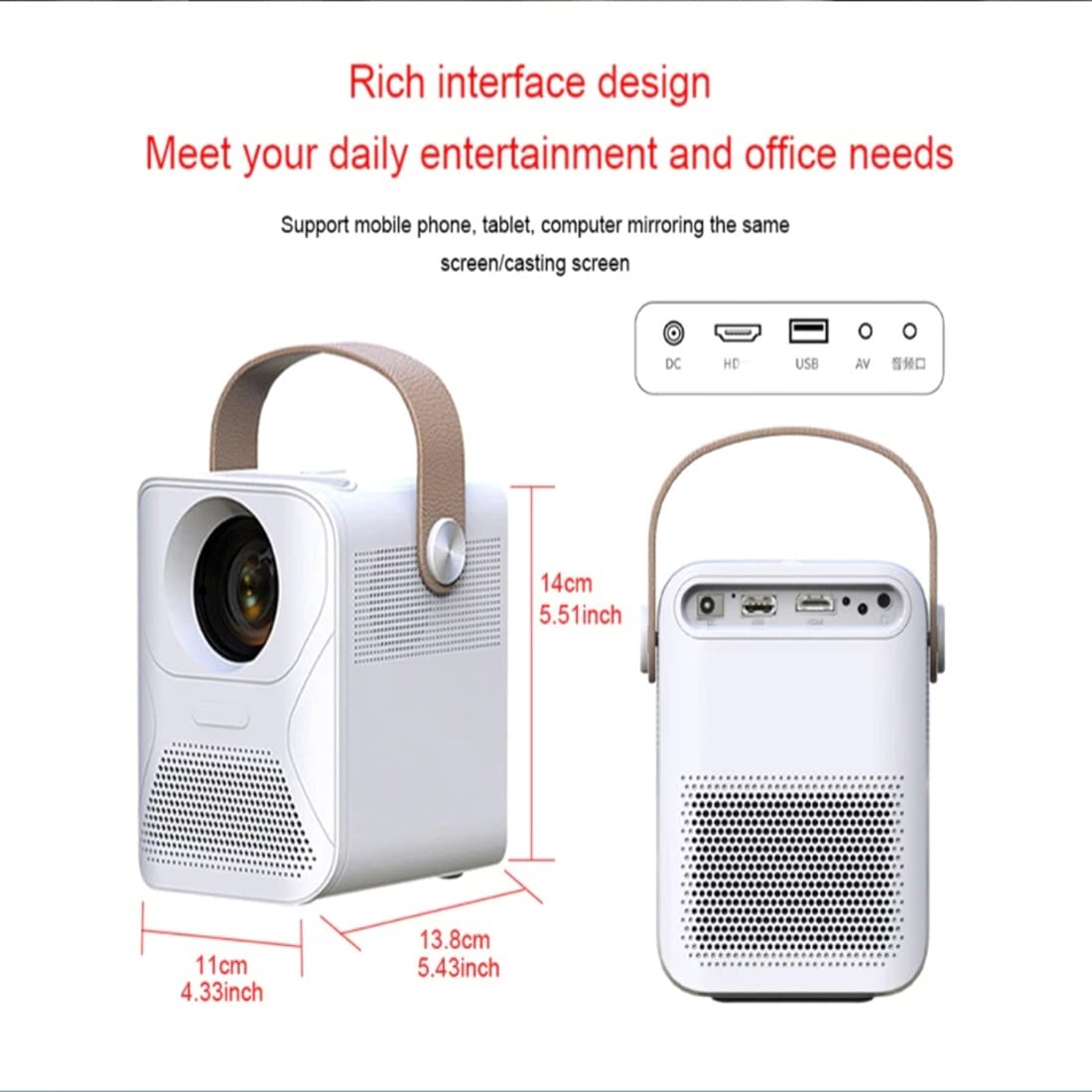
Image 3.1: AUN ET30S Projector dimensions and interface ports.
3.1 Interface Ports
The projector features a variety of ports for connecting external devices:
- DC In: Pentru conectarea adaptorului de alimentare.
- HD (HDMI): Connects to devices like laptops, gaming consoles, or TV boxes.
- USB: Pentru conectarea unităților USB pentru redarea de fișiere media files.
- DE: Pentru conectarea dispozitivelor mai vechi cu ieșire video compozită.
- Ieșire audio: Pentru conectarea difuzoarelor externe sau a căștilor.
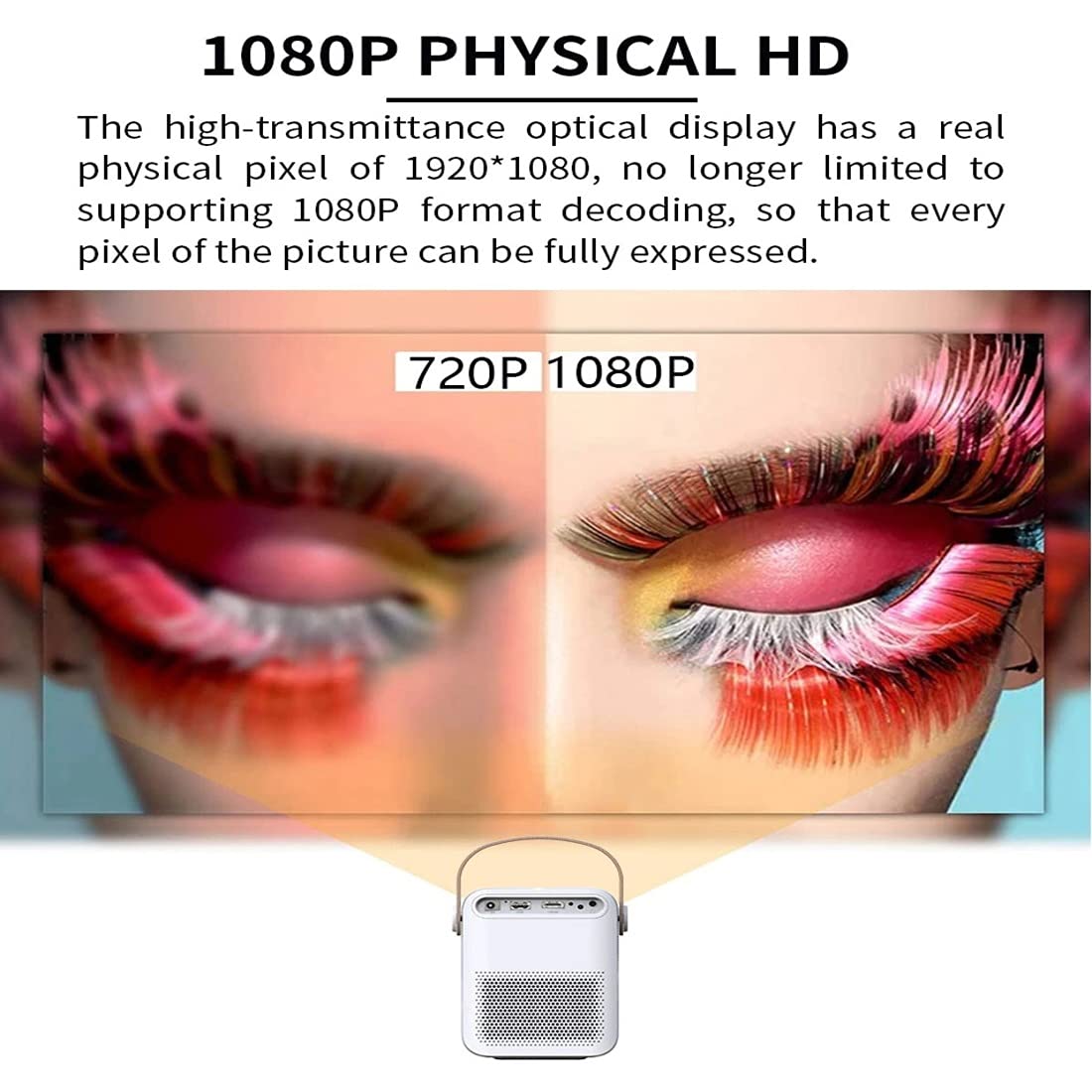
Image 3.2: Multi-media connections and controls on the AUN ET30S Projector.
4. Configurare
4.1 Conexiune la alimentare
- Connect the power cord to the projector's DC In port.
- Conectați celălalt capăt al cablului de alimentare la o priză.
4.2 Plasarea inițială și concentrarea
- Place the projector on a stable, flat surface, or mount it according to your preference. Ensure adequate ventilation around the projector.
- Porniți proiectorul.
- Adjust the focus ring (labeled 'Focus' in Image 3.2) on the projector until the projected image is clear and sharp.
4.3 Corecție trapezoială
The AUN ET30S features automatic keystone correction for both up and down adjustments, and four-corner keystone correction for Android mode, ensuring a rectangular image even when the projector is not perfectly aligned with the screen.

Image 4.1: Automatic Keystone Correction in action.
5. Instrucțiuni de utilizare
5.1 Pornire/Oprire
- Pornire: Apăsați butonul de pornire de pe proiector sau de pe telecomandă.
- Oprire: Press the power button again. A confirmation prompt may appear on screen.
5.2 Navigarea prin interfața Android
The projector runs on Android 9.0, providing a smart TV-like experience. Use the remote control to navigate the interface.

Image 5.1: Android 9.0 User Interface.
- Ecranul principal: Access pre-installed apps like YouTube, Google Play, and a browser.
- Toate aplicațiile: View toate aplicațiile instalate.
- Sursă: Select input sources (HDMI, USB, AV).
- Setări: Adjust network, display, sound, and system settings.
- App Store: Descărcați și instalați aplicații suplimentare.
5.3 Conectivitate Wi-Fi și Bluetooth
- Du-te la Setări pe ecranul de start.
- Selecta Reţea to configure Wi-Fi. Choose your network and enter the password.
- Selecta Bluetooth to pair with external Bluetooth speakers or other devices.
6. Conectivitate
The AUN ET30S offers versatile connectivity options for various devices.
6.1 Conexiuni cu fir
- HDMI: Connect a laptop, Blu-ray player, gaming console, or TV box using an HDMI cable. Select 'HD' as the input source.
- USB: Insert a USB flash drive to play videos, music, or view photos directly. Select 'USB' as the input source or navigate through the file manager in Android.
- DE: Connect older devices using an AV cable. Select 'AV' as the input source.
- Ieșire audio: Conectați difuzoare externe sau căști prin mufa audio de 3.5 mm pentru un sunet îmbunătățit.
6.2 Conexiuni wireless
- Wifi: Connect to your home network for internet access, streaming, and app downloads.
- Bluetooth: Pair with Bluetooth-enabled audio devices for wireless sound.
- Miracast/Airplay (HappyCast): Use the pre-installed HappyCast app or similar functionality to mirror your Android smartphone or Apple device screen wirelessly to the projector.
7. Image Quality and Projection
The AUN ET30S delivers a high-quality viewing experience with its advanced projection capabilities.
7.1 Full HD 1080p Resolution
Experience crisp and clear images with a native resolution of 1920 x 1080 pixels. The projector supports 1080p format decoding, ensuring every pixel of the picture is fully expressed.
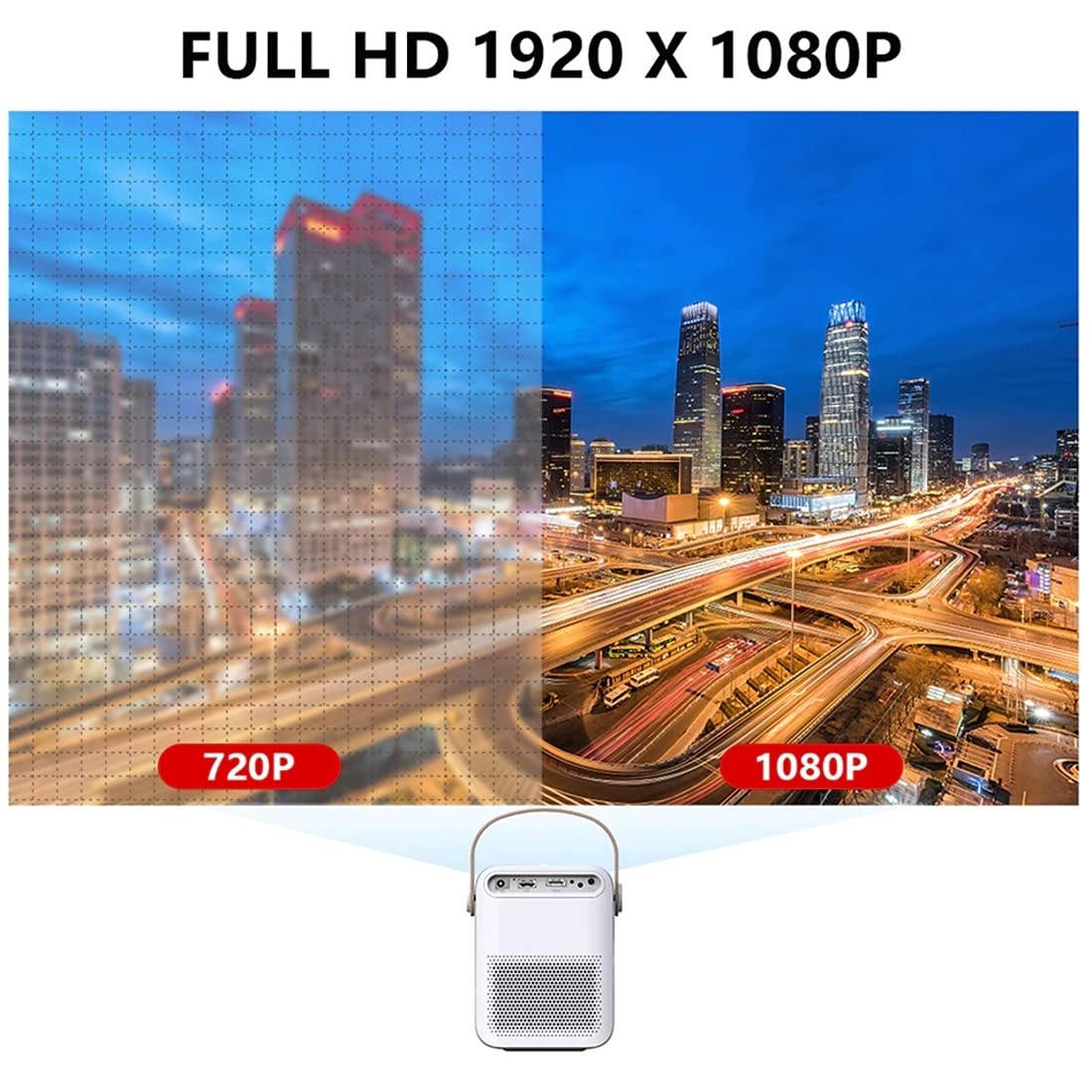
Image 7.1: 720P vs. 1080P Resolution Comparison.
7.2 Brightness and Contrast
- Luminozitate: 4000 lumens LED brightness ensures strong, vibrant colors.
- Raport de contrast: A 3000:1 contrast ratio provides deeper blacks and brighter whites, resulting in vivid and immersive images with almost 100% color accuracy.
7.3 Projection Ratio and Distance
The projector features a 1.18:1 projection ratio, allowing for a large picture from a relatively short distance.

Image 7.2: Projection Ratio and Distance Guide.
Refer to the table below for approximate projection distances for various screen sizes:
| Dimensiunea ecranului | Distanța de proiecție |
|---|---|
| 50 inci | 1.27 metri |
| 60 inci | 1.57 metri |
| 80 inci | 2.09 metri |
| 100 inci | 2.60 metri |
8. Întreținere
Întreținerea corectă asigură longevitatea și performanța optimă a proiectorului dumneavoastră.
- curatenie: Folosiți o lavetă moale și uscată pentru a curăța exteriorul proiectorului. Pentru lentilă, folosiți o lavetă și o soluție specială pentru curățarea lentilelor.
- Ventilare: Ensure the projector has good airflow. Do not block the ventilation openings. High temperatures can damage internal components, especially the LCD panel.
- Prevenirea prafului: Keep the projector in a clean, dust-free environment. Dust accumulation can impede airflow and affect performance.
- Depozitare: Când nu este utilizat pentru perioade lungi de timp, depozitați proiectorul într-un loc răcoros și uscat, de preferință în ambalajul original sau într-o husă de protecție.
9. Depanare
If you encounter issues with your AUN ET30S projector, refer to the following common problems and solutions:
| Problemă | Cauza posibila | Soluţie |
|---|---|---|
| Fără putere | Power cord not connected, power outlet faulty | Verificați conexiunea cablului de alimentare. Încercați o altă priză. |
| Nicio imagine | Incorrect input source, device not connected, blank screen mode | Select correct input source (HDMI, USB, AV). Ensure external device is powered on and connected. Press 'Mute' or 'Blank' button on remote if applicable. |
| Imagine neclară | Focus not adjusted, keystone not corrected | Adjust the focus ring. Use keystone correction in settings. |
| Nici un sunet | Volume too low, external speakers not connected, audio settings incorrect | Increase volume. Check external speaker connection. Verify audio output settings. |
| Telecomanda nu funcționează | Batteries low/dead, obstruction, remote sensor blocked | Înlocuiți bateriile. Asigurați-vă că nu există nicio obstrucție între telecomandă și proiector. |
10. Specificații
Detailed technical specifications for the AUN ET30S Projector:
| Caracteristică | Caietul de sarcini |
|---|---|
| Marca | AUN |
| Model | AUN ET30S Android Projector |
| Sistem de operare | Android 9.0 |
| RAM / Memory | 1GB RAM / 8GB Internal Memory |
| Tehnologia de afișare | LED |
| Tip de afișare | LCD |
| Rezoluție nativă | 1920 x 1080 pixeli (Full HD) |
| Luminozitatea imaginii | 4000 lumeni |
| Raportul de contrast al imaginii | 3000:1 |
| Tehnologia de conectivitate | Bluetooth, HDMI, USB, Wi-Fi |
| Interfață hardware | Bluetooth, HDMI, USB |
| Caracteristici speciale | Wi-Fi încorporat, portabil, fără fir |
| Difuzor încorporat | HIFI Stereo Speaker (3 Watts) |
| Dimensiunile produsului | 25 x 20 x 6 cm |
| Greutatea articolului | 1.8 kg |
| Tip de montare | Suport de masă |
| Telecomanda | IR Remote Included |
11. Garanție și asistență
11.1 Informații despre garanție
The AUN ET30S Projector comes with a 6 luni garantie covering manufacturing defects, technical defects, and software defects.
Excluderi de la garantie:
- LCD panel damage or burns (due to insufficient ventilation).
- Dust-related issues inside the projector.
- Damage from misuse, including broken parts, burns, or physical damage.
- Repairs performed by unauthorized third parties.
11.2 Asistență pentru clienți
For support or warranty claims, please contact Megaa Electronics:
- E-mail: support@megaaelectronics.com or megaaelectronics@gmail.com
- WhatsApp: 8328671337