
1. Introducere
The XPLORA XGO 3 is a watch phone designed for children, offering a secure way to stay connected. It features 4G connectivity for calls and messages, a Kids School Mode, an SOS function for emergencies, GPS location tracking, a camera, and a pedometer. This manual provides essential information for setting up and operating your XGO 3 device.

Image: The XPLORA XGO 3 watch phone in various colors.
2. Ce se află în cutie
La deschiderea pachetului XPLORA XGO 3, ar trebui să găsiți următoarele articole:
- Telefon ceas XPLORA XGO 3
- Cablu de încărcare USB
- Ghid de pornire rapidă
- Pre-installed Xplora Connect SIM card

Image: Contents of the XPLORA XGO 3 packaging.
3. Ghid de instalare
Follow these steps to set up your XPLORA XGO 3 watch phone:
- Activate your SIM: The XPLORA XGO 3 comes with a pre-installed Xplora Connect SIM card. Activate this SIM card through the Xplora website or app as instructed in the Quick Start Guide. A minimum 12-month subscription is required for optimum performance.
- Instalați aplicația Xplora: Download the official Xplora app on your smartphone from your device's app store.
- Connect your watch to the Xplora app: Follow the in-app instructions to pair your XGO 3 watch phone with your smartphone. This typically involves scanning a QR code displayed on the watch screen.

Imagine: Ghid vizual pentru procesul de configurare în trei pași.
Video: Official Xplora XGO 3 product overview, demonstrând caracteristici și utilizare.
4. Caracteristici cheie
4.1 Apeluri vocale
The XGO 3 allows children to make and receive calls from pre-saved numbers. Parents manage the contact list through the Xplora app, ensuring communication only with trusted contacts.
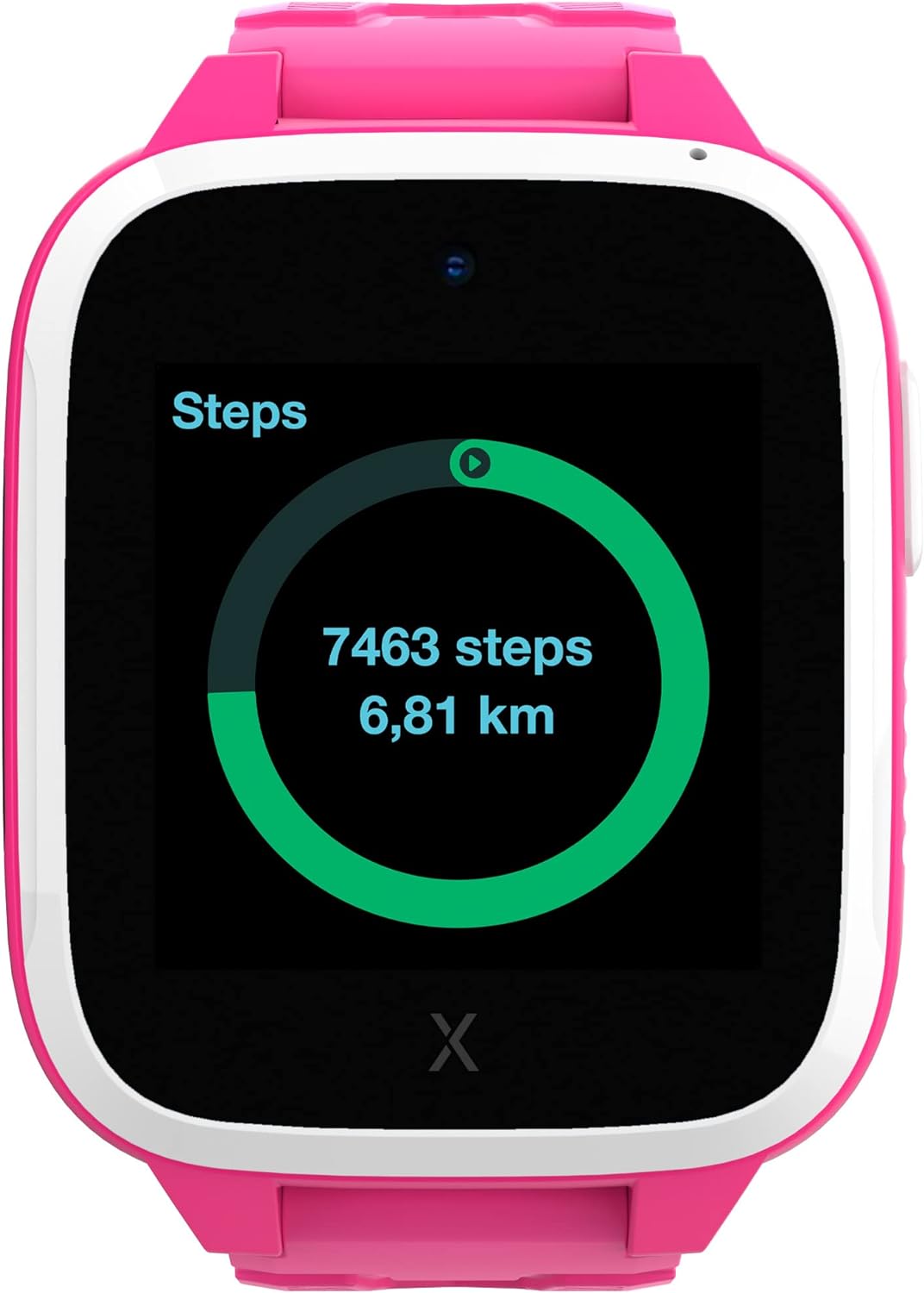
Image: The watch displaying an incoming call.
4.2 Mesaje
The device can receive text messages, emojis, images, and voice messages. Children can reply using images, emojis, and voice messages, providing a safe and controlled communication environment.
4.3 Funcția SOS
In an emergency, the child can press the SOS button to notify pre-selected emergency contacts of their location, providing immediate assistance and peace of mind.
4.4 GPS Location & Safety Zones
The XGO 3 utilizes multiple services for accurate device location tracking. Parents can set up customizable Safety Zones around key locations like home and school. Notifications are sent when the child enters or leaves these designated areas.

Image: The Xplora app displaying GPS tracking and safety zone setup.
4.5 Kids School Mode
School Mode allows parents to disable all watch functions except the clock and SOS feature during school hours, minimizing distractions and promoting focus.
4.6 Pedometer & Activity Platform
The built-in pedometer tracks your child's steps, encouraging physical activity. Steps can be converted into Xplora Coins, redeemable for content on the Xplora Goplay Activity Platform.

Image: The watch displaying the step counter.
4.7 Camera
The XGO 3 includes a camera for capturing photos, which can be shared via messages with approved contacts.
5. Instrucțiuni de utilizare
This section covers basic operation of your XPLORA XGO 3 watch phone.
5.1 Pornire/Oprire
- Pentru a porni: Apăsați și țineți apăsat butonul lateral până când ecranul se aprinde.
- Pentru a opri: Navigate to the settings menu on the watch, then select 'Shut Down'. Alternatively, press and hold the side button and confirm power off.
5.2 Navigare
- Beţivan: Swipe left or right on the screen to navigate between different app screens and features.
- Robinet: Tap on an icon to open an application or select an option.
- Buton lateral: The side button typically acts as a 'back' button or to return to the home screen.
5.3 Efectuarea și primirea apelurilor
- Efectuarea unui apel: From the home screen, swipe to the 'Phone' app, select a contact from the approved list, and tap to initiate a call.
- Primirea unui apel: When a call comes in, the watch will ring and display the caller's name (if in contacts). Tap the green icon to answer or the red icon to decline.
5.4 Trimiterea mesajelor
- From the home screen, swipe to the 'Chat' app. Select a contact. You can send pre-defined messages, emojis, voice messages, or photos taken with the watch camera.
5.5 Activating School Mode
- School Mode is managed by parents through the Xplora app. Set specific timeframes during which the watch will only display the time and allow SOS calls.
6. Informații de siguranță
Please read the following safety guidelines carefully to ensure safe and proper use of the XPLORA XGO 3 watch phone:
- Supravegherea adulților: While designed for children, adult supervision is recommended, especially during initial setup and for monitoring usage.
- Siguranța bateriei: The device contains a Lithium Ion battery. Do not attempt to replace the battery yourself. Use only the provided USB charging cable. Avoid exposing the device to extreme temperatures or direct sunlight for prolonged periods.
- Rezistenta la apa: The XGO 3 is designed to be splash-proof and resistant to light rain. It is not suitable for swimming or submersion in water. Avoid exposing the device to high-pressure water or steam.
- Pericol de sufocare: Keep small parts, such as the SIM card, out of reach of very young children to prevent choking hazards.
- Acoperire rețea: GPS accuracy and call quality depend on network coverage. Ensure your child is in an area with adequate 4G signal for optimal performance.
7. Specificații
| Caracteristică | Detaliu |
|---|---|
| Numărul de model | XGOTED 3 |
| Dimensiunile produsului | 10.24 x 2.76 x 1.18 inci |
| Greutatea articolului | 7.1 uncii (200 grame) |
| baterii | 1 baterie litiu-ion (inclusă) |
| Dimensiunea ecranului în picioare | 1.3 inchi |
| Sistem de operare | Android |
| Caracteristica specială | GPS |
| Capacitatea bateriei | 850 Miliamp Ore |
| Tehnologia de conectivitate | Wifi |
| Comunicare wireless standard | Bluetooth |
| GPS | Adevărat |
| Formă | Pătrat |
8. Depanare
If you encounter issues with your XPLORA XGO 3, refer to the common problems and solutions below:
- "No SIM" Error: Ensure the Xplora Connect SIM card is properly inserted and activated. If the issue persists, contact Xplora customer support.
- Locație GPS inexactă: GPS accuracy can be affected by environmental factors (e.g., dense buildings, heavy tree cover) and network signal strength. Ensure the watch has a clear view of the sky and good network coverage. If the problem continues, check for software updates.
- Watch Freezing or Unresponsive: Try restarting the watch. If a restart doesn't resolve the issue, perform a factory reset via the settings menu (note: this will erase data).
- Probleme de calitate a apelurilor: Ensure the watch has strong 4G network signal. Poor signal can lead to dropped calls or unclear audio.
- Nu pot efectua/primi apeluri: Verify that the SIM card is active and that the contact numbers are correctly saved in the Xplora app. Ensure no dashes or parentheses are in the contact phone numbers within the app.
9. Garanție și asistență
For warranty claims, technical support, or further assistance, please refer to the following:
- POLITICA DE RETURNARE: The product is eligible for a 30-day refund/replacement policy.
- Planuri de protecție: Optional 2-Year or 3-Year Protection Plans are available for purchase. Monthly
Documente conexe - XGOTED 3

Xplora XGO2 Smartwatch Phone for Kids Quick User Guide
Quick user guide for the Xplora XGO2 smartwatch phone for kids, covering setup, SIM card installation, charging, and basic operation.
Xplora XMOVE Bluetooth Activity Tracker: Ghid rapid de utilizare
Acest ghid rapid de utilizare oferă informații esențiale pentru trackerul de activitate conectat prin Bluetooth Xplora XMOVE, acoperind produsul...view, app setup, main functions, disposal, and compliance statements. Learn how to pair, use features like step tracking, heart rate monitoring, and sleep analysis.
Ghid de pornire rapidă Xplora XGO3: Configurare și caracteristici
Începeți să utilizați ceasul inteligent Xplora XGO3 pentru copii. Acest ghid prezintă configurarea, informații importante și resurse de asistență de la Xplora Technologies AS.
Ghid rapid de utilizare XPLORA GO: Configurare și funcții
Învață cum să configurezi și să utilizezi dispozitivul XPLORA GO cu ajutorul acestui ghid concis al utilizatorului. Acoperă pregătirea cartelei SIM, încărcarea, principalele funcții precum apeluri, cameră, urmărire și funcționalitate SOS.
Ghid de utilizare pentru telefonul Smartwatch Xplora X5 Play pentru copii
Ghid complet de utilizare pentru ceasul inteligent Xplora X5 Play, care detaliază configurarea, caracteristicile, siguranța și informațiile privind eliminarea tehnologiei portabile pentru copii.
Ghid de utilizare pentru telefonul inteligent Xplora XGO2 pentru copii
Discover the Xplora XGO2, a 4G smartwatch phone designed for kids, offering calls, messaging, GPS tracking, SOS functions, and more. Learn how to set up and use the device with this comprehensive user guide.Ask a question about this manual
Ask about setup, troubleshooting, compatibility, parts, safety, or missing instructions. Manuals+ will review the question and use this page’s manual context to help answer it.