
1. Introducere
This manual provides detailed instructions for setting up, operating, and maintaining your TP-Link Archer AX55 AX3000 Smart WiFi 6 Router. The Archer AX55 is designed to deliver next-generation Gigabit Wi-Fi 6 speeds, offering enhanced performance for streaming, gaming, and smart home devices. This product is a professionally inspected and tested refurbished unit, ensuring it functions and appears like new.
2. Ghid de instalare
2.1 Conținutul pachetului
- TP-Link Archer AX55 AX3000 Smart WiFi 6 Router
- Adaptor de alimentare
- Cablu Ethernet
- Ghid de instalare rapidă
2.2 Conexiuni fizice
- Pornire: Conectați adaptorul de alimentare furnizat la portul de alimentare al routerului și introduceți-l într-o priză.
- Conectare la modem: Use an Ethernet cable to connect your modem's Ethernet port to the router's Port WAN/LAN.
- Conectați dispozitivele (opțional): For wired connections, use Ethernet cables to connect your computers or other network devices to the router's Porturi Gigabit LAN.
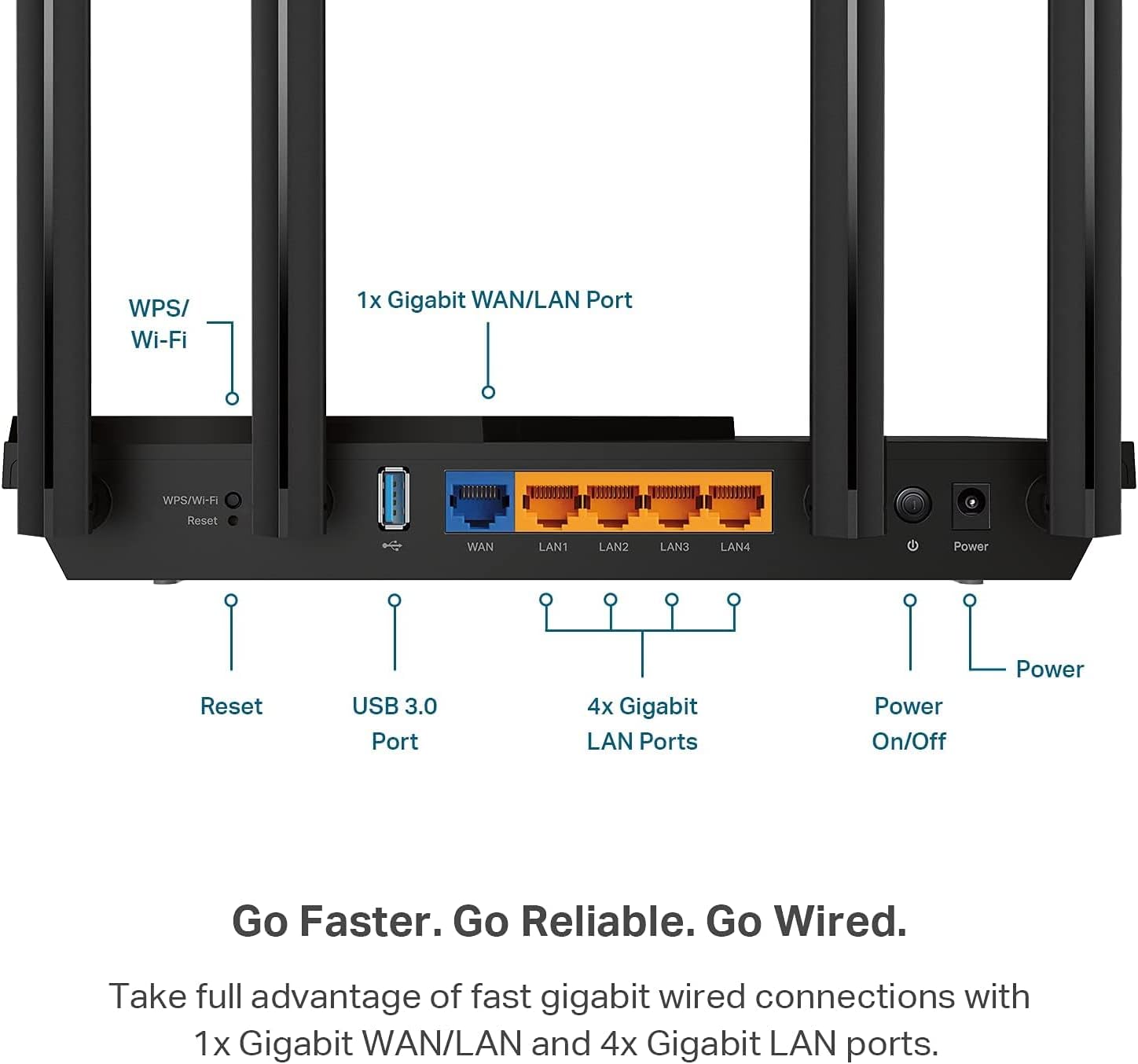
Figure 1: Router Rear Panel Connections. This image illustrates the rear panel of the TP-Link Archer AX55 router, showing the WPS/Wi-Fi button, Reset button, USB 3.0 Port, 1x Gigabit WAN/LAN Port, 4x Gigabit LAN Ports, and the Power On/Off button with the power input.
2.3 Configurare inițială
To configure your router, you can use the TP-Link Tether app on your mobile device or a web browser on a computer connected to the router.
- Conectați-vă la rețeaua Wi-Fi a routerului: On your device, connect to the default Wi-Fi network (SSID) printed on the label at the bottom of your router. The default password (PIN) is also on this label.
- Interfață de gestionare a accesului: Open the TP-Link Tether app or a web browser și intrați tplinkwifi.net in the address bar. Follow the on-screen instructions to create a new password for the router and complete the setup process.

Figure 2: Router Product Label. This image displays the product label located on the bottom of the TP-Link Archer AX55 router, which includes the default Wi-Fi network names (SSID: TP-Link_488C and TP-Link_488C_5G) and the Wireless Password/PIN (90490583). A QR code for easy connection is also visible. The MAC address B0A7B94F488C is also listed.
Quick Connect using QR Code: Scan the QR code on the product label with your smartphone to quickly connect to the default Wi-Fi network. The Wi-Fi details are: WIFI:T:WPA;S:TP-Link_488C;P:90490583;;
Nota: A modem is required for most internet service providers. Ensure your modem is properly connected and functioning before setting up the router.
3. Utilizarea routerului
3.1 Next-Gen Gigabit Wi-Fi 6 Speeds
The Archer AX55 supports Wi-Fi 6 (802.11ax) technology, delivering speeds of up to 2402 Mbps on the 5 GHz band and 574 Mbps on the 2.4 GHz band. This ensures smoother streaming, faster downloads, and improved overall network performance. The router also supports VPN server and VPN client functionalities.
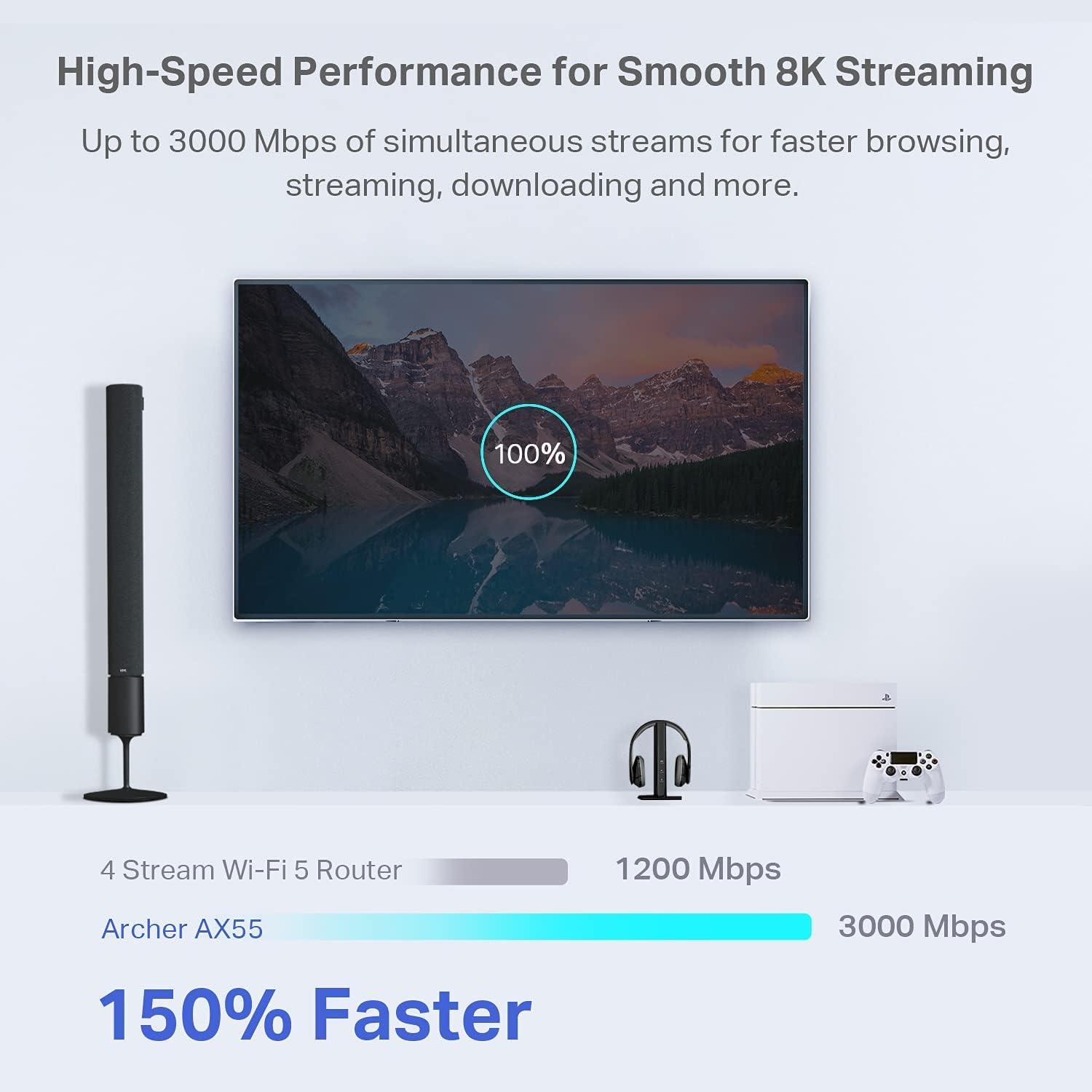
Figure 3: High-Speed Performance. This image compares the speed of a 4 Stream Wi-Fi 5 Router (1200 Mbps) with the Archer AX55 (3000 Mbps), highlighting that the Archer AX55 is 150% faster for smooth 8K streaming and faster browsing, streaming, and downloading.
3.2 Enhanced Connectivity with OFDMA and MU-MIMO
Enjoy a more responsive experience with OFDMA and 4-streams, allowing your router to communicate with multiple devices simultaneously. This technology reduces latency and jitter, providing smooth gaming, video streaming, and live feeds even with many connected devices.
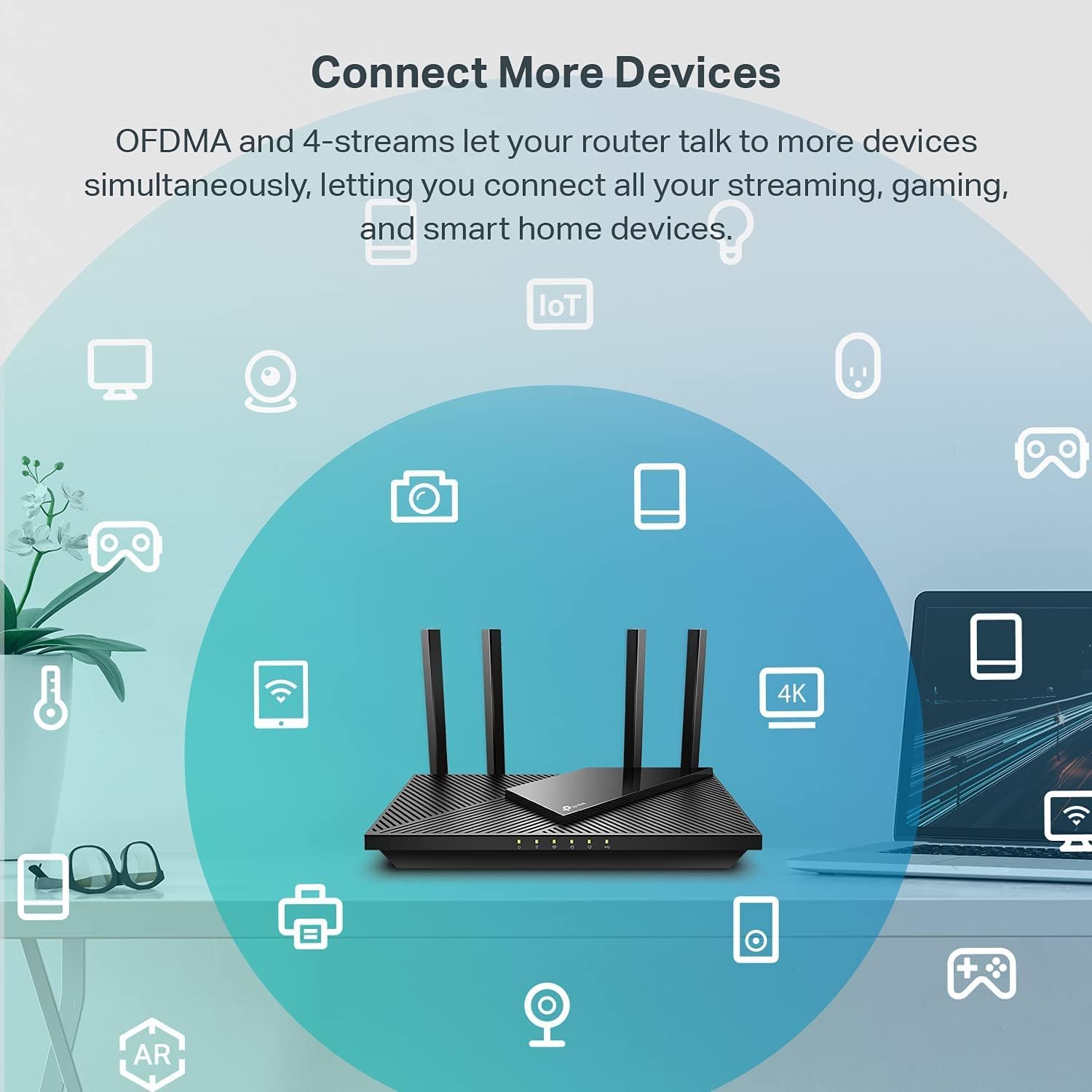
Figure 4: Connect More Devices. This image illustrates how OFDMA and 4-streams enable the Archer AX55 router to connect to more devices simultaneously, supporting all your streaming, gaming, and smart home devices.
3.3 Expanded Wi-Fi Coverage
Equipped with 4 high-gain external antennas and Beamforming technology, the Archer AX55 extends strong, reliable Wi-Fi throughout your home, minimizing dead zones.
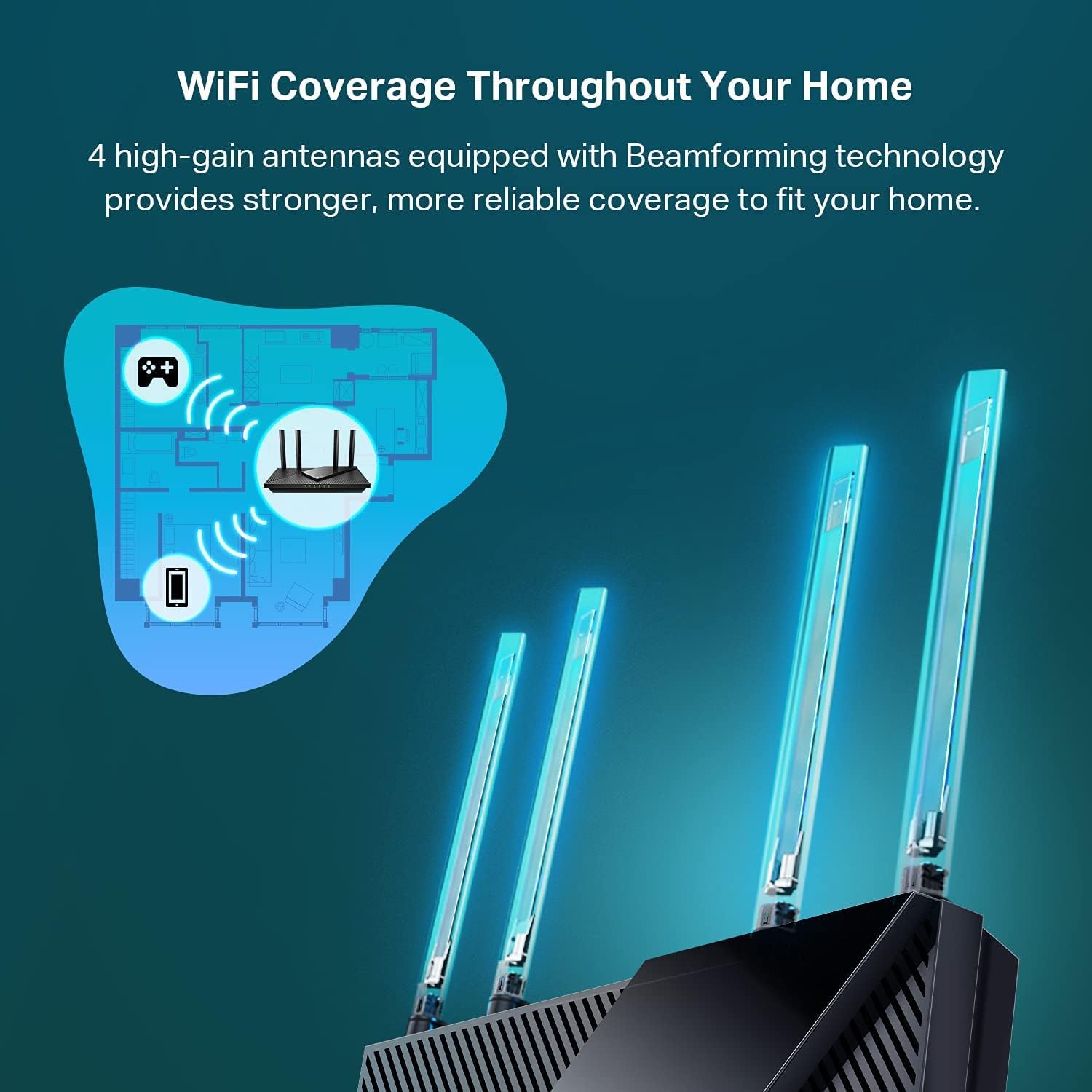
Figure 5: Wi-Fi Coverage Throughout Your Home. This image demonstrates the expanded Wi-Fi coverage provided by the Archer AX55, showing how its 4 high-gain antennas and Beamforming technology deliver stronger, more reliable signal throughout a home layout.
3.4 caracteristici suplimentare
- Durată de viață îmbunătățită a bateriei: Target Wake Time (TWT) helps your devices communicate efficiently while consuming less power, extending battery life for mobile devices.
- Improved Cooling Design: A larger heat sink and redefined case design ensure the WiFi 6 system stays cool, preventing throttling and maintaining top speeds in various environments.
- Compatibil cu Alexa: Control your router via voice commands using Amazon Alexa for convenient management.
3.5 TP-Link HomeShield
TP-Link HomeShield is a premium security service that protects your home network with cutting-edge network and IoT protection. Free features include:
- Securitate de bază a rețelei (scanare de securitate, identificare dispozitive IoT)
- Control parental de bază
- Calitatea serviciului (QoS)
- Rapoarte săptămânale/lunare de bază
For advanced features like DDoS Attack Prevention, Advanced Parental Controls (including Time Rewards), and IoT Device Protection, you can upgrade to HomeShield Pro (subscription fees apply). A 1-Month Free Trial is often available.
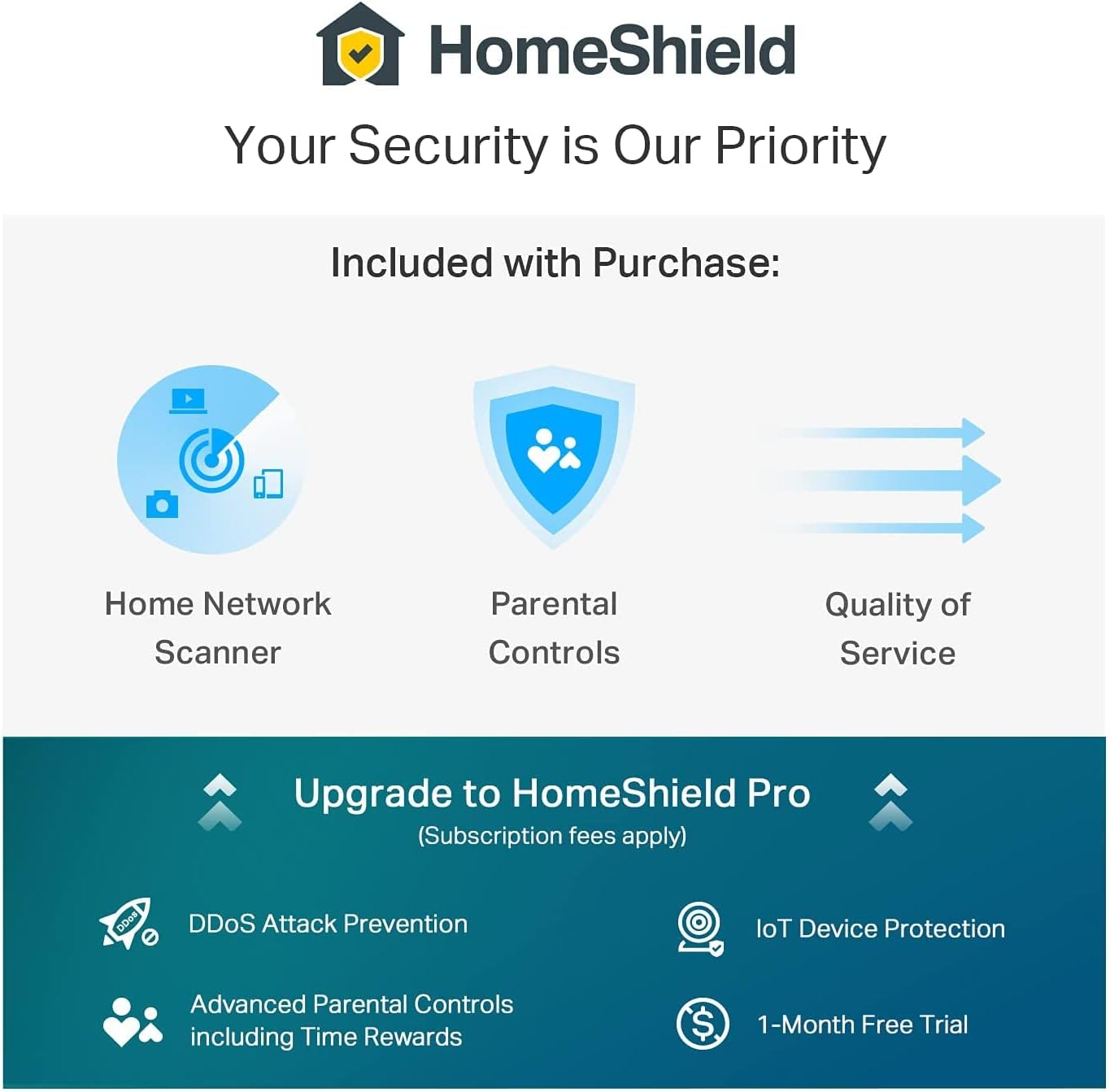
Figure 6: HomeShield Security Features. This image details the security features of TP-Link HomeShield, including Home Network Scanner, Parental Controls, and Quality of Service as included features, and options to upgrade to HomeShield Pro for DDoS Attack Prevention, IoT Device Protection, Advanced Parental Controls, and a 1-Month Free Trial.
4. Întreținere
Pentru a asigura performanța optimă și longevitatea routerului Archer AX55:
- Plasare: Place the router in a central location, away from obstructions and sources of interference. Ensure adequate ventilation to utilize its improved cooling design.
- Actualizări firmware: Regularly check for and install firmware updates through the TP-Link Tether app or web management interface. These updates often include security enhancements and performance improvements.
- curatenie: Keep the router clean and free of dust. Use a soft, dry cloth for cleaning.
5. Depanare
If you encounter issues with your router, consider the following troubleshooting steps:
- Fara acces la internet:
- Verificați dacă modemul funcționează corect.
- Ensure all Ethernet cables are securely connected to the correct ports (WAN port from modem, LAN ports to devices).
- Restart both your modem and router by unplugging them for 30 seconds and then plugging them back in.
- Slow Wi-Fi Speed or Intermittent Connection:
- Ensure your devices are within the router's coverage area.
- Reduceți interferențele mutând routerul departe de alte dispozitive electronice.
- Verificați actualizările de firmware.
- If experiencing issues with 2.4 GHz devices, ensure they are not too far from the router or experiencing significant interference.
- Nu se poate accesa pagina de gestionare a routerului:
- Verificați dacă dispozitivul este conectat la rețeaua Wi-Fi a routerului sau printr-un cablu Ethernet.
- Asigurați-vă că tastați tplinkwifi.net corect în browser.
- Încearcă să golești memoria cache a browserului sau să folosești un alt browser.
For further assistance, refer to the support section below.
6. Specificații
| Caracteristică | Caietul de sarcini |
|---|---|
| Marca | TP-Link |
| Numele modelului | AX55-CR |
| Comunicare wireless standard | 802.11ax (Wi-Fi 6) |
| Clasa de bandă de frecvență | Bandă duală (2.4 GHz și 5 GHz) |
| Rata de transfer de date | 3 Gigabits Per Second (up to 2402 Mbps on 5 GHz, 574 Mbps on 2.4 GHz) |
| Numărul de antene | 4 (High-gain external) |
| Numărul de porturi | 5 (1x Gigabit WAN/LAN, 4x Gigabit LAN) |
| Protocol de securitate | WPA2 (and WPA3 with Wi-Fi 6) |
| Metoda de control | App Control (TP-Link Tether), Voice (Alexa) |
| Sistem de operare | Sistem de operare TP-Link |
| Greutatea articolului | 16 uncii |
| Has Internet Connectivity | Da |
| Is Modem Compatible | Da |
| Has Security Updates | Da |
7. Garanție și asistență
7.1 Informații despre garanție
This TP-Link Archer AX55 router comes with a garanție limitată de 90 de zile. As an Amazon Renewed product, it is also eligible for replacement or refund under the Amazon Renewed Guarantee if you are not satisfied with your purchase.
7.2 Suport tehnic
For technical assistance or further troubleshooting, you can contact TP-Link support. A known support number is 866-225-8139. Please have your product model and any relevant details ready when contacting support.