
Introducere
The Naxa NSH-3001 Wi-Fi Smart Camera provides reliable home security monitoring with 24/7 HD recording capabilities. This camera allows you to check in on your home remotely from anywhere using your smartphone. It features motion detection, two-way audio communication, night vision, and customizable activity alerts.
This manual provides detailed instructions for setting up, operating, and maintaining your Naxa NSH-3001 Wi-Fi Smart Camera to ensure optimal performance and security.
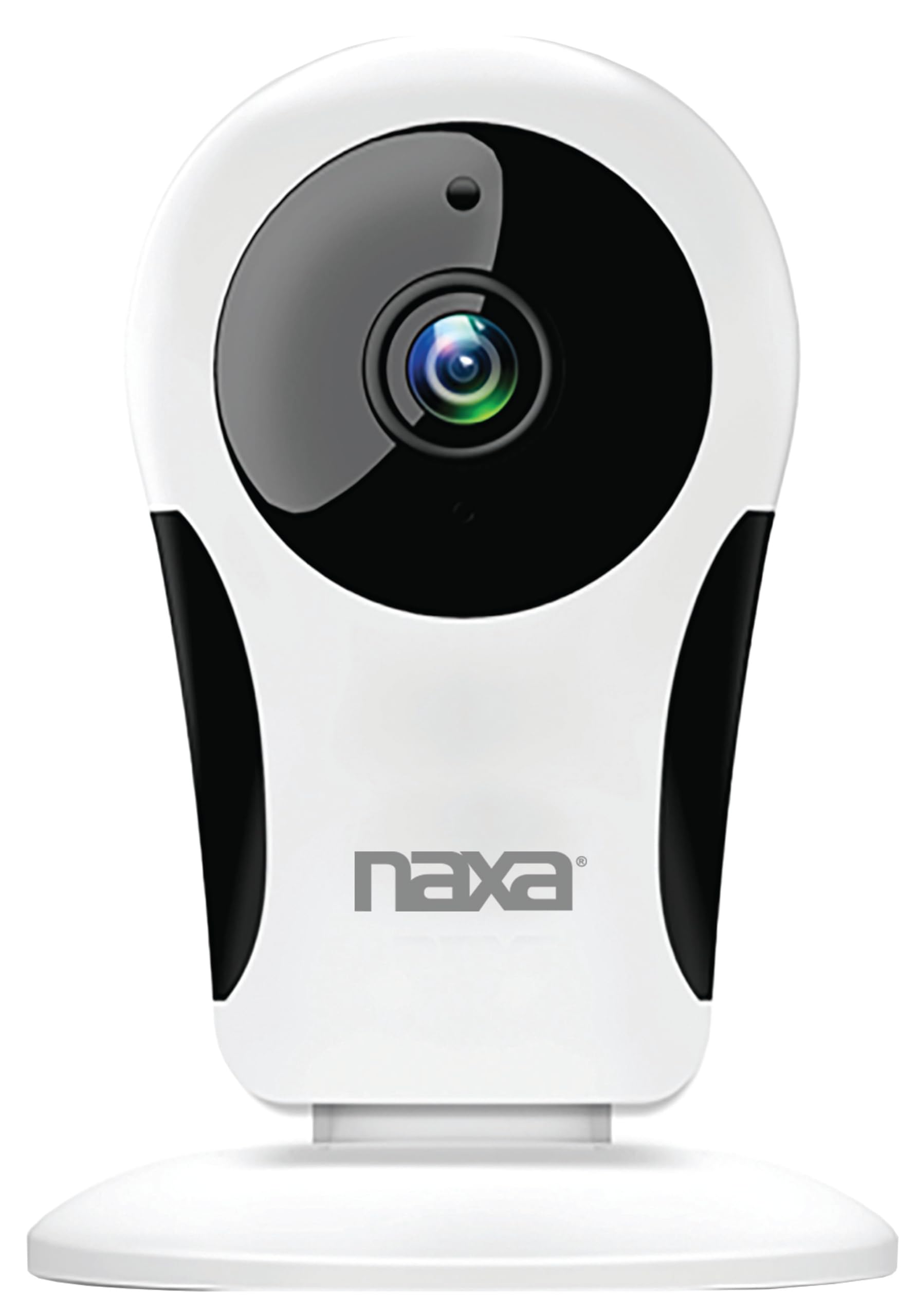
Imagine: față view of the Naxa NSH-3001 Wi-Fi Smart Camera, showing the lens and Naxa logo.
Ce este în cutie
Upon unpacking your Naxa NSH-3001 Wi-Fi Smart Camera, please ensure all the following components are present:
- Cameră inteligentă Wi-Fi
- Adaptor de curent alternativ
- Cablu USB
- Manual de utilizare (acest document)
Produs terminatview
Familiarize yourself with the main components of your Naxa NSH-3001 Wi-Fi Smart Camera.

Image: The Naxa NSH-3001 Wi-Fi Smart Camera displayed alongside icons representing its key features: HD Resolution, Encrypted ID, 2-Way Audio, Cloud Service, Motion Detection, IR Night Vision, Time Scheduling, and Hotspot capability.
- Obiectivul camerei: Captează video footage.
- LED-uri cu infraroșu (IR): Oferă capacități de vedere nocturnă.
- Microfon: Pentru intrare audio și comunicare bidirecțională.
- Vorbitor: Pentru ieșire audio și comunicare bidirecțională.
- Port micro USB: Pentru conectarea la rețeaua electrică.
- Buton de resetare: Folosit pentru a reseta camera la setările din fabrică.
- Slot pentru card Micro SD: For local storage of recorded footage (Micro SD card not included).
Ghid de instalare
1. Pornirea camerei
- Connect the provided USB cable to the camera's Micro USB port.
- Conectați celălalt capăt al cablului USB la adaptorul de curent alternativ.
- Conectați adaptorul de alimentare CA la o priză electrică standard.
- The camera will power on, and an indicator light will show its status (refer to the camera's LED indicator guide for specific light patterns).
2. Downloading the Smart Life App
The Naxa NSH-3001 camera is controlled via the Smart Life app. Download it to your smartphone:
- For iOS devices, search for "Smart Life" in the Apple App Store.
- For Android devices, search for "Smart Life" in the Google Play Store.
- Install the app and create an account if you don't already have one.

Image: The Naxa NSH-3001 Wi-Fi Smart Camera shown with the Smart Life app logo and icons for the Apple App Store and Google Play, indicating app compatibility.
3. Conectarea la Wi-Fi
Ensure your smartphone is connected to a 2.4 GHz Wi-Fi network. The NSH-3001 camera only supports 2.4 GHz Wi-Fi.
- Open the Smart Life app and tap "Add Device" or the "+" icon.
- Selectați „Securitate și supraveghere video” și apoi „Cameră inteligentă”.
- Follow the on-screen instructions in the app to connect your camera to your Wi-Fi network. This typically involves scanning a QR code generated by the app with the camera's lens.
- Once connected, the camera's indicator light will change (refer to the LED indicator guide), and you will see the camera added to your app.
4. Montarea camerei
The NSH-3001 camera is designed for wall mount installation, but can also be placed on a flat surface. Choose a location that provides the desired viewing angle (105 degrees) and is within range of your Wi-Fi signal.

Image: The Naxa NSH-3001 Wi-Fi Smart Camera positioned on a nightstand in a bedroom, demonstrating a typical indoor placement.
- For wall mounting, use appropriate screws and anchors (not included) to secure the camera's base to the wall.
- Reglați unghiul camerei pentru a acoperi zona dorită.
Instrucțiuni de operare
Trăi View și acces la distanță
Once connected, you can access your camera's live feed from anywhere using the Smart Life app on your smartphone.
- Open the Smart Life app and select your NSH-3001 camera from the device list.
- The live video stream will appear.
Comunicare audio bidirecțională
The camera supports two-way audio, allowing you to hear and speak through the camera.
- În live view interface of the app, tap the microphone icon to speak.
- Atingeți pictograma difuzorului pentru a asculta sunetul de la locația camerei.
Detectarea mișcării și alerte
The camera can detect motion and send real-time push notifications to your phone.
- Navigate to the camera settings within the Smart Life app.
- Activați „Detecția mișcării” și ajustați nivelurile de sensibilitate după cum este necesar.
- Configure alert schedules and notification preferences.
Vedere de noapte
The NSH-3001 features an IR-cut filter for clear night vision, automatically switching between day and night modes based on ambient light.
- Night mode activates automatically in low-light conditions.
- The IR-cut filter ensures optimal clarity in both day and night recordings.
Înregistrare și stocare video
The camera supports 24/7 HD recording. Footage can be stored locally or via cloud service (subscription may be required).
- Stocare pe card Micro SD: Insert a compatible Micro SD card (up to 128GB, not included) into the camera's SD card slot for continuous or event-based recording.
- Stocare în cloud: Check the Smart Life app for available cloud storage options and subscription details.
- Review inregistrat footage directly through the Smart Life app.
Video Tuning
Adjust video parameters directly from your smartphone for optimal image quality.
- Within the Smart Life app, access video settings to adjust contrast, brightness, saturation, and sharpness.
Programarea timpului
Set schedules for camera operation, recording, or alerts.
- Use the Smart Life app's scheduling feature to define specific times for motion detection, recording, or other functions.
Întreţinere
Proper maintenance ensures the longevity and optimal performance of your Naxa NSH-3001 Wi-Fi Smart Camera.
- curatenie: Ștergeți ușor obiectivul și corpul camerei cu o cârpă moale și uscată. Evitați utilizarea substanțelor chimice dure sau a produselor de curățare abrazive.
- Actualizări de software: Regularly check the Smart Life app for firmware updates for your camera. Keeping the firmware updated ensures you have the latest features and security enhancements.
- Plasare: Ensure the camera is placed in a stable location and protected from extreme temperatures, direct sunlight, and moisture.
Depanare
If you encounter issues with your Naxa NSH-3001 Wi-Fi Smart Camera, refer to the following common solutions:
| Problemă | Soluție posibilă |
|---|---|
| Camera nu se conectează la Wi-Fi |
|
| No video feed in the app |
|
| Alertele de mișcare nu au fost primite |
|
| Audio bidirecțional nu funcționează |
|
If problems persist, please contact Naxa customer support.
Specificații
| Caracteristică | Detaliu |
|---|---|
| Numele modelului | NSH-3001 |
| Marca | Naxa |
| Tehnologia de conectivitate | Wi-Fi (2.4 GHz) |
| Rezoluție captură video | 720p |
| Viewunghiul ing | 105 de grade |
| Caracteristica specială | Senzor de mișcare, Viziune nocturnă, Sunet bidirecțional |
| Utilizare în interior/exterior | Indoor, Outdoor (Note: IP54 rating suggests splash resistance, not full outdoor weatherproofing) |
| Sursa de alimentare | Electric cu fir |
| Dispozitive compatibile | Smartphone (prin aplicația Smart Life) |
| Tip de montare | Montare pe perete |
| Depozitare | Card Micro SD (până la 128 GB, nu este inclus), Stocare în cloud (opțional) |
| Dimensiuni (L x l x H) | 3.2 x 3.2 x 4.3 inci |
| Greutatea articolului | 3.2 uncii |
| Material | Plastic |
| Evaluarea internațională de protecție | IP54 |
Garanție și suport
Naxa Electronics, Inc. manufactures the NSH-3001 Wi-Fi Smart Camera. For specific warranty information, please refer to the warranty card included with your product or visit the official Naxa website-ul.
For technical support, troubleshooting assistance beyond this manual, or inquiries about your product, please contact Naxa customer service. Contact details can typically be found on the Naxa website-ul sau pe ambalajul produsului.
Naxa Official Website: www.naxa.com


