
TomTom 1YB5.002.20
TomTom GO Expert Truck Sat Nav User Manual
Model: 1YB5.002.20
Introducere
This manual provides essential information for setting up, operating, maintaining, and troubleshooting your TomTom GO Expert Truck Sat Nav. Please read it carefully to ensure optimal performance and safe use of your device.
The TomTom GO Expert is designed for professional large vehicle navigation, offering custom routing and POIs for buses, trucks, and coaches, along with live alerts for various road restrictions.
Ce este în cutie
La deschiderea ambalajului, verificați dacă sunt prezente toate componentele:
- TomTom GO Expert Device
- Încărcător auto
- Click-and-Drive Mount
- Ghid de pornire rapidă

Imagine: față view of the TomTom GO Expert Sat Nav device, showing its 5-inch capacitive screen and the TomTom logo at the bottom.
Înființat
1. Montarea dispozitivului
- Curățați parbrizul: Ensure the area where you intend to mount the device is clean and dry.
- Atașați suportul: Securely attach the Click-and-Drive mount to your windshield or dashboard. Press the suction cup firmly against the surface and flip the lever to lock it in place.
- Conectați dispozitivul: Slide the TomTom GO Expert device onto the mount until it clicks securely.
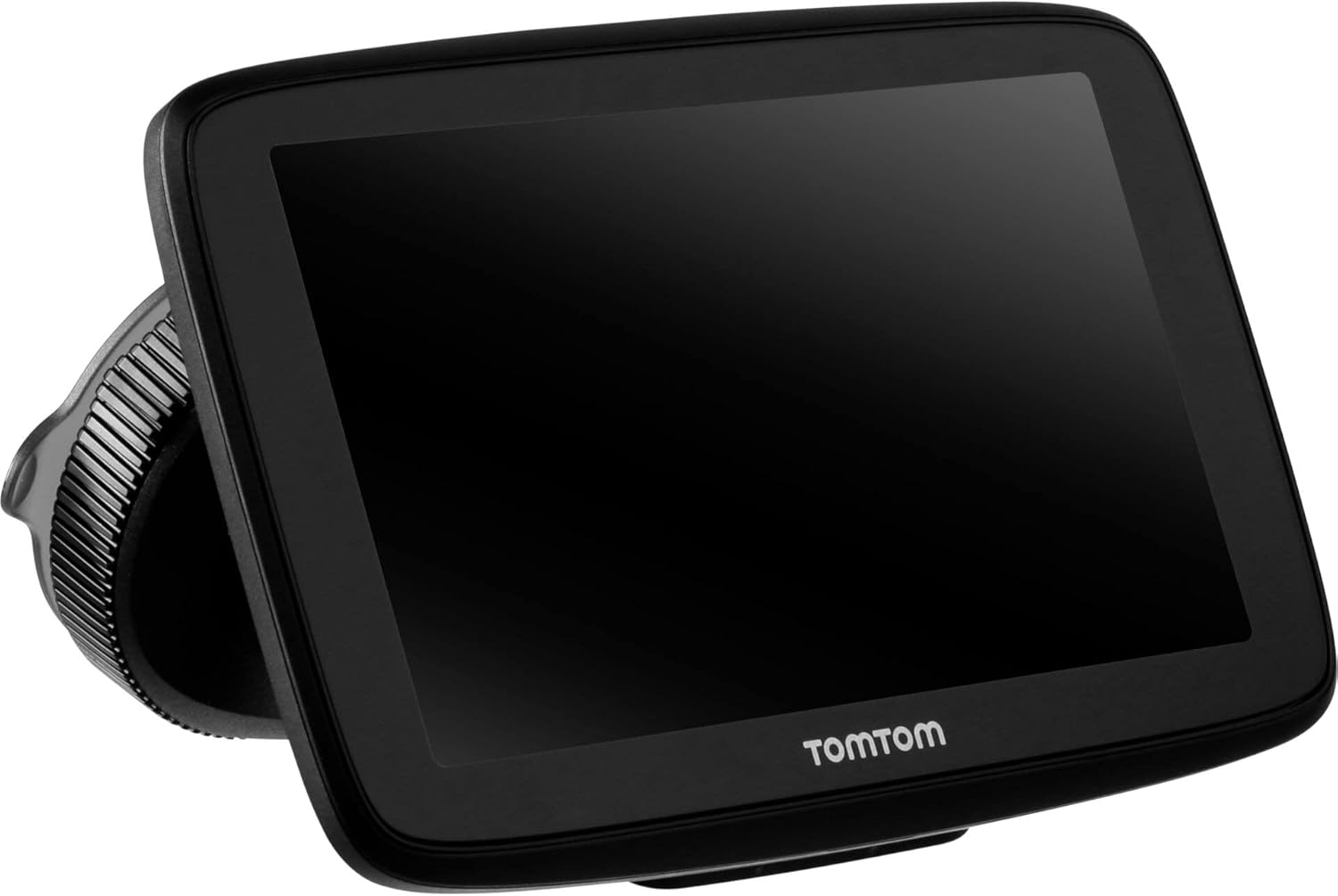
Image: The TomTom GO Expert Sat Nav device attached to its Click-and-Drive mount, viewed from an angle, showing the suction cup base.
2. Pornire și încărcare
- Conectați încărcătorul auto: Conectați încărcătorul auto la priza de 12V a vehiculului dumneavoastră.
- Conectați-vă la dispozitiv: Connect the other end of the charger to the TomTom GO Expert device.
- Taxă inițială: Allow the device to charge for at least 30 minutes before first use, or until the battery indicator shows sufficient charge.

Imagine: Side profile of the TomTom GO Expert Sat Nav device, showing its slim design and how it connects to the Click-and-Drive mount.
3. Initial Setup and Wi-Fi Connection
- Urmați instrucțiunile de pe ecran pentru a selecta limba și regiunea.
- Connect to a Wi-Fi network for quick map updates and traffic information. Navigate to Setări > Wi-Fi și selectați rețeaua dvs.
- Configure your vehicle profile (truck, bus, coach) by entering dimensions, weight, and other relevant details. This is crucial for custom routing.
Utilizarea dispozitivului dvs
Elementele de bază ale navigației
- Introducerea unei destinații: Tap the search icon on the main menu and enter an address, POI, or coordinates.
- Rutare personalizată: The device will automatically calculate routes based on your configured vehicle profile, avoiding unsuitable roads for large vehicles.
- Live Traffic Updates: With an active Wi-Fi connection, the device provides real-time traffic information to help you avoid delays.
- Lane Guidance: The device displays clear lane guidance to help you prepare for exits and turns.
- Control vocal: Use voice commands for hands-free operation. Refer to the on-screen guide for available commands.
Map Updates and Services
Your TomTom GO Expert receives 3X faster updates via Wi-Fi. Ensure your device is connected to a stable Wi-Fi network to download the latest maps and software updates conveniently and at no extra cost.
- Actualizări ale hărților: Navigați la Setări > Actualizări și elemente noi to check for and install map updates.
- Alerte camere de viteză: The device includes 1 year of speed camera alerts. Ensure this service is active for safer driving.
Întreţinere
- curatenie: Use a soft, lint-free cloth to clean the screen and device casing. Nu utilizați agenți de curățare abrazivi sau solvenți.
- Actualizări de software: Regularly check for and install software updates via Wi-Fi to ensure optimal performance and access to new features.
- Îngrijirea bateriei: To prolong battery life, avoid exposing the device to extreme temperatures. If storing for an extended period, ensure the battery is partially charged.
- Depozitare: When not in use, store the device in a cool, dry place, away from direct sunlight.
Depanare
Probleme comune și soluții
- Dispozitivul nu pornește:
- Asigurați-vă că încărcătorul auto este conectat în siguranță atât la dispozitiv, cât și la priza de alimentare a vehiculului.
- Verificați funcționalitatea prizei de alimentare a vehiculului.
- Try resetting the device by holding the power button for 15-20 seconds.
- Fără semnal GPS:
- Asigurați-vă că dispozitivul este clar view of the sky. Obstructions like tall buildings or tunnels can block the signal.
- Move to an open area and allow the device a few minutes to acquire satellites.
- Check for any pending software updates that might improve GPS performance.
- Map Not Updating:
- Verify that the device is connected to a stable Wi-Fi network.
- Ensure there is sufficient storage space on the device for the new map data.
- Reporniți dispozitivul și încercați din nou actualizarea.
- Ecranul tactil nu răspunde:
- Efectuați o resetare soft ținând apăsat butonul de pornire până când dispozitivul repornește.
- Asigurați-vă că ecranul este curat și fără resturi.
Specificații
| Caracteristică | Detaliu |
|---|---|
| Dimensiunile produsului | 5.51 x 0.79 x 3.54 inci |
| Greutatea articolului | 12.7 uncii |
| Numărul de model | 1YB5.002.20 |
| baterii | Este necesară 1 baterie litiu-ion (inclusă) |
| Sistem de operare | Windows (internal OS) |
| Tehnologii de conectivitate | Bluetooth, Wireless (Wi-Fi) |
| Caracteristici speciale | Bluetooth, Lane Assist, Touchscreen |
| Intrare interfață umană | Touch screen |
| Culoare | Negru |
| Tipul de service al vehiculului | Autobuz, Camion |
| Dimensiunea ecranului | 5 inchi |
| Tip hartă | La nivel mondial |
| Mod ieșire audio | Difuzor |
Garanție și suport
For detailed warranty information and technical support, please visit the official TomTom support website-ul web sau consultați cardul de garanție inclus împreună cu produsul.
Suport online: www.tomtom.com/support
Ensure you have your device's serial number and model number (1YB5.002.20) ready when contacting support.