
Introducere
This manual provides detailed instructions for the installation, operation, and maintenance of your EZoneTronics Android 11 Car Stereo. Please read this manual thoroughly before using the product to ensure proper function and safety. This unit is designed for Peugeot 308 and 408 models manufactured between 2010 and 2016.
Conținutul pachetului
Verificați dacă toate articolele enumerate mai jos sunt incluse în pachetul dumneavoastră:
- 1 x EZoneTronics Android Player
- 1 x Antenă GPS
- 1 x Ham de alimentare
- 1 x Cablu de intrare/ieșire RCA
- 2 adaptoare USB
- 1 x Cablu de intrare cameră
- 1 x Manual de utilizare (acest document)
Configurare și instalare
The EZoneTronics Android 11 Car Stereo is designed for plug-and-play installation in compatible Peugeot 308/408 models. Professional installation is recommended.
Verificări înainte de instalare
- Asigurați-vă că contactul vehiculului este oprit și bateria este deconectată înainte de a începe instalarea.
- Confirm compatibility with your vehicle's make, model, and year (Peugeot 308/408, 2010-2016).
Etape de instalare
- Carefully remove the original car stereo unit from your vehicle's dashboard. Refer to your vehicle's service manual for specific instructions.
- Connect the provided Power Harness to the vehicle's wiring harness. Ensure all connections are secure.
- Connect the GPS Antenna. Position the antenna in a location with a clear view cerului pentru o recepție optimă a semnalului.
- Connect the RCA Input/Output Cable, USB Adapters, and Camera Input Cable as needed for external devices (e.g., rear camera, USB drives).
- Carefully slide the EZoneTronics Android Player into the dashboard opening. Ensure all cables are tucked away and not pinched.
- Secure the unit in place using the appropriate mounting brackets or screws.
- Reconectați bateria vehiculului și cuplați contactul pentru a testa unitatea.
Nota: Minor modifications to the vehicle's frame (e.g., removing plastic tabs) may be required for a perfect fit. Consult online resources or a professional if unsure.
Instrucțiuni de operare
Your EZoneTronics Android 11 Car Stereo features a 9-inch TFT Capacitive Touch Screen and an Octa Core CPU for a responsive user experience.
Navigare de bază
- Pornire/Oprire: Apăsați și țineți apăsat butonul de pornire de pe unitate sau folosiți contactul vehiculului.
- Touch screen: Navigate through menus and applications by tapping, swiping, and pinching on the screen.
- Ecranul principal: Access frequently used apps and widgets. Customize by long-pressing on empty areas.
- Setări: Access system settings, network configurations, display options, and more.

Image: The Android 11 interface with various application icons, highlighting the Octa Core processor for smooth operation.
Conectivitate Bluetooth 5.0
The unit features built-in Bluetooth 5.0 for hands-free calling and audio streaming (A2DP).
- Accesați setările Bluetooth de pe sistemul stereo auto.
- Activați Bluetooth pe telefonul mobil și căutați dispozitivele disponibile.
- Select the car stereo (e.g., "EZoneTronics Car Stereo") from your phone's list and pair.
- Once paired, you can make/receive calls and stream music directly from your phone.

Image: The Bluetooth 5.0 interface displaying options for call history, dialing, hanging up, and playing music from a connected phone.
CarPlay și Android Auto
Integrated CarPlay and Android Auto allow seamless smartphone integration via USB (wired) or wirelessly.
- Connect your iPhone (for CarPlay) or Android phone (for Android Auto) to one of the USB ports.
- Urmați instrucțiunile de pe ecran pentru a iniția CarPlay sau Android Auto.
- Once connected, you can access navigation, music, messages, and calls through the car stereo interface.
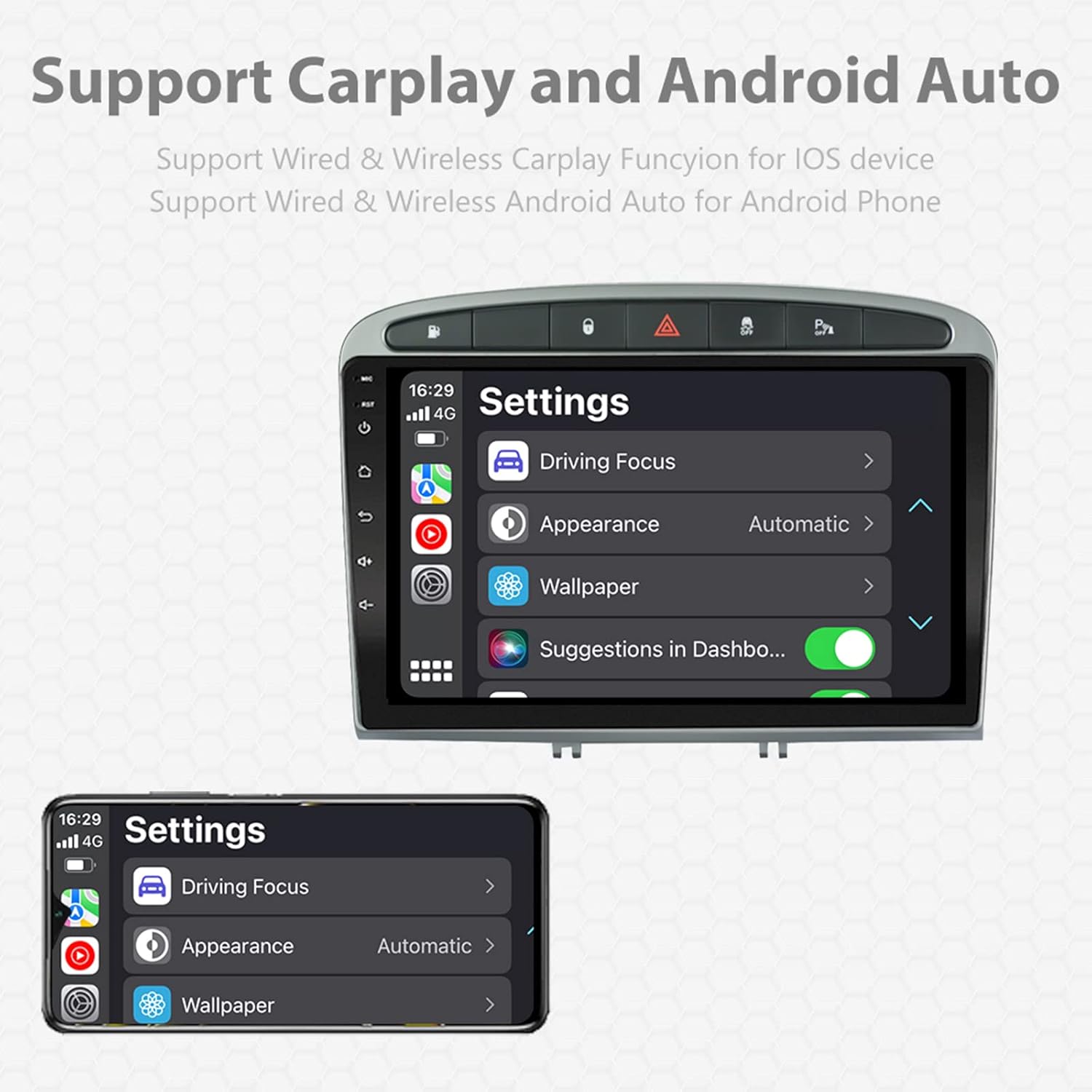
Image: A screen capture showing the settings menu for CarPlay and Android Auto, indicating support for both wired and wireless connections.
Funcția de ecran divizat
The Android 11 system supports multi-tasking, allowing two applications to run side-by-side.
- To activate, open an application, then swipe up from the bottom of the screen (or use the recent apps button) and drag another app to one side of the screen.
- This enables simultaneous use of navigation and music playback, or browsing while listening to the radio.
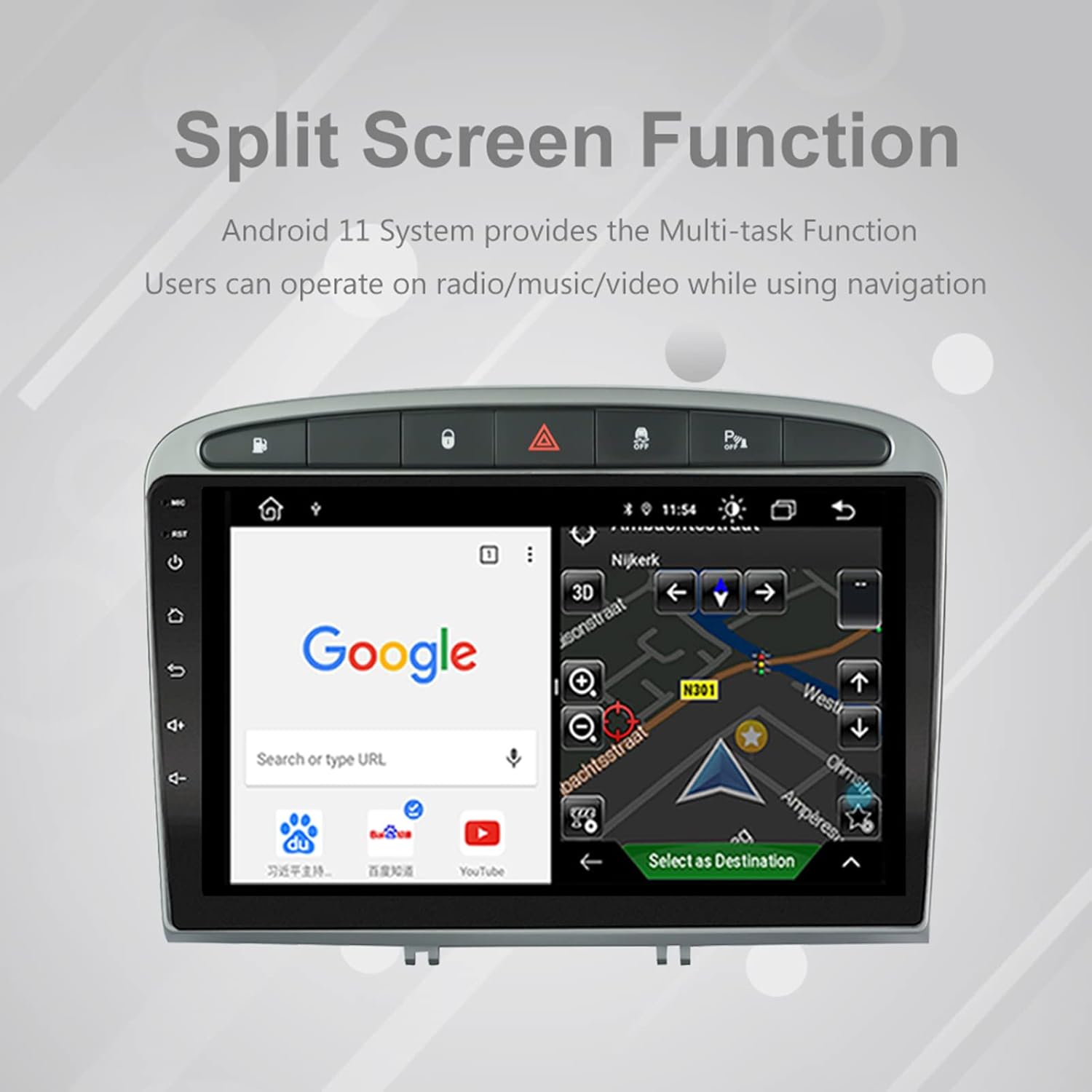
Image: The split-screen feature in action, displaying a Google search interface on one side and a navigation map on the other.
Radio (AM/FM/RDS)
The unit includes an automotive-grade chipset for optimal radio signal reception.
- Select the 'Radio' application from the home screen.
- Folosește comenzile de pe ecran pentru a scana posturi, a regla manual sau a selecta posturi presetate.
- RDS (Sistemul de date radio) oferă informații suplimentare, cum ar fi numele postului și tipul programului, acolo unde sunt disponibile.
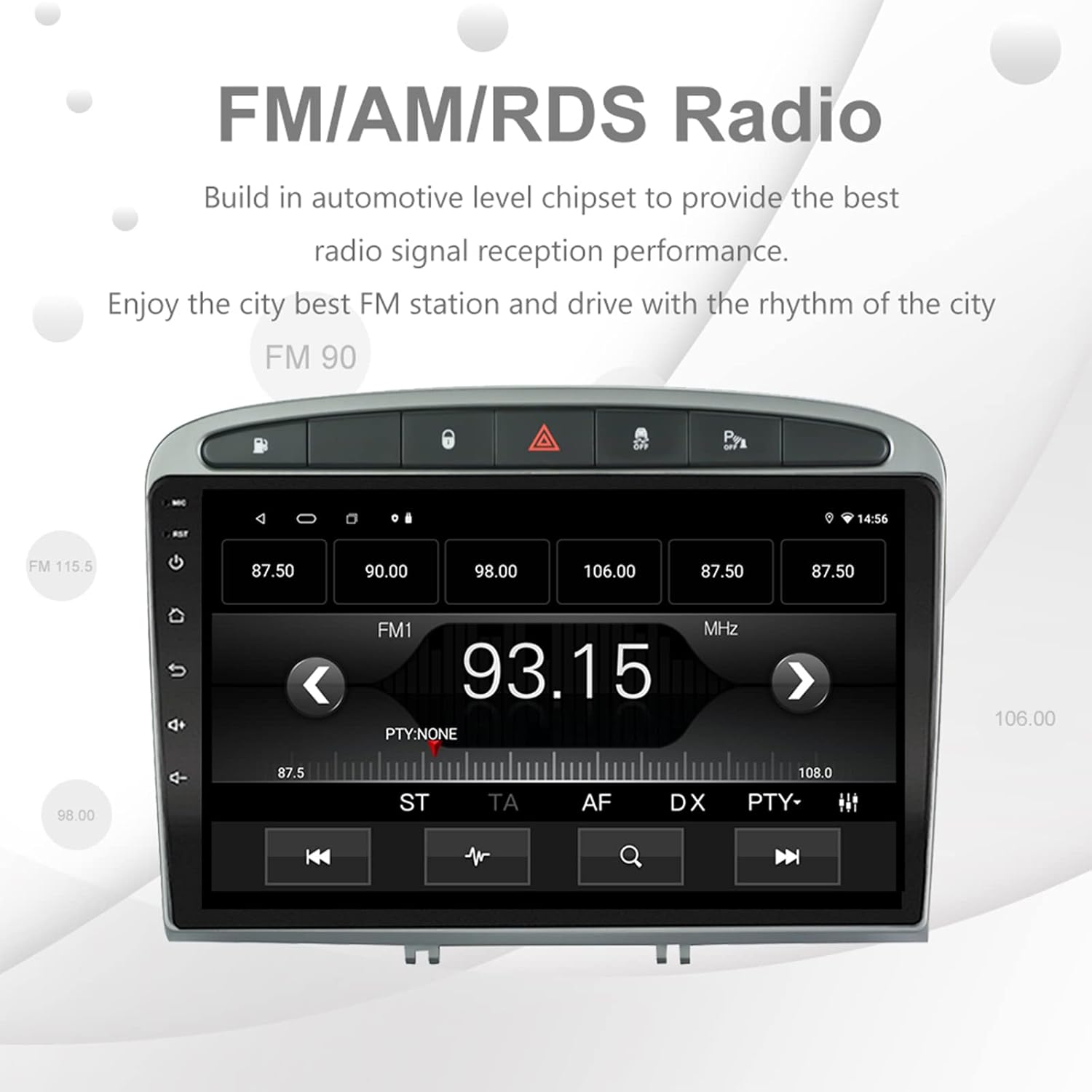
Image: The FM/AM/RDS radio interface, showing frequency display, tuning controls, and preset options.
Procesor de sunet digital (DSP)
The built-in 32-band DSP allows for precise audio customization to match your preferences and vehicle acoustics.
- Access the 'EQ' or 'DSP' application from the home screen.
- Adjust individual frequency bands, fader, balance, treble, and bass settings.
- Select from preset EQ modes or create and save your custom profiles.

Image: The DSP system interface, illustrating the multi-band equalizer with adjustable frequency sliders for sound customization.
Multimedia Playback (Music & Video)
The unit supports various multimedia formats for music and 1080P HD video playback.
- Connect USB drives to the rear USB inputs for media files.
- Use the 'Music' or 'Video' applications to browse and play your media.
- Stream music from your mobile phone via Bluetooth or compatible apps like Spotify (requires internet connection).

Image: The multimedia player displaying a high-definition scenic image, demonstrating its capability for 1080P video and music playback.
Intrare camera inversă
The unit supports a reverse camera input for enhanced parking safety. An AHD camera (optional) provides superior clarity compared to standard CVBS cameras.
- Connect a compatible reverse camera to the 'Camera Input' cable.
- Afișajul va comuta automat la cameră view când vehiculul este cuplat în marșarier.
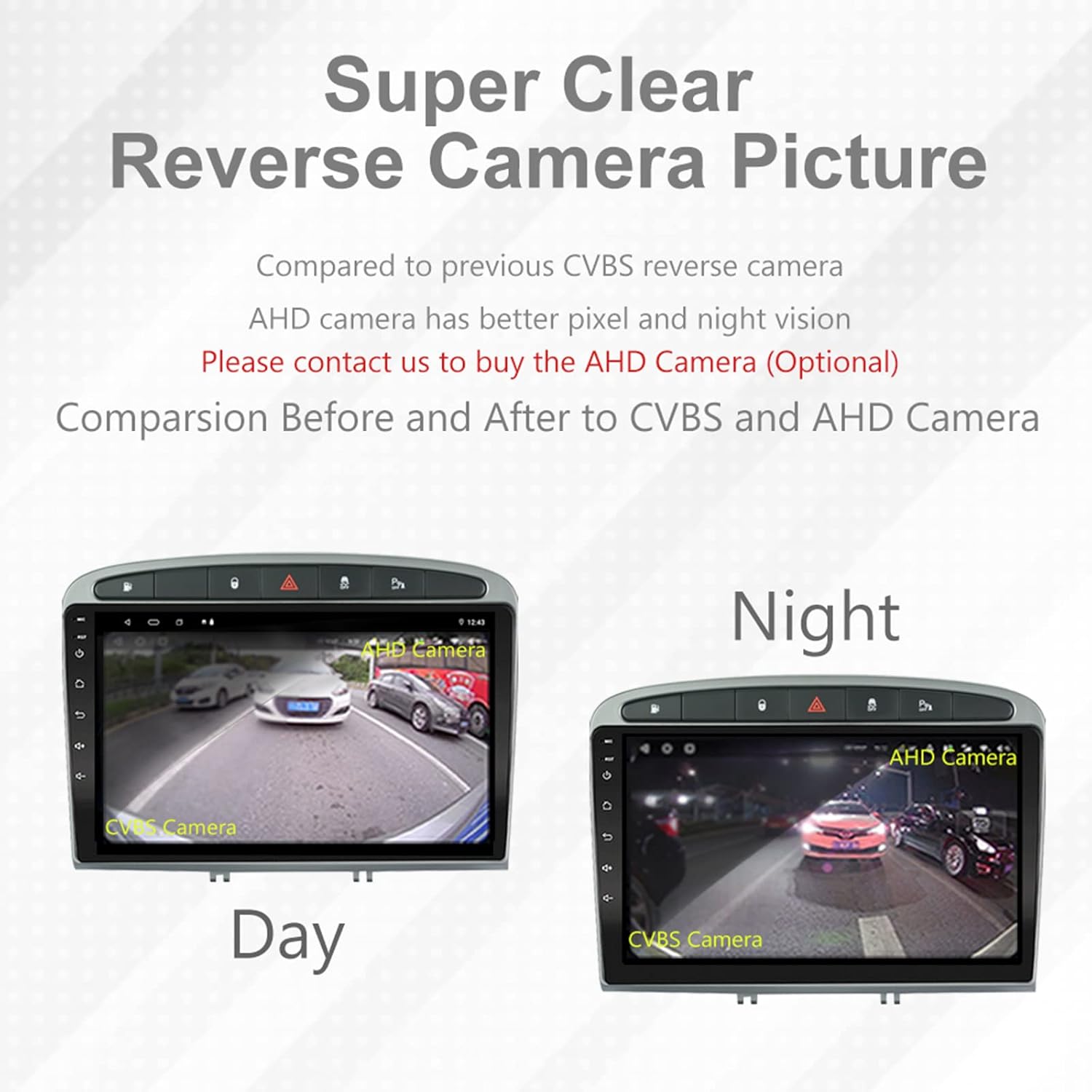
Image: A visual comparison demonstrating the clear reverse camera picture, highlighting the improved clarity of an AHD camera during both day and night conditions.
Întreţinere
Întreținerea corespunzătoare asigură longevitatea și performanța optimă a sistemului stereo auto.
- Curățarea ecranului: Folosiți o lavetă moale, fără scame, pentru a șterge ușor ecranul tactil. Evitați substanțele de curățare abrazive sau solvenții.
- Actualizări de software: Periodically check for system software updates to ensure optimal performance and access to new features. Updates can usually be found in the system settings or on the manufacturer's website-ul.
- Temperatură: Evitați expunerea unității la temperaturi extreme.
Depanare
Dacă întâmpinați probleme, consultați următoarele probleme și soluții comune:
| Problemă | Cauza posibila | Soluţie |
|---|---|---|
| Unitatea nu pornește | Conexiune de alimentare slăbită, siguranță arsă, problemă cu bateria vehiculului. | Check power harness connections. Inspect vehicle fuses. Ensure vehicle battery is charged. |
| Nici un sunet | Volum prea mic, sunet activat, problemă cu cablarea difuzorului, setări incorecte de ieșire audio. | Increase volume. Check mute status. Verify speaker connections. Adjust audio settings in DSP/EQ. |
| Semnal GPS slab sau inexact | GPS antenna improperly placed or disconnected, environmental interference. | Asigurați-vă că antena GPS are o distanță clară view of the sky and is securely connected. Avoid placing near metal objects. |
| Probleme de asociere Bluetooth | Bluetooth not enabled on unit or phone, incorrect pairing procedure, device interference. | Ensure Bluetooth is enabled on both devices. Restart both devices. Follow pairing instructions carefully. |
| CarPlay/Android Auto nu funcționează | Faulty USB cable, phone software issue, app not installed/updated. | Try a different USB cable. Ensure your phone's OS and CarPlay/Android Auto apps are updated. Restart phone and stereo. |
| Unit is slow or unresponsive | Prea multe aplicații care rulează în fundal, spațiu de stocare insuficient, erori de software. | Close unnecessary applications. Clear cache. Perform a system restart. If persistent, a factory reset might be needed (backup data first). |
Pentru probleme care nu sunt acoperite aici, vă rugăm să contactați serviciul de asistență pentru clienți.
Specificații
- Număr de model: RMS8-PGT-408-08-2G32
- Sistem de operare: Android 11
- Dimensiunea ecranului: 9 inci
- Tip de afișare: TFT Capacitive Touch Screen
- Rezoluţie: 1280 x 720 pixels (Note: Some documentation may state 1024x600, but 1280x720 is the primary specification)
- CPU: Octa Core with 1.6GHz Cortex A55
- RAM: 2 GB DDR3
- Stocare internă: Memorie flash de 32 GB
- Bluetooth: Version 5.0 (A2DP, Hands-Free, Phonebook)
- Conectivitate: Built-in WiFi, 4G SIM Card Compatible (requires external module/dongle for 4G), RCA, USB
- GPS: Built-in receiver, compatible with Waze/Navfree/Yandex Map etc.
- Radio: AM/FM/RDS with Auto Memory Store/Preset Scan
- Ieșire audio: 4 x 45W Power Output, 4.1 Channel RCA/Sub Output
- Procesarea sunetului: 32 Band DSP, Multi EQ Settings, Volume/Fader/Balance/Treble/Bass Control
- Intrare video: 1 Channel Video Input, Back Camera Input
- Intrare audio: Intrare audio pe 2 canale
- Dispozitive compatibile: Smartphone (for CarPlay/Android Auto, Bluetooth)
- Servicii de internet acceptate: Spotify
- Limbi: English, French, Italian, German, Spanish, Portuguese, Chinese, Japanese, and more.
- Dimensiuni pachet: 31.3 x 21.6 x 11.9 cm
- Greutate pachet: 1.51 kg
Garanție și suport
Your EZoneTronics car stereo comes with a 1 an garanție de la data cumpărării.
For technical assistance, warranty claims, or any inquiries, please contact our customer support team:
- E-mail: sales2@rhythmhk.com
Please provide your model number (RMS8-PGT-408-08-2G32) and a detailed description of the issue when contacting support.