
Introducere
Thank you for choosing the Edifier Hecate GT4 Gaming Earbuds. These true wireless earbuds are designed to provide a low-latency audio experience for gaming across multiple platforms, including PS5, PS4, Nintendo Switch, mobile phones, and PCs. Featuring Bluetooth 5.2 connectivity, an IP55 rating for dust and splash resistance, and customizable RGB lighting, the GT4 earbuds offer both performance and convenience. Please read this manual thoroughly to ensure proper use and optimal performance of your new earbuds.
Conținutul pachetului
Verificați dacă toate articolele enumerate mai jos sunt prezente în colet:
- Edifier Hecate GT4 Gaming Earbuds (Left and Right)
- Carcasă de încărcare
- Cablu de încărcare USB-C
- Multiple Sizes of Eartips (Small, Medium, Large)
- Manual de utilizare

Image: The Edifier Hecate GT4 earbuds, charging case, USB-C cable, and extra eartips are shown, representing the package contents.
Înființat
1. Încărcarea căștilor și a carcasei
Before first use, fully charge the earbuds and charging case. Place the earbuds into the charging case. Connect the USB-C charging cable to the charging port on the case and the other end to a USB power adapter (not included) or a computer's USB port. The indicator lights on the case will show charging status.
- Timp de încărcare: Aproximativ 1.5 ore pentru o încărcare completă.
- Durata de viață a bateriei: Up to 7 hours of playback on a single charge, with an additional 21 hours provided by the charging case.
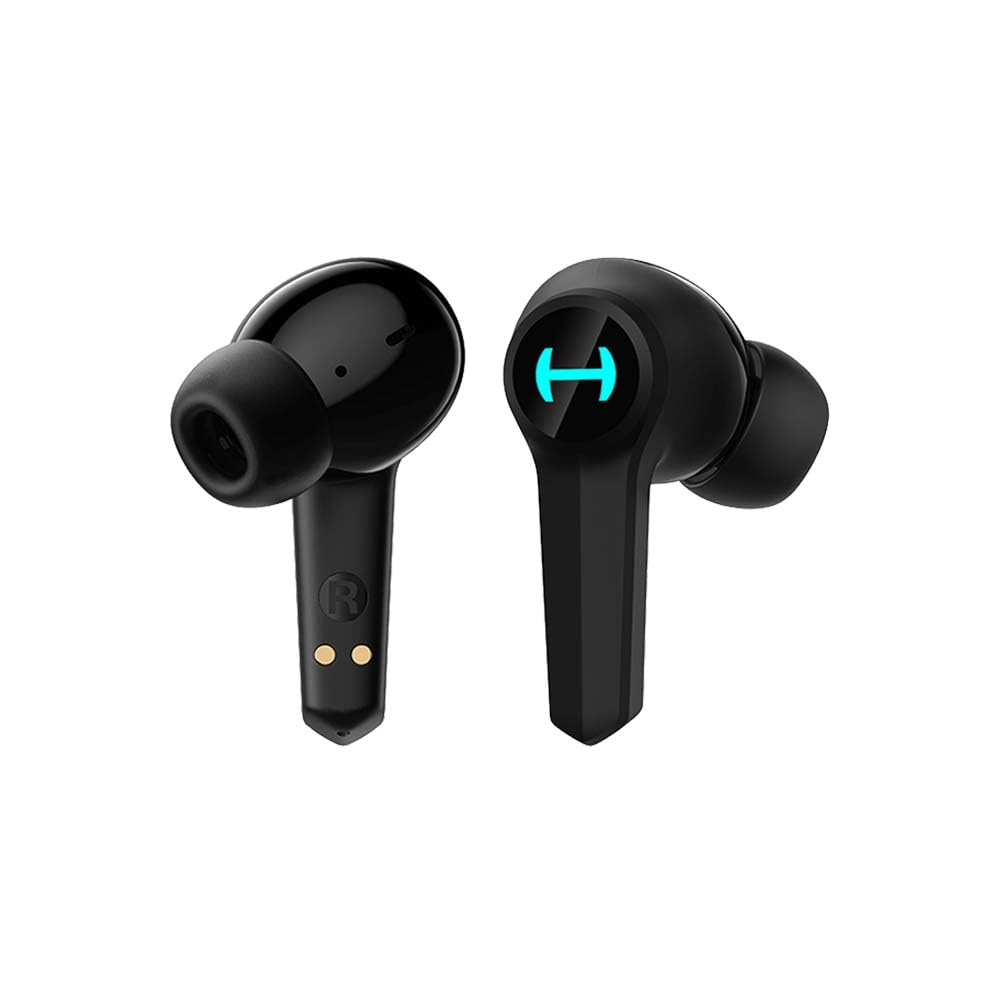
Image: The Edifier Hecate GT4 earbuds are shown inside their open charging case, with the case's RGB lights illuminated.
2. Asociere Bluetooth
- Asigurați-vă că căștile sunt încărcate.
- Deschideți carcasa de încărcare. Căștile vor intra automat în modul de asociere, indicat de luminile intermitente.
- On your device (phone, PC, console), enable Bluetooth and search for new devices.
- Select "EDIFIER HECATE GT4" from the list of available devices to connect.
- Once connected, the earbud lights will stop flashing or show a steady light.
Căștile sunt compatibile cu Bluetooth 5.2 pentru o conexiune stabilă și eficientă.
Instrucțiuni de operare
1. Pornire/Oprire
- Pornire: Deschideți carcasa de încărcare sau scoateți căștile din carcasă. Se vor porni automat.
- Oprire: Puneți căștile înapoi în carcasa de încărcare și închideți capacul. Se vor opri automat.
2. Atingeți Comenzi
The Edifier Hecate GT4 earbuds feature touch-sensitive controls on each earbud. Refer to the diagram below for touch panel location.

Image: A finger is shown touching the outer surface of an earbud, indicating the smart touch control area.
| Acţiune | Căști stânga (L) | Căști drepte (R) |
|---|---|---|
| Redare/Pauză | Atingeți de două ori | Atingeți de două ori |
| Următoarea piesă | Triple robinet | Triple robinet |
| Răspundeți/Terminați apelul | Atingeți de două ori | Atingeți de două ori |
| Respinge apelul | Apăsare lungă (2s) | Apăsare lungă (2s) |
| Activați modul joc | Apăsare lungă (2s) | Apăsare lungă (2s) |
| Deactivate Game Mode | Apăsare lungă (2s) | Apăsare lungă (2s) |
Notă: Este posibil să fie nevoie să ajustați volumul direct pe dispozitivul conectat.
3. Game Mode (45ms Low-Latency)
The Edifier Hecate GT4 features a dedicated Game Mode to reduce audio latency to as low as 45ms, providing a synchronized audio-visual experience crucial for gaming. To activate or deactivate Game Mode, long press either earbud for 2 seconds. You will hear an audio prompt indicating the mode change.

Image: An illustration depicting the low latency feature of the earbuds, highlighting the 45ms response time.
Video: O prezentare video oficială a produsuluiasing the features of the EDIFIER HECATE GT4 Gaming Earbuds, including low latency and ergonomic design.
4. Iluminare RGB
The charging case and earbuds feature RGB lighting. The lighting indicates various statuses such as charging, pairing, and game mode activation. The specific patterns and colors are pre-set and provide visual feedback on the earbuds' operational status.

Image: The Edifier Hecate GT4 charging case is shown with its red RGB lighting illuminated, indicating its gaming aesthetic.
Întreţinere
- curatenie: Use a soft, dry cloth to clean the earbuds and charging case. Do not use liquid cleaners or abrasive materials.
- Rezistenta la apa: The earbuds have an IP55 rating, meaning they are protected against dust and low-pressure water jets. Avoid submerging them in water or exposing them to heavy rain. Dry them thoroughly if they get wet.
- Depozitare: Când nu le utilizați, depozitați căștile în carcasa lor de încărcare pentru a le proteja și a le menține încărcate. Depozitați într-un loc răcoros și uscat, ferit de temperaturi extreme.

Image: An Edifier Hecate GT4 earbud is shown with water splashing around it, illustrating its water-resistant feature.
Depanare
| Problemă | Cauza posibila | Soluţie |
|---|---|---|
| Căștile nu pornesc. | Baterie descărcată. | Încărcați complet căștile și carcasa de încărcare. |
| Nu se poate realiza asocierea cu dispozitivul. | Bluetooth not enabled, earbuds not in pairing mode, or device too far. | Ensure Bluetooth is enabled on your device. Place earbuds in case, close, then open to re-enter pairing mode. Keep devices within 10 meters. |
| Niciun sunet sau sunet intermitent. | Earbuds not properly connected, low battery, or interference. | Check Bluetooth connection. Recharge earbuds. Move away from sources of interference (e.g., Wi-Fi routers). |
| O cască nu are sunet. | Individual earbud connection issue. | Place both earbuds back into the charging case, close the lid, then open it again to reset the connection. Re-pair if necessary. |
| Low latency mode not working. | Game Mode not activated. | Long press either earbud for 2 seconds to activate Game Mode. Listen for the audio prompt. |
| Cannot connect to PS4/PS5/Switch. | Console limitations or specific pairing requirements. | Some consoles may require a separate Bluetooth adapter for full compatibility or specific pairing steps. Refer to your console's manual for Bluetooth audio device connection instructions. |
Specificații
| Caracteristică | Detaliu |
|---|---|
| Numărul de model | GT4-BK |
| Marca | Edificator |
| Tehnologia de conectivitate | Wireless (Bluetooth) |
| Versiune Bluetooth | 5.2 |
| Plasarea urechii | În ureche |
| Tip de driver audio | Dynamic Driver (10mm Composite Diaphragm Unit) |
| Gama de frecvente | 20Hz-20kHz |
| Latență scăzută | 45ms (Mod Joc) |
| Durata de viață a bateriei (căști) | Până la 7 ore |
| Durata totală de viață a bateriei (cu carcasă) | Până la 28 ore (7 + 21 ore) |
| Timp de încărcare a bateriei | Aproximativ. 1.5 ore |
| Metoda de control | Atingere |
| Nivel de rezistență la apă | IP55 (rezistent la praf și stropire) |
| Dispozitive compatibile | PS5, PS4, Nintendo Switch, Phone (Android, iOS), PC |
| Material | Plastic |
| Greutatea articolului | 0.12 kilograme |
Garanție și suport
Edifier products are designed and manufactured to the highest quality standards. For information regarding warranty coverage, please refer to the warranty card included in your product packaging or visit the official Edifier website. If you encounter any issues or have questions about your Edifier Hecate GT4 Gaming Earbuds, please contact Edifier customer support through their official channels for assistance.
Editorul oficial Website: www.edifier.com