
Vivotek IB9380-H
Manual de utilizare pentru camera de rețea bullet de exterior Vivotek IB9380-H 5MP IR
Model: IB9380-H
1. Introducere
This manual provides detailed instructions for the installation, operation, and maintenance of your Vivotek IB9380-H 5MP IR Outdoor Network Bullet Camera. Please read this manual thoroughly before using the product to ensure proper setup and optimal performance. This camera is designed for outdoor security surveillance, offering high-resolution imaging and infrared capabilities for reliable monitoring.
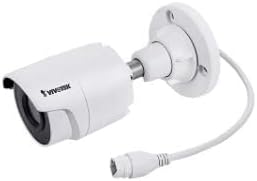
Image 1.1: Vivotek IB9380-H 5MP IR Outdoor Network Bullet Camera overview.
2. Informații de siguranță
- Sursa de alimentare: Use only the specified AC/DC power adapter. Ensure the power supply is stable and meets the camera's requirements (3.5 watts).
- Mediu de instalare: This camera is rated for outdoor use (IP9380). Avoid installing in locations with extreme temperatures, high humidity, or corrosive substances beyond its operating specifications.
- Manipulare: Do not drop or subject the camera to severe shock. Avoid touching the lens directly.
- dezasamblarea: Nu încercați să dezasamblați sau să modificați camera. Acest lucru poate anula garanția și poate provoca daune.
- Cablare: Ensure all cables are properly secured and protected from environmental damage or tampering.
3. Conținutul pachetului
Verificați dacă toate articolele sunt prezente în colet:
- Vivotek IB9380-H 5MP IR Outdoor Network Bullet Camera
- Kit de montare (șuruburi, ancore de perete)
- Ghid de instalare rapidă
- Conector impermeabil pentru cablu Ethernet
4. Configurare
4.1. Physical Installation and Mounting
The Vivotek IB9380-H camera is designed for wall mount installation. Choose a suitable location that provides the desired field of view și se află în apropierea conexiunilor de alimentare și de rețea.
- Pregătiți suprafața de montare: Mark the drilling points on the wall using the mounting template (if provided) or by holding the camera's base against the surface.
- Găuri: Drill pilot holes at the marked positions. Insert wall anchors if mounting on drywall or masonry.
- Securizați camera: Attach the camera's mounting base to the wall using the provided screws. Ensure it is firmly secured.
- Reglarea unghiului: Slăbiți șuruburile de reglare de pe corpul camerei pentru a seta unghiul dorit viewing angle. Tighten the screws once the angle is satisfactory.

Image 4.1: Camera dimensions and mounting diagram for installation planning.
4.2. Conexiune prin cablu
Connect the necessary cables to the camera:
- Cablu Ethernet: Connect a standard Ethernet cable (RJ45) to the camera's network port. Use the waterproof connector to protect the connection if exposed to weather.
- Cablu de alimentare: Connect the power adapter to the camera's power input. Ensure the connection is secure.

Image 4.2: Close-up of an Ethernet cable connector, similar to what is used for the camera's network connection.
4.3. Pornirea inițială
Once all cables are connected, plug the power adapter into an electrical outlet. The camera will power on and initiate its startup sequence. Observe any indicator lights for status.
5. Instrucțiuni de utilizare
5.1. Network Configuration and Access
The Vivotek IB9380-H supports Wi-Fi connectivity. For initial setup, it is recommended to connect via Ethernet to configure network settings.
- Descoperiți camera: Use the Vivotek IP Search utility or your network router's client list to find the camera's assigned IP address.
- Acces Web Interfata: Deschide a web browser and enter the camera's IP address. Log in using the default credentials (refer to the Quick Installation Guide for details).
- Configurați Wi-Fi-ul: Navigate to the network settings within the web interface. Select your Wi-Fi network, enter the password, and save the settings. Once configured, you may disconnect the Ethernet cable if desired.
5.2. în direct View și Înregistrare
After network setup, you can access the camera's live feed and configure recording options.
- Trăi View: De la web interface or a compatible mobile application, select the camera to view fluxul său live.
- Configurare înregistrare: Configure recording schedules, continuous recording, or event-triggered recording (e.g., motion detection). Recordings can be stored on a network video recorder (NVR) or a local storage device if supported.
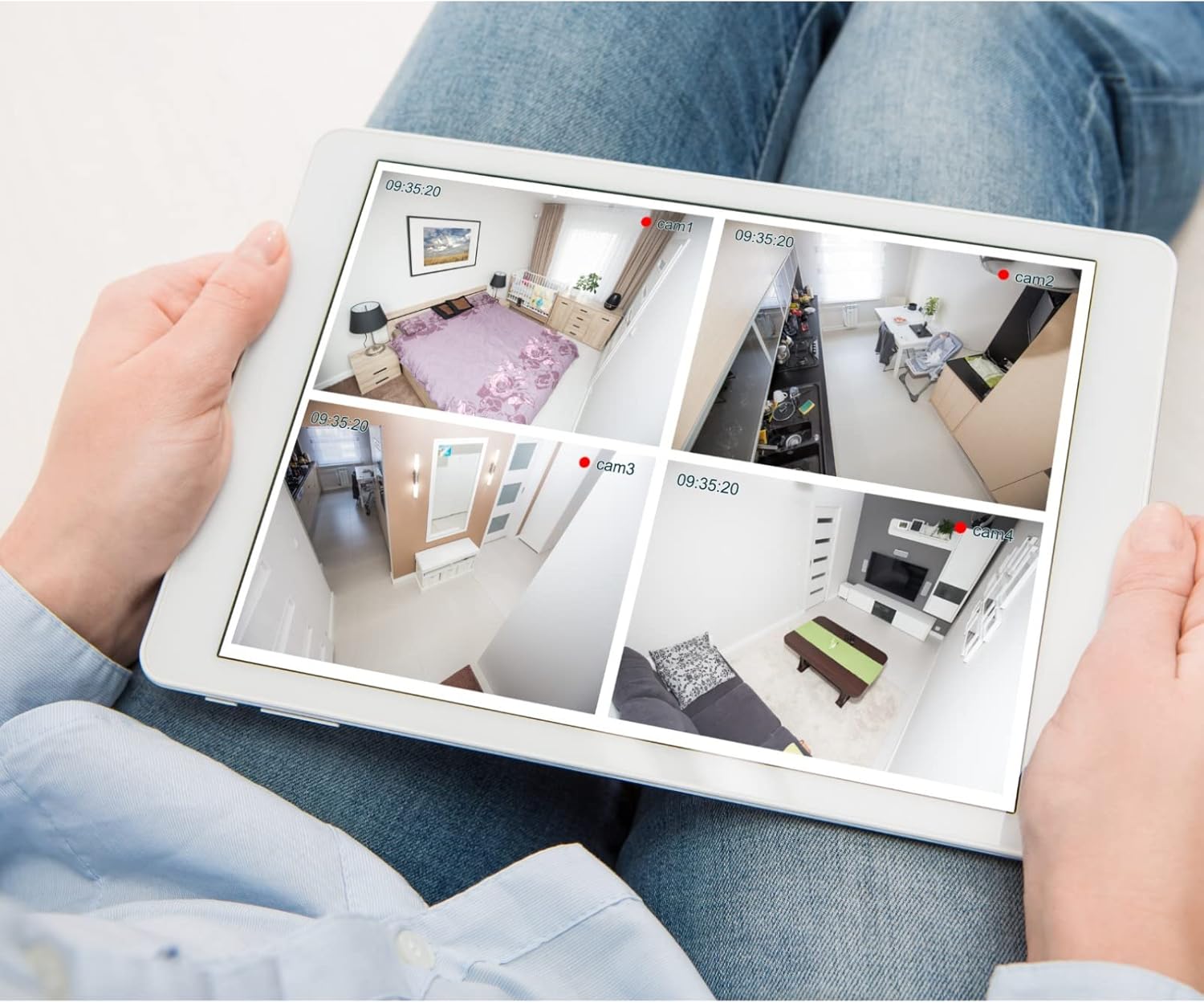
Imaginea 5.1: Example of a tablet displaying multiple camera feeds, illustrating remote monitoring capabilities.
5.3. Motion Detection Setup
The camera supports motion-only alerts.
- Access Alert Settings: In the camera's web interface, navigate to the event or alert settings section.
- Configurați detectarea mișcării: Enable motion detection and define the detection zones and sensitivity levels.
- Set Actions: Specify actions to be taken upon motion detection, such as recording, sending email notifications, or triggering alarms.
5.4. Vedere de noapte
The camera features IR (Infrared) and Night Color low light technology for clear imaging in various lighting conditions. These features typically activate automatically based on ambient light levels.
6. Întreținere
- Curățarea lentilei: Gently wipe the camera lens with a soft, clean cloth. For stubborn dirt, use a lens cleaning solution designed for optical surfaces. Do not use abrasive cleaners.
- Actualizări firmware: Verificați periodic Vivotek-ul website pentru actualizări de firmware. Menținerea firmware-ului actualizat asigură performanță optimă, securitate și acces la funcții noi.
- Verificare de mediu: Regularly inspect the camera and its mounting for any signs of wear, damage, or loose connections, especially after severe weather conditions.
- Ciclu de alimentare: If the camera experiences minor issues, try power cycling it by disconnecting and reconnecting the power supply.
7. Depanare
| Problemă | Cauza posibila | Soluţie |
|---|---|---|
| Fără putere | Adaptorul de alimentare este scos din priză sau este defect; problemă cu priza. | Check power connections. Test the outlet with another device. Try a different power adapter if available. |
| Fără feed video | Network connection issue; incorrect IP address; camera not configured. | Verify network cable connection or Wi-Fi settings. Confirm camera's IP address. Ensure camera is properly configured in your viewing software. |
| Calitate slabă a imaginii | Obiectiv murdar; condiții de lumină slabă; setări incorecte de rezoluție. | Clean the camera lens. Ensure sufficient lighting or verify night vision is active. Check video resolution settings in the camera's interface. |
| Detectarea mișcării nu funcționează | Motion detection disabled; incorrect sensitivity; detection zones not set. | Enable motion detection in settings. Adjust sensitivity and define detection zones. |
8. Specificații
| Caracteristică | Detaliu |
|---|---|
| Model | IB9380-H |
| Rezoluție statică efectivă | 5 MP |
| Rezoluție captură video | 1080p |
| Frame Rate | 20 fps |
| Tehnologie cu lumină scăzută | Culoarea Nopții |
| Factor de formă | Glonţ |
| Utilizare în interior/exterior | În aer liber |
| Tip de montare | Montare pe perete |
| Comunicare fără fir | Wifi |
| Protocol de conectivitate | Wifi |
| Sursa de alimentare | AC/DC |
| Wattage | 3.5 wați |
| Tip de alertă | Doar mișcare |
| Metoda de control | Telecomanda |
| Dimensiuni (L x l x H) | 3.59 x 3.59 x 6.96 inci |
| Evaluarea internațională de protecție | IP9380 |
| UPC | 655255870887, 681541834035 |
9. Informații despre garanție
This Vivotek product is covered by a manufacturer's limited warranty. Please refer to the warranty card included in your package or visit the official Vivotek website for detailed terms and conditions regarding warranty coverage, duration, and claims procedures. Keep your proof of purchase for warranty service.
10. Asistență pentru clienți
For technical assistance, troubleshooting beyond this manual, or warranty inquiries, please contact Vivotek customer support. You can typically find contact information (phone, email, support portal) on the official Vivotek website-ul sau în documentația furnizată împreună cu produsul.
Resurse online: www.vivotek.com
Ask a question about this manual
Ask about setup, troubleshooting, compatibility, parts, safety, or missing instructions. Manuals+ will review the question and use this page’s manual context to help answer it.