
1. Introducere
Thank you for choosing the InFocus P120 INL412 Multimedia Projector. This manual provides essential information for the safe and efficient operation of your projector. Please read it thoroughly before using the device and retain it for future reference. The InFocus P120 INL412 is designed for versatile multimedia presentations, offering clear and vibrant images for various applications.
2. Informații de siguranță
To ensure safe operation and prevent damage to the projector, please observe the following safety precautions:
- Nu blocați orificiile de ventilație. Asigurați suficient spațiu în jurul proiectorului pentru o circulație adecvată a aerului și pentru a preveni supraîncălzirea.
- Evitați să priviți direct în obiectivul proiectorului când lamp este pornit, deoarece lumina puternică poate provoca leziuni oculare.
- Do not place the projector on an unstable cart, stand, or table. The projector may fall, causing serious injury to a child or adult, and serious damage to the unit.
- Disconnect the power cord from the wall outlet if the projector will not be used for an extended period.
- Apelați pentru toate lucrările de service la personal de service calificat. Nu încercați să deschideți sau să reparați singur proiectorul.
- Keep the projector away from water or moisture. Do not expose it to rain or immerse it in liquid.
- Use only the power cord supplied with the projector or an authorized replacement.
3. Conținutul pachetului
Verificați dacă toate articolele enumerate mai jos sunt incluse în pachetul proiectorului:
- InFocus P120 INL412 Multimedia Projector
- Cablu de alimentare
- Telecomanda cu baterii
- Cablu VGA
- Manual de utilizare (acest document)
- Ghid de pornire rapidă
4. Produs terminatview
Familiarize yourself with the main components of your InFocus P120 INL412 projector.
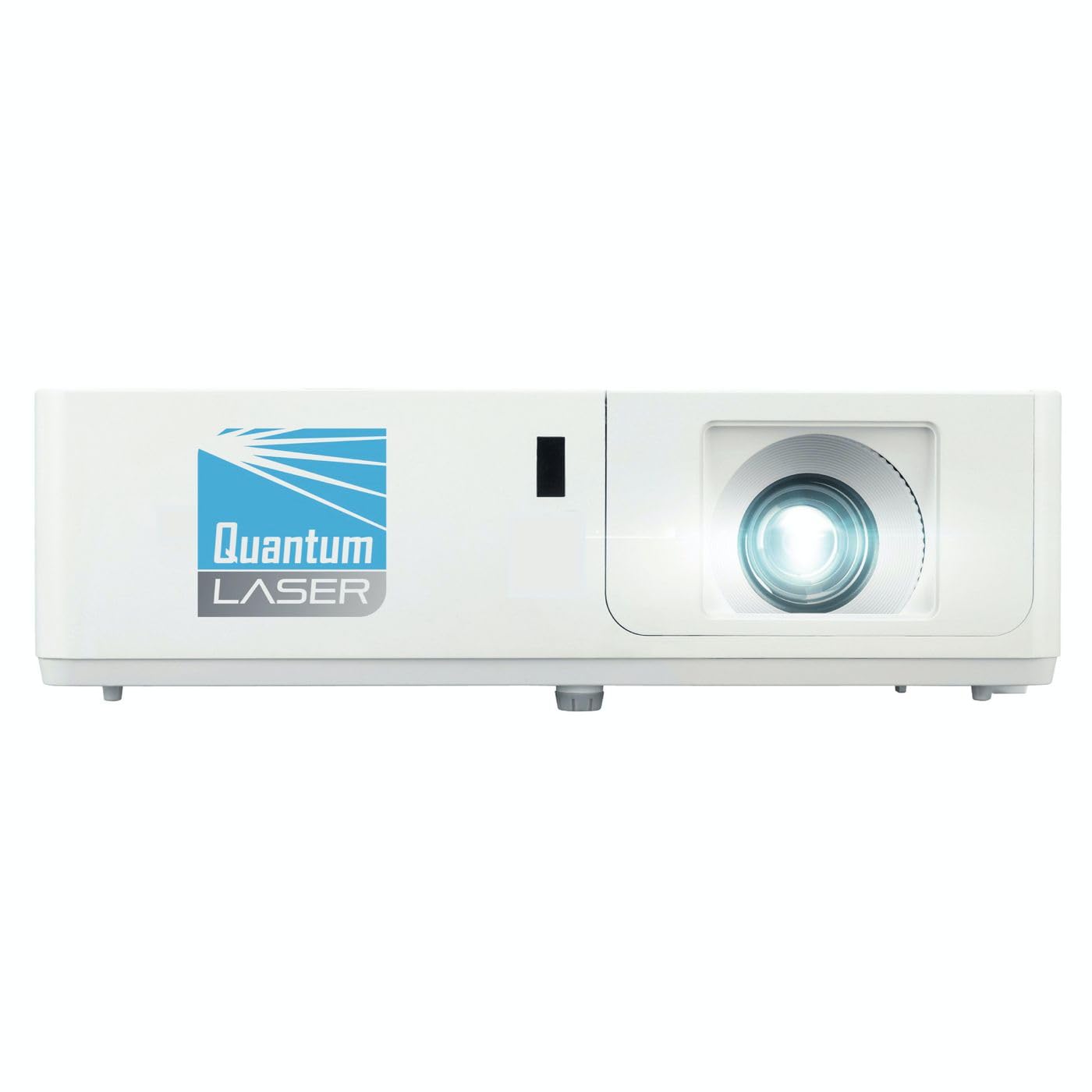
Imaginea 1: Față view of the InFocus P120 INL412 Multimedia Projector, showing the lens and ventilation grilles.
4.1 Panoul frontal
- Lentila de proiectie: Emite imaginea pe ecran.
- Inel de focalizare: Reglează claritatea imaginii proiectate.
- Inel de zoom: Adjusts the size of the projected image.
- Receptor IR: Primește semnale de la telecomandă.
4.2 Panoul superior
- Panou de control: Butoane pentru alimentare, navigare în meniu, selectarea sursei și corecția trapezului.
- Indicatoare luminoase: Display the projector's status (e.g., power, lamp, temperature).
4.3 Panoul din spate (Conectivitate)
- Intrare HDMI: Connects to HDMI-enabled devices (laptops, Blu-ray players).
- Intrare VGA: Se conectează la computere cu ieșire VGA.
- Port USB: For service or connecting USB devices (if supported by model).
- Intrare/Ieșire audio: For connecting external audio sources or speakers.
- Intrare de alimentare: Conectează cablul de alimentare.
5. Configurare
Urmați acești pași pentru configurarea inițială a proiectorului:
- Plasare: Place the projector on a stable, flat surface or mount it securely. Ensure the projector is positioned at an appropriate distance from the screen to achieve the desired image size.
- Conexiune de alimentare: Connect the power cord to the projector's power inlet and then to a grounded electrical outlet.
- Conectați dispozitivul sursă: Connect your source device (e.g., laptop, DVD player) to the projector using an appropriate cable (HDMI, VGA, etc.). Ensure the cable is securely connected to both the source and the projector.
- Pornire: Press the power button on the projector's control panel or the remote control to turn on the projector. The power indicator light will illuminate.
- Ajustați focalizarea și zoomul: Once an image is projected, rotate the focus ring on the lens until the image is sharp and clear. Use the zoom ring to adjust the image size to fit your screen.
- Corecție trapezoială: If the image appears trapezoidal, use the keystone correction function (either via buttons on the projector/remote or through the on-screen menu) to square the image.
6. Instrucțiuni de utilizare
6.1 Pornire/Oprire
- Pentru a porni: Press the power button once. The projector will go through a warm-up sequence.
- Pentru a opri: Press the power button twice. The first press will prompt a shutdown confirmation; the second press will initiate shutdown. Allow the projector to cool down completely before unplugging.
6.2 Selectarea sursei
Press the 'Source' button on the projector or remote control to cycle through available input sources (HDMI, VGA, etc.) until your desired source is displayed.
6.3 Navigare prin meniu
Press the 'Menu' button to access the on-screen display (OSD) menu. Use the arrow buttons to navigate through options and 'Enter' or 'OK' to select. Use the 'Exit' or 'Menu' button to close the OSD.
- Setări imagine: Adjust brightness, contrast, color, aspect ratio, and picture mode.
- Setări de afișare: Configure keystone, projection mode (front/rear, desktop/ceiling), and resolution.
- Setări audio: Controlează volumul și opțiunile de ieșire audio.
- Setări de sistem: Manage language, timer, power-saving modes, and factory reset.
7. Întreținere
Întreținerea regulată asigură performanțe optime și prelungește durata de viață a proiectorului.
- Curățarea lentilelor: Ștergeți ușor lentila proiectorului cu o lavetă moale, fără scame, special concepută pentru suprafețe optice. Nu utilizați produse de curățare abrazive și nu aplicați forță excesivă.
- Curățarea dulapului: Use a soft, dry cloth to clean the projector's exterior. For stubborn marks, dampen the cloth slightly with water. Avoid using harsh chemicals.
- Curățarea/înlocuirea filtrului de aer: Check the air filter periodically. If your model has a removable filter, clean it with a soft brush or vacuum cleaner. Replace the filter as recommended in the on-screen menu or when visibly dirty to maintain proper ventilation.
- Lamp Înlocuire: Proiectorul lamp are o durată de viață finită. Când lamp life indicator appears, or the image brightness significantly decreases, replace the lamp according to the instructions provided in the full service manual or by a qualified technician. Always allow the projector to cool down completely before attempting lamp înlocuire.
8. Depanare
Consultați tabelul de mai jos pentru problemele comune și soluțiile acestora:
| Problemă | Cauza posibila | Soluţie |
|---|---|---|
| Nu este afișată nicio imagine | Power cord disconnected, incorrect input source, source device off. | Check power connections. Select correct input source. Ensure source device is powered on. |
| Imaginea este neclară | Lentila nefocalizată, distanță de proiecție incorectă. | Adjust the focus ring on the lens. Reposition the projector closer or further from the screen. |
| Imaginea este trapezoidală | Proiectorul nu este perpendicular pe ecran. | Use keystone correction (manual or automatic) to square the image. |
| Proiectorul se supraîncălzește și se oprește | Blocked ventilation, dirty air filter. | Ensure clear space around vents. Clean or replace the air filter. |
| Telecomanda nu funcționează | Dead batteries, obstruction between remote and projector, incorrect angle. | Replace batteries. Ensure clear line of sight to IR receiver. Point remote directly at the projector. |
9. Specificații
Key technical specifications for the InFocus P120 INL412 Multimedia Projector:
| Caracteristică | Caietul de sarcini |
|---|---|
| Numărul de model | P120 INL412 (Item model number: 7296144) |
| Tip de afișare | DLP |
| Rezoluție nativă | 1280 x 800 |
| Rezoluție maximă a afișajului | 1280 x 800 |
| Tehnologia de conectivitate | USB (and other standard inputs like HDMI, VGA) |
| Dimensiunile produsului | 5.25 x 0.31 x 1.66 inci |
| Greutatea articolului | 6.6 lire sterline |
| Producător | În Focus |
10. Garanție și asistență
The InFocus P120 INL412 Multimedia Projector comes with a standard manufacturer's warranty. Please refer to the warranty card included in your package for specific terms and conditions, including warranty duration and coverage details. For technical support, service, or further inquiries, please visit the official InFocus support website-ul sau contactați departamentul de servicii pentru clienți.
Pentru cele mai recente informații de asistență, vă rugăm să vizitați: www.infocus.com/support