
Introducere
Thank you for choosing the OTL Technologies Pro G4 Batman DC Comic Gaming Headset. This manual provides essential information for setting up, operating, and maintaining your new gaming headset. Designed for immersive gaming, this headset features comfortable ear pads, a detachable microphone, and inline controls for an optimal audio experience across various gaming platforms.
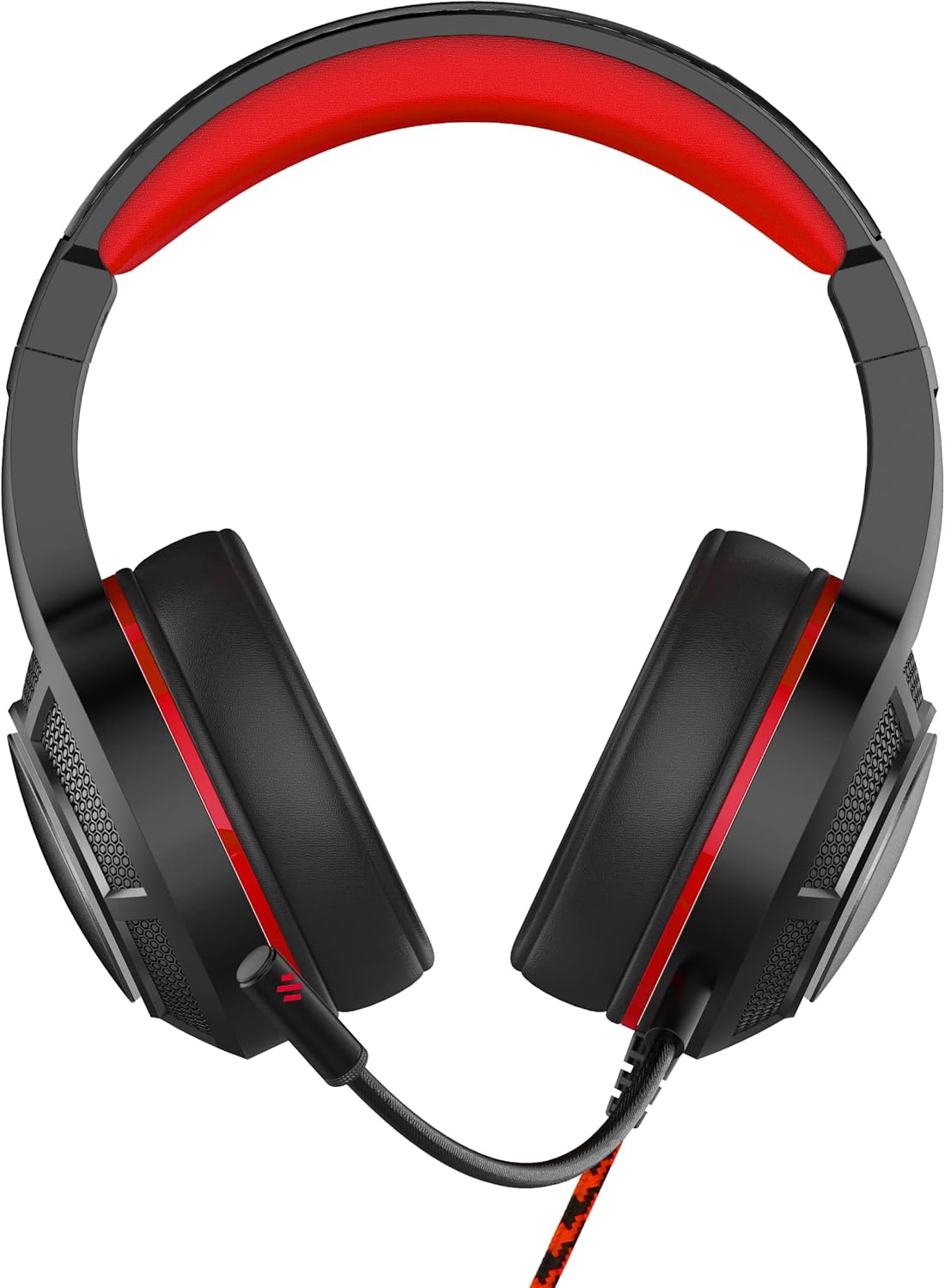
Imagine: față view of the OTL Technologies Pro G4 Batman DC Comic Gaming Headset, showcasing its design and earcups.
Conținutul pachetului
Vă rugăm să vă asigurați că toate articolele sunt prezente în colet:
- OTL Technologies Pro G4 Batman DC Comic Gaming Headset
- Microfon detasabil

Image: The product packaging, clearly indicating the presence of a detachable boom microphone.
Instrucțiuni de configurare
- Conectați microfonul: Locate the microphone input port on the left earcup of the headset. Insert the detachable microphone firmly into this port until it clicks into place.
- Reglarea căștilor: Extend or retract the headband to ensure a comfortable and secure fit over your head. The super padded PU headband and memory foam ear pads are designed for extended comfort.
- Conectați-vă la dispozitiv: Plug the 3.5mm audio jack from the headset cable into the corresponding audio port on your gaming console controller, PC, or other compatible device.

Imagine: Sus view of the headset showing the detachable microphone securely attached to the left earcup.
Instrucțiuni de operare
- Controlul volumului: Use the inline volume control wheel located on the headset cable to adjust the audio output level to your preference. Rotate the wheel up to increase volume and down to decrease it.
- Dezactivare microfon: The inline controller also features a microphone mute switch. Slide the switch to the "ON" position to enable the microphone, and to the "OFF" position to mute it.
- Calitate audio: The 50mm on-ear speakers provide powerful, premium sound quality and passive sound isolation, enhancing your gaming experience.
- Compatibilitate: This headset is compatible with all devices using a standard 3.5mm audio jack, including PlayStation 4, PlayStation 5, Xbox One, and PCs.

Image: Close-up of the inline controller, showing the volume adjustment wheel and the microphone mute switch for easy access during gameplay.
Întreţinere
- curatenie: Gently wipe the headset with a soft, dry cloth. Do not use liquid cleaners or abrasive materials.
- Depozitare: Depozitați setul cu cască într-un loc răcoros și uscat, ferit de lumina directă a soarelui și de temperaturi extreme. Evitați să așezați obiecte grele pe setul cu cască.
- Rezistenta la apa: Acest set cu cască este NU este rezistent la apă. Avoid exposure to liquids to prevent damage.
- Îngrijirea cablului: Evitați îndoirile bruște sau tragerea excesivă a cablului pentru a preveni deteriorarea internă a firelor.
Depanare
- Niciun sunet de la căști:
- Asigurați-vă că mufa audio de 3.5 mm este introdusă complet în dispozitiv.
- Verificați controlul de volum încorporat și măriți volumul.
- Verify your device's audio settings to ensure output is directed to the headset.
- Testați setul cu cască cu un alt dispozitiv pentru a exclude probleme specifice dispozitivului.
- Microfonul nu funcționează:
- Asigurați-vă că microfonul detașabil este fixat în siguranță.
- Check the inline microphone mute switch and ensure it is in the "ON" position.
- Verify your device's microphone input settings.
- Testați microfonul cu o altă aplicație sau dispozitiv.
- Calitate slabă a sunetului:
- Asigurați-vă că mufa audio este curată și fără resturi.
- Adjust the volume to an appropriate level; excessively high volume can cause distortion.
- Verificați dacă există conexiuni slăbite.
Specificații
| Caracteristică | Detaliu |
|---|---|
| Numele modelului | PRO G4 DC Comic Batman (DC0905) |
| Tehnologia de conectivitate | Cablat |
| Mufă pentru căști | 3.5 mm Jack |
| Controlul zgomotului | Izolarea sunetului |
| Raspuns in frecventa | 20 Hz (Minimum) |
| Componente incluse | Microfon detasabil |
| Tip control | Controlul volumului |
| Metoda de control | Telecomandă (în linie) |
| Caracteristica cablului | Detaşabil |
| Greutatea articolului | 200 de grame (7.1 uncii) |
| Nivel de rezistență la apă | Nu este rezistent la apă |
| Material | Plastic |
| Plasarea urechii | Peste ureche |
| Impedanta | 32 ohmi |
| Dimensiunile produsului | 7.09 x 2.76 x 6.3 inci |
Informații despre garanție
OTL Technologies products are manufactured to high standards. For specific warranty details, please refer to the warranty card included with your product or visit the official OTL Technologies webPăstrați dovada achiziției pentru orice reclamații în garanție.
Sprijin
If you encounter any issues not covered in this manual or require further assistance, please contact OTL Technologies customer support. Contact information can typically be found on the product packaging or the official OTL Technologies website-ul.