
BSIDE S11 Red
BSIDE Color LCD Digital Multimeter User Manual
Model: S11 Red | Brand: BSIDE

Image: The BSIDE S11 Red Digital Multimeter, showcasing its vibrant color LCD, test leads, and included carrying case.
Introducere
The BSIDE S11 Red Digital Multimeter is an advanced, user-friendly tool designed for precise electrical measurements. Featuring a large 3.5-inch color LCD, it displays up to three test results simultaneously, enhancing readability and efficiency. Its smart technology automatically identifies parameters and selects the appropriate range, making it ideal for both beginners and experienced professionals. This manual provides comprehensive instructions for safe and effective use of your new multimeter.
Ce este în cutie
- 1 x BSIDE S11 Red Digital Multimeter
- 1 x Pereche de cabluri de testare (roșu și negru)
- 1 x Husă de transport
- 1 x Rechargeable Lithium-Ion Battery (pre-installed)
- 1 x cablu de încărcare USB
- 1 x Manual de utilizare
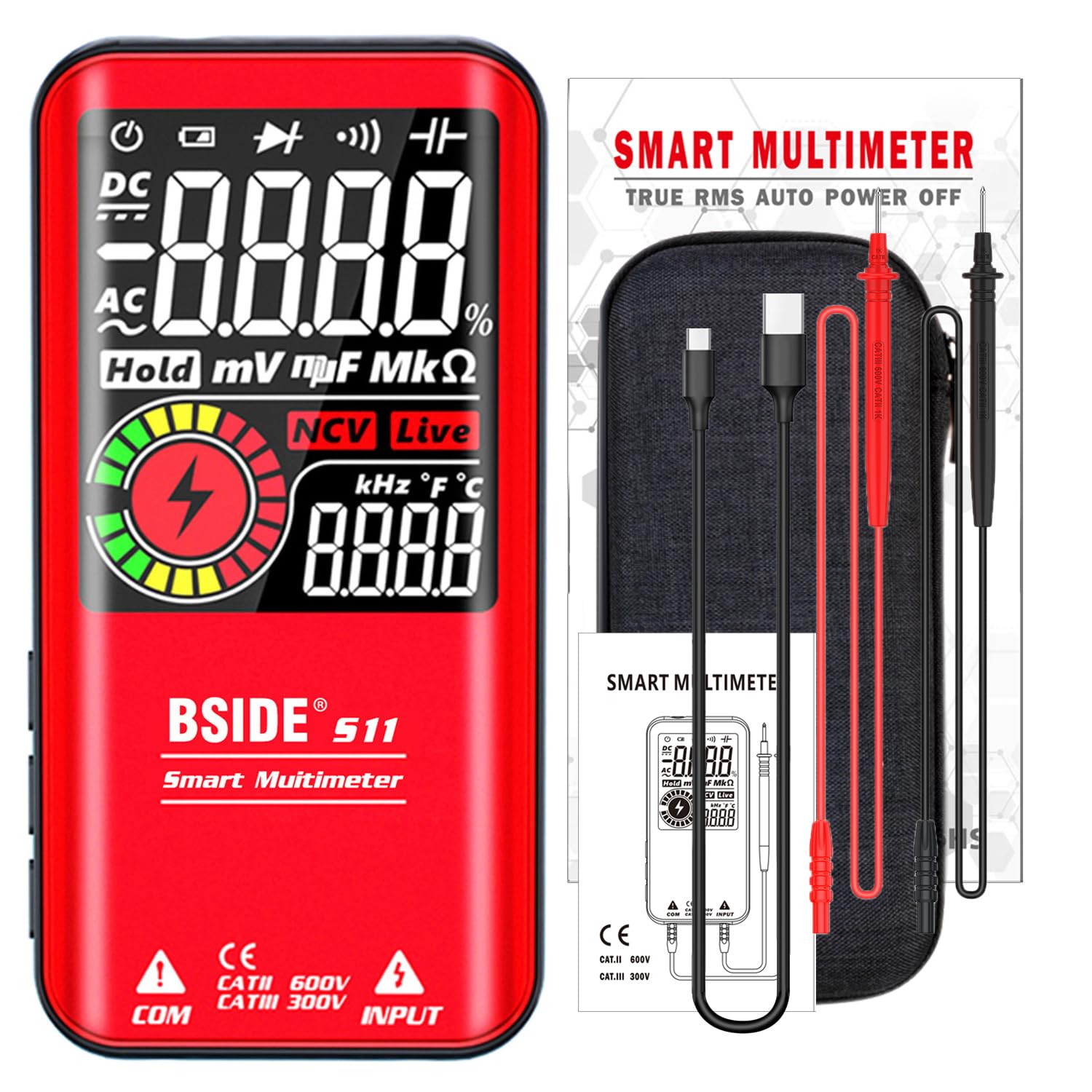
Image: All items included in the BSIDE S11 Red Digital Multimeter package, neatly arranged.
Caracteristici cheie
- Mod inteligent: Automatically identifies and measures AC/DC voltage, resistance, and continuity, simplifying operation for all users.
- Ecran LCD color: A large 3.5-inch color screen provides enhanced readability, even in varying light conditions.

Imagine: O imagine detaliată view of the multimeter's large 3.5-inch color LCD, highlighting its size and clarity.
- 3 Afișări de rezultate: Simultaneously shows up to three test results, such as voltage, frequency, and an analog bar, for comprehensive data at a glance.

Image: The multimeter's screen showing three distinct measurement results at once, demonstrating its multi-display capability.
- Baterie reîncărcabilă: Equipped with a built-in 800mAh Li-ion battery and a charging cable, eliminating the need for disposable batteries.
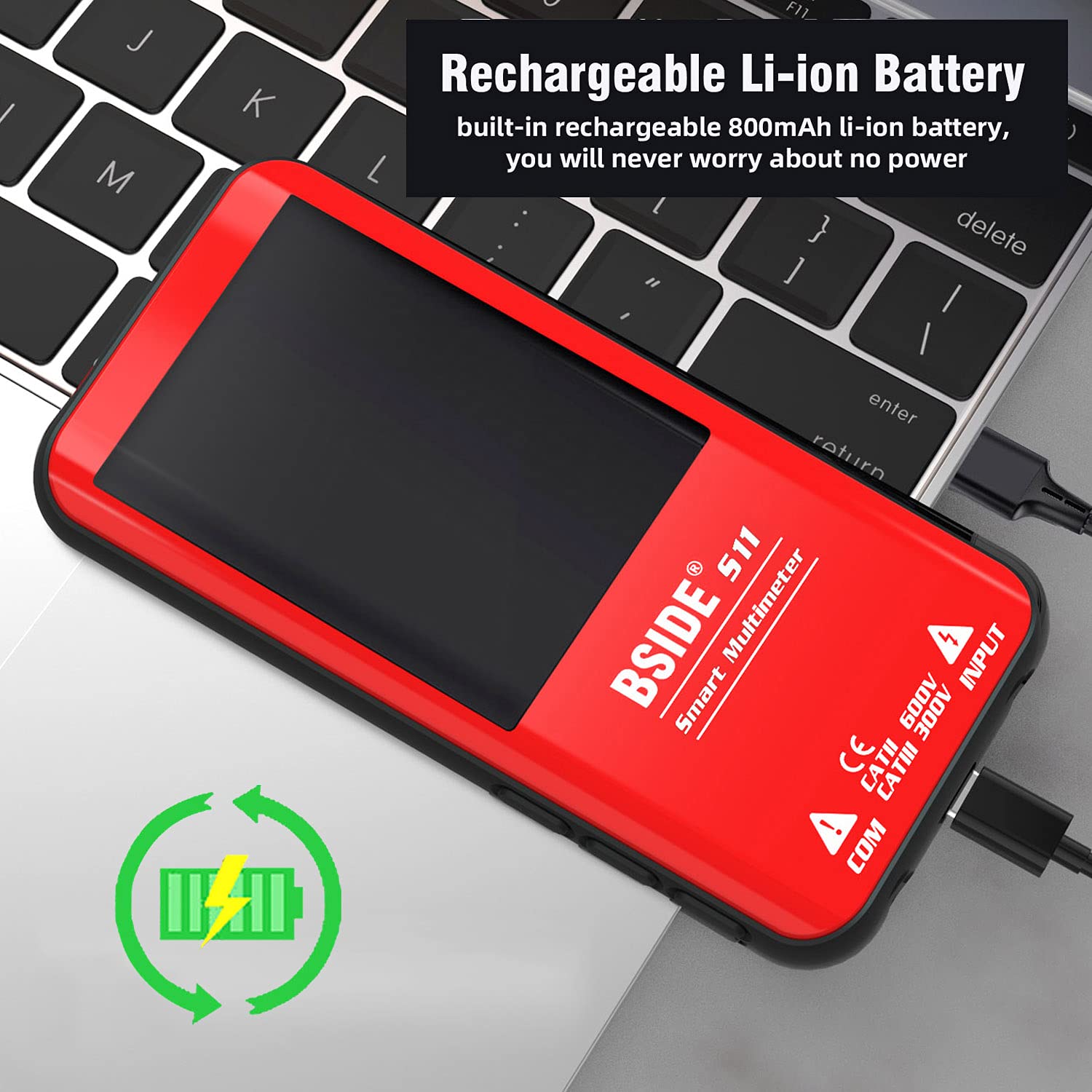
Image: The multimeter connected to a charging cable, illustrating its rechargeable feature.
- Durable Protective Case: Comes with a robust, detachable case that protects against shocks, friction, and bumps, ensuring longevity.

Image: The multimeter shown with its durable protective case, emphasizing its robust design.
- Aplicații versatile: Suitable for various tasks including electronic maintenance and automotive diagnostics.

Image: The multimeter in use for electronic maintenance, demonstrating its practical application.

Image: The multimeter being used for automotive maintenance, specifically testing a car battery.
Configurare inițială
Încărcarea bateriei
The BSIDE S11 Red Multimeter comes with a pre-installed rechargeable lithium-ion battery. Before first use, or when the battery indicator shows low power, charge the device using the provided USB charging cable.
- Connect the small end of the USB charging cable to the charging port on the multimeter.
- Conectați capătul mai mare al cablului USB la un adaptor de alimentare USB standard (nu este inclus) sau la portul USB al unui computer.
- The charging indicator on the multimeter will illuminate during charging and turn off when fully charged.
Conectarea cablurilor de testare
Proper connection of the test leads is crucial for accurate and safe measurements.
- Introduceți sonda neagră de testare în mufa de intrare „COM” (Comun).
- Introduceți sonda roșie de testare în mufa „INPUT” pentru majoritatea măsurătorilor de volum.tage, resistance, capacitance, frequency, diode, and live check measurements.
- Ensure the leads are firmly seated in their respective jacks.
Moduri de operare
The BSIDE S11 Red Multimeter offers various measurement modes. The smart mode simplifies operation by automatically detecting the measurement type. You can also manually select specific functions.
Smart Mode (AUTO)
In Smart Mode, the multimeter automatically identifies the tested parameter (AC/DC voltage, resistance, or continuity) and selects the appropriate range. This is the default and most convenient mode for general use.

Image: The multimeter's screen displaying the 'AUTO' mode, indicating its smart automatic measurement capability.
VoltagMăsurarea e (DCV / ACV)
Pentru a măsura voltage, connect the test leads across the component or circuit you wish to measure. The multimeter will automatically detect if it's AC or DC voltage in Smart Mode. For manual selection, press the 'FUNC' button until the desired voltage mode (DCV or ACV) is displayed.
- DC Voltage: 0V-620V ±(0.5%+3)
- AC Voltage: 0V-620V ±(0.5%+5)
Resistance Measurement (Ohm)
To measure resistance, ensure the circuit is de-energized. Connect the test leads across the resistor or component. The multimeter will display the resistance value.
- Interval de rezistență: 1Ω-999.9Ω ±(2.0%+5), 1kΩ-60MΩ ±(1.0%+3)
Măsurarea capacității
To measure capacitance, ensure the capacitor is fully discharged before connecting the test leads. Connect the leads across the capacitor terminals.
- Gama de capacitate: 1nF-999.9nF ±(6.0%+5), 1uF-99.99mF ±(3.0%+3)
Măsurarea frecvenței
The multimeter can measure the frequency of AC signals.
- Gama de frecvente: 1Hz-1000Hz ±(1.0%+5) (ACV: 2V-10V), 1KHz-60KHz ±(1.0%+5) (ACV: 10V-620V)
Testul diodei
Use this mode to test diodes. The multimeter will automatically identify if the diode voltage este mai mică de 3.0V.
Test de continuitate
For continuity testing, connect the test leads across the circuit or component. A beeper will sound if the resistance is less than 30Ω, indicating continuity.
V-Alert (Non-Contact Voltage Detection) & Live Check
The V-Alert function allows for non-contact voltage detection, providing a beep alarm. The Live Check function also provides an alarm and displays a stripe on the LCD screen to indicate live wires.
Official Product Video: Color LCD Display Multimeter
Video: An official product video demonstrating the features and various measurement capabilities of the BSIDE S11 Digital Multimeter, including its color LCD display and smart functions.
Specificații
| Caietul de sarcini | Valoare |
|---|---|
| Afișare maximă | 9999 conturi |
| Tip de afișare | Ecran color |
| Dimensiunea ecranului | 3.5 inch |
| DC Voltage Gama | 0V-620V ±(0.5%+3) |
| AC Voltage Gama | 0V-620V ±(0.5%+5) |
| Interval de rezistență | 1Ω-999.9Ω ±(2.0%+5), 1kΩ-60MΩ ±(1.0%+3) |
| Gama de capacitate | 1nF-999.9nF ±(6.0%+5), 1uF-99.99mF ±(3.0%+3) |
| Gama de frecvente | 1Hz-1000Hz ±(1.0%+5) (ACV:2V-10V); 1KHz-60KHz ±(1.0%+5) (ACV:10V-620V) |
| Ciclul de funcționare | 0.1%-99.9% ±(3.0%+5) (ACV:2V-620V) |
| Testul diodei | Auto identify diode if less than 3.0V |
| Continuitate | Se aude un semnal sonor dacă rezistența este < 30Ω |
| Putere | Rechargeable 3.7 V * 1 battery (included) |
| Dimensiune | 143*69*17mm |
| Greutate | 143 de grame (5.04 uncii) |
Întreţinere
- curatenie: Folosiți un moale, damp cloth to clean the multimeter's exterior. Do not use abrasive cleaners or solvents.
- Depozitare: Store the multimeter in its carrying case in a cool, dry place away from direct sunlight and extreme temperatures.
- Îngrijirea bateriei: To prolong battery life, charge the multimeter regularly and avoid fully discharging it for extended periods. If storing for a long time, charge it periodically.
- Cablii de testare: Inspect test leads for any signs of damage (cracks, frayed insulation) before each use. Replace damaged leads immediately.
Depanare
- Fără putere:
- Ensure the battery is charged. Connect the multimeter to the charging cable and allow it to charge.
- Press and hold the power button for a few seconds to ensure it's not just in standby mode.
- Citiri incorecte:
- Check that the test leads are correctly inserted into the appropriate jacks for the measurement type.
- Ensure good contact between the test probes and the circuit/component.
- Verify that the multimeter is in the correct mode (Smart Mode or specific manual mode).
- Display Shows 'OL' (Overload):
- This indicates that the measured value exceeds the selected range. In Smart Mode, the device should auto-range. If manually selected, switch to a higher range.
- For resistance, 'OL' typically means an open circuit.
- Fără bip de continuitate:
- Asigurați-vă că multimetrul este în modul continuitate.
- Check for a break in the circuit or component being tested.
Garanție și suport
Your BSIDE S11 Red Digital Multimeter is backed by a manufacturer's warranty. For specific warranty details, including coverage period and terms, please refer to the warranty card included in your product packaging or contact BSIDE customer support directly.
If you encounter any issues not covered in this troubleshooting section, or require further assistance, please contact BSIDE customer service. Keep your purchase receipt and product model information handy for faster service.
Documente aferenteS11 Roșu


Ask a question about this manual
Ask about setup, troubleshooting, compatibility, parts, safety, or missing instructions. Manuals+ will review the question and use this page’s manual context to help answer it.