
Xtorm CXX004
Manual de utilizare cablu Xtorm Xtreme USB la USB-C (1.5 m, CXX004)
1. Introducere
This manual provides essential information for the proper use and care of your Xtorm Xtreme USB to USB-C Cable. Designed for durability and efficient performance, this 1.5-meter cable facilitates fast charging and reliable data transfer between compatible USB-C and USB devices.
Caracteristici cheie:
- Durabilitate: Engineered to withstand extensive daily use, featuring protection against bending, kinking, and general wear.
- Fast Data Transfer & Charging: Supports high transfer rates and efficient power delivery for quick device charging.
- Conectivitate fiabilă: Ensures a stable and secure connection for uninterrupted data and power flow.
- Lungime optimă: A 1.5-meter length provides flexibility and convenience for various usage scenarios.
- XFLEX Technology: Combines a specially designed connector with braided nylon and a reinforced core for extreme strength and flexibility, tested to withstand over 100,000 bends and up to 100kg tensile force.

Image: An illustration highlighting the Xtreme Strength features of the cable, including its durable construction materials.
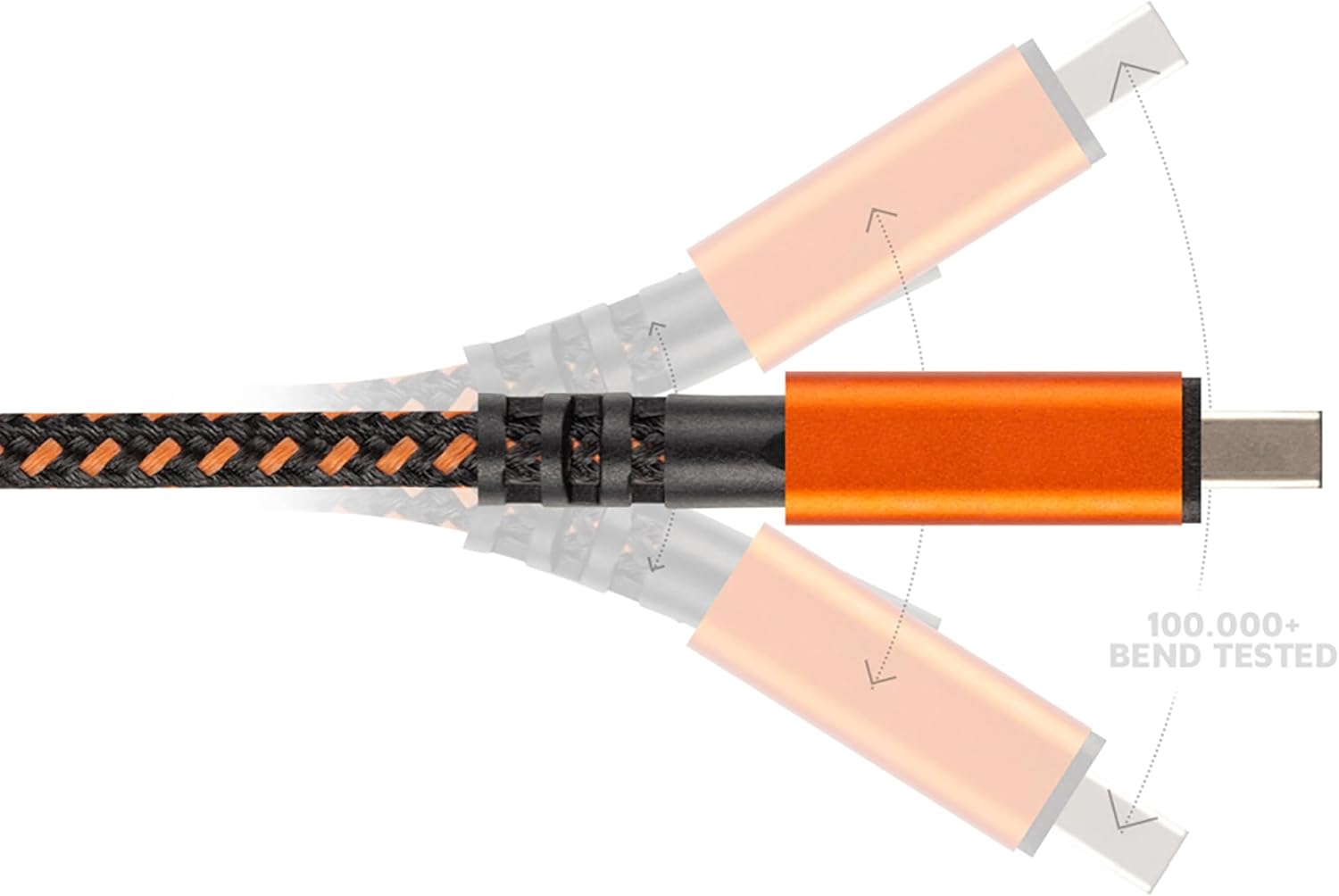
Image: An illustration demonstrating the cable's ability to withstand over 100,000 bends at the connector point.
2. Conținutul pachetului
Pachetul contine:
- 1x Xtorm Xtreme USB to USB-C Cable (1.5m)
- 1x Integrated Cable Tie

Image: The Xtorm Xtreme USB to USB-C Cable, showcasing its braided design and durable orange connectors.
3. Configurare
The Xtorm Xtreme USB to USB-C Cable is designed for plug-and-play functionality. No special software or drivers are required for basic operation.
- Identificați conectorii: Locate the standard USB-A connector and the USB-C connector on the cable.
- Connect to Power Source or Computer: Insert the standard USB-A end of the cable into a compatible USB-A port on a power adapter, power bank, or computer.
- Conectați-vă la dispozitiv: Insert the USB-C end of the cable into the USB-C port of your smartphone, tablet, laptop, or other compatible device.

Image: The Xtorm Xtreme USB to USB-C Cable laid out, clearly showing both the USB-A and USB-C connectors for easy identification.
4. Instrucțiuni de utilizare
Once connected, the cable will automatically facilitate charging or data transfer, depending on the capabilities of the connected devices.
- Pentru încărcare: Ensure the USB-A end is connected to a powered USB-A port (e.g., wall charger, power bank). The device connected via USB-C will begin charging.
- Pentru transferul de date: Connect the USB-A end to a computer's USB-A port and the USB-C end to your device. Your computer should recognize the connected device, allowing you to transfer files. Follow your device's instructions for enabling data transfer mode if prompted.
5. Întreținere și îngrijire
To ensure the longevity and optimal performance of your Xtorm Xtreme cable, follow these maintenance guidelines:
- Evitați îndoirea extremă: While the cable is designed for flexibility, avoid sharp or excessive bends at the connector points to prevent internal damage.
- Curățați conectorii: Periodically inspect and gently clean the metal connectors with a dry, soft cloth to remove dust or debris that could interfere with connectivity.
- Depozitare adecvată: Use the integrated cable tie to coil the cable neatly when not in use. Store it in a dry, cool place away from direct sunlight and extreme temperatures.
- Manipulați cu grijă: Always pull from the connector housing, not the cable itself, when disconnecting from devices or power sources.

Image: The Xtorm Xtreme USB to USB-C Cable with its integrated cable tie, demonstrating its use for neat storage and organization.
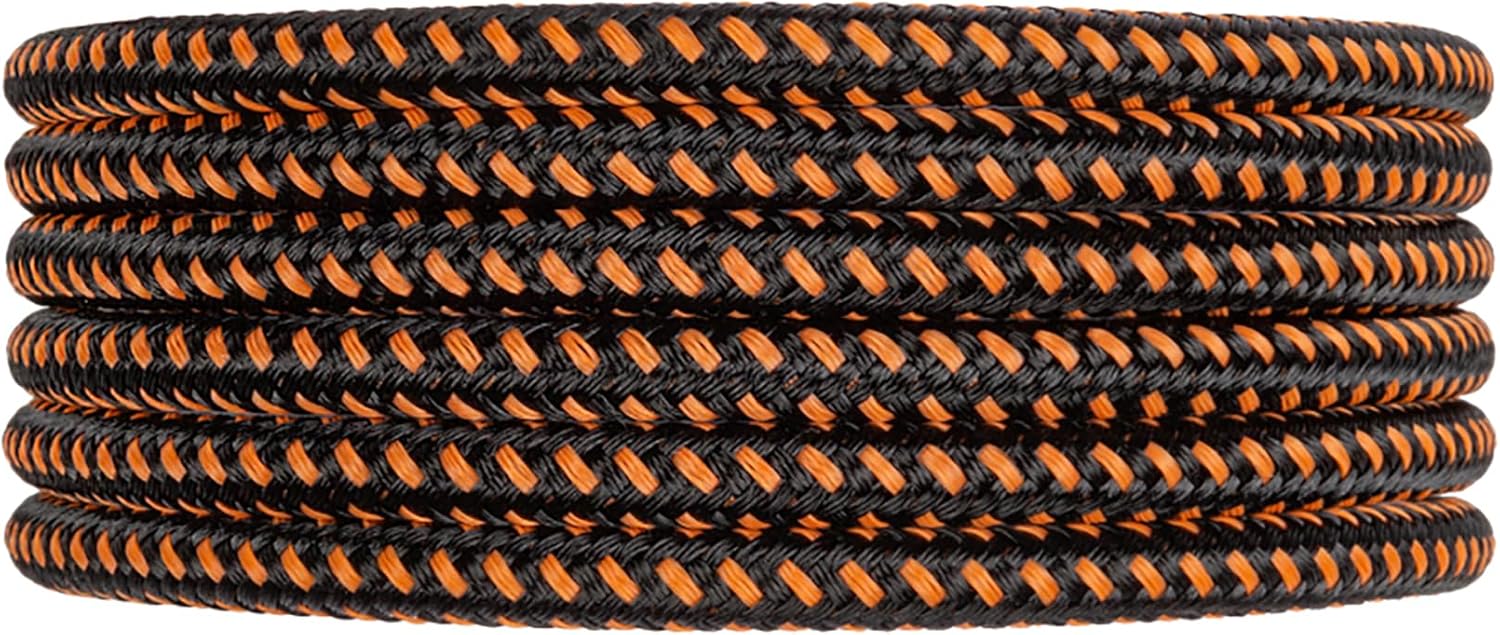
Image: The Xtorm Xtreme USB to USB-C Cable neatly coiled, illustrating proper storage practices to extend cable life.
6. Depanare
If you encounter issues with your Xtorm Xtreme cable, consider the following troubleshooting steps:
- Dispozitivul nu se încarcă:
- Asigurați-vă că ambele capete ale cablului sunt bine conectate.
- Încercați un alt adaptor de alimentare sau port USB.
- Testați cablul cu un alt dispozitiv pentru a exclude o problemă specifică dispozitivului.
- Probleme legate de transferul de date:
- Verify the cable is connected to a computer's data-enabled USB port.
- Verificați setările dispozitivului pentru a vă asigura că modul de transfer de date este activat (de exemplu, „File Transfer" or "MTP").
- Reporniți atât computerul, cât și dispozitivul conectat.
- Conexiune intermitentă:
- Inspect connectors for any visible damage or debris.
- Ensure the cable is not under strain or excessive tension during use.
7. Specificații
| Caracteristică | Detaliu |
|---|---|
| Marca | Xtorm |
| Numele modelului | CXX004 |
| Tip conector | USB tip A, USB tip C |
| Tip cablu | USB |
| Lungimea cablului | 1.5 metri |
| Dispozitive compatibile | Personal Computer, Samsung, Google, OnePlus (etc.) |
| Utilizări recomandate | Încărcare, Transfer de date |
| Culoare | Orange (braiding is black and orange, connectors are orange) |
| Greutatea articolului | 21 de grame (0.741 uncii) |
| Dimensiunile produsului | 3.94 x 4.72 x 0.79 inci (ambalaj) |
| Durability Test (Bend) | Peste 100,000 de curbe |
| Durability Test (Pull) | Up to 100kg tensile force |
8. Informații despre garanție
Xtorm Xtreme cables are built to last and come with a garanție pe viață. This warranty covers manufacturing defects and ensures the cable performs as intended under normal use. For specific terms and conditions, please refer to the official Xtorm website-ul sau contactați asistența pentru clienți.
9. Suport
For further assistance, technical support, or warranty claims, please visit the official Xtorm website or contact their customer service department. Contact details can typically be found on the product packaging or the Xtorm website-ul.
Resurse online:
- Xtorm oficial Website: www.xtorm.eu (sau site regional relevant)
- Pagini de asistență pentru produse
- Secțiunea de întrebări frecvente
Ask a question about this manual
Ask about setup, troubleshooting, compatibility, parts, safety, or missing instructions. Manuals+ will review the question and use this page’s manual context to help answer it.