
1. Introducere
This manual provides detailed instructions for the installation, operation, and maintenance of your Hubble Nursery Pal Link Premium Twin 5-Inch Baby Monitor. This system includes a 5-inch parent unit and two smart cameras, designed to help you monitor your child. Please read this manual thoroughly before using the product to ensure proper function and safety.

Imaginea 1.1: Pesteview of the Hubble Nursery Pal Link Premium Twin system, showing the parent unit, two cameras, and the HubbleClub app on a smartphone.
2. Informații importante privind siguranța
Vă rugăm să respectați următoarele măsuri de siguranță pentru a reduce riscul de incendiu, electrocutare sau vătămare corporală:
- Păstrați piesele mici departe de copii.
- Do not place the camera or cords within reach of children. Cords can pose a strangulation hazard.
- Folosiți doar adaptoarele de alimentare furnizate.
- Nu expuneți produsul la apă sau umezeală.
- Asigurați o ventilație corespunzătoare pentru toate componentele.
- Do not attempt to open or repair the product yourself. Refer all servicing to qualified personnel.
3. Conținutul pachetului
Verificați dacă toate articolele sunt prezente în colet:

Imaginea 3.1: Reprezentare vizuală a conținutului pachetului.
- 5-inch Parent Unit with Split Screen capability
- Digital Pan, Tilt, and Zoom Cameras (x2)
- Power Adapters (for Parent Unit and Cameras)
- Ghid de pornire rapidă
- HubbleClub Services Information
4. Ghid de instalare
4.1 Încărcarea unității parentale
Before initial use, fully charge the parent unit for approximately 16 hours. Connect the small plug of the power adapter to the parent unit and the other end to a power outlet. The battery indicator will show charging status.
4.2 Positioning the Cameras
Place the cameras on a flat surface or mount them to a wall. Ensure the camera is at least 3 feet (1 meter) away from your child to avoid potential hazards. Position the cameras to provide a clear view of the monitoring area.
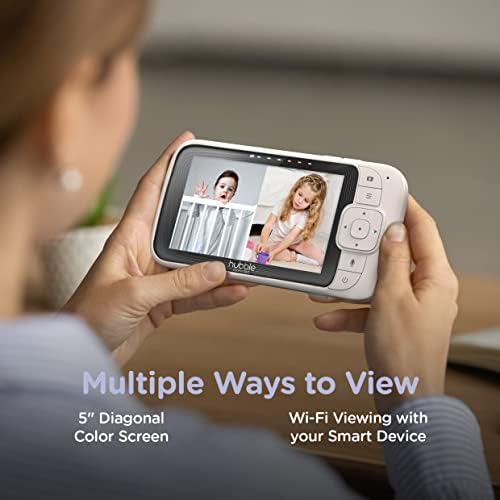
Image 4.1: The parent unit and a single camera, illustrating their compact design.
4.3 Connecting to Wi-Fi and HubbleClub App
Pentru telecomandă viewing and advanced features, download the HubbleClub app on your smartphone or tablet. Follow the in-app instructions to connect your cameras to your home Wi-Fi network. This enables features such as 24-hour recording, live streaming, and remote access.
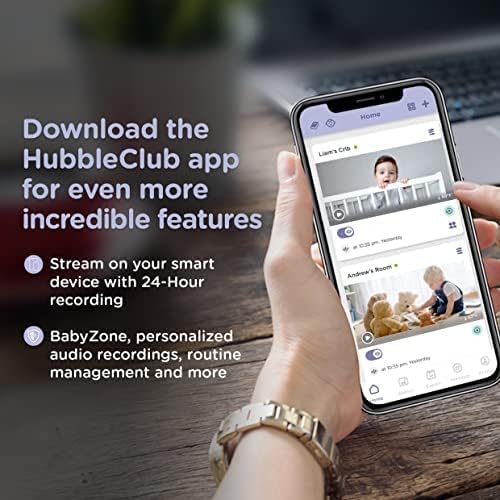
Image 4.2: The HubbleClub app interface on a smartphone, demonstrating its capabilities for monitoring and managing multiple cameras.
5. Instrucțiuni de utilizare
5.1 Funcțiile unității părinte
The 5-inch diagonal color screen on the parent unit allows for direct monitoring. Use the controls to:
- View live video feed from one or both cameras (split screen).
- Utilize two-way communication to speak to your child.
- Play preloaded lullabies and soothing sounds.
- Adjust camera pan, tilt, and zoom remotely.
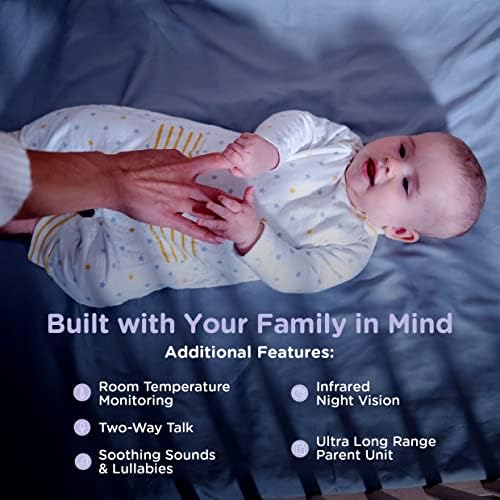
Image 5.1: The parent unit displaying a split screen, allowing simultaneous viewing of two camera feeds.
5.2 HubbleClub App Features
The HubbleClub app enhances your monitoring experience with additional functionalities:
- Live Streaming & Remote Access: View camera feeds from anywhere via your smart device.
- Înregistrare 24 de ore: Continuous recording for review (subscription may be required).
- Routine Management: Schedule and manage routines for sleep and other activities.
- Baby Growth & Development Tracker: Monitor your child's progress.
- Monitorizarea mediului: Receive alerts for motion, sound, and temperature changes.
- Sfatul expertului: Access parenting tips and sleep advice.
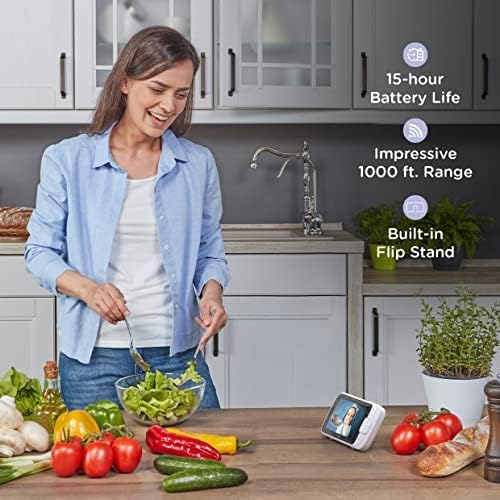
Image 5.2: Key features of the monitor system, including environmental monitoring and communication capabilities.
5.3 Range and Battery Life
The parent unit offers an impressive range of up to 1,000 feet (300 meters) in optimal conditions. The 3,000mAh battery provides up to 15 hours of operation on a single charge, depending on usage.
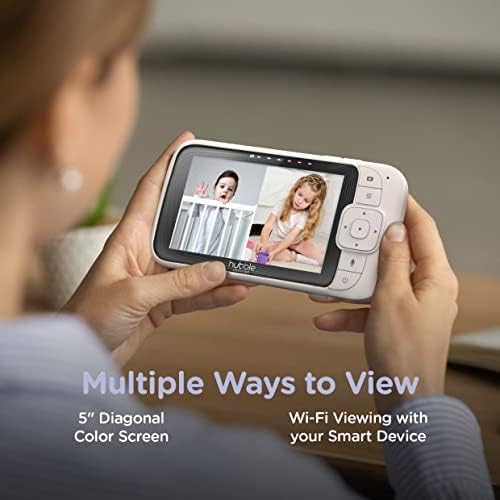
Image 5.3: The parent unit in a home setting, emphasizing its long battery life and extended range.
6. Întreținere
To ensure the longevity and optimal performance of your baby monitor:
- curatenie: Wipe the parent unit and cameras with a soft, dry, lint-free cloth. Do not use cleaning sprays or liquid cleaners.
- Depozitare: If storing the unit for an extended period, ensure the parent unit battery is fully charged and then store in a cool, dry place.
- Îngrijirea bateriei: Avoid fully discharging the parent unit battery frequently to prolong its lifespan.
7. Depanare
If you encounter issues with your Hubble Nursery Pal Link Premium Twin, refer to the following common solutions:
| Problemă | Soluţie |
|---|---|
| Nu se aude imagine/sunet pe unitatea părintelui. | Ensure both the parent unit and cameras are powered on and within range. Check power connections. |
| Calitate slabă a imaginii. | Check for obstructions between the camera and parent unit. Ensure cameras are in a well-lit area or night vision is active. Adjust camera position. |
| Parent unit not connecting to Wi-Fi. | Verify your Wi-Fi network is 2.4GHz. Ensure correct Wi-Fi password. Restart your router and the parent unit. |
| Durată scurtă de viață a bateriei. | Reduce screen brightness. Limit continuous live viewing. Ensure the unit is fully charged before use. |
| Aplicația nu primește notificări. | Check app notification settings on your smartphone. Ensure the app has necessary permissions. Verify internet connectivity. |
8. Specificațiile produsului
| Caracteristică | Detaliu |
|---|---|
| Numărul de model | HCSNPLP2-2 |
| Afișajul unității parentale | 5-inch Diagonal Color Screen |
| Tipul camerei | Digital Pan, Tilt, Zoom (x2) |
| Conectivitate | Wi-Fi (2.4 GHz) |
| Rezoluție captură video | 1080p |
| wireless Range | Până la 1,000 ft (linia vizuală) |
| Bateria unității parentale | 3000 mAh Lithium Ion (up to 15 hours) |
| Caracteristici speciale | Two-way communication, Lullabies, Night Vision, Room Temperature Monitoring, Motion/Sound Detection |
| Tip de montare | Montare pe perete |
| Greutatea articolului | 1.96 lire sterline (0.89 kilograme) |
| UPC | 697333826898, 697333826928 |
9. Garanție și asistență
For warranty information and technical support, please refer to the warranty card included in your product packaging or visit the official Hubble Connected website. De asemenea, puteți găsi acolo întrebări frecvente și informații de contact pentru serviciul clienți.
Hubble Connected Official Website: www.hubbleconnected.com