
USHINING M2302
USHINING 2g Senior Mobile Phone User Manual
Model: M2302
1. Introducere
Thank you for choosing the USHINING 2g Senior Mobile Phone. This device is specifically designed with ease of use in mind, featuring large buttons, a clear display, and essential functions to provide reliable communication for seniors. This manual will guide you through the setup, operation, and maintenance of your new phone.

The USHINING senior phone is designed for straightforward use by the elderly.
2. Informații de siguranță
Vă rugăm să citiți cu atenție această secțiune înainte de a utiliza telefonul pentru a asigura o funcționare sigură și corectă. Păstrați acest manual pentru referințe ulterioare.
- Do not attempt to disassemble or modify the phone. This can cause damage and void the warranty.
- Use only original or approved batteries and chargers. Unapproved accessories may cause fire, explosion, or other hazards.
- Keep the phone away from water and moisture.
- Evitați expunerea telefonului la temperaturi extreme.
- Do not use the phone while driving or in situations where it could distract you.
- Aruncați telefonul și bateria în mod responsabil, conform reglementărilor locale.
3. Conținutul pachetului
Vă rugăm să verificați pachetul pentru următoarele articole:
- USHINING 2g Senior Mobile Phone
- Dock de încărcare
- Adaptor de alimentare
- Cablu USB
- Baterie reîncărcabilă cu litiu-polimer
- Şnur
- Manual de utilizare

The package includes the USHINING senior phone, a charging adapter, a USB cable, a charging dock, a lanyard, a battery, and the user manual.
4. Produs terminatview
Familiarize yourself with the phone's physical features and design.

The USHINING 2g Senior Mobile Phone, shown here in its dedicated charging dock, features a large display and clearly visible buttons, designed for ease of use.

Designed specifically for the elderly, the phone features large, easy-to-press buttons and large, clear fonts on the display for effortless dialing and navigation.
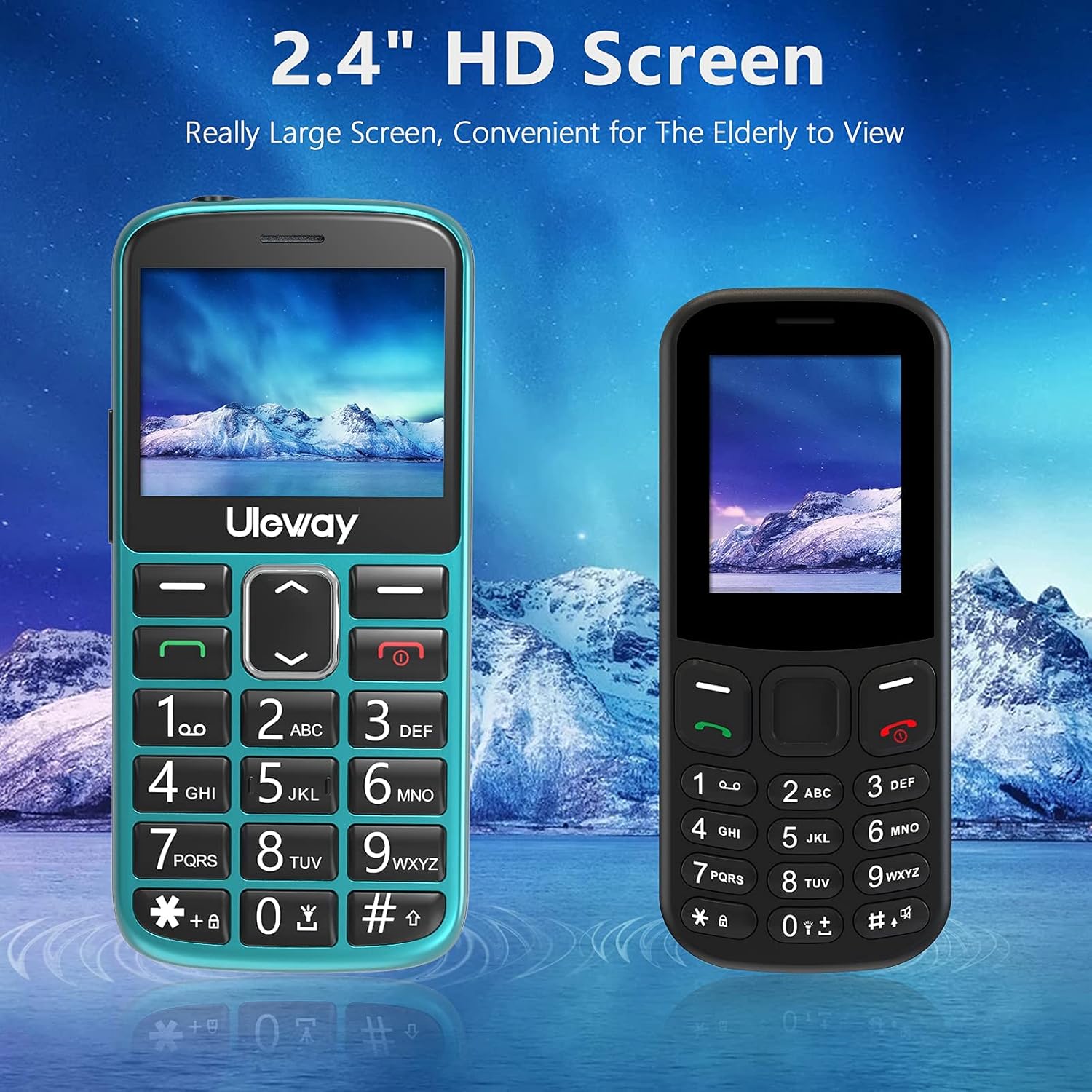
Equipped with a 2.4-inch HD screen, this phone offers a significantly larger and clearer display compared to standard smaller screens, enhancing readability for elderly users.

The phone offers high volume output and is Hearing Aid Compatible (HAC), ensuring clear communication for users with hearing aids.
5. Configurare
5.1. Introducerea cartelelor SIM și a cardului Micro SD
The phone supports dual standard SIM cards and one Micro SD card (up to 32GB). Ensure the phone is powered off before inserting or removing cards.
- Scoateți capacul din spate al telefonului.
- Scoateți cu grijă bateria.
- Insert the SIM cards into the designated SIM card slots (Card Slot 1 and Card Slot 2) with the gold contacts facing down.
- If desired, insert a Micro SD card into the Micro SD card slot.
- Reintroduceți bateria și puneți la loc capacul din spate.

The phone supports dual standard SIM cards and a Micro SD card (up to 32GB) for expanded storage. SIM and SD cards are not included.
5.2. Battery Installation and Initial Charging
Your phone comes with a rechargeable Lithium-Polymer battery. For optimal performance, fully charge the battery before first use.
- Ensure the battery is correctly installed as described in section 5.1.
- Connect the USB cable to the power adapter and then to the charging dock.
- Conectați adaptorul de alimentare la o priză de perete.
- Place the phone into the charging dock. The phone will indicate that it is charging.
- Allow the phone to charge until the battery indicator shows a full charge. This may take several hours for the first charge.
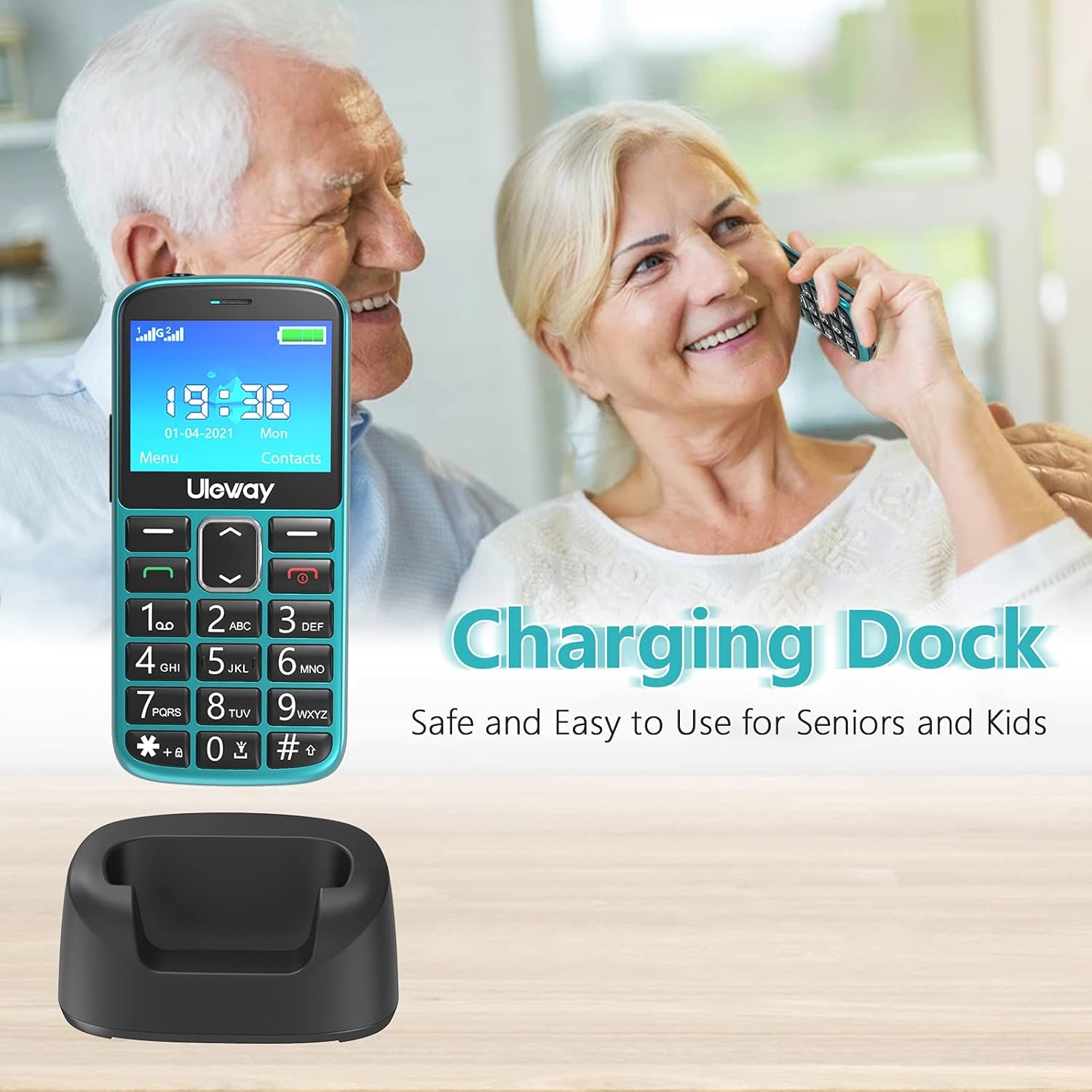
The included charging dock provides a stable and convenient way to charge the phone, making it easy for seniors to keep their device powered.

The USHINING senior phone is powered by a 1000 mAh large capacity battery, providing extended standby time and reliable performance.
6. Instrucțiuni de utilizare
6.1. Pornire/Oprire
- Pentru a porni: Apăsați și mențineți apăsat butonul roșu Încheiere apel/Pornire (✖) până când ecranul se aprinde.
- Pentru a opri: Apăsați și mențineți apăsat butonul roșu Încheiere apel/Pornire (✖) până când apar opțiunile de oprire, apoi confirmați.
6.2. Efectuarea și primirea apelurilor
- Pentru a efectua un apel: Dial the number using the large keypad buttons and press the green Call button (✓).
- Pentru a răspunde la un apel: Apăsați butonul verde de apelare (✓) when the phone rings.
- Pentru a încheia un apel: Press the red End Call/Power button (✖).
- Apelare rapida: Long press a number key (2-9) to dial a pre-set contact.
6.3. Funcția de urgență SOS
The SOS button is located on the back of the phone and is designed for quick access to emergency contacts.
- Setting SOS Contacts: Navigați la Setări > Setări SOS to add up to 5 emergency contact numbers.
- Using SOS: In an emergency, press and hold the SOS button on the back of the phone for 3-5 seconds. The phone will automatically dial the pre-set emergency numbers in sequence until one is answered. It will also send an emergency SMS to these contacts.

The dedicated SOS button on the back of the phone allows for quick emergency calls to up to five pre-set contacts, including family members or medical professionals.
6.4. Lanternă
Telefonul are o lanternă încorporată pentru confort.
- Pentru a porni/dezactiva: Long press the '0' key on the keypad to activate or deactivate the flashlight.

A built-in highlight flashlight provides convenient illumination, activated by a dedicated button for easy access in low-light conditions.
6.5. Menu Navigation and Functions
Use the navigation keys (up, down, left, right) and the OK/Select button to navigate through the phone's menu.

The phone's user interface is designed for simplicity, featuring large icons for Contacts, Multimedia, Camera, My Files, Call Logs, Settings, Tools, and Alarm.
Funcțiile cheie includ:
- Contacte: Store and manage phone numbers.
- Evidența convorbirilor: View missed, dialed, and received calls.
- Mesaje: Send and receive SMS text messages.
- Camera: Faceți fotografii.
- Multimedia: Access FM radio, MP3 player, and video player.
- Instrumente: Includes features like Calculator, Calendar, and Alarm.
- Setări: Customize phone settings such as display, sound, and network.

Beyond basic calling, the phone includes useful features such as a camera, FM radio, calculator, Bluetooth connectivity, calendar, and an alarm clock.
6.6. Reglarea volumului
During a call, use the dedicated volume buttons on the side of the phone to adjust the earpiece volume. Ringer volume can be adjusted in the Sound settings menu.
7. Întreținere
- curatenie: Folosiți o lavetă moale și uscată pentru a curăța suprafața telefonului. Evitați utilizarea de produse de curățare lichide sau aerosoli.
- Îngrijirea bateriei: To prolong battery life, avoid fully discharging the battery frequently. Charge the phone regularly, especially if it will not be used for an extended period.
- Depozitare: Depozitați telefonul într-un loc răcoros și uscat, ferit de lumina directă a soarelui și de temperaturi extreme.
8. Depanare
If you encounter issues with your phone, please refer to the following common problems and solutions:
| Problemă | Soluție posibilă |
|---|---|
| Telefonul nu pornește | Asigurați-vă că bateria este instalată și încărcată corect. Încercați să încărcați telefonul timp de cel puțin 30 de minute. |
| Nu pot efectua sau primi apeluri | Check if SIM card(s) are properly inserted. Ensure you have network signal. Contact your mobile carrier if the issue persists. |
| Calitate slabă a apelurilor | Move to an area with better network coverage. Ensure the earpiece/speaker is not obstructed. Adjust call volume. |
| Bateria se descarcă rapid | Reduceți luminozitatea ecranului. Închideți aplicațiile neutilizate. Limitați utilizarea datelor în fundal. |
| Funcția SOS nu funcționează | Verify that SOS contacts are correctly set up in the settings. Ensure the phone has network signal. |
9. Specificații
| Caracteristică | Detaliu |
|---|---|
| Numărul de model | M2302 |
| Sistem de operare | Nucleus OS |
| Dimensiunea afișajului | 2.4 inchi (6.1 cm) |
| Capacitatea bateriei | 1000 mAh litiu-polimer |
| Timp de vorbire | Aproximativ 5 ore |
| Timp de așteptare | Aproximativ 240 ore |
| Stocare internă | 32 GB (likely refers to max SD card support, as internal storage for feature phones is minimal) |
| Stocare extensibilă | Card micro SD de până la 32 GB |
| Tehnologie de rețea | 2G (GSM) |
| Sloturi pentru carduri SIM | Dual-SIM (Standard SIM) |
| Dimensiuni | 12 x 5.5 x 1.5 cm |
| Greutate | 260 de grame |
| Culoare | Verde |
10. Garanție și asistență
Your USHINING 2g Senior Mobile Phone is covered by a manufacturer's warranty. Please refer to the warranty card included in your package for specific terms and conditions. For technical support, troubleshooting assistance, or warranty claims, please contact USHINING customer service through the retailer where you purchased the product or visit the official USHINING website pentru informații de contact.
Ask a question about this manual
Ask about setup, troubleshooting, compatibility, parts, safety, or missing instructions. Manuals+ will review the question and use this page’s manual context to help answer it.