
1. Introducere
This instruction manual provides essential information for the safe and effective use of your Hubble Connected View Pro Twin 5-inch Video Baby Monitor. Please read this manual thoroughly before operating the device and retain it for future reference.
The Hubble Connected View Pro Twin is designed to help you monitor your baby with its dual camera system, 5-inch color display, and various features including two-way talk, night vision, and room temperature monitoring. This device operates on a secure, non-WiFi connection for enhanced privacy.
2. Configurare
2.1. Conținutul pachetului
Asigurați-vă că toate articolele sunt prezente în colet:
- 1 x Nursery View Pro Parent Unit
- 2 x Nursery Cameras
- 2 x adaptoare de alimentare
- Ghid de pornire rapidă
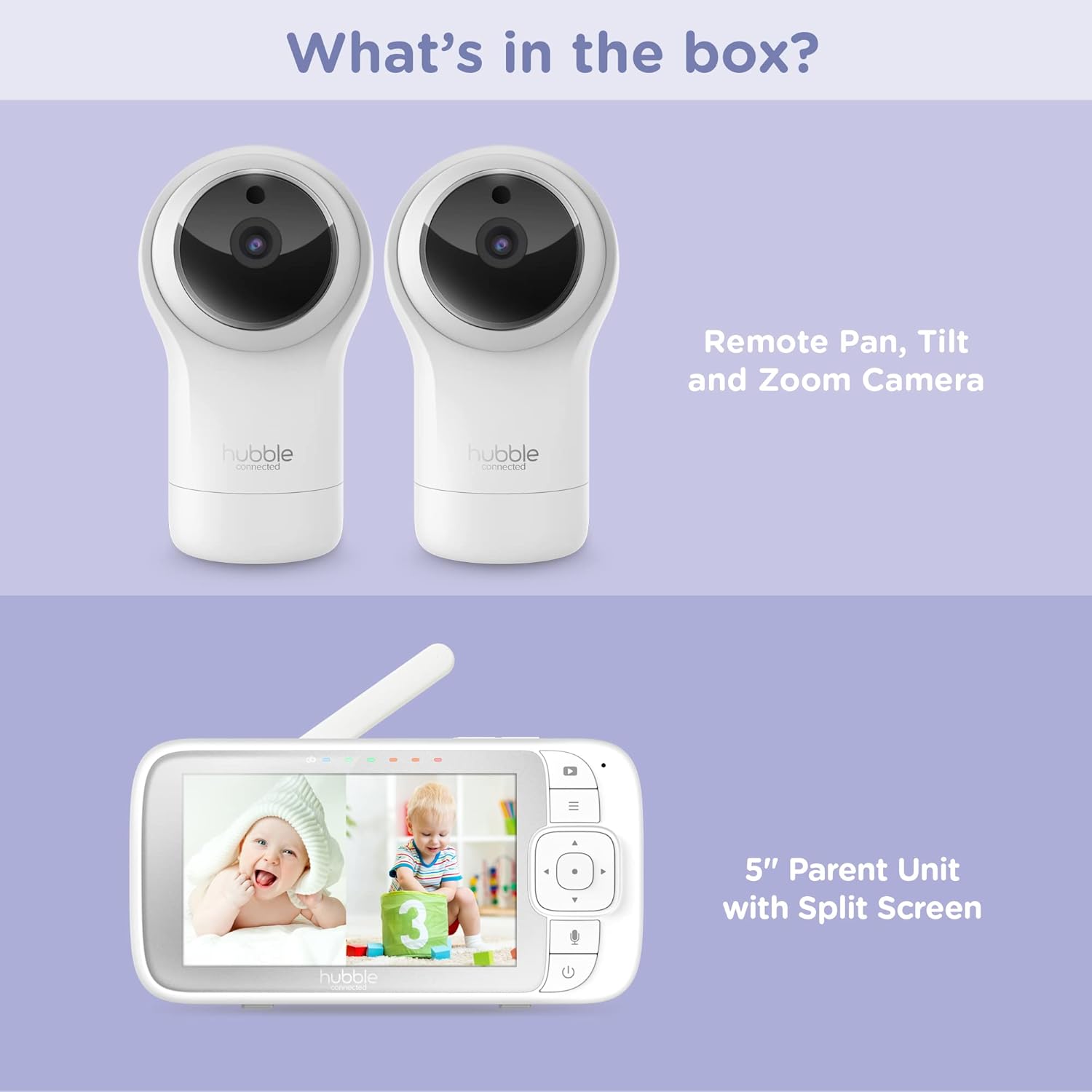
Figure 2.1: Package Contents - Parent Unit and Two Cameras
2.2. Powering On and Initial Placement
- Connect each camera to a power outlet using the provided power adapters.
- Connect the Parent Unit to a power outlet using its dedicated power adapter. The Parent Unit contains a rechargeable battery for portable use.
- Press and hold the Power button on the Parent Unit until the screen turns on.
- Place the cameras in a secure location within the baby's room, ensuring a clear view of the crib or play area. Avoid placing cameras within reach of children or near heat sources.

Figure 2.2: Hubble Connected View Pro Twin Monitor and Cameras
3. Operarea monitorului
3.1. Comenzile unității părintelui
The Parent Unit features a 5-inch color display and intuitive buttons for navigation and control:
- Pad direcțional: Used to navigate menus and control camera pan/tilt/zoom.
- Buton de meniu: Accesează setări și funcții.
- Butonul Vorbire (pictograma microfon): Activates two-way talk.
- Buton de alimentare: Pornește / oprește unitatea.
- Butoane de volum (+/-): Reglează volumul audio.

Figure 3.1: Parent Unit Displaying Split Screen
3.2. Viewmoduri
Your monitor supports multiple viewopțiuni:
- Cameră unică View: Displays the feed from one camera at a time. Use the menu to switch between cameras.
- Ecran împărțit View: Simultaneously displays feeds from both cameras on the 5-inch screen. This allows for monitoring two areas at once.
- Modul de scanare: The monitor can automatically cycle through the camera feeds periodically.
3.3. Controlul camerei (Panoramare, Înclinare, Zoom)
Use the directional pad on the Parent Unit to remotely adjust the camera's view:
- Tigaie: Mișcați camera pe orizontală (stânga/dreapta).
- Înclinare: Mișcați camera pe verticală (sus/jos).
- Zoom: Enlarge or reduce the image.
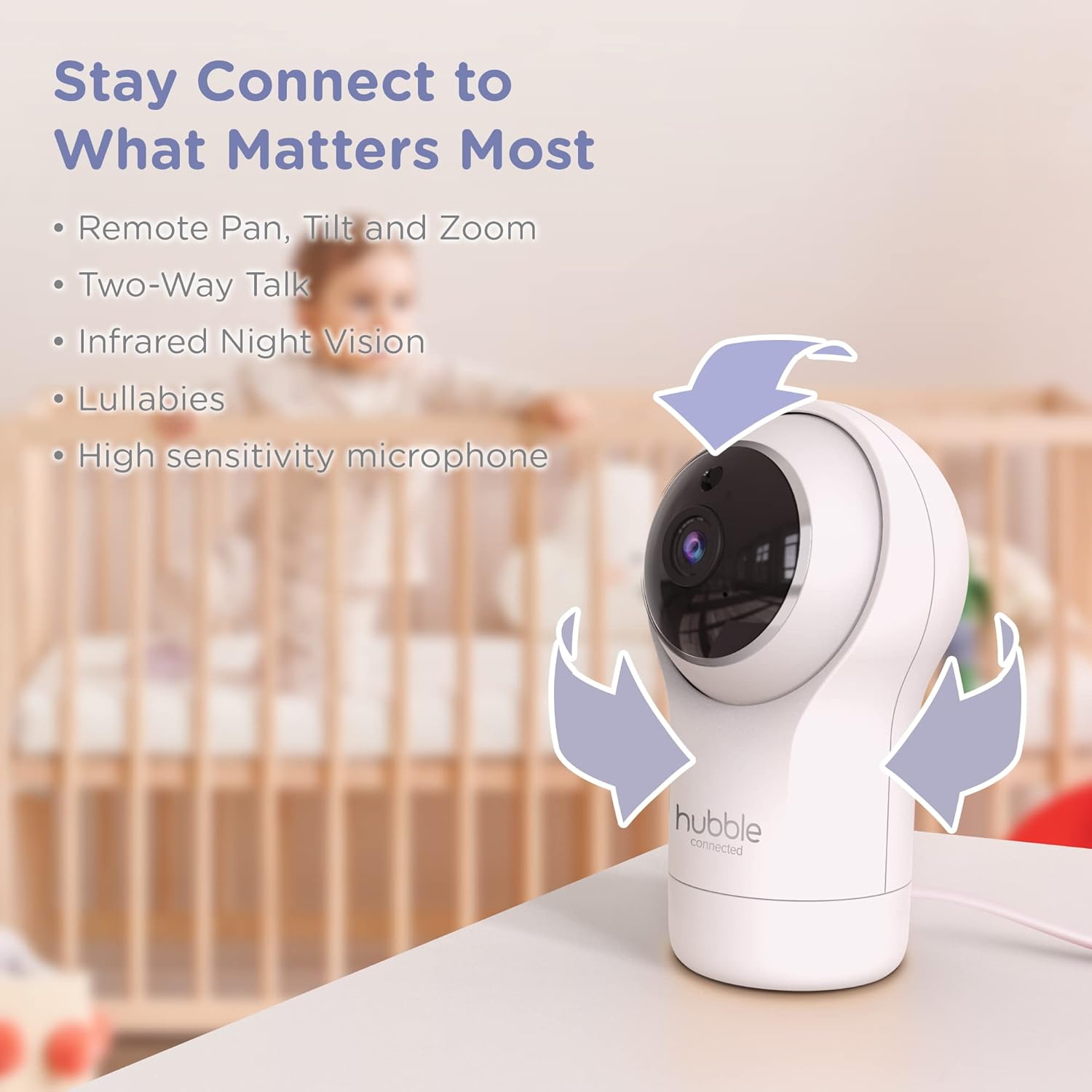
Figure 3.2: Camera Pan, Tilt, and Zoom Functionality
3.4. Discuție în două sensuri
To communicate with your baby, press and hold the microphone button on the Parent Unit and speak. Release the button to hear your baby's response.
3.5. Vedere de noapte
The cameras are equipped with infrared night vision, which automatically activates in low-light conditions, providing a clear black-and-white image of your baby.

Figure 3.3: Infrared Night Vision in Operation
3.6. Lullabies and Room Temperature Monitoring
The monitor includes preloaded lullabies to soothe your baby. Access these through the Parent Unit's menu. The system also continuously monitors the room temperature, displayed on the Parent Unit, to ensure a comfortable environment for your child.

Figura 3.4: Caracteristici cheie de mai susview
3.7. Videoclip oficial al produsului
Videoclipul 3.1: Terminatview of the Nursery View Pro Twin features, including split screen, pan/tilt/zoom, two-way talk, night vision, and lullabies.
4. Întreținere
4.1. Curatenie
To clean the monitor and cameras, use a soft, dry cloth. Do not use abrasive cleaners or solvents. Ensure the devices are unplugged before cleaning.
4.2. Depozitare
When not in use for extended periods, store the monitor and cameras in a cool, dry place, away from direct sunlight and extreme temperatures.
5. Depanare
5.1. No Signal/Poor Image
- Ensure both the Parent Unit and cameras are powered on and within range.
- Check for obstructions between the Parent Unit and cameras that might interfere with the signal.
- Relocate the Parent Unit or cameras to improve reception.
5.2. Battery Not Charging/Low Battery Alert
- Verify that the power adapter is securely connected to the Parent Unit and a working power outlet.
- Allow sufficient time for the battery to charge.
- Dacă problema persistă, contactați asistența pentru clienți.
6. Specificații
| Caracteristică | Detaliu |
|---|---|
| Numele modelului | Pepinieră View Pro Twin |
| Numărul de model | HCNVPRO2 |
| Dimensiunea ecranului | 5-inch Diagonal Color Screen |
| Tehnologia de conectivitate | Wireless (Non-WiFi) |
| Gamă | Până la 1,000ft / 300m |
| Rezoluție captură video | 720p |
| Caracteristici speciale | Night Vision, Two-Way Talk, Soothing Nature Sounds, Room Temperature Monitoring |
| Sursa de alimentare | Battery Powered (Parent Unit), AC Adapter (Cameras) |
| baterii | Sunt necesare 3 baterii litiu-ion (incluse) |
| Greutatea articolului | 2 lire sterline |
| Dimensiunile produsului | 2.8 x 2.7 x 4.8 inci |
7. Garanție și asistență
7.1. Informații despre garanție
Your Hubble Connected View Pro Twin is covered by a One (1) year Limited Warranty from the date of purchase. Please retain your proof of purchase for warranty claims.
7.2. Asistență pentru clienți
For technical assistance, troubleshooting, or warranty inquiries, please contact Hubble Connected customer support. Visit the official Hubble Connected Store pentru mai multe informații și resurse de asistență.