Introducere
This manual provides detailed instructions for the setup, operation, and maintenance of your GRV Smart Watch N29. Designed for both men and women, this smartwatch offers comprehensive fitness tracking, health monitoring, and smart notification features, compatible with iOS and Android devices.

Figure 1: GRV Smart Watch N29. This image shows the watch's main display with the time and heart rate, highlighting its sleek design and pink strap.
Ghid de instalare
1. Încărcarea dispozitivului
Before first use, fully charge your GRV Smart Watch N29. A full charge typically takes 2 to 3 hours and provides approximately 7 days of normal use or 30 days of standby time.
- Conectați cablul magnetic de încărcare la contactele de încărcare de pe spatele ceasului.
- Conectați capătul USB al cablului la un adaptor de alimentare USB standard (nu este inclus) sau la portul USB al unui computer.
- Ecranul ceasului va indica starea de încărcare.

Figure 2: Charging the GRV Smart Watch N29. This image illustrates the magnetic charging connection and highlights the watch's long battery life capabilities.
2. Connecting to Your Smartphone (InxFit App)
To unlock the full features of your smartwatch, connect it to your smartphone via the 'InxFit' application.
- Ensure your mobile phone is running iOS 9.0/Android 5.0 or higher.
- Porniți Bluetooth și GPS pe telefonul smartphone.
- Download the 'InxFit' App from the App Store (for iOS) or Google Play (for Android).
- Open the 'InxFit' App.
- Scan the QR code displayed on your GRV Smart Watch N29 using the app.
- Agree to the pairing request on both your watch and the app.
- Once successfully connected, the time on your watch will synchronize with your phone's time.
Instrucțiuni de operare
1. Primirea notificărilor
Your GRV Smart Watch N29 can display notifications for incoming calls, text messages, and various social media applications.
- Allow Phone/Messaging/Call log permissions when you first sign into the InxFit app.
- Ensure your mobile app is allowed to use notifications in your phone's settings.
- In the 'InxFit' app, navigate to 'Device' > 'Message Notification'.
- Enable notifications for the desired applications (e.g., SMS, Facebook, Twitter, YouTube, Instagram). Click the checkmark in the upper right corner to save.
- Also, enable 'Call Reminder' in the app.
- Note: The watch cannot be used to answer, reply to, or send texts, messages, or calls directly.
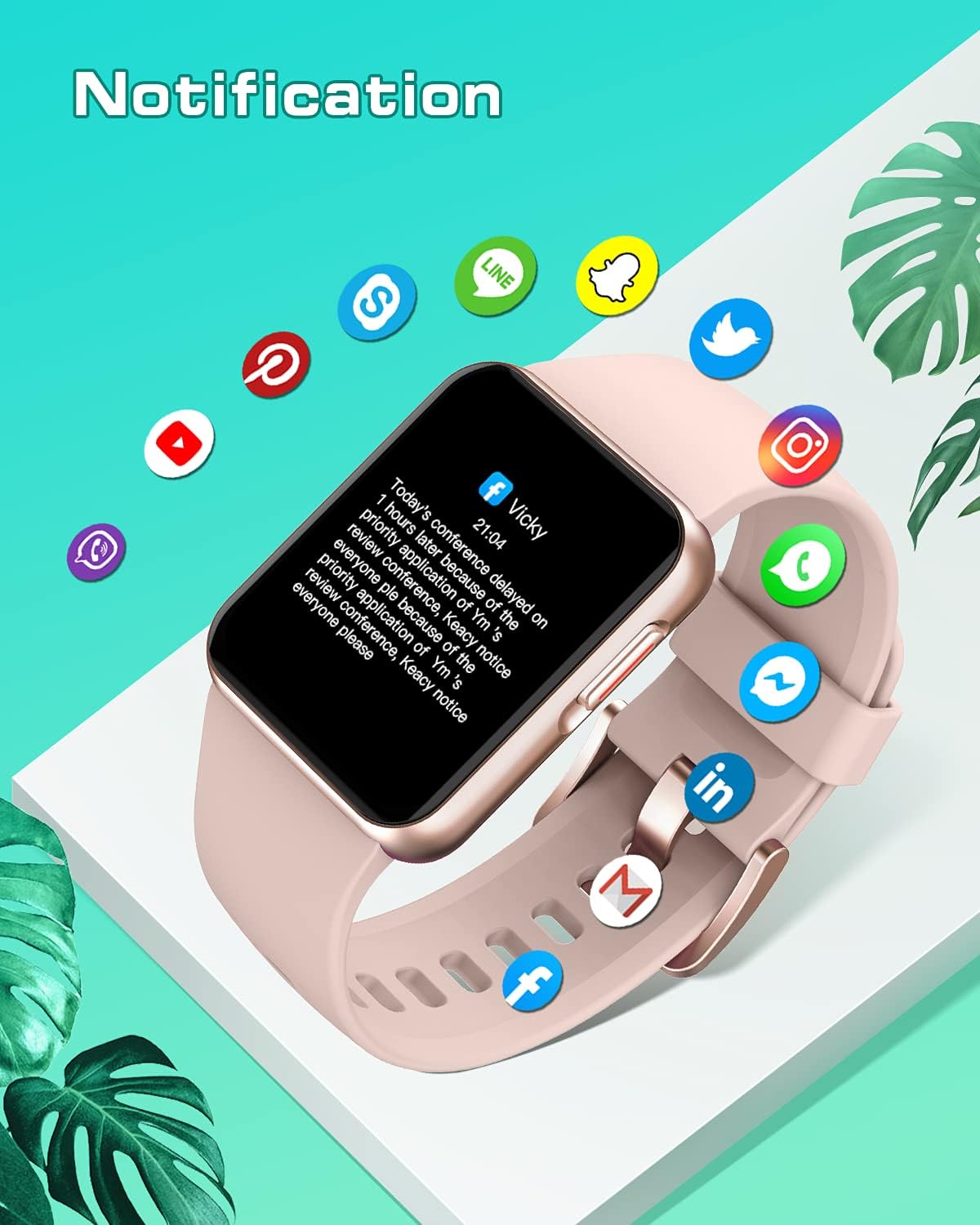
Figure 3: Smartwatch Notification Display. This image shows how messages from various social media platforms appear on the watch screen.
2. Monitorizarea fitnessului
The GRV Smart Watch N29 tracks your daily activity, including steps, calories burned, and distance traveled. It supports 10 different sports modes.
- Date despre activitate: View your daily steps, calories, and distance directly on the watch or in the InxFit app.
- Moduri sportive: Access various sports modes such as indoor walking, outdoor walking, indoor running, outdoor running, outdoor cycling, yoga, spinning, and boating. Select the appropriate mode before starting your workout for accurate tracking.
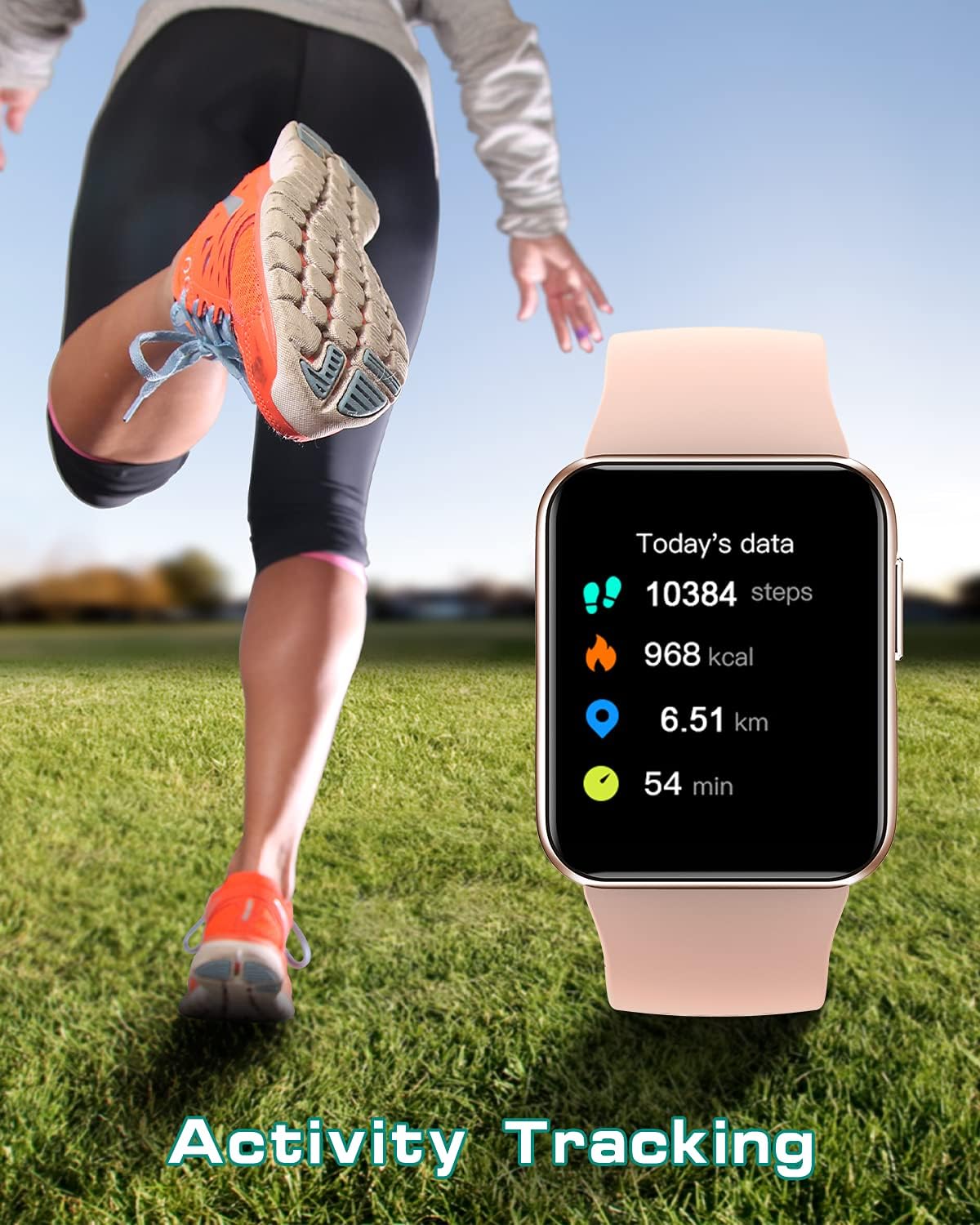
Figure 4: Activity Tracking on GRV Smart Watch N29. This image shows the watch displaying real-time fitness data during an activity.
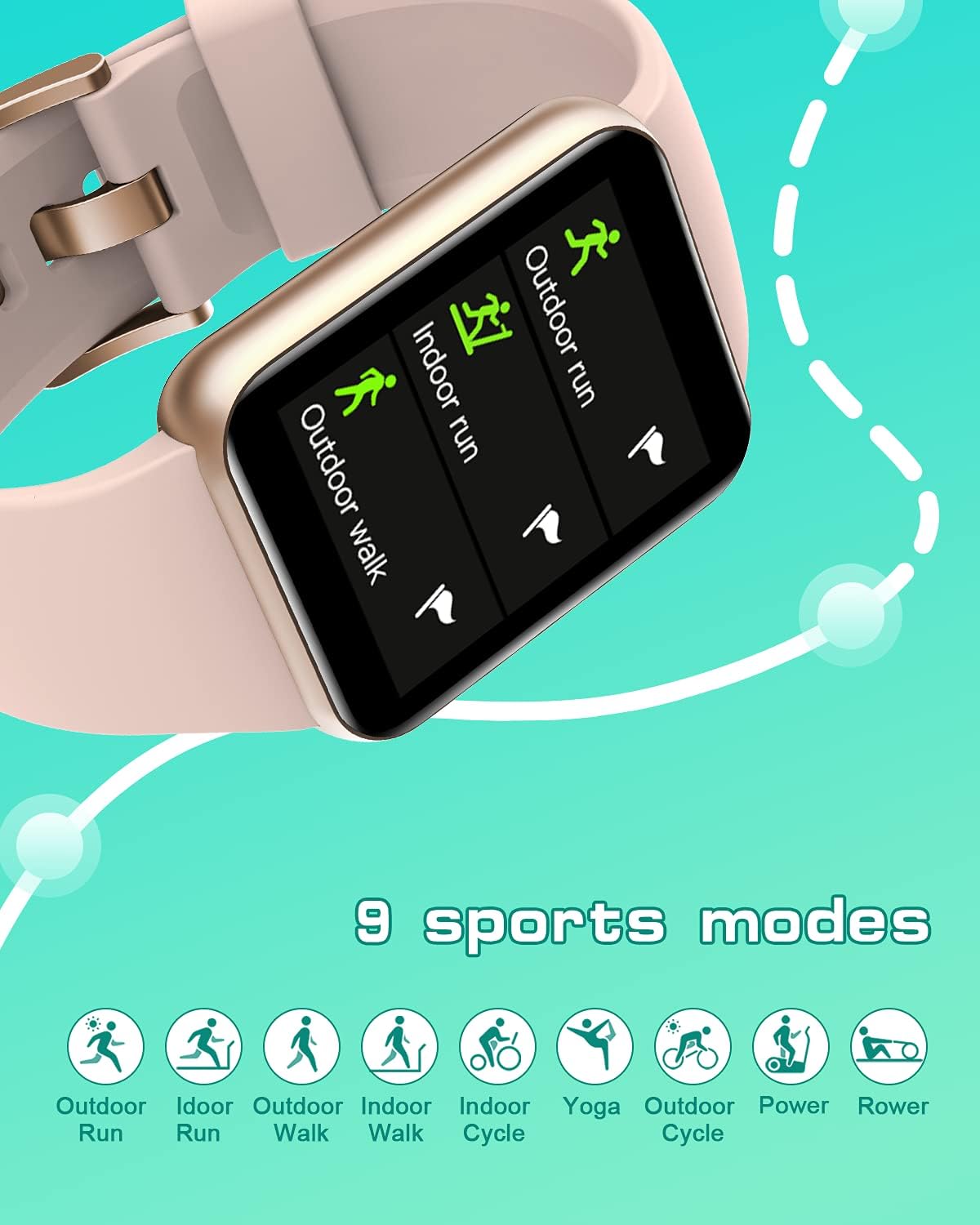
Figure 5: Sports Modes. This image highlights the variety of exercise tracking options available on the smartwatch.
3. Monitorizarea stării de sănătate
The smartwatch provides continuous monitoring of your heart rate, blood oxygen levels, and sleep patterns.
- Monitor de ritm cardiac: Îți urmărește ritmul cardiac pe parcursul zilei. View date în timp real pe ceas sau grafice detaliate în aplicație.
- Monitor de oxigen în sânge: Measure your blood oxygen saturation (SpO2) after exercise or at any time.
- Monitorizare somn: Automatically tracks your sleep quality, including deep sleep, light sleep, REM, and awake times. Review your sleep data in the InxFit app to understand your sleep patterns.
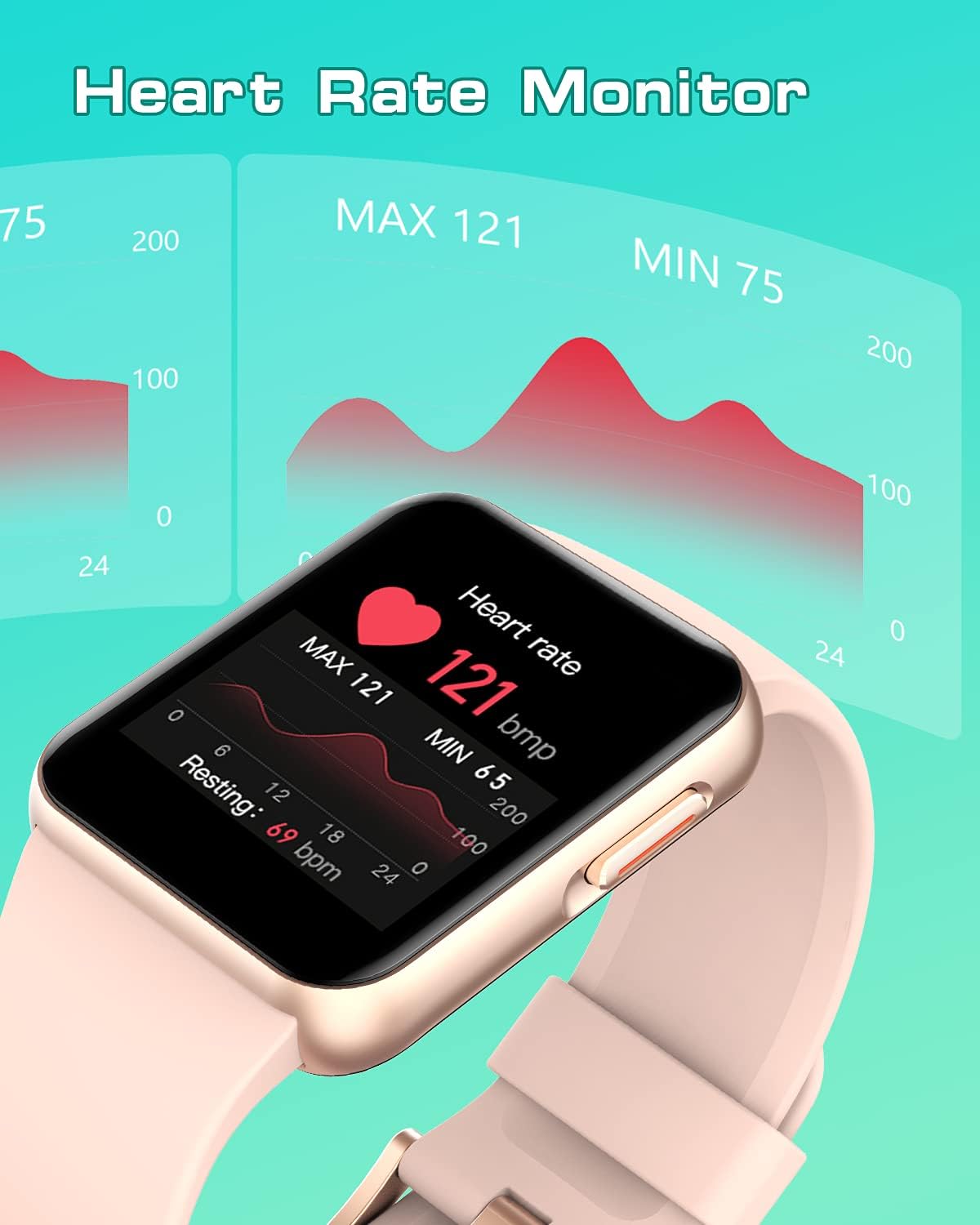
Figure 6: Heart Rate Monitoring. This image shows the watch's interface for displaying heart rate, including current and historical data.
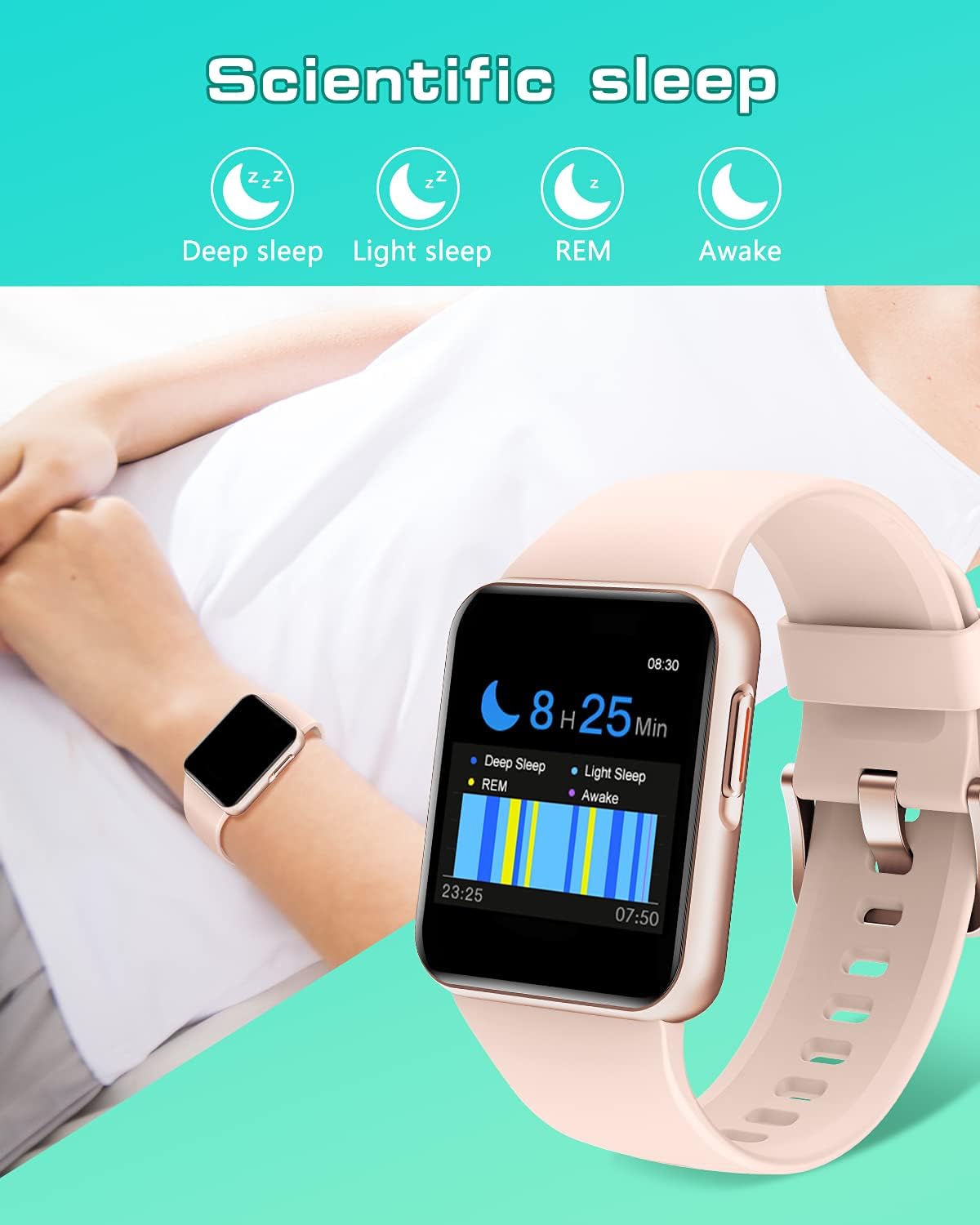
Figure 7: Scientific Sleep Tracking. This image demonstrates the watch's ability to monitor and categorize different stages de somn.
4. Alte funcții
The GRV Smart Watch N29 includes several other convenient features:
- Customized Watch Faces: Personalize your watch by choosing from over 30 dials in the InxFit app or upload your own photos.
- Controlul muzicii: Controlează redarea muzicii pe smartphone direct de pe ceas.
- Memento de apă de băut: Set reminders to ensure you stay hydrated throughout the day.
- Cronometru și cronometru: Folosește funcțiile de cronometru și temporizator încorporate pentru diverse activități.
- Weather Reminder: Primește actualizări meteo în timp real pe încheietura mâinii.
- Alarma: Set alarms directly from the watch or through the app.
- Antrenamentul de respirație: Exerciții de respirație ghidate care te ajută să te relaxezi.

Figure 8: Customized Watch Face. This image shows how users can personalize their watch display with custom photos.
Întreţinere
1. Waterproof Rating (IP68)
The GRV Smart Watch N29 has an IP68 waterproof rating, meaning it is resistant to dust and can withstand immersion in water up to 1.5 meters for approximately 30 minutes. It is suitable for showering and swimming in a pool.
- Avoid hot water, steam, or saunas, as these can compromise the watch's water resistance.
- Nu apăsați niciun buton în timp ce ceasul este scufundat în apă.
- După expunerea la apă, ștergeți ceasul cu o lavetă moale.
2. Curățare și îngrijire
To ensure the longevity and proper functioning of your smartwatch:
- Regularly clean the watch screen and strap with a soft, dry, lint-free cloth.
- If the strap becomes dirty, gently wipe it with a damp o cârpă și un săpun delicat, apoi clătiți și uscați bine.
- Evitați utilizarea substanțelor chimice dure sau materiale abrazive pentru curățare.
- Păstrați contactele de încărcare curate și fără reziduuri pentru a asigura o încărcare eficientă.
3. Îngrijirea bateriei
Pentru a maximiza durata de viață a bateriei și performanța:
- Evitați descărcarea completă frecventă a bateriei.
- Depozitați ceasul într-un loc răcoros și uscat atunci când nu îl utilizați pentru perioade lungi de timp.
- Charge the watch regularly, even if not used daily, to prevent deep discharge.
Depanare
Probleme comune și soluții
Q1: How to Connect to the Smartwatch?
- Ensure your mobile phone is iOS 9.0/Android 5.0 or higher.
- Porniți Bluetooth și GPS pe telefon.
- Download and open the 'InxFit' App.
- Scan the QR code on the watch within the app.
- Agree to pairing on both the watch and the app.
- If connection fails, try restarting both the watch and your phone, then repeat the steps.
Q2: How to get Call/Message/SNS Alerts?
- Allow Phone/Messaging/Call log permissions for the InxFit app upon first sign-in.
- Allow the mobile app to use notifications in your phone's system settings.
- In the 'InxFit' app, go to 'Device' > 'Message Notification' and enable the specific notifications you wish to receive (e.g., SMS, Facebook, etc.). Remember to save your changes.
- Ensure 'Call Reminder' is also enabled in the app.
- For iOS 13 and higher, open the sharing system notification on Bluetooth settings.
- Verify that 'Lock Screen/Notification Center/banners' are open and 'always show previews' in your phone's notification settings for the InxFit app.
Q3: Watch is not turning on.
- Asigurați-vă că ceasul este complet încărcat. Conectați-l la încărcător timp de cel puțin 30 de minute.
- Press and hold the side button for several seconds to power on.
Q4: Inaccurate fitness data.
- Asigurați-vă că ceasul este purtat strâns pe încheietura mâinii, la aproximativ lățimea unui deget de osul încheieturii mâinii.
- Calibrate the watch with the app if available.
- Ensure your personal information (height, weight) is accurately entered in the InxFit app.
Specificații
| Caracteristică | Detaliu |
|---|---|
| Numărul de model | N29 |
| Marca | GRV |
| Dimensiunea ecranului | 1.4 inchi |
| Dimensiunile produsului | 10.12 x 2.95 x 0.67 inci |
| Greutatea articolului | 1.23 uncii (35 grame) |
| Tip baterie | 1 baterie cu litiu polimer (inclusă) |
| Durata de viață a bateriei (utilizare normală) | Aproximativ 7 de zile |
| Evaluare rezistentă la apă | IP68 |
| Conectivitate | Bluetooth |
| Sistem de operare | Other (Proprietary) |
| Capacitate de stocare a memoriei | 128 MB |
| Compatibilitate | iOS 9.0+ / Android 5.0+ |
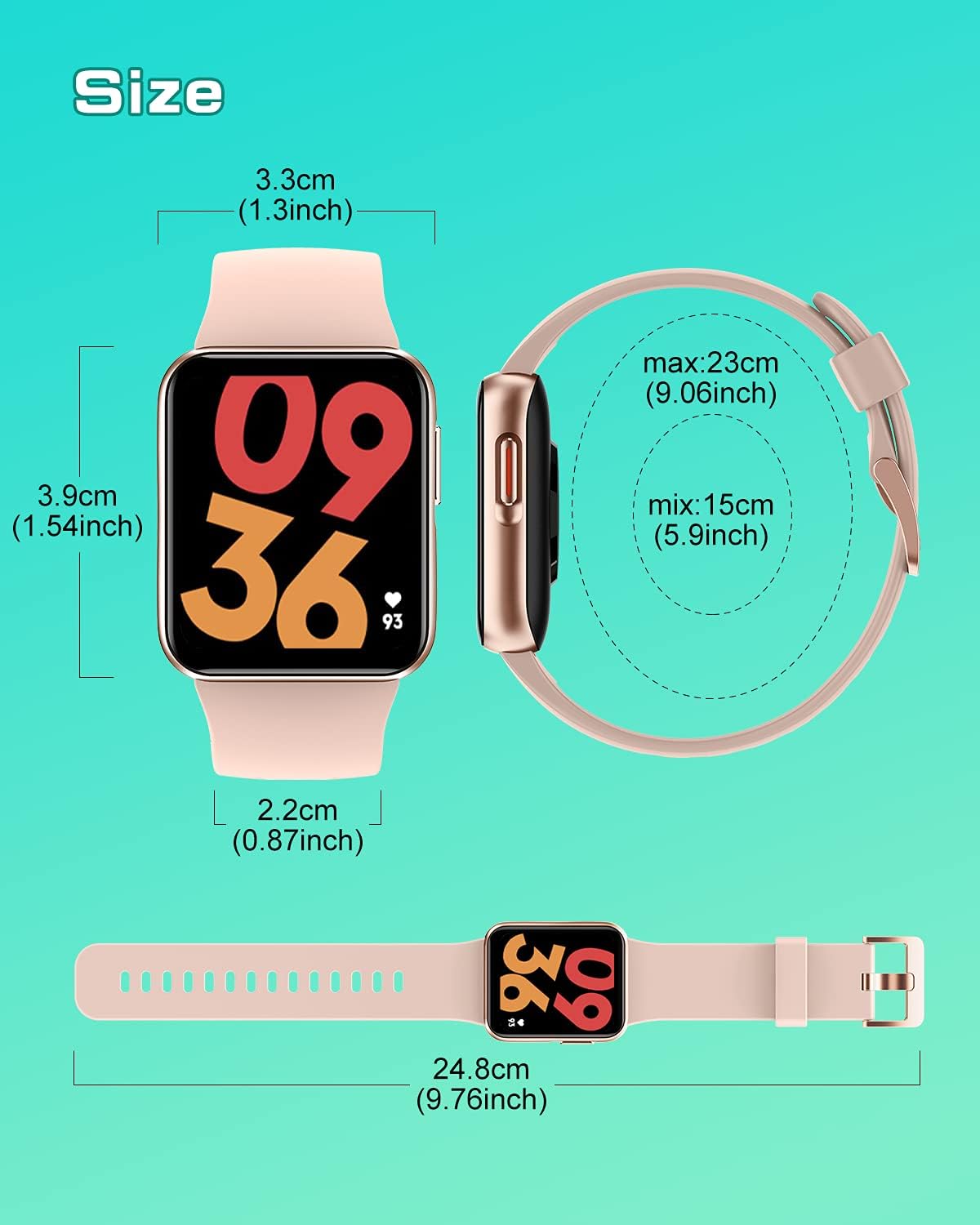
Figure 9: GRV Smart Watch N29 Dimensions. This diagram provides detailed measurements of the watch face and strap length.
Garanție și suport
Informații despre garanție
For information regarding the warranty period and terms for your GRV Smart Watch N29, please refer to the warranty card included in your product packaging or contact the seller directly. Standard return policy allows for refund/replacement within 30 days of purchase.
Asistență pentru clienți
If you encounter any quality issues or require assistance with the use of your GRV Smart Watch N29, please contact GRV customer service. You can typically reach support through your order details on the platform where you purchased the product. Provide your order number and a detailed description of the issue for prompt assistance.
For further information and updates, you may visit the official GRV store page: GRV Store on Amazon.