
Introducere
Thank you for choosing the CHOETECH 38W Dual Port Fast Charger, Model PD5002. This charger is designed to provide efficient and rapid charging for your mobile devices, featuring both a USB Type-C port with Power Delivery (PD) and a USB Type-A port with Quick Charge (QC) technology. Please read this manual carefully to ensure proper use and optimal performance of your charger.
Informații de siguranță
- Use this charger indoors only. Avoid exposure to rain, moisture, or extreme temperatures.
- Do not disassemble, modify, or repair the product yourself. This may cause electric shock, fire, or damage to the product.
- Țineți încărcătorul departe de copii și animale de companie.
- Ensure the charger is fully inserted into the power outlet. Loose connections can cause overheating.
- Deconectați încărcătorul de la priză atunci când nu îl utilizați sau în timpul furtunilor cu fulgere.
- Nu utilizați încărcătorul cu mâinile ude.
- Use only compatible charging cables with your devices.
Conținutul pachetului
- 1 x CHOETECH 38W Dual Port Fast Charger (Model PD5002)
Produs terminatview
The CHOETECH PD5002 charger features a compact and lightweight design, making it ideal for travel and everyday use. It includes two charging ports for simultaneous charging.

Imagine: față view of the CHOETECH PD5002 38W Dual Port Fast Charger, showing the USB-C and USB-A ports and the CHOETECH logo.
Aspectul portului:
- USB Type-C Port (PD 3.0): Delivers up to 20W of power for fast charging compatible devices.
- USB Type-A Port (QC 3.0): Delivers up to 18W of power for quick charging compatible devices.
Înființat
Setting up your CHOETECH PD5002 charger is straightforward:
- Conectați la priza: Introduceți ferm pinii încărcătorului într-o priză standard de perete (CA 100-240V).
- Conectați cablul de încărcare: Connect one end of your device's charging cable to the appropriate port on the charger (USB-C for Power Delivery or USB-A for Quick Charge).
- Conectați-vă la dispozitiv: Connect the other end of the charging cable to your mobile phone, tablet, or other compatible device.
Instrucțiuni de operare
Încărcare cu un singur dispozitiv:
When charging a single device, the charger will deliver the maximum power supported by the port and your device. For example, a compatible device connected to the USB-C port can receive up to 20W, while a device connected to the USB-A port can receive up to 18W.
Încărcare simultană a două dispozitive:
The CHOETECH PD5002 allows you to charge two devices simultaneously with a combined total output of 38W. When both ports are in use, the power is intelligently distributed:
- The USB-C port can deliver up to 20W.
- The USB-A port can deliver up to 18W.
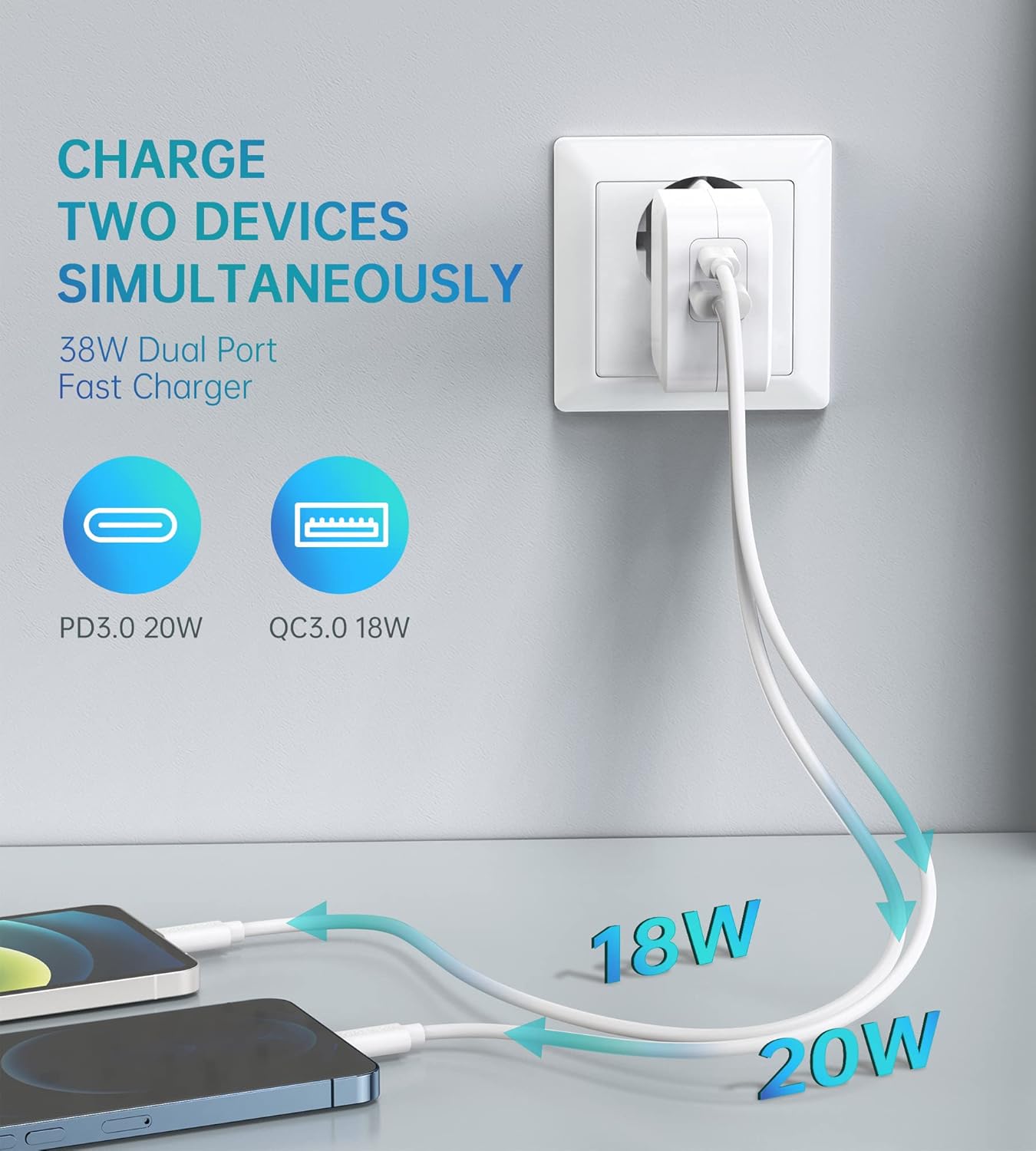
Image: Illustration showing the CHOETECH PD5002 charger plugged into a wall, with two cables extending to charge two smartphones. One cable is labeled 20W (USB-C) and the other 18W (USB-A), demonstrating simultaneous charging.
Capabilitati de incarcare rapida:
This charger supports Power Delivery (PD) 3.0 via the USB-C port and Quick Charge (QC) 3.0 via the USB-A port, enabling significantly faster charging speeds for compatible devices compared to standard chargers.

Image: The CHOETECH PD5002 charger plugged into a wall outlet, connected to an iPhone 12 via a USB-C to Lightning cable. Text highlights "20W Power Delivery for the new iPhone 12 series" and "4X FASTER Than Original 5W Chargers."

Image: The CHOETECH PD5002 charger plugged into a wall outlet, connected to a Samsung smartphone via a USB-A to USB-C cable. Text highlights "18W QUICK CHARGE 3.0" and "3X Faster Than Standard Chargers."
Întreţinere
- curatenie: Deconectați încărcătorul de la priză înainte de curățare. Folosiți o lavetă moale și uscată pentru a șterge suprafața. Nu utilizați agenți de curățare lichizi sau aerosoli.
- Depozitare: Store the charger in a cool, dry place when not in use. Avoid storing it in areas with high humidity or extreme temperatures.
- Manipulare: Avoid dropping or subjecting the charger to strong impacts, as this can damage internal components.
Depanare
Dispozitivul nu se încarcă:
- Verificați conexiunile: Ensure the charger is securely plugged into the wall outlet and the charging cable is firmly connected to both the charger and your device.
- Încercați o altă priză: Test the charger with a different wall outlet to rule out a faulty power source.
- Inspectați cablul: Try using a different charging cable. Damaged cables can prevent charging.
- Compatibilitate dispozitiv: Confirm that your device is compatible with USB charging and that the cable matches the device's port type.
Încărcare lentă:
- Calitate cablu: Ensure you are using a high-quality charging cable that supports fast charging protocols (PD or QC). Generic or old cables may limit charging speed.
- Suport dispozitiv: Verify that your device supports Power Delivery (PD) or Quick Charge (QC) for optimal fast charging.
- Aplicații de fundal: Închideți toate aplicațiile care consumă multă energie și care rulează în fundal pe dispozitiv.
- Factori de mediu: Temperaturile extreme pot afecta eficiența încărcării. Încărcați într-un mediu cu temperaturi moderate.
Specificații
| Numărul de model | PD5002 |
| Intrare AC | 100-240V, 50/60Hz, 1.0A (Max) |
| USB Type-C Output (PD 3.0) | 5V-3A, 9V-2.22A, 12V-1.67A (20W max.) |
| USB Type-A Output (QC 3.0) | 5V-3A, 9V-2A, 12V-1.5A (18W max.) |
| Putere totală | 38 W (maximum) |
| Tehnologia de conectivitate | USB |
| Caracteristici speciale | Lightweight design, Fast charging |
| Culoare | Alb |
| Dimensiunile produsului | 4 x 11 x 10 cm |
| Greutatea articolului | 5 de grame |
| Dispozitive compatibile | Mobile phones, tablets, and other USB-powered devices |
Garanție și suport
CHOETECH products are designed and manufactured to the highest quality standards. For information regarding warranty coverage or technical support, please refer to the warranty card included with your purchase or visit the official CHOETECH website. If you encounter any issues not covered in this manual, please contact CHOETECH customer service for assistance.