
Introducere
The FreedConn T-COMVB Bluetooth Helmet Headset is designed to provide wireless communication for motorcyclists. This system allows for hands-free phone calls, music listening, FM radio, GPS voice prompts, and intercom communication between riders. It features Bluetooth 5.0 technology, noise cancellation, and a waterproof design for various riding conditions.
Ce este în cutie
Verificați dacă toate componentele sunt prezente în pachet:
- FreedConn T-COMVB Bluetooth Headset Unit (x2 for 2-pack)
- Difuzoare stereo
- Boom Microphone (for open-face/modular helmets)
- Soft-Wire Microphone (for full-face helmets)
- Helmet Mount Bracket (clip-on and adhesive options)
- Cablu de încărcare USB
- Manual de utilizare
- Tampoane Velcro pentru difuzoare și microfon
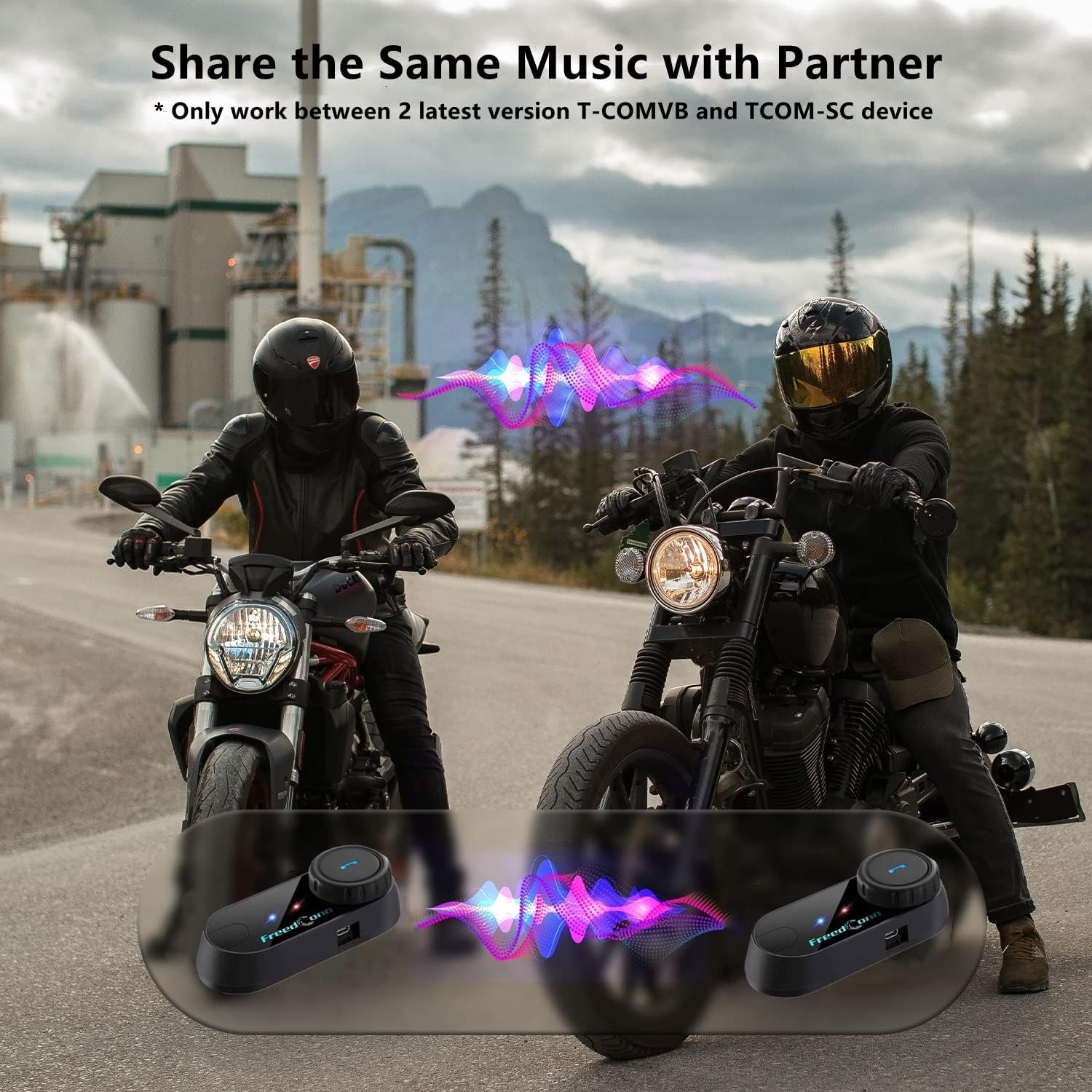
Image: Package contents for the FreedConn T-COMVB Bluetooth Helmet Headset 2-pack, showing all included accessories.
Înființat
1. Încărcarea dispozitivului
Before first use, fully charge the T-COMVB unit. Connect the USB charging cable to the headset's charging port and a USB power source. The indicator light will show charging status.
- Timp de încărcare: Aproximativ 3-4 ore.
- Durata de viață a bateriei: Up to 7-8 hours of intercom, 10 hours of phone calls/music, 300 hours standby.

Image: Visual representation of the 400mAh battery capacity and estimated usage times for intercom, phone calls, and standby.
2. Microphone Selection
Alegeți microfonul potrivit pentru tipul de cască:
- Microfon cu braț: Recommended for open-face, half, and modular flip-up helmets.
- Soft-Wire Microphone: Recommended for full-face and off-road helmets.
Connect the chosen microphone and speakers to the corresponding ports on the headset unit.
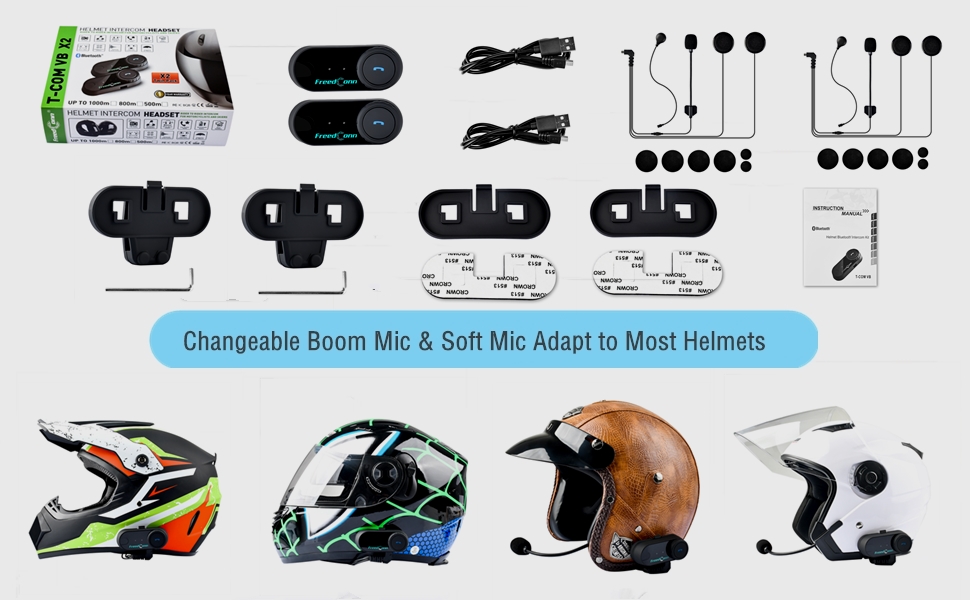
Image: Illustration demonstrating the compatibility of boom and soft-wire microphones with various helmet styles.
3. Instalarea căștii
Mount the T-COMVB unit to the side of your helmet using either the clip-on bracket or the adhesive bracket. Ensure the unit is securely attached and the speakers are positioned correctly inside the helmet for optimal audio.

Image: A FreedConn T-COMVB unit securely installed on the exterior of a motorcycle helmet.
Instrucțiuni de operare
1. Pornire/Oprire
- Pornire: Apăsați și țineți apăsat butonul de pornire/oprire până când indicatorul luminos clipește.
- Oprire: Apăsați și țineți apăsat butonul de Pornire/Oprire până când indicatorul luminos se stinge.
2. Bluetooth Pairing (with Phone/GPS)
To connect your T-COMVB to a Bluetooth-enabled device (phone, GPS):
- Ensure the T-COMVB is off.
- Press and hold the Power button for approximately 5-7 seconds until the indicator light flashes red and blue alternately, indicating pairing mode.
- On your phone or GPS, enable Bluetooth and search for available devices.
- Select "FreedConn T-COMVB" from the list. If prompted, enter "0000" as the PIN.
- După asociere, indicatorul luminos va clipi lent în albastru.

Image: The T-COMVB headset demonstrating its Bluetooth 5.0 and universal connectivity with different devices and helmet types.
3. Intercom Communication (Rider to Rider)
The T-COMVB supports intercom communication with other T-COMVB or TCOM-SC units.
- Ensure both units are powered on and not connected to other Bluetooth devices.
- On one unit, press and hold the Intercom button until the indicator light flashes red and blue alternately.
- On the second unit, press the Intercom button once.
- The units will automatically search and pair. Once connected, the indicator lights will flash blue slowly.
- To initiate intercom, press the Intercom button once. To end, press it again.
4. Redarea și partajarea muzicii
Once paired with your phone, you can play music. Music sharing is supported between two latest version T-COMVB and TCOM-SC devices.
- Redare/Pauză: Apăsați o dată butonul multifuncțional.
- Următoarea piesă: Rotate the Multi-function button clockwise.
- Pista anterioară: Rotate the Multi-function button counter-clockwise.
- Partajarea muzicii: While music is playing, press and hold the Intercom button on both units to initiate music sharing.

Image: Two riders sharing music through their FreedConn T-COMVB headsets, highlighting the music sharing feature.
5. Radio FM
To activate the built-in FM radio:
- Porniți FM-ul: Press the FM button once.
- Scanează canale: Rotate the Multi-function button to scan for stations.
- Dezactivați FM-ul: Press the FM button again.
6. Apeluri telefonice
When paired with your phone, the T-COMVB allows for hands-free calls.
- Răspunde la apel: Apăsați o dată butonul multifuncțional.
- Terminare apel: Apăsați butonul multifuncțional o dată în timpul unui apel.
- Respinge apelul: Apăsați și mențineți apăsat butonul multifuncțional timp de 2 secunde.
- Reapelează ultimul număr: Apăsați de două ori butonul multifuncțional.
- Voice Assistant (Siri/Google Voice): Press the Voice Assistant button to activate your phone's voice assistant.

Image: Icons representing voice assistant activation (Siri, Google Voice) for hands-free calling functionality.
Întreţinere
- curatenie: Folosiți un moale, damp cloth to clean the unit. Do not use harsh chemicals or solvents.
- Rezistenta la apa: The unit is waterproof, but avoid submerging it in water. Ensure all ports are securely closed when exposed to rain.
- Îngrijirea bateriei: If the device is not used for an extended period, charge it at least once a month to preserve battery life.

Image: The FreedConn T-COMVB headset on a helmet, illustrating its waterproof feature in rainy conditions.
Depanare
- Fără putere: Ensure the unit is fully charged. Connect to a power source and check the charging indicator.
- Nu se poate conecta Bluetooth: Ensure the unit is in pairing mode (red and blue flashing light). Make sure other Bluetooth devices are disconnected. Try restarting both the headset and your phone/GPS.
- Niciun sunet din difuzoare: Check that the speakers are securely plugged into the headset unit. Ensure volume is not set to minimum.
- Interfonul nu se conectează: Ensure both units are T-COMVB or TCOM-SC models and are in intercom pairing mode. Keep units within range (up to 800 meters).
- Calitate audio slabă/zgomot slab: Ensure the microphone is positioned correctly, close to your mouth. The T-COMVB features advanced noise cancellation technology.

Image: A visual representation of the advanced noise cancellation technology, demonstrating its effect on sound quality.
Specificații
| Model | T-COMVB |
| Versiune Bluetooth | 5.0 + EDR |
| Gama de interfon | Up to 800 meters (2-3 riders) |
| Capacitatea bateriei | 400mAh |
| Timp de încărcare | 3-4 ore |
| Ora interfon | 7-8 ore |
| Phone Call/Music Time | 10 de ore |
| Timp de așteptare | 300 de ore |
| Rezistenta la apa | Impermeabil |
| Metoda de control | Voice, Manual Buttons |
| Caracteristici speciale | Microphone Included, Noise Cancellation, FM Radio |
| Material | Polimer |
| Greutatea articolului | Approximately 1.15 pounds (for 2 units) |
Garanție și suport
For warranty information, technical support, or service inquiries, please refer to the contact details provided with your purchase or visit the official FreedConn webPăstrați dovada achiziției pentru reclamații în garanție.