
Introducere
This manual provides detailed instructions for the HERCHR BAO-JIE BJ-218/BJ-318 USB Programming Cable. This cable is designed to facilitate programming and data transfer between your personal computer and compatible BAO-JIE BJ-218 or BJ-318 mobile two-way radios. Please read this manual thoroughly before use to ensure proper operation and to maximize the cable's performance and longevity.

Image: The HERCHR BAO-JIE USB Programming Cable, showing its USB and RJ45 connectors. This cable is used for programming BJ-218 and BJ-318 mobile radios.
Instrucțiuni de configurare
- Instalați drivere: Before connecting the cable, ensure that any necessary USB drivers for the programming cable are installed on your computer. These drivers are typically provided with the programming software or can be downloaded from the manufacturer's website-ul.
- Conectare la computer: Insert the USB-A connector of the programming cable into an available USB port on your personal computer.
- Conectați-vă la radio: Connect the RJ45 8-Pin connector of the programming cable to the corresponding programming port on your BAO-JIE BJ-218 or BJ-318 mobile radio. Ensure a secure connection.
- Lansați software: Open the dedicated programming software for your BAO-JIE radio on your computer.
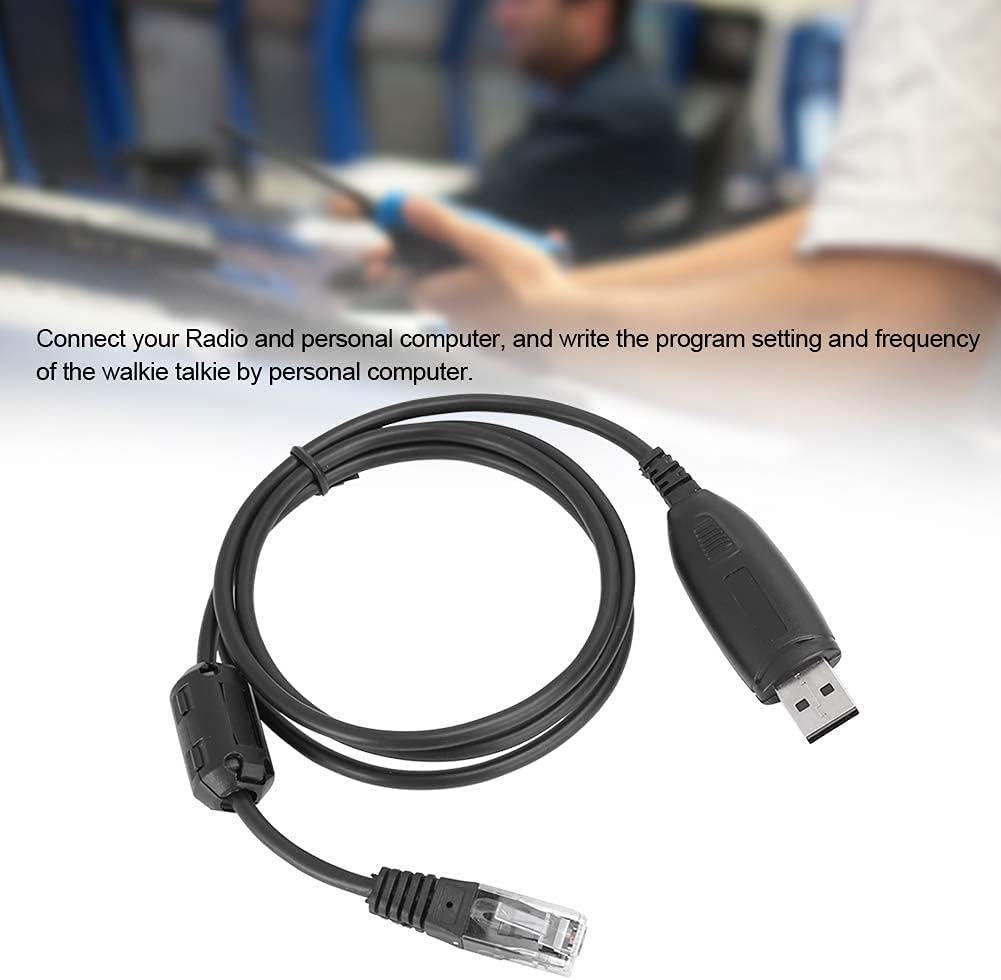
Image: The USB programming cable connected to a computer, illustrating the setup process for programming a mobile radio.
Instrucțiuni de operare
Once the cable is connected and the software is launched, you can proceed with programming your radio:
- Recunoaștere software: The programming software should detect the connected radio via the USB cable. Confirm that the software recognizes the radio model.
- Citirea datelor radio: Use the software's function to read the current program settings and frequencies from your radio. This is often a good practice before making any changes.
- Modificați setările: Adjust frequencies, channel settings, and other parameters within the programming software interface as needed.
- Scrie la Radio: After making desired changes, use the software's "write" or "upload" function to transfer the new settings to your radio. Follow any on-screen prompts.
- Verifica: After writing, it is recommended to read the radio data again to verify that the new settings have been successfully applied.
The cable enables stable and efficient programming of your radio by PC and through the microphone's keypad, offering ease of operation.

Image: A person operating a two-way radio, illustrating the context in which the programming cable is used for configuration.
Întreţinere
- Depozitare: Depozitați cablul într-un loc răcoros și uscat, ferit de lumina directă a soarelui și de temperaturi extreme.
- curatenie: Folosiți o cârpă moale și uscată pentru a curăța cablul și conectorii. Evitați utilizarea substanțelor chimice dure sau a materialelor abrazive.
- Manipulare: Avoid bending or twisting the cable excessively, especially near the connectors, to prevent internal damage. Always grasp the connector housing when plugging or unplugging, not the cable itself.
- Inspecţie: Verificați periodic cablul pentru a depista orice semne de uzură, dezlipire sau deteriorare a conectorilor. Întrerupeți utilizarea dacă observați deteriorări.

Imagine: O imagine detaliată view of the USB and RJ45 connectors, highlighting the robust construction designed for stable transmission performance and durability.
Depanare
- Cablu nerecunoscut:
- Ensure the USB cable is securely plugged into both the computer and the radio.
- Încercați un alt port USB pe computer.
- Verify that the correct USB drivers are installed. Check your computer's Device Manager for any unknown devices or driver errors.
- Reporniți computerul și radioul.
- Probleme legate de software-ul de programare:
- Confirm that you are using the correct programming software version for your specific radio model (BJ-218 or BJ-318).
- Check the software settings to ensure the correct COM port is selected (if applicable).
- Run the programming software as an administrator (on Windows).
- Erori de transfer de date:
- Ensure the radio is powered on and in programming mode (refer to your radio's manual).
- Avoid disconnecting the cable during data transfer.
- Close other applications that might interfere with USB communication.
Specificații
| Caracteristică | Detaliu |
|---|---|
| Marca | HERCHR |
| Tip de articol | Cablu de programare USB |
| Material | ABS |
| Culoare | Negru |
| Interfață de ieșire | USB |
| Interfață de intrare | 8-Pin (RJ45 type) |
| Temperatura de operare | -20°C până la +60°C (-4°F până la +140°F) |
| Dispozitive compatibile | BAO-JIE BJ-218, BAO-JIE BJ-318 Mobile Radios |
| Tip conector | USB |
| Tip cablu | USB |
| Conector Gen | Bărbat la Femeie |
| Numărul de pini | 8 |
| Greutatea articolului | 0.04 kilograme (1.41 uncii) |
| Utilizare în interior/exterior | În interior, în aer liber |
Informații despre garanție
Specific warranty details for this product are not provided in this manual. For information regarding warranty coverage, duration, and claims, please refer to the product packaging or contact the seller directly. Keep your proof of purchase for any warranty-related inquiries.
Asistență pentru clienți
If you encounter any issues or have questions regarding the HERCHR BAO-JIE BJ-218/BJ-318 USB Programming Cable that are not addressed in this manual, please contact the seller or manufacturer for assistance. Provide your product model number (BJ-218 or BJ-318) and a detailed description of your issue when seeking support.