
1. Informații importante privind siguranța
Vă rugăm să citiți cu atenție toate instrucțiunile înainte de asamblare și utilizare. Păstrați acest manual pentru referințe ulterioare.
- AVERTIZARE: Asamblați întotdeauna biroul conform instrucțiunilor furnizate pentru a asigura stabilitatea.
- Nu depășiți capacitatea maximă de greutate de 80 kg.
- Be cautious when using the height adjustment feature to avoid injury from moving parts.
- Keep hands and fingers away from the moving parts during operation.
- Ensure the power cord is not pinched or damaged during assembly or operation.
- Acest produs este destinat numai utilizării în interior.
2. Produs terminatview
The FLEXISPOT E1L is a dual-motor, L-shaped electric standing desk designed for home and office use. It features adjustable height, a quiet operation, and a customizable control panel.

Image 2.1: The FLEXISPOT E1L desk frame demonstrating its adjustable height capabilities.

Image 2.2: The FLEXISPOT E1L desk in a typical office setup, showcasing its L-shape and functionality.
3. Configurare și asamblare
Assembly of the FLEXISPOT E1L desk is designed to be straightforward, typically taking less than 30 minutes. All necessary tools are included.
3.1 Despachetarea și verificarea componentelor
Carefully unpack all components and verify against the packing list. Ensure all parts are present and undamaged before proceeding.
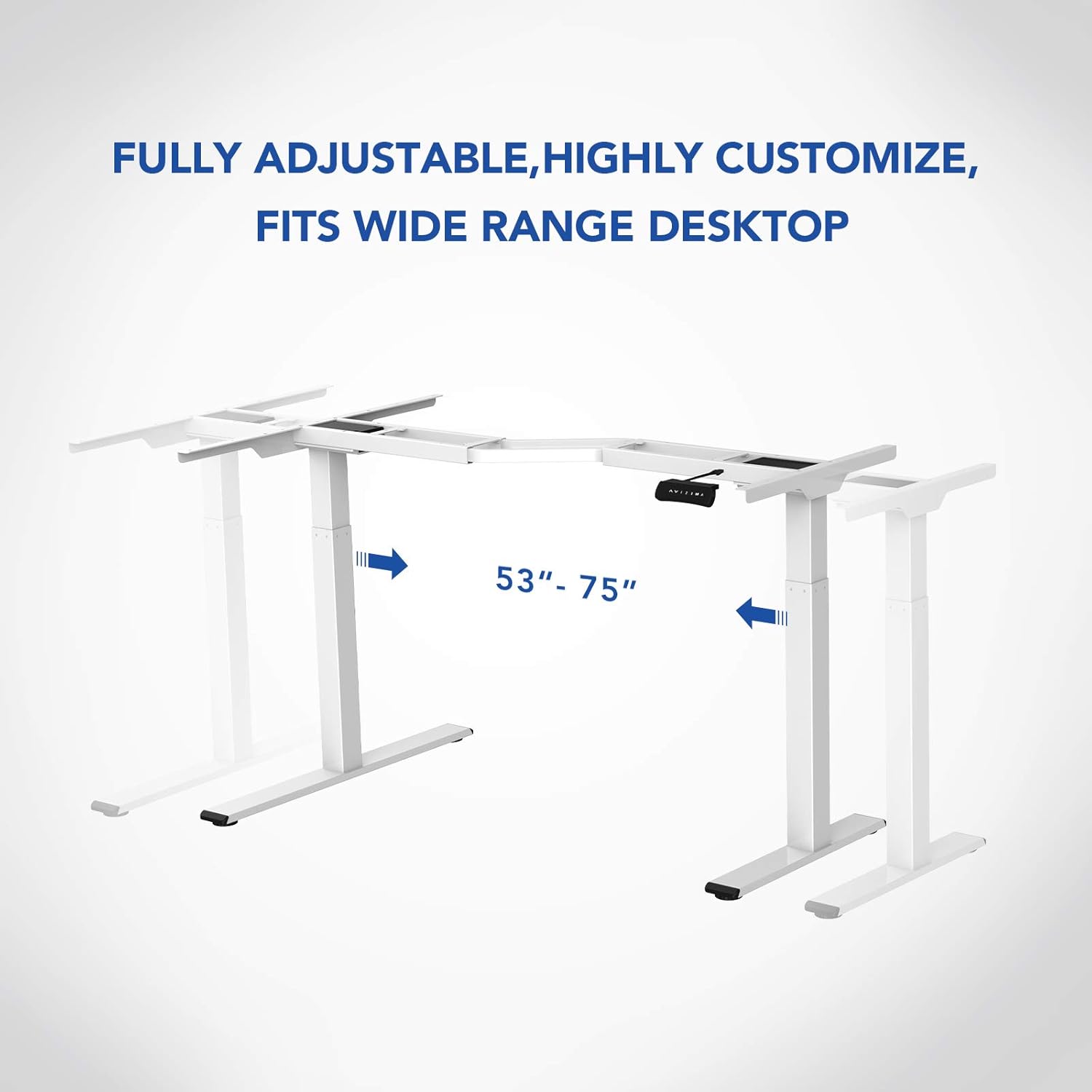
Imaginea 3.1: Pesteview of the FLEXISPOT E1L desk frame components prior to assembly.
3.2 Etapele de asamblare
- Attach the lifting columns to the desktop frame.
- Fixați picioarele la baza coloanelor de ridicare.
- Connect the control box and motor cables as per the detailed diagram in the included assembly guide.
- Mount the control panel to the desired location on the desk.
- Place the desktop surface onto the assembled frame and secure it.
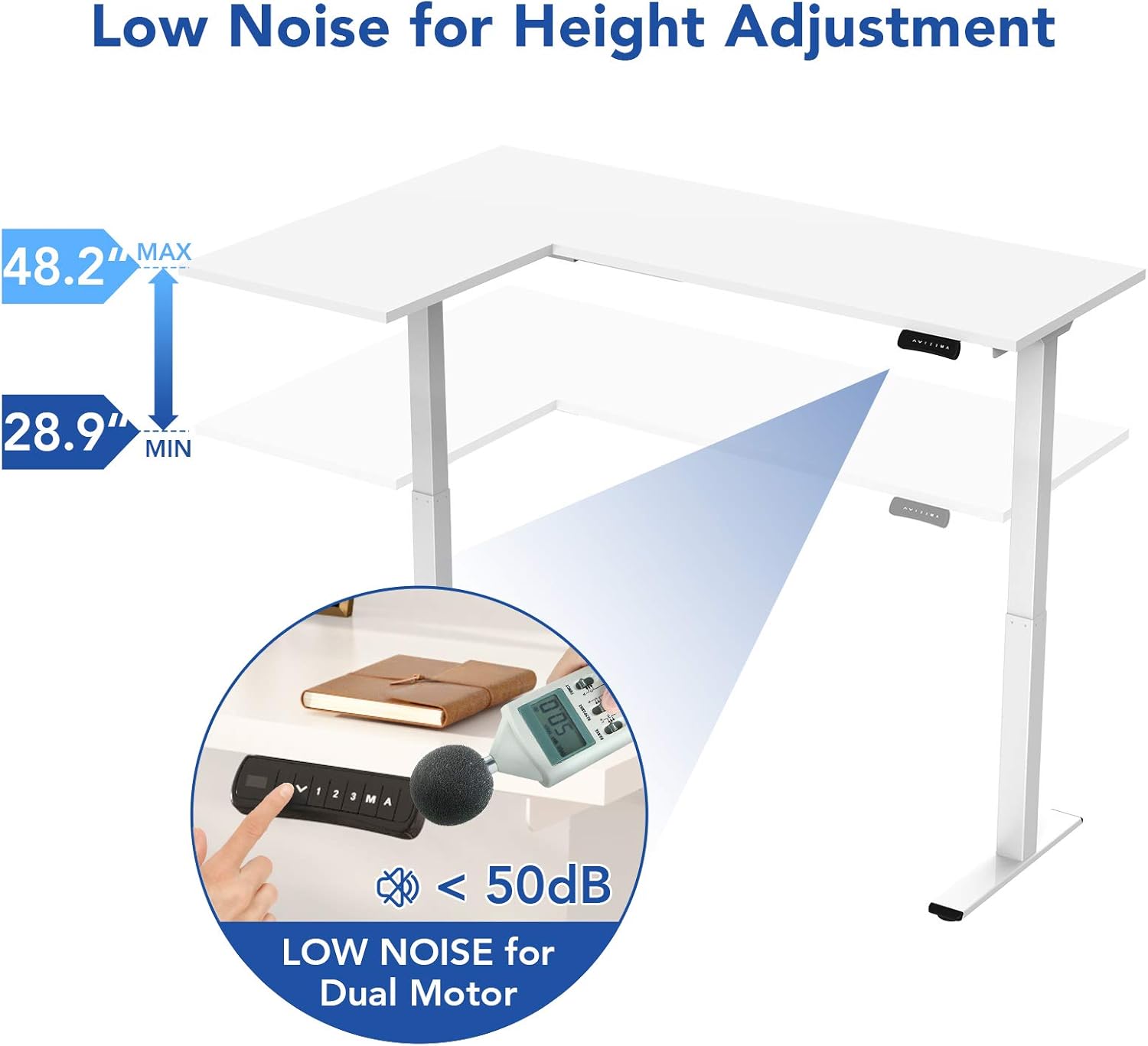
Image 3.2: An assembly step illustrating the connection of the L-shaped desk frame components.

Image 3.3: The desk frame nearing completion, with the control panel attached.
3.3 Reversible L-Shape Configuration
The L-shaped configuration of the desk is reversible, allowing you to set up the longer side on either the left or right, depending on your preference and workspace layout. This flexibility is determined during the assembly process.

Image 3.4: Visual representation of the desk's reversible L-shape, allowing for left or right-hand configurations.
4. Instrucțiuni de utilizare
4.1 Reglarea înălțimii
The desk features a dual-motor lift mechanism for smooth and quiet height adjustments. The height can be adjusted from 27.9 inches (70.9 cm) to 47.2 inches (120 cm).
- Utilizați Up (▲) și Jos (▼) buttons on the control panel to manually adjust the desk height.
- The desk operates at a speed of 1 inch per second and maintains a noise level under 50 dB during movement.

Image 4.1: Illustration highlighting the low noise operation (under 50 dB) of the desk's dual motor system.
4.2 Funcțiile panoului de control
The built-in LED control panel allows for easy customization and programming of desk height settings.

Image 4.2: Close-up of the control panel, detailing its buttons and functions.
- Up/Down Buttons (▲, ▼): Reglați manual înălțimea biroului.
- Presetări de memorie (1, 2, 3): Store and recall up to three preferred height settings. To save a height, adjust the desk to the desired position, then press the 'M' button followed by the desired number (1, 2, or 3).
- Buton Memorie (M): Used to save height presets.
- Sit-Stand Reminder (A): Activate a programmable timer to remind you to switch between sitting and standing postures. Refer to the full assembly guide for detailed programming instructions.
4.3 Sistem anti-coliziune
The desk is equipped with a built-in anti-collision system. If the desk encounters an obstruction during height adjustment, it will automatically stop and reverse slightly to prevent damage or injury.

Image 4.3: Visual explanation of the anti-collision system, showing the desk reversing upon contact with an obstacle.
5. Întreținere
Regular maintenance ensures the longevity and optimal performance of your FLEXISPOT E1L desk.
- curatenie: Ștergeți suprafața și cadrul biroului cu o lavetă moale șiamp Evitați utilizarea de produse de curățare abrazive sau solvenți care pot deteriora finisajul.
- Organizare de cabluri: Periodically check all cables to ensure they are securely connected and not pinched or frayed. Use the included cable management tray to keep wires organized.
- Elemente de fixare: Verificați ocazional toate șuruburile și bolțurile pentru a vă asigura că sunt strânse. Strângeți-le din nou dacă este necesar.
- Inspecția motorului: Listen for any unusual noises during operation. If you notice any, discontinue use and consult the troubleshooting section or contact customer support.
6. Depanare
If you encounter issues with your desk, refer to the following common troubleshooting steps:
| Problemă | Cauza posibila | Soluţie |
|---|---|---|
| Biroul nu se mișcă. | Power cable disconnected; control box error; overload. | Check power connections. Unplug and replug the power cord. Reduce weight on the desk. |
| Biroul se mișcă neuniform. | Uneven load; motor synchronization issue. | Distribute weight evenly. Perform a reset (refer to the full manual for specific reset procedures). |
| Cod de eroare afișat. | Eroare specifică a sistemului. | Refer to the detailed error code list in the complete user manual or contact customer support. Often, a power cycle (unplugging for 10 seconds and replugging) can resolve temporary errors. |
| Anti-collision system triggers too easily. | Sensitivity setting too high. | Adjust the anti-collision sensitivity setting via the control panel (refer to the full manual for instructions). |
If these steps do not resolve the issue, please contact FLEXISPOT customer support.
7. Specificații
| Caracteristică | Caietul de sarcini |
|---|---|
| Marca | FLEXISPOT |
| Numărul de model | E1L |
| Design birou | Birou de calculator în formă de L |
| Material cadru | Oțel de calitate industrială |
| Mecanism de ridicare | Motor electric dublu |
| Interval de reglare a înălțimii | 27.9" până la 47.2" (70.9 cm până la 120 cm) |
| Lift Speed | 1"/second |
| Nivel de zgomot | Sub 50 dB |
| Capacitate maximă de greutate | 177 lbs (80 kg) |
| Panoul de control | LED with 3 Memory Presets & Sit-Stand Reminder |
| Caracteristici speciale | Anti-Collision System, Corded Operation, Reversible L-Shape |
| Asamblare necesară | Da (Include toate uneltele de asamblare) |
| Persoane recomandate pentru asamblare | 1 |
8. Garanție și asistență
8.1 Informații despre garanție
The FLEXISPOT E1L desk comes with a Limited Warranty. Please refer to the warranty card included with your product or visit the official FLEXISPOT website for detailed terms and conditions regarding parts and labor coverage.
8.2 Asistență pentru clienți
For technical assistance, warranty claims, or any questions regarding your FLEXISPOT E1L desk, please contact FLEXISPOT customer support through their official website-ul sau informațiile de contact furnizate pe ambalajul produsului.
De asemenea, puteți vizita FLEXISPOT Store on Amazon pentru informații suplimentare despre produs și resurse de asistență.