
1. Introducere
This manual provides detailed instructions for the setup, operation, and maintenance of your USHINING BF-N11 HD Webcam. This device is designed to enhance your video communication experience with features such as high-definition video, an integrated ring light, and a noise-reducing microphone. Please read this manual thoroughly before using the product.
2. Conținutul pachetului
Verificați dacă toate articolele enumerate mai jos sunt incluse în pachetul dumneavoastră:
- USHINING BF-N11 HD Webcam
- Acoperire de confidențialitate
- Cablu USB (integrat)
- Manual de utilizare (acest document)
3. Caracteristicile produsului
The USHINING BF-N11 HD Webcam offers a range of features for optimal performance:
- Video Full HD 1080p: Delivers clear and sharp video quality.
- Inel de lumină integrat: Provides adjustable illumination with three brightness levels (Low, Medium, High) to improve video quality in various lighting conditions.
- Acoperire de confidențialitate: A physical cover to ensure privacy when the webcamera nu este folosită.
- Built-in Dual Noise-Reducing Microphone: Captures clear audio by minimizing background noise.
- Conectivitate USB Plug & Play: Easy setup without the need for additional drivers.
- Compatibilitate largă: Supports Windows XP, Mac OS 10.6, Android 5.0, and various video conferencing software like Zoom, Skype, Facetime, and Teams.
- Obiectiv cu unghi larg de 90 de grade: Surprinde un domeniu larg de view, suitable for group calls.
- Montaj flexibil: Features a clip that allows for secure placement on monitors, laptops, or flat surfaces, with 360-degree rotation and 15-degree tilt adjustment.
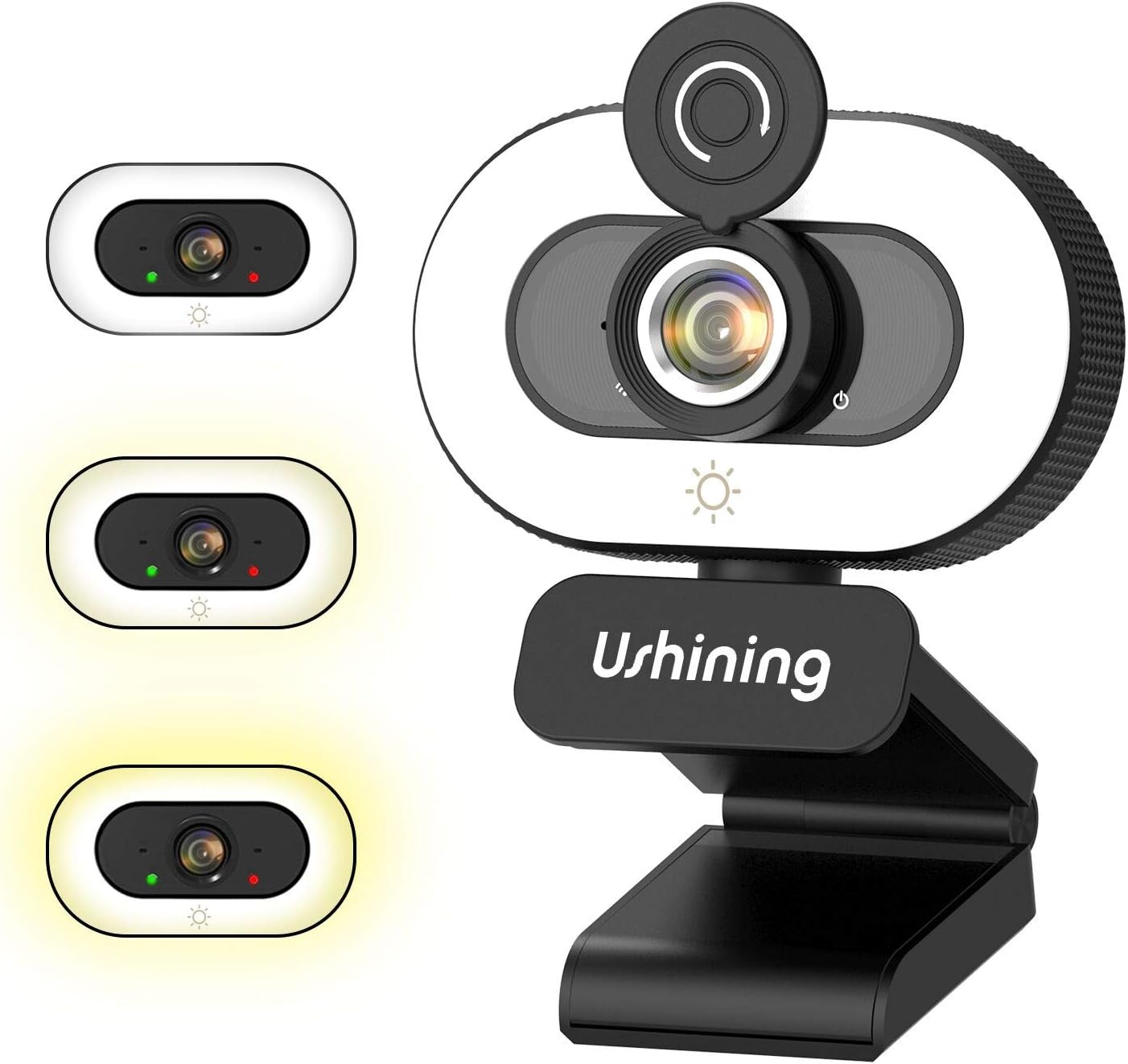
Image 1: USHINING BF-N11 HD Webcam with its integrated ring light and privacy cover.

Imaginea 2: Pesteview of key features including adjustable ring light, security & privacy, internal noise reduction mic, USB plug & play, human face optimization, wide compatibility, and Full HD 1080P resolution.

Image 3: Demonstrates the three adjustable brightness levels (Low, Medium, High) of the integrated ring light, controlled by a touch sensor.

Image 4: Illustrates the difference between 720P and 1080P video clarity, highlighting the Full HD capability of the webcame.

Image 5: Shows the webcam in use during a video conference, emphasizing the built-in dual noise-reducing microphone for clear audio.

Image 6: Demonstrates the 90-degree wide-angle view and flexible mounting options, including 360-degree rotation and 15-degree tilt.

Image 7: Illustrates the function of the privacy cover, protecting against surveillance and privacy leaks.

Image 8: Displays the wide compatibility of the webcam with various software and operating systems, including Windows XP, Mac OS 10.6, and Android 5.0.
4. Instrucțiuni de configurare
Follow these steps to set up your USHINING BF-N11 HD Webcamera:
- Montarea Webcamera:
- Open the flexible clip base.
- Așezați webcam on top of your computer monitor or laptop screen, ensuring the front of the webcam faces you.
- Adjust the clip to securely rest on the back of your monitor or laptop. The webcam can also be placed on a flat surface.
- Reglați unghiul webcam as needed. It supports 360-degree horizontal rotation and 15-degree vertical tilt.
- Conectarea la computerul dvs.:
- Plug the integrated USB cable into an available USB port on your computer.
- The webcam is plug-and-play, meaning your operating system (Windows, macOS, Android) should automatically detect and install the necessary drivers. This may take a few moments.
- Odată instalat, webcam will be ready for use with your preferred video conferencing or recording software.
5. Instrucțiuni de utilizare
Using your USHINING BF-N11 HD Webcam is straightforward:
- Using the Ring Light:
- The webcam features an integrated ring light. To turn it on or adjust its brightness, gently touch the light icon sensor located on the front of the webcam, below the lens.
- Each touch will cycle through the three brightness levels: Low, Medium, High, and Off.
- Using the Privacy Cover:
- To ensure privacy, slide the physical privacy cover over the webobiectivul cu cameră atunci când nu este utilizat.
- Slide it back to expose the lens when you need to use the camera.
- Selectarea Webcamera si microfon:
- In your video conferencing software (e.g., Zoom, Skype, Microsoft Teams, Facetime), navigate to the audio and video settings.
- Select "USHINING BF-N11 Webcam" as your video input device.
- Select "USHINING BF-N11 Microphone" (or similar name) as your audio input device.
6. Întreținere
Întreținerea corespunzătoare asigură longevitatea și performanța optimă a mașinii dumneavoastră webcamera:
- Curățarea lentilei: Folosiți o lavetă moale, fără scame, special concepută pentru lentile optice, pentru a șterge ușor weblentilă cu came. Evitați materialele abrazive sau substanțele chimice dure.
- Curățarea corpului: Ștergeți corpul webcam with a soft, dry cloth. If necessary, a slightly damp Se poate folosi o cârpă, dar asigurați-vă că nu pătrunde umezeală în dispozitiv.
- Depozitarea: Când nu este utilizat pentru perioade lungi de timp, depozitați webcam in a clean, dry place. Use the privacy cover to protect the lens from dust and scratches.
- Evitați condițiile extreme: Nu expuneți webtemperaturi extreme, umiditate sau expunere directă la lumina soarelui.
7. Depanare
If you encounter issues with your USHINING BF-N11 HD Webcameră, consultați următoarele probleme și soluții comune:
| Problemă | Soluție posibilă |
|---|---|
| WebCamera nu a fost detectată de computer. |
|
| No video output or black screen. |
|
| Microfonul nu funcționează sau calitatea audio este slabă. |
|
| Ring light not turning on or adjusting. |
|
8. Specificații
| Caracteristică | Detaliu |
|---|---|
| Marca | USHINING |
| Numărul de model | BF-N11 |
| Rezoluție captură video | 1080p |
| Tehnologia de conectivitate | USB |
| Microfon | Built-in Dual Noise-Reducing Microphone |
| Lumină inel | Integrated, 3 Adjustable Brightness Levels |
| Tip de lentile | Zoom |
| Câmpul de View | Unghi larg de 90 grade |
| Rotaţie | 360 Degrees Horizontal |
| Înclinare | 15 Degrees Vertical |
| Culoare | Negru, Alb |
| Greutatea articolului | 5.7 uncii |
| Dimensiuni pachet | 4.53 x 3.35 x 2.36 inci |
| Factor de formă | Laptop |
| Componente incluse | Privacy Cover, USB Cable |
9. Garanție și asistență
For warranty information and technical support, please refer to the official USHINING website or contact their customer service directly. Details regarding warranty periods and support channels are typically provided with your purchase documentation or on the manufacturer's product page.
For further assistance, you may visit the USHINING support page or contact their customer service team.