
ZIPRO 6299206
Zipro Flame Exercise Bike User Manual
Model: 6299206 | Marcă: ZIPRO
Introducere
This manual provides essential information for the safe and effective use of your Zipro Flame Exercise Bike. Training on the ZIPRO FLAME stationary bike strengthens abdominal and leg muscles and promotes weight loss. It features an advanced computer that connects to your phone via Bluetooth, offering a reliable and quiet fitness experience thanks to reinforced bearings and a robust resistance system. For an enhanced experience, download the iConsole+ and Kinomap applications.

Figura 1: Față view of the Zipro Flame Exercise Bike.
Informații de siguranță
Vă rugăm să citiți cu atenție toate instrucțiunile înainte de a utiliza acest produs. Păstrați acest manual pentru referințe ulterioare.
- Consultați-vă medicul înainte de a începe orice program de exerciții fizice.
- Asigurați-vă că toate piesele sunt asamblate și strânse corect înainte de fiecare utilizare.
- Așezați bicicleta de exerciții pe o suprafață plană și stabilă.
- Țineți copiii și animalele de companie departe de echipament în timpul funcționării.
- Nu depășiți greutatea maximă a utilizatorului de 150 kg.
- Purtați îmbrăcăminte și încălțăminte adecvate pentru exerciții fizice.
- Opriți imediat exercițiile fizice dacă simțiți leșin, amețeli sau durere.
- Verificați periodic echipamentul pentru uzură. Nu îl utilizați dacă este deteriorat.
Conținutul pachetului
Verify that all components are present and undamaged. If any parts are missing or damaged, contact customer support.
- Ansamblul cadru principal
- Ansamblu ghidon și consolă
- Şa şi tijă de şa
- Pedale (stânga și dreapta)
- Stabilizatoare față și spate
- Set de accesorii (șuruburi, șaibe, piulițe, unelte)
- Adaptor de alimentare
- Manual de utilizare
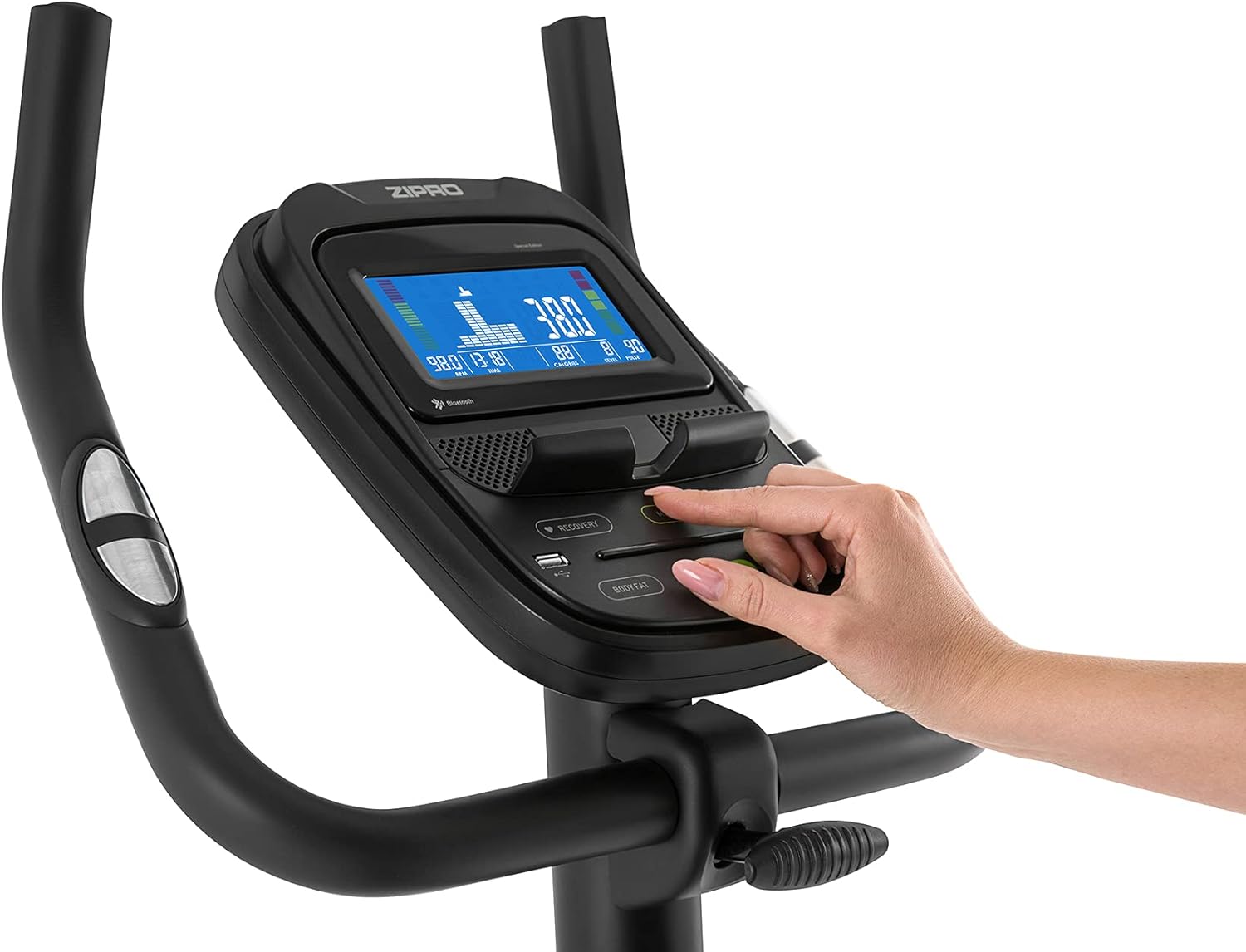
Figure 2: User manual and power adapter.
Configurare și asamblare
Follow these steps to assemble your Zipro Flame Exercise Bike. It is recommended to have two people for assembly.
- Attach the front and rear stabilizers to the main frame using the provided bolts and washers.
- Secure the seat post and saddle to the main frame. Adjust the saddle height and distance for comfort.
- Install the handlebar and console assembly onto the main frame. Ensure all cables are connected properly.
- Attach the left and right pedals. Note that the left pedal is reverse-threaded.
- Connect the power adapter to the bike and a suitable power outlet.

Figure 3: Saddle adjustment for personalized comfort.

Figure 4: Non-slip pedals with adjustable straps for secure footing.
Instrucțiuni de operare
Funcțiile consolei
The advanced computer console provides real-time workout data and various programs.
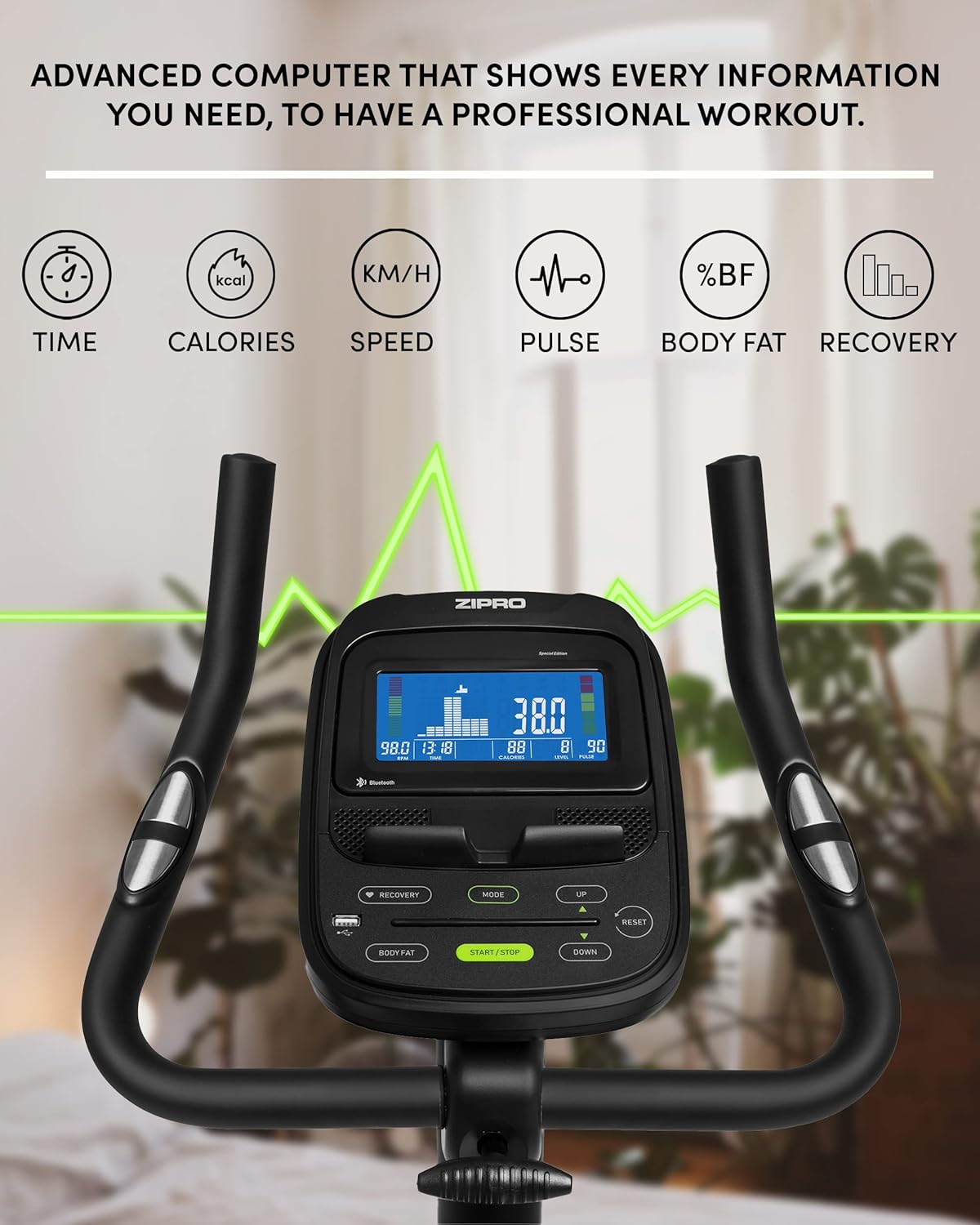
Figure 5: Advanced computer display showing workout metrics.

Figure 6: User interacting with the console controls.
- Pornire/Oprire: Press the START/STOP button to turn the console on or off.
- Mod: Press the MODE button to cycle through display functions (Time, Calories, Speed, Pulse, Body Fat, Recovery).
- Reglarea rezistenței: Use the UP/DOWN buttons to adjust the 32-step electric-magnetic resistance level.
- Măsurarea pulsului: Grip the pulse sensors on the handlebars to measure your heart rate.
- Măsurarea grăsimii corporale: Follow the instructions on the console to perform a body fat measurement.
- HRC Training: The bike supports Heart Rate Control (HRC) training, automatically adjusting resistance based on your target heart rate.
Mobile Device Integration
The Zipro Flame Exercise Bike is designed for seamless integration with your mobile devices and fitness applications.

Figure 7: Integrated stand for mobile devices.
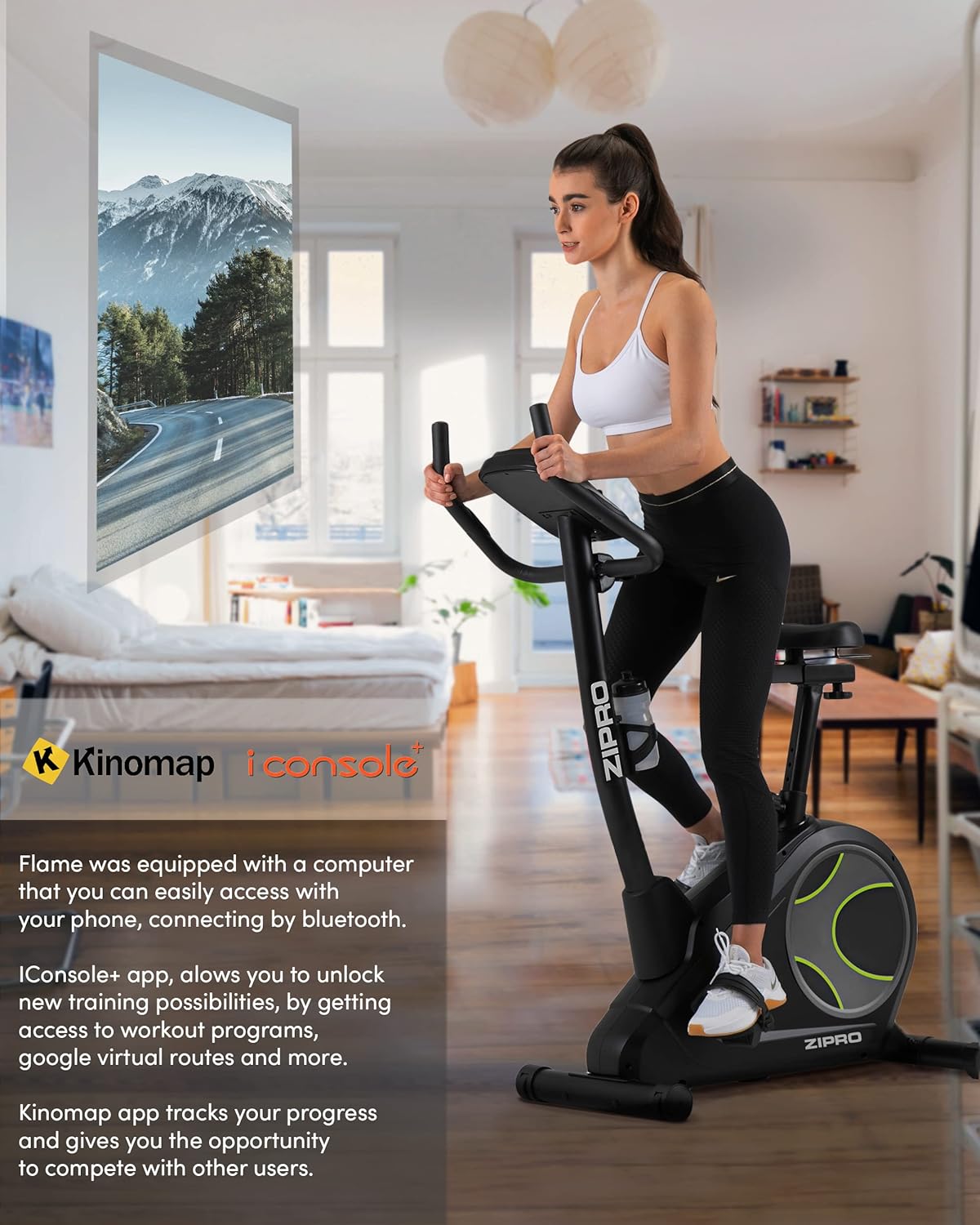
Figure 8: Bluetooth connectivity with Kinomap and iConsole+ apps.
- Conectivitate Bluetooth: Connect your smartphone or tablet to the bike via Bluetooth to use compatible fitness apps.
- iConsole+ App: Download the iConsole+ app to unlock new training possibilities, access workout programs, and track your progress.
- Kinomap App: The Kinomap app allows you to experience virtual routes and compete with other users, enhancing your workout engagement.
- Mobile Device Stand: Utilize the integrated stand on the console to securely hold your mobile device while exercising.
Produs terminatview Video
Watch this video for a general presentation of the ZIPRO product range, showcasing the brand's commitment to quality fitness equipment.
Video 1: Presentation of the ZIPRO product range. This video provides a general overview of the brand's fitness equipment, including various exercise types.
Întreţinere
Întreținerea regulată asigură longevitatea și performanța optimă a bicicletei dumneavoastră de fitness.
- curatenie: Ștergeți bicicleta cu reclamăamp o lavetă după fiecare utilizare pentru a îndepărta transpirația și praful. Evitați produsele de curățare abrazive.
- Lubrifiere: Verificați și lubrifiați periodic piesele mobile conform recomandărilor din manualul complet (dacă este cazul).
- Strângere: Check all bolts and nuts regularly and tighten them if necessary to ensure stability and safety.
- Depozitare: When not in use, store the bike in a cool, dry place. The integrated transport wheels facilitate easy relocation.

Figure 9: Compact dimensions for easy storage and transport.
Depanare
| Problemă | Cauza posibila | Soluţie |
|---|---|---|
| Fără alimentare cu energie la consolă | Power adapter not connected; outlet issue | Ensure adapter is fully plugged in; try a different outlet. |
| Unstable or wobbly bike | Șuruburi slăbite; suprafață neuniformă | Tighten all assembly bolts; adjust leveling feet on stabilizers. |
| Zgomot de scârțâit sau măcinare | Loose parts; lack of lubrication | Check and tighten all connections; apply lubricant to moving parts as per manual. |
| Pulse reading inaccurate | Hands not firmly on sensors; dry hands | Ensure firm, consistent contact with both sensors; moisten hands slightly if dry. |
| Probleme de conectivitate Bluetooth | Bluetooth off on device; app not updated | Ensure Bluetooth is enabled; restart bike and device; update fitness app. |
Specificații
| Caracteristică | Detaliu |
|---|---|
| Numărul de model | 6299206 |
| Marca | ZIPRO |
| Culoare | Negru |
| Stil | Flacără |
| Sistemul de acționare | centura |
| Material principal | Plastic |
| Sursa de alimentare | Requires external power for console and electromagnetic resistance control. |
| Caracteristici speciale | Modern computer with clear screen, wide feet with stabilizing pads, two-level saddle adjustment, mobile device tray, continuous handlebar adjustment, iConsole+ and Kinomap compatibility, integrated transport wheels, soft non-slip foam handlebars, cup holder, reinforced bearing, noise-dampening casing, touch-sensitive pulse sensors, non-slip pedals with straps. |
| Capacitate maximă de greutate | 150 kilograme |
| Dimensiuni produs (L x l x H) | 118 x 49 x 140 cm |
| Greutatea articolului | 27.3 kilograme |
| Mecanism de rezistență | Magnetic |
| Utilizări recomandate | Acasă, Sală de sport, Studio, Interior |
Garanție și suport
For warranty information, technical support, or to order replacement parts, please contact ZIPRO customer service. Refer to your purchase documentation for specific warranty terms and contact details.
Suport online: Visit the official ZIPRO website pentru întrebări frecvente, ghiduri de depanare și formulare de contact.
Producător: Morele.net Sp. z oo
Ask a question about this manual
Ask about setup, troubleshooting, compatibility, parts, safety, or missing instructions. Manuals+ will review the question and use this page’s manual context to help answer it.