
ZIPRO Heat (Model 6299207)
Manual de utilizare pentru bicicleta eliptică ZIPRO iCONSOLE+ HEAT
Marca: ZIPRO | Model: Heat (Model 6299207)
1. Introducere
Thank you for choosing the ZIPRO iCONSOLE+ HEAT Elliptical Crosstrainer. This manual provides essential information for the safe and effective assembly, operation, and maintenance of your new fitness equipment. Please read this manual thoroughly before using the crosstrainer to ensure proper usage and to maximize your workout experience.
The ZIPRO iCONSOLE+ HEAT is an advanced electromagnetic elliptical trainer designed for comprehensive cardio workouts at home. It features an integrated computer with connectivity to popular fitness applications like iConsole and Kinomap, offering a wide range of training programs and interactive experiences.
2. Informații de siguranță
WARNING: Before starting any exercise program, consult your physician. This is especially important for individuals over the age of 35 or those with pre-existing health problems.
- Always place the crosstrainer on a stable, level surface. Ensure adequate space around the equipment for safe operation.
- Țineți copiii și animalele de companie departe de echipament în timpul utilizării.
- The maximum user weight capacity for this device is 120 kg (264 lbs)Nu depășiți această limită.
- Purtați încălțăminte și îmbrăcăminte sport adecvate în timpul antrenamentelor.
- Inspect the crosstrainer for loose or worn parts before each use. Do not use if any damage is present.
- Do not attempt to service the equipment beyond the maintenance steps described in this manual. Contact qualified service personnel for repairs.
- Always hold onto the handlebars for balance during exercise.
3. Asamblare
The ZIPRO iCONSOLE+ HEAT Crosstrainer requires assembly. Please refer to the detailed assembly instructions provided in the separate assembly guide included with your product. Ensure all components are present and undamaged before beginning assembly.

Figure 3.1: Fully assembled Zipro Heat Crosstrainer.

Figure 3.2: Dimensions of the Zipro Heat Crosstrainer: 128 cm length, 66 cm width, 158 cm height.
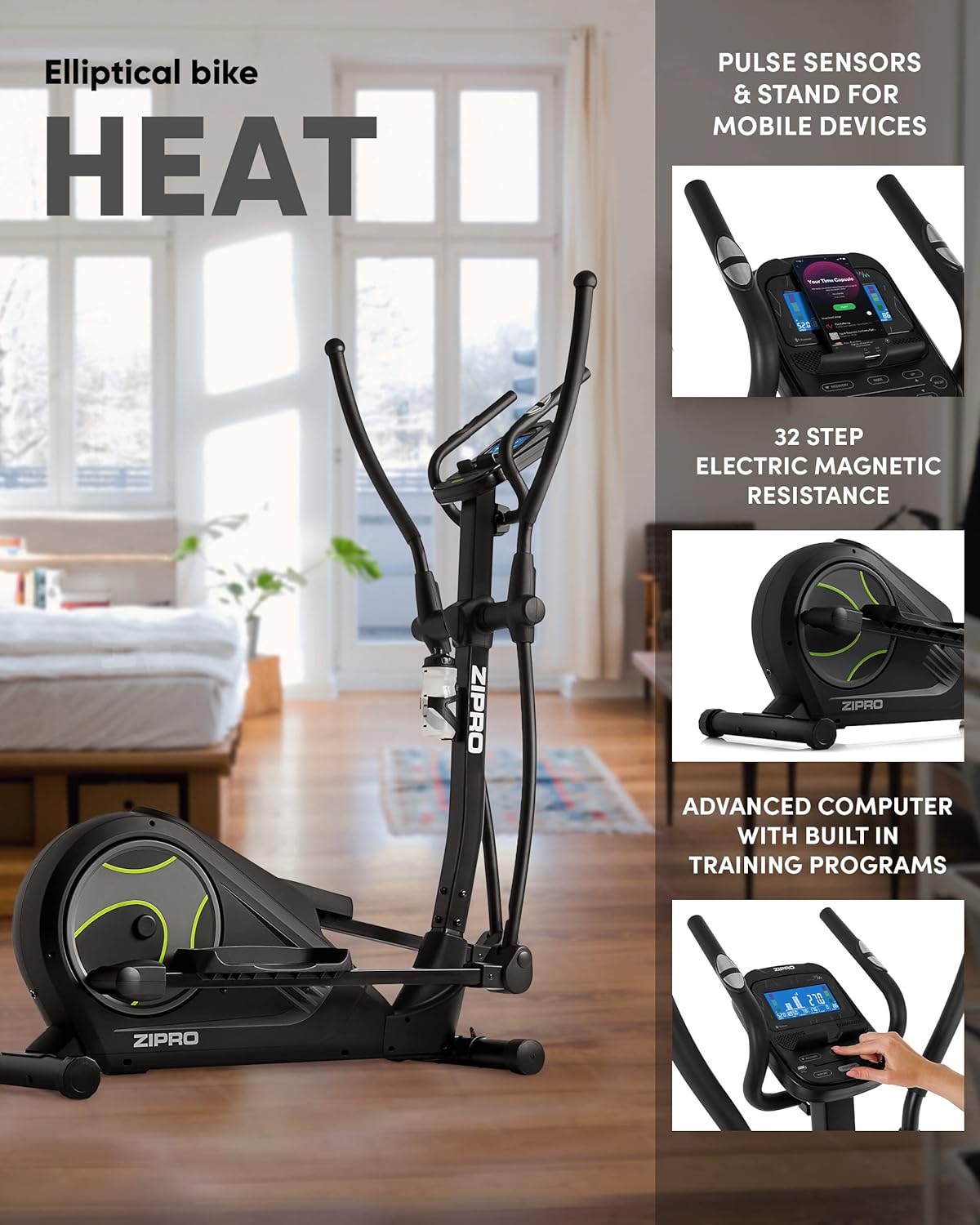
Figure 3.3: Key features including pulse sensors, mobile device stand, 32-step electric magnetic resistance, and advanced computer.
Sfaturi cheie pentru asamblare:
- Așezați toate piesele și hardware-ul înainte de a începe.
- Follow the numbered steps in the assembly guide precisely.
- Do not fully tighten all bolts until instructed, as some components may need slight adjustment.
- It is recommended to have two people for assembly due to the size and weight of some components.
4. Instrucțiuni de utilizare
4.1 Pornirea și oprirea
Connect the power adapter to the crosstrainer and then to a suitable power outlet. The console will automatically power on. To power off, simply disconnect the power adapter.
4.2 Console Features and Display
The advanced computer console provides real-time feedback on your workout. It displays various metrics to help you track your progress and optimize your training.

Figura 4.1: Detaliat view of the console display showing various workout metrics.

Figure 4.2: The advanced computer console displaying workout information such as time, calories, speed, pulse, body fat, and recovery.
Displayed Metrics:
- TIMP: Durata antrenamentului tău.
- CALORII: Calorii arse estimate.
- VITEZĂ: Viteza curentă în km/h.
- PULS: Your heart rate, measured by hand pulse sensors.
- %BF (Body Fat): Procent de grăsime corporalătage (requires specific input).
- RECUPERARE: Heart rate recovery test result.
4.3 Reglarea rezistenței
The ZIPRO iCONSOLE+ HEAT features 32 levels of electric magnetic resistance. You can adjust the resistance level directly from the console using the UP/DOWN buttons. Higher levels increase the workout intensity.

Figure 4.3: The quiet and smooth operation of the electromagnetic resistance system.
4.4 Monitorizarea ritmului cardiac
Grip the pulse sensors on the stationary handlebars to measure your heart rate. Ensure both hands are firmly on the sensors for an accurate reading. Your pulse will be displayed on the console.
4.5 App Connectivity (iConsole+, Kinomap)
Enhance your training experience by connecting your smartphone or tablet to the crosstrainer via Bluetooth. The console includes a dedicated stand for your mobile device.
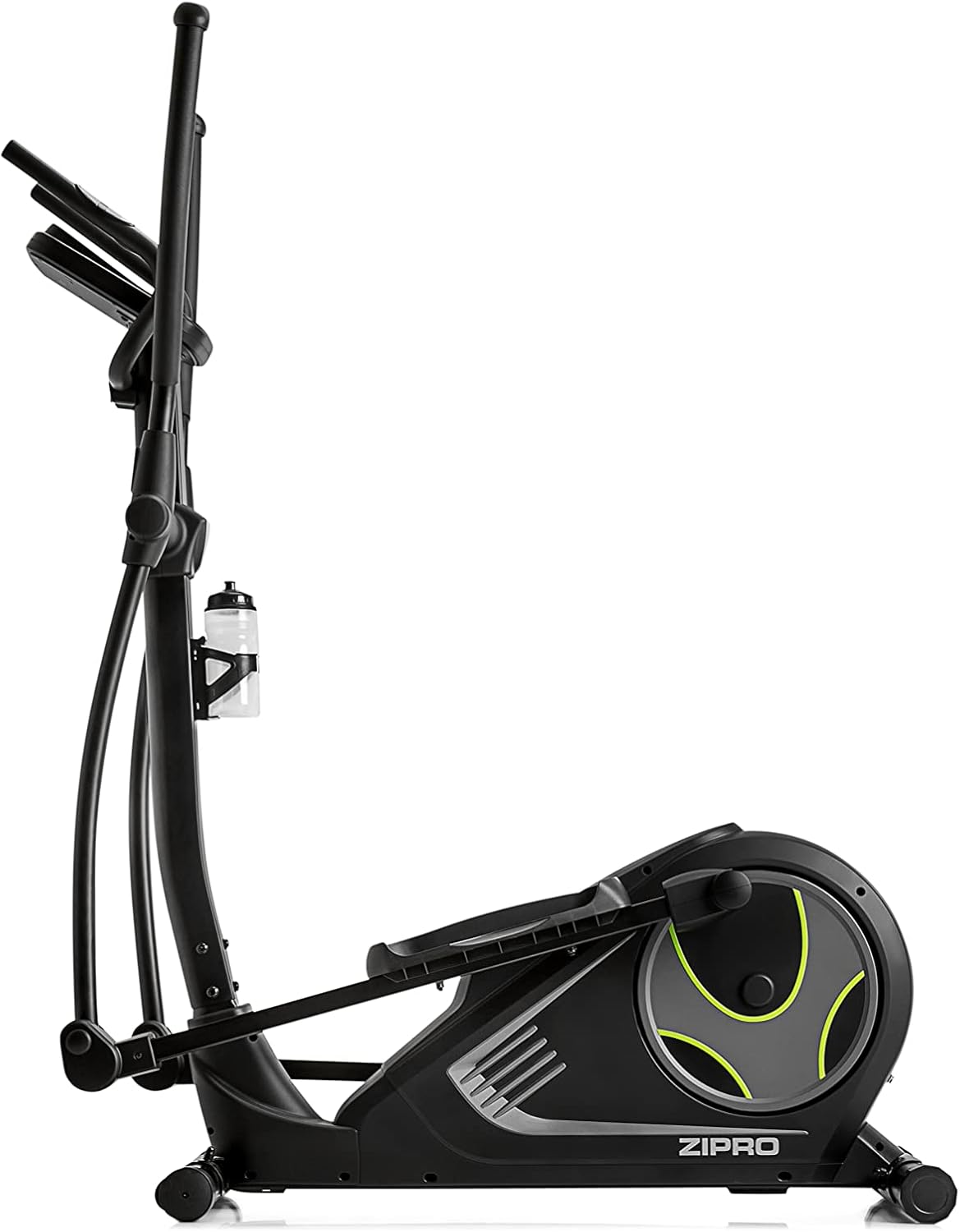
Figure 4.4: Mobile phone placed on the integrated stand, connected via Bluetooth for app use.

Figure 4.5: Tablet device securely placed on the console stand, enhancing the interactive training experience.

Figure 4.6: The Kinomap app interface displayed on a screen, showing virtual routes and training possibilities.
Download the iConsole+ and Kinomap applications from your device's app store. Follow the in-app instructions to pair your device with the crosstrainer via Bluetooth. These apps offer additional training programs, virtual routes, and the ability to track your progress and compete with others.
4.6 Produs terminatview Video
Pentru o imagine vizuală pesteview of the ZIPRO product range and the types of workouts supported, please watch the official video below.
Video 4.1: A presentation video showcasing the ZIPRO product range and various fitness activities, including elliptical training. This video provides a general overview of the brand's commitment to home fitness equipment.
5. Întreținere
Regular maintenance ensures the longevity and optimal performance of your crosstrainer.
- curatenie: Ștergeți bicicleta eliptică cu reclameamp ștergeți o lavetă după fiecare utilizare pentru a îndepărta transpirația și praful. Nu folosiți produse de curățare abrazive sau solvenți.
- Inspecţie: Periodically check all bolts and nuts for tightness. Tighten any loose fasteners. Inspect moving parts for signs of wear or damage.
- Lubrifiere: Refer to your assembly guide for specific lubrication points and recommended lubricants. Generally, moving joints may require occasional lubrication to ensure smooth operation.
- Depozitare: If storing the crosstrainer for an extended period, ensure it is clean and dry. Store in a cool, dry place away from direct sunlight and extreme temperatures. The integrated transport wheels allow for easy relocation.
6. Depanare
This section addresses common issues you might encounter with your ZIPRO iCONSOLE+ HEAT Crosstrainer.
| Problemă | Cauza posibila | Soluţie |
|---|---|---|
| Fără alimentare cu energie la consolă | Adaptorul de alimentare nu este conectat; problemă cu priza; cablu deteriorat. | Ensure power adapter is fully plugged into the crosstrainer and a working outlet. Check for cable damage. |
| Zgomot neobișnuit în timpul funcționării | Loose bolts; worn parts; lack of lubrication. | Check and tighten all assembly bolts. Lubricate moving joints as per the assembly guide. Inspect for worn components. |
| Rezistența nu se schimbă | Defecțiune a consolei; problemă cu mecanismul intern. | Ensure the console is powered correctly. If the issue persists, contact customer support. |
| Citirea ritmului cardiac este inexactă sau absentă | Mâinile nu sunt ferm pe senzori; mâini uscate; senzor defectuos. | Ensure firm and consistent contact with both sensors. Lightly moisten hands if too dry. |
| Probleme de conectivitate Bluetooth | Bluetooth off on device; app not updated; interference. | Ensure Bluetooth is enabled on your mobile device. Restart the app and crosstrainer. Move closer to the crosstrainer. |
If you encounter a problem not listed here or if the suggested solutions do not resolve the issue, please contact ZIPRO customer support for assistance.
7. Specificații
| Caracteristică | Detaliu |
|---|---|
| Numele modelului | Căldură |
| Numărul de model | 6299207 |
| Marca | ZIPRO |
| Culoare | Negru |
| Dimensiuni (L x l x H) | 128 x 67 x 158 cm (50.4 x 26.4 x 62.2 țoli) |
| Greutatea articolului | 39.7 kg (87.5 lbs) |
| Material | Aluminum, Polyethylene, Metal |
| Mecanism de rezistență | Magnetic |
| Numărul de niveluri de rezistență | 32 |
| Greutate maximă recomandată | 120 kilograme (264 lbs) |
| Lungimea maximă a pasului | 30 de centimetri (11.8 inci) |
| Conectivitate | USB, Bluetooth |
8. Garanție și asistență
Your ZIPRO iCONSOLE+ HEAT Crosstrainer comes with a manufacturer's warranty. Please refer to the warranty card included with your product for specific terms and conditions. Keep your proof of purchase for warranty claims.
For technical support, spare parts, or any questions not covered in this manual, please contact ZIPRO customer service. Contact information can typically be found on the manufacturer's website sau pe ambalajul produsului dumneavoastră.
Ask a question about this manual
Ask about setup, troubleshooting, compatibility, parts, safety, or missing instructions. Manuals+ will review the question and use this page’s manual context to help answer it.