
Introducere
This manual provides detailed instructions for the installation, operation, and maintenance of your Kolink INSPIRE K9 Midi-Tower Gaming Case. Please read this manual thoroughly before beginning assembly or use to ensure proper functionality and safety. The Kolink INSPIRE K9 is designed for gaming enthusiasts, offering ample space for high-performance components, efficient cooling options, and customizable RGB lighting.
Caracteristicile produsului
- ATX Tower Compatibility: The interior accommodates motherboards from Mini-ITX to ATX formats, along with high-performance graphics cards up to 300 mm in length. CPU coolers can be installed with a maximum height of 155 mm.
- Sistem de racire: Features a pre-installed 120 mm fan at the rear with digitally addressable RGB lighting. Supports up to six 120 mm fans in total. Radiators up to 240 mm can be installed at the front, and up to 120 mm at the rear for water cooling setups.
- Opțiuni de stocare: The case provides space for up to 2 x 3.5/2.5 inch drive bays and 2 x 2.5 inch drive bays.
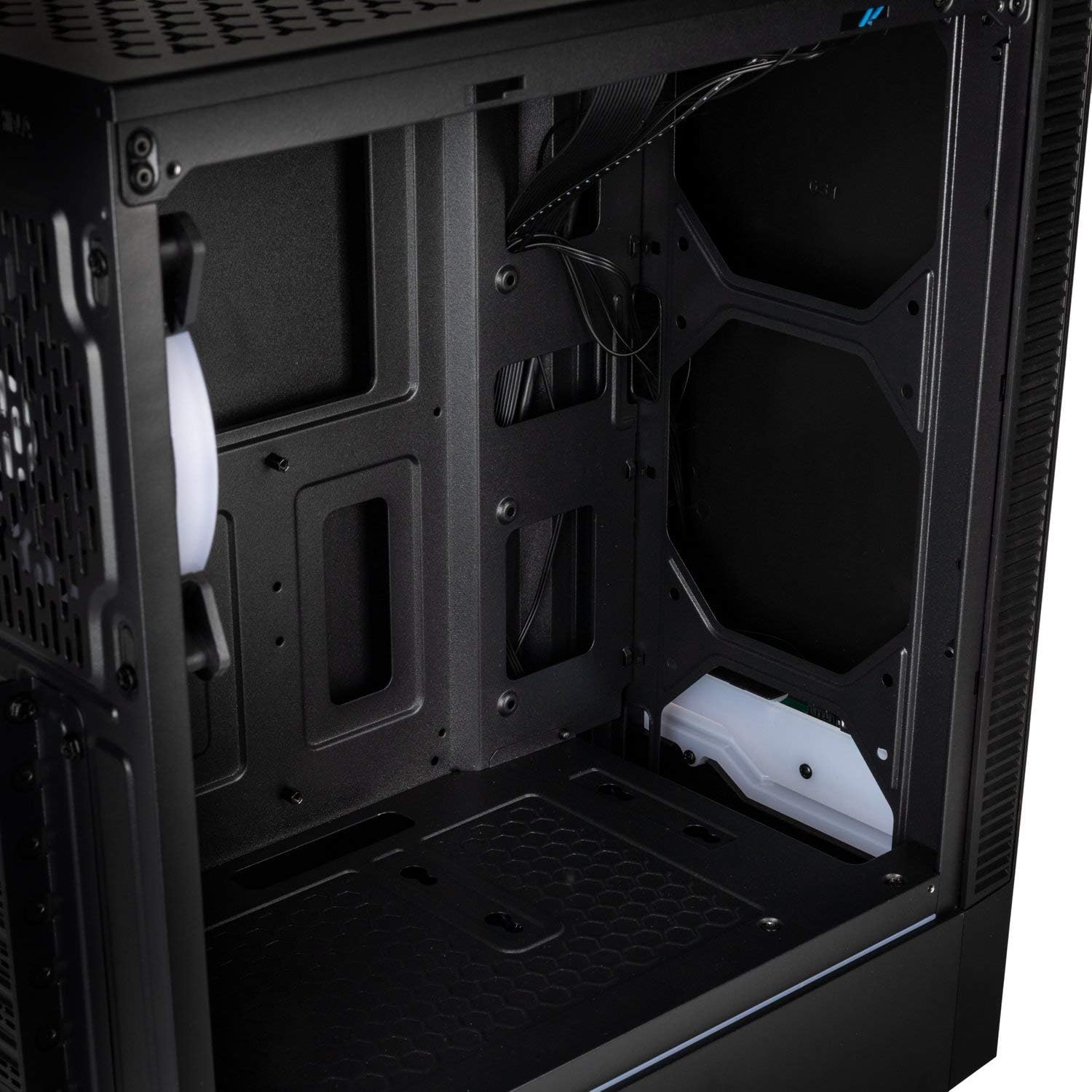
- Panoul I/O: Equipped with 1x USB 3.0 port, 2x USB 2.0 ports, and an RGB LED control button for easy access and customization.
- RGB Design with Tempered Glass: A side panel made of lightly tinted tempered glass complements the elegant design of the midi tower, allowing for a clear view a componentelor interne și a iluminării RGB.
Specificații
| Marca | SUN |
| Numele modelului | Inspire K9 |
| Tipul cazului | midi-turn |
| Compatibilitate cu placa de baza | Mini-ITX, ATX |
| Material | Sticla securizata |
| Culoare | Negru |
| Metoda de răcire | Aer, Apă |
| Ventilatoare preinstalate | 1 x 120mm (rear, RGB) |
| Suport maxim pentru ventilatoare | 6 x 120 mm |
| Suport radiator | Front: up to 240mm, Rear: up to 120mm |
| Drive Bays | 2 x 3.5/2.5 inch, 2 x 2.5 inch |
| Sloturi de expansiune | 7 |
| Panoul I/O | 1x USB 3.0, 2x USB 2.0, RGB LED Control |
| Lungimea maximă a GPU | 300 mm |
| Înălțimea maximă a răcitorului CPU | 155 mm |
| Dimensiuni articol (D x L x H) | 48D x 44B x 23H cm |
| Greutatea articolului | 4 kilograme |
Configurare și instalare
Follow these steps for proper assembly and installation of components within your Kolink INSPIRE K9 case.
1. Pregătirea cazului
- Despachetați carcasa și așezați-o pe o suprafață stabilă și plană.
- Remove the tempered glass side panel by unscrewing the thumb screws, then carefully slide it off and set it aside on a soft, non-abrasive surface to prevent scratches.
- Remove the solid metal side panel by unscrewing the thumb screws at the rear and sliding it backward.
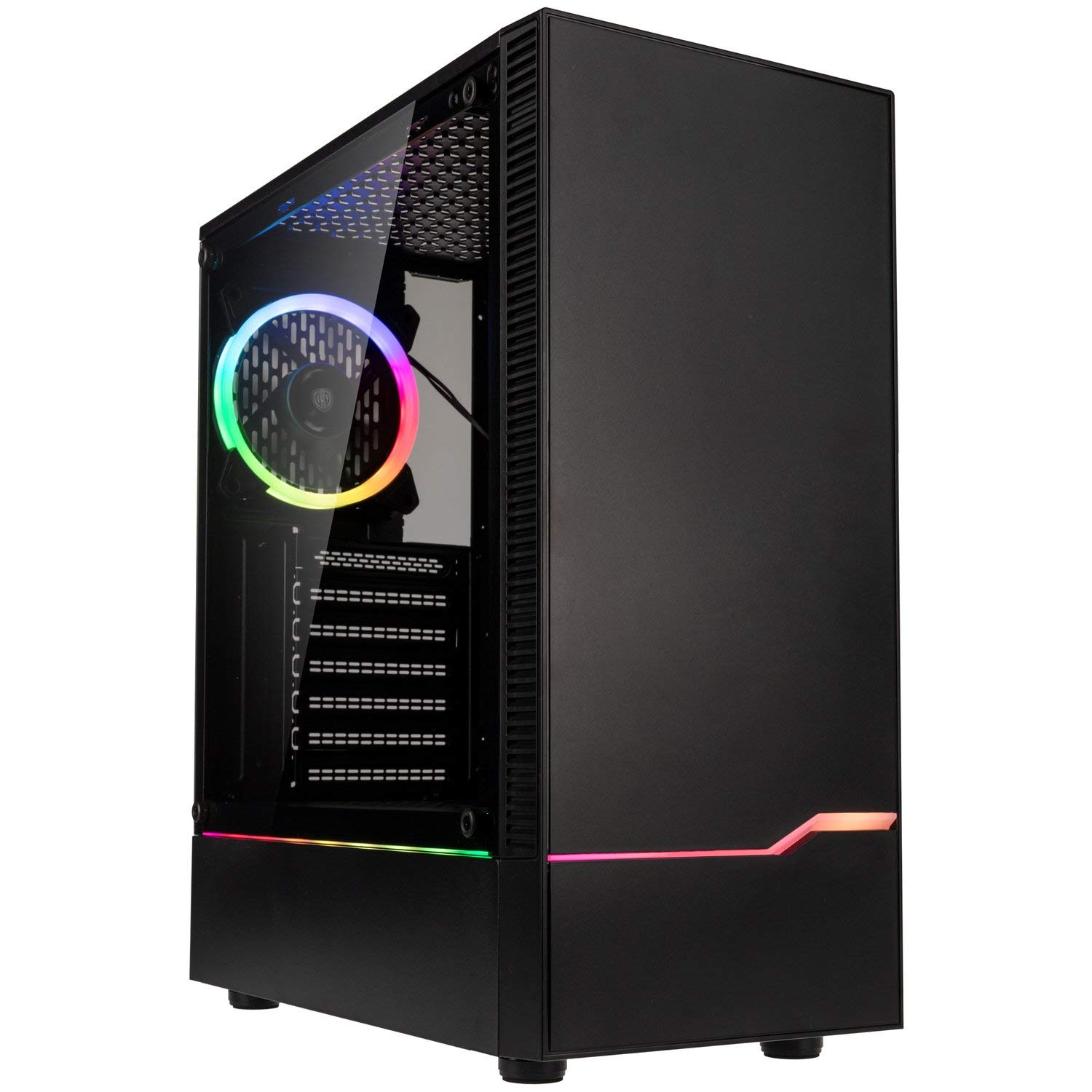
Imagine: Față-stânga view of the Kolink INSPIRE K9 case, showcasing the tempered glass side panel and front RGB strip.

Image: Right side panel of the Kolink INSPIRE K9 case, showing the solid metal panel.
2. Instalarea plăcii de bază
- Install the I/O shield that came with your motherboard into the designated slot at the rear of the case.
- Align your ATX or Mini-ITX motherboard with the standoffs inside the case. Ensure all standoffs match the screw holes on your motherboard.
- Fixați placa de bază folosind șuruburile furnizate. Nu strângeți prea tare.
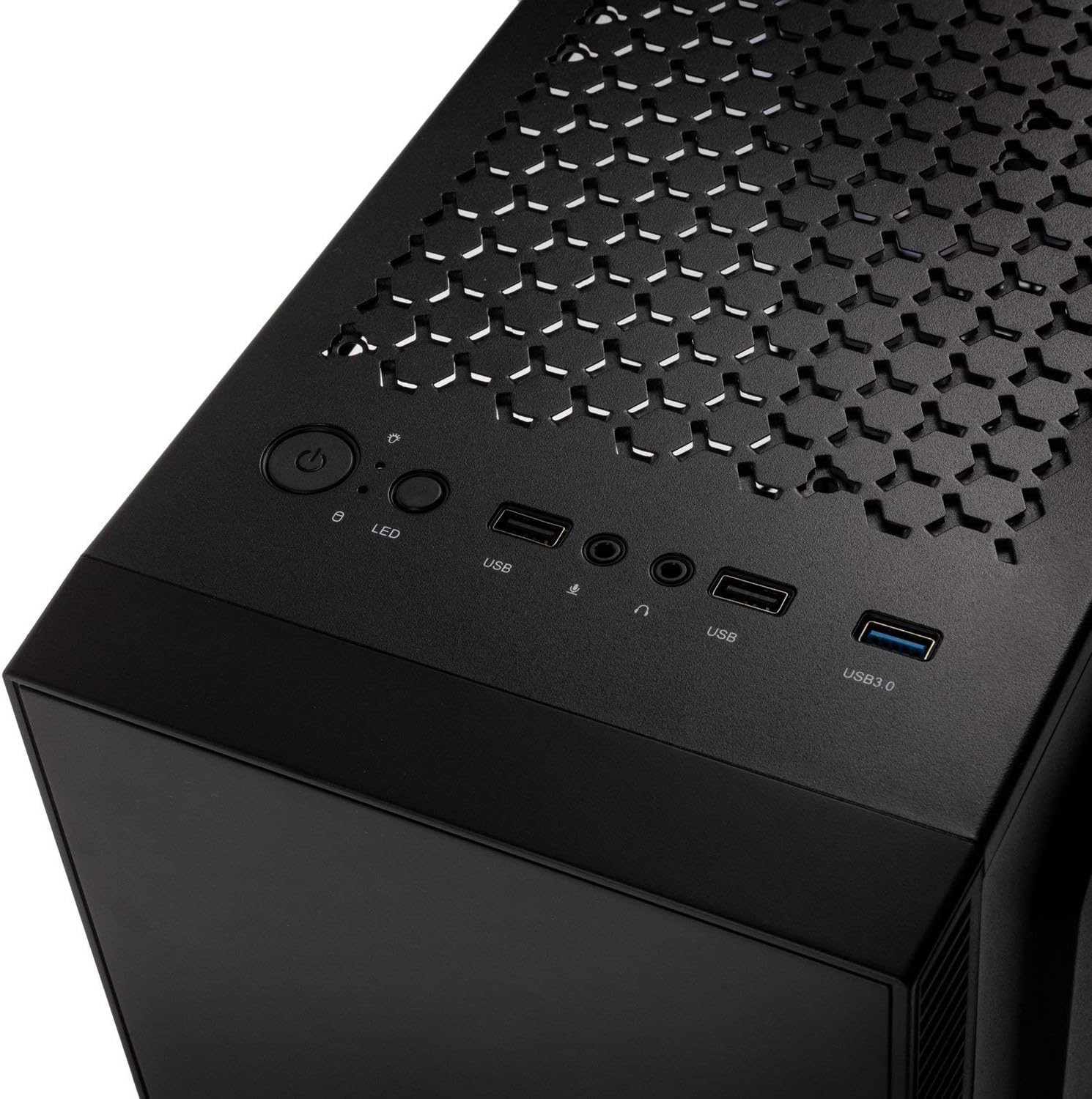
Imagine: Interior view of the Kolink INSPIRE K9 case, showing the motherboard tray and cable routing options.
3. CPU and CPU Cooler Installation
- Install your CPU onto the motherboard socket according to your motherboard's instructions.
- Apply thermal paste to the CPU. Refer to the video below for proper thermal paste application techniques.
- Install your CPU cooler (air or liquid) ensuring it fits within the 155 mm height limit. For liquid coolers, install radiators at the front (up to 240mm) or rear (up to 120mm) of the case.
Video: Guide on how to apply thermal paste correctly to a CPU. This is crucial for efficient CPU cooling.
4. Instalarea plăcii grafice (GPU)
- Remove the necessary expansion slot covers at the rear of the case. The case has 7 expansion slots.
- Insert your graphics card into the primary PCIe slot on your motherboard. Ensure it clicks into place.
- Secure the graphics card with screws. The case supports GPUs up to 300 mm in length.
5. Instalarea unității de stocare
- Install 3.5-inch or 2.5-inch drives into the designated drive bays. The case supports 2 x 3.5/2.5 inch and 2 x 2.5 inch drives.
- Secure the drives with screws.
6. Instalarea unității de alimentare (PSU)
- Install your PSU into the bottom mounting area of the case.
- Fixați sursa de alimentare cu șuruburi din spatele carcasei.
7. Gestionarea cablurilor
- Route all power and data cables through the cutouts in the motherboard tray to the rear of the case.
- Use cable ties (not included) to neatly bundle and secure cables behind the motherboard tray. This improves airflow and aesthetics.

Imagine: Spate view of the Kolink INSPIRE K9 case, showing the I/O shield cutout, expansion slots, and rear fan.

Imagine: Interior view of the Kolink INSPIRE K9 case from the right side, showing cable routing space and drive bays.
8. Conectarea intrărilor/ieșirilor de pe panoul frontal
- Connect the front panel cables (USB 3.0, USB 2.0, HD Audio, Power Switch, Reset Switch, Power LED, HDD LED, RGB LED Control) to the corresponding headers on your motherboard. Refer to your motherboard manual for header locations.

Image: Close-up of the top I/O panel of the Kolink INSPIRE K9 case, featuring USB ports, audio jacks, power button, and RGB LED control.
Instrucțiuni de operare
- Pornire/Oprire: Press the power button on the top I/O panel to turn your system on or off.
- Control RGB: Use the dedicated RGB LED control button on the top I/O panel to cycle through various lighting modes and colors for the pre-installed RGB fan and front RGB strip.
- Porturi USB: Utilize the USB 3.0 and USB 2.0 ports for connecting peripherals and external devices.
- Mufe audio: Connect your headphones and microphone to the audio jacks on the top I/O panel.
Imagine: Prim-plan view of the pre-installed 120mm RGB fan at the rear of the Kolink INSPIRE K9 case.
Întreţinere
Întreținerea regulată ajută la asigurarea performanței optime și a longevității componentelor PC-ului.
- Curățare de praf: Periodically clean dust from the interior of the case, especially from fans and dust filters. Use compressed air or a soft brush.
- Curatenie exterioara: Wipe the exterior surfaces, including the tempered glass panel, with a soft, damp pânză. Evitați curățarea abrazivă.
- Verificarea gestionării cablurilor: Occasionally check cable routing to ensure no cables are obstructing airflow or fan operation.
Depanare
If you encounter issues with your PC build, consider the following common troubleshooting steps related to the case:
- Sistemul nu pornește:
- Ensure the power supply is properly connected to the wall outlet and the PSU switch is in the ON position.
- Verificați dacă cablul comutatorului de alimentare de pe panoul frontal este conectat corect la conectorul plăcii de bază.
- Verificați toate conexiunile de alimentare de la sursa de alimentare la placa de bază și componente.
- Ventilatoarele nu se învârt / RGB nu funcționează:
- Confirm that the fan power cables are securely connected to the motherboard or fan controller.
- Check that the RGB cables are properly connected to the motherboard's RGB header or the case's RGB controller.
- Press the RGB LED control button on the I/O panel to cycle through modes.
- Porturile USB nu funcționează:
- Ensure the USB 3.0 and USB 2.0 front panel cables are correctly plugged into their respective headers on the motherboard.
- Probleme de supraîncălzire:
- Verify that all case fans are spinning correctly and are oriented for optimal airflow (intake/exhaust).
- Clean any dust buildup from fans and filters.
- Ensure the CPU cooler is properly seated and thermal paste is correctly applied.
Garanție și suport
Pentru informații despre garanție și asistență tehnică, vă rugăm să consultați pagina oficială KOLINK. website-ul web sau contactați distribuitorul. Păstrați dovada achiziției pentru a putea solicita garanție.
Producător: SUN
Număr de model: INSPIREK9
Global Trade Item Number (GTIN): 05999094004030