
Introducere
The VOX VFS3 is a dedicated 3-button footswitch designed to enhance the functionality and control of your VOX Mini Go series amplifier. This footswitch allows for hands-free operation of various amplifier features, such as program switching, effect on/off, or looper control, depending on your specific Mini Go amplifier model. This manual provides essential information for the proper setup, operation, and maintenance of your VFS3 footswitch.
Informații de siguranță
- Nu expuneți unitatea la ploaie sau umezeală.
- Evitați amplasarea unității în apropierea surselor de căldură sau în lumina directă a soarelui.
- Nu încercați să dezasamblați sau să modificați unitatea. Apelați la personal calificat pentru orice service.
- Use only with compatible VOX Mini Go ampliificatori.
- A nu se lăsa la îndemâna copiilor.
Conținutul pachetului
- VOX VFS3 3-Button Footswitch (with integrated cable)
- Manual de utilizare (acest document)
Produs terminatview
The VFS3 footswitch features three robust buttons, each with an associated LED indicator, and an integrated cable for connection to your ampmai în viață.
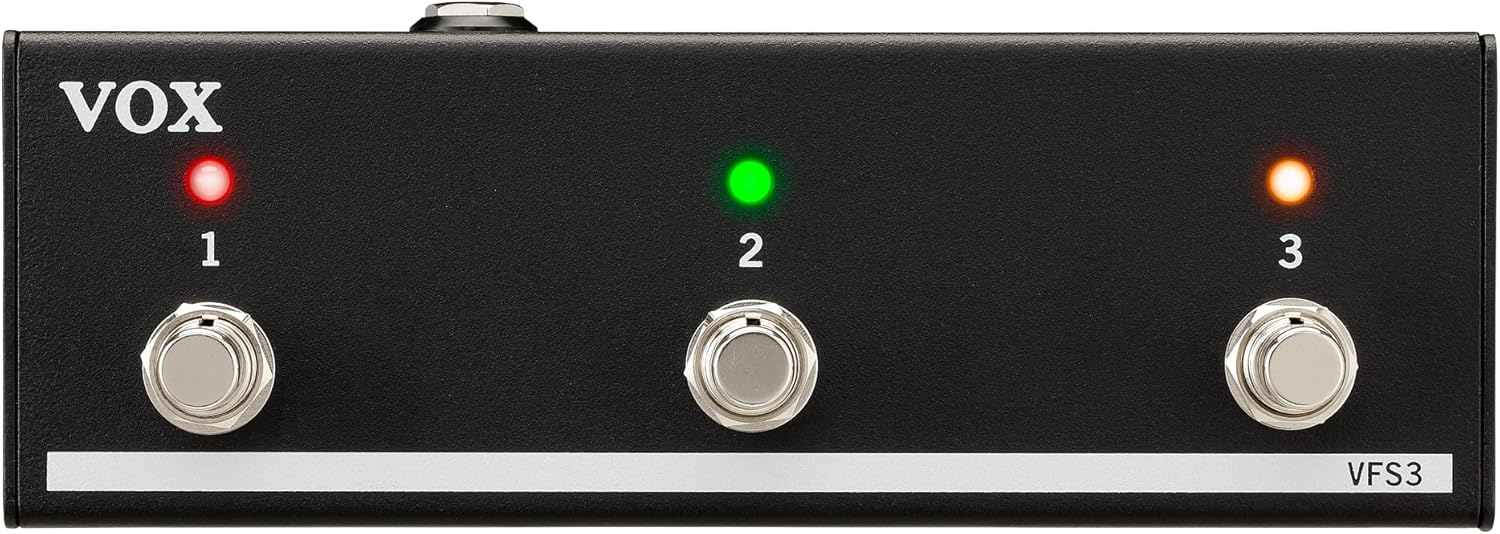
Faţă view of the VOX VFS3 3-Button Footswitch. It features three silver footswitches labeled 1, 2, and 3, each with a corresponding LED indicator above it. The VOX logo is on the left, and 'VFS3' is on the bottom right.
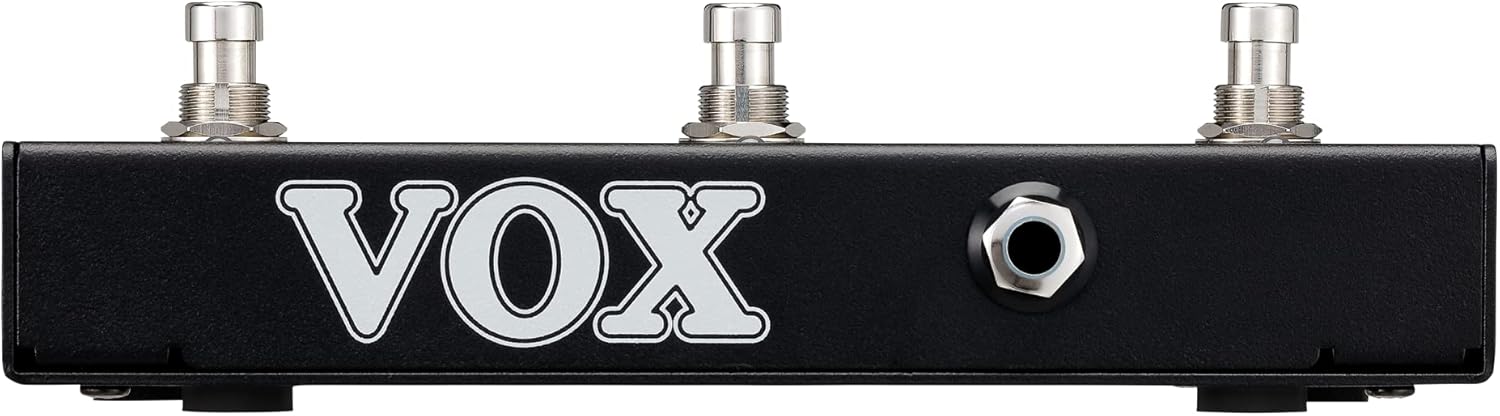
Latura view of the VOX VFS3 footswitch, highlighting its compact and durable metal casing.

Spate view of the VOX VFS3 footswitch, displaying the integrated cable that connects to the amplifier. The VOX logo is prominently featured.
Înființat
- Connect the Footswitch: Locate the footswitch input jack on your VOX Mini Go amplifier. This is typically a 3.5mm (1/8-inch) stereo jack.
- Introduceți cablul: Firmly insert the integrated 3.5mm cable from the VFS3 footswitch into the footswitch input jack on your Mini Go ampmai în viață.
- Pornire: Turn on your VOX Mini Go amplifier. The footswitch is powered by the amplifier, so no external power supply is needed for the VFS3.
- Verificați conexiunea: The amplifier should recognize the footswitch. Refer to your Mini Go amplifier's manual for specific indications or settings related to footswitch connection.

The VOX VFS3 footswitch connected to a VOX Mini Go amplifier, illustrating the proper connection of the cable to the amplifier's input jack.
Instrucțiuni de operare
The specific functions controlled by the VFS3 footswitch buttons (1, 2, and 3) are determined by the connected VOX Mini Go amplifier model and its current settings. Please consult the user manual for your specific VOX Mini Go amplifier for detailed information on footswitch assignments and configuration.
Common Functions (May Vary by Amplifier Model):
- Program/Preset Switching: Buttons may be assigned to switch between amplifier programs or presets (e.g., Clean, Overdrive, Distortion).
- Efect activat/dezactivat: Control individual effects (e.g., Reverb, Delay, Chorus) by toggling them on or off.
- Controlul buclei: For Mini Go models with a built-in looper, the buttons often control looper functions such as:
- Butonul 1: Înregistrare/Redare
- Butonul 2: Stop
- Butonul 3: Clear/Undo
- Atingeți Tempo: Unele amplifiers may allow one of the buttons to be used for tap tempo functionality for time-based effects.
The LEDs above each button indicate the status of the assigned function (e.g., effect on/off, selected program). Refer to your amplifier's manual for the meaning of specific LED colors or states.
Întreţinere
- curatenie: Ștergeți unitatea cu o cârpă moale și uscată. Nu utilizați produse de curățare abrazive, ceară sau solvenți.
- Depozitare: When not in use for extended periods, store the footswitch in a clean, dry environment away from extreme temperatures.
- Îngrijirea cablului: Avoid sharp bends or kinks in the integrated cable to prevent damage.
Depanare
| Problemă | Cauza posibila | Soluţie |
|---|---|---|
| Footswitch not responding | Cable not fully inserted; Amplifier not powered on; Incorrect ampsetările lifitorului. | Ensure the 3.5mm cable is securely connected to the amplifier. Verify the amplifier is powered on. Check your Mini Go amplifier's settings to ensure footswitch control is enabled and configured correctly. |
| LED-urile nu se aprind | No power from amplifier; Faulty connection. | Confirmați amplifier is on and the cable is properly connected. The footswitch draws power from the ampmai în viață. |
| Buttons perform unexpected functions | Footswitch assignments are incorrect on the ampmai în viață. | Refer to your VOX Mini Go amplifier's manual to reconfigure the footswitch button assignments. |
Specificații
- Model: VFS3
- Dispozitive compatibile: VOX Mini Go Ampliificatori
- Tip conector: 3.5mm Jack (integrated cable)
- Material: Șasiu metalic
- Dimensiuni (L x l x H): Aproximativ 7.9 x 3 x 2.5 inchi (20.1 x 7.6 x 6.4 cm)
- Greutate: Aproximativ 1.1 lire sterline (0.5 kg)
- Sursa de alimentare: Powered by connected ampmai în viață
Garanție și suport
For warranty information and technical support, please refer to the documentation provided with your VOX Mini Go amplifier or visit the official VOX webPăstrați bonul fiscal ca dovadă a achiziției.