
1. Introducere
Thank you for choosing the ErGear PC Monitor Arm. This manual provides essential information for the safe and efficient installation, operation, and maintenance of your monitor arm. Please read these instructions carefully before use and retain them for future reference.
2. Informații de siguranță
- Asigurați-vă că toate componentele sunt prezente și nedeteriorate înainte de asamblare. Nu utilizați produsul dacă lipsesc sau sunt defecte piesele.
- This monitor arm is designed for monitors between 13 and 32 inches, with a weight capacity of 2-10kg. Do not exceed these limits.
- Always adjust the gas spring pressure only when the arm is in a horizontal position. Failure to do so may prevent proper adjustment.
- Ensure the mounting surface (desk) is stable and strong enough to support the combined weight of the monitor arm and your monitor.
- Țineți copiii și animalele de companie departe în timpul instalării.
- Tighten all screws firmly, but do not overtighten to avoid stripping threads or damaging components.
3. Conținutul pachetului
Verificați dacă toate piesele sunt incluse în pachet:
- Ansamblu braț monitor
- C-Clamp Hardware de montare
- Grommet Mounting Hardware
- Placă VESA
- Cleme de gestionare a cablurilor
- Hex Keys / Wrenches
- Manual de instructiuni
4. Specificații
| Marca | ErGear |
| Numărul de model | EGSSK4W |
| Material | Oțel aliat |
| Culoare | Alb |
| Tip de montare | Suport de birou (C-Cl)amp sau Inel de fixare) |
| Tipul de mișcare | Tiltable, Swivel, Rotate |
| Dimensiune compatibilă a monitorului | 13-32 inci |
| Capacitate de încărcare | 2-10 kg |
| Compatibilitate VESA | 75x75mm, 100x100mm |
| Unghi maxim de înclinare | Up 90°, Down 40° |
| Unghi pivotant | ±90° |
| Rotaţie | 360° |
| garanție | Garanție de 5 an de la producător |
5. Configurare și instalare
The ErGear monitor arm offers two installation methods: C-clamp and grommet. Choose the method best suited for your desk.
5.1 Pre-Purchase Checklist
Before installation, ensure your setup meets the following requirements:
- Dimensiune monitor: 13-32 inci
- Greutatea monitorului: 2-10 kg
- Standard VESA: 75x75mm sau 100x100mm
- Grosimea biroului:
- C-Clamp: 10-82 mm
- Grommet: 10-86mm

5.2 Metode de montare

5.3 Etapele de instalare
Follow these general steps for installation. Refer to the included detailed manual for specific diagrams and screw types.
- Atașați baza: Secure the chosen mounting base (C-clamp or grommet) to your desk. Ensure it is tightly fastened.
- Connect the Arm: Slide the monitor arm onto the base post.
- Atașați placa VESA la monitor: Secure the VESA plate to the back of your monitor using the provided screws.
- Montarea monitorului pe braț: Slide the VESA plate with the monitor onto the arm's VESA head. Tighten the securing screw.

6. Operare și reglaje
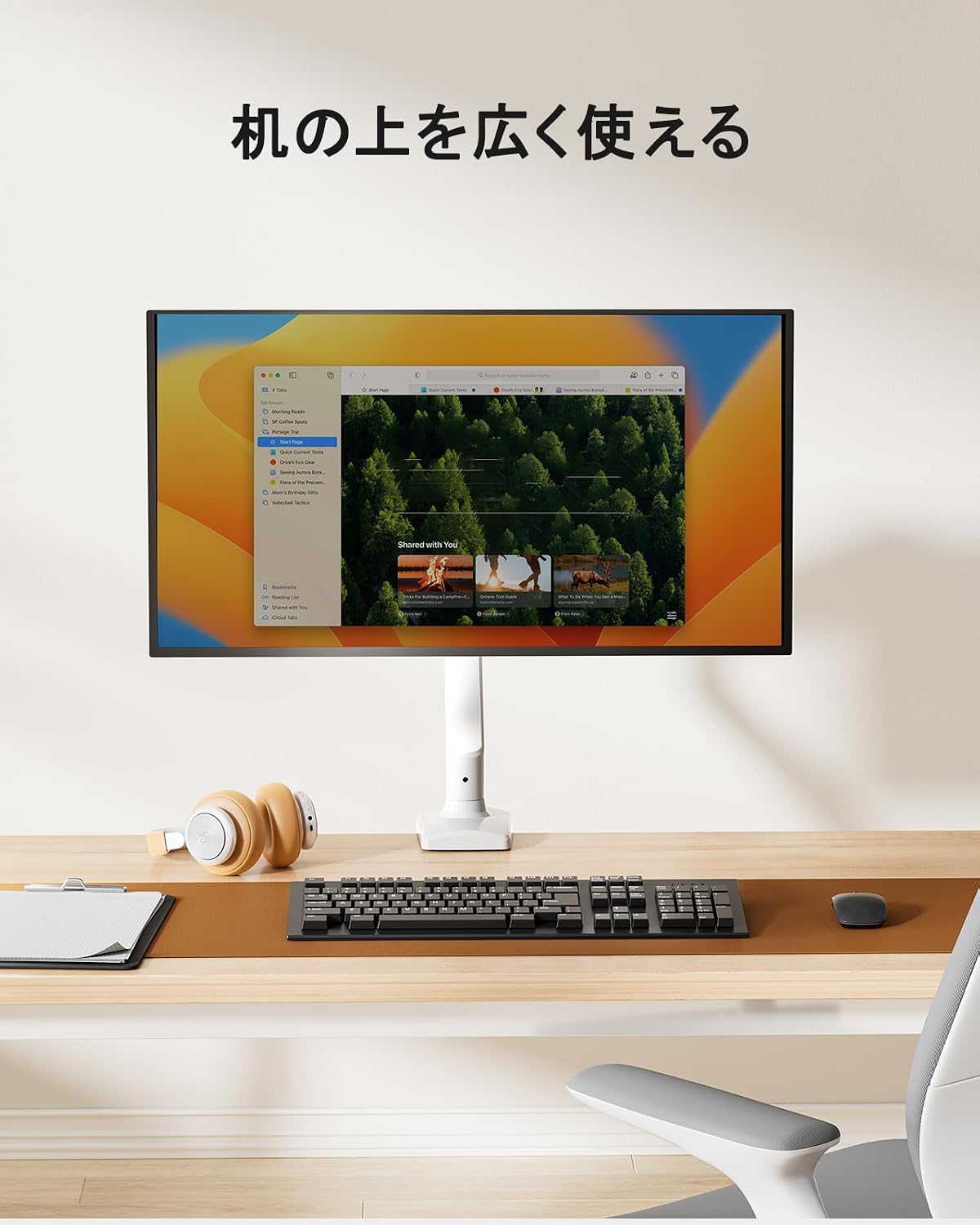
The ErGear monitor arm features a gas spring system for smooth and effortless adjustments, allowing you to optimize your viewing experience and desk space.
6.1 Reglarea poziției monitorului
Once installed, you can adjust your monitor to various positions:
- Reglarea înălțimii: Easily move the monitor up or down to achieve ergonomic eye-level viewing.
- Înclinare: Adjust the screen angle up to 90° upwards and 40° downwards to reduce glare and improve viewconfort.
- pivotare: Rotate the monitor left or right by 90° at the arm joints.
- Rotaţie: Rotate the monitor 360° from landscape to portrait orientation.


6.2 Adjusting Gas Spring Tension
The gas spring tension needs to be adjusted to match your monitor's weight for optimal movement and stability.
- Ensure the monitor arm is in a horizontal position.
- Locate the gas spring adjustment screw on the arm.
- Use the provided hex key to turn the screw:
- Turn towards '+' for heavier monitors (increase tension).
- Turn towards '-' for lighter monitors (decrease tension).
- Test the arm's movement. Adjust until the monitor stays in place when released and moves smoothly with minimal effort.
Important: Adjust the gas spring pressure only when the arm is horizontal. Gas pressure cannot be adjusted if the arm is not horizontal.

6.3 Managementul cablurilor
Utilize the integrated cable management clips to route and organize your monitor cables, maintaining a tidy and efficient workspace.


7. Întreținere
Regular maintenance ensures the longevity and optimal performance of your ErGear monitor arm.
- curatenie: Wipe the arm with a soft, damp Evitați produsele de curățare abrazive sau solvenții care ar putea deteriora finisajul.
- Verificați conexiunile: Verificați periodic toate șuruburile și bolțurile pentru a vă asigura că rămân strânse. Strângeți-le din nou dacă este necesar.
- Amortizor cu gaz: If the arm's movement becomes stiff or loose, re-adjust the gas spring tension as described in Section 6.2.

8. Depanare
If you encounter issues with your monitor arm, refer to the following common problems and solutions:
| Problemă | Cauza posibila | Soluţie |
|---|---|---|
| Monitor arm sags or won't stay in position. | Tensiunea arcului cu gaz este prea mică pentru greutatea monitorului. | Increase gas spring tension (turn '+' on adjustment screw). Ensure arm is horizontal during adjustment. |
| Brațul monitorului este prea rigid pentru a se mișca. | Tensiunea arcului cu gaz este prea mare pentru greutatea monitorului. | Decrease gas spring tension (turn '-' on adjustment screw). Ensure arm is horizontal during adjustment. |
| Monitorul se clatină sau pare instabil. | Mounting screws are loose; monitor is too heavy. | Check and tighten all mounting screws. Verify monitor weight is within the 2-10kg range. |
| Cannot adjust gas spring. | Arm is not horizontal during adjustment. | Position the arm horizontally before attempting to adjust the gas spring tension. |
9. Garanție și asistență
The ErGear PC Monitor Arm (Model EGSSK4W) comes with a Garanție de 5 an de la producător de la data achiziției. Această garanție acoperă defectele de materiale și de fabricație în condiții normale de utilizare.
For warranty claims, technical support, or any questions regarding your product, please contact ErGear customer service through the retailer where you purchased the product or visit the official ErGear website pentru informații de contact.
Please have your purchase receipt and product model number (EGSSK4W) available when contacting support.