
Introducere
Thank you for choosing the 4smarts Dual Foldable 15W Wireless Charger. This manual provides essential information for the safe and efficient use of your new device. Please read these instructions carefully before use and retain them for future reference.
Informații de siguranță
- Nu expuneți încărcătorul la apă, umezeală sau temperaturi extreme.
- Evitați să scăpați încărcătorul sau să îl supuneți la impacturi puternice.
- Nu dezasamblați, modificați sau încercați să reparați singur dispozitivul.
- Folosiți doar cablul USB-C furnizat sau un echivalent certificat.
- Ensure the charger is placed on a stable, flat surface during use.
- Keep metallic objects away from the charging surfaces to prevent interference or damage.
- Deconectați încărcătorul în timpul furtunilor cu fulgere sau când nu este utilizat pentru perioade lungi de timp.
Conținutul pachetului
- 1x 4smarts Dual Foldable 15W Wireless Charger
- 1x cablu de încărcare USB-C
- 1x Manual de utilizare (acest document)
Produs terminatview
The 4smarts Dual Foldable Wireless Charger offers convenient wireless charging for two devices simultaneously, such as a smartphone and a smartwatch. Its foldable design makes it highly portable.

Image: The 4smarts Dual Foldable Wireless Charger actively charging a smartphone and a smartwatch, illustrating its dual charging capability.

Image: A visual representation of the charger's 180-degree folding mechanism, highlighting its flexible and portable design.
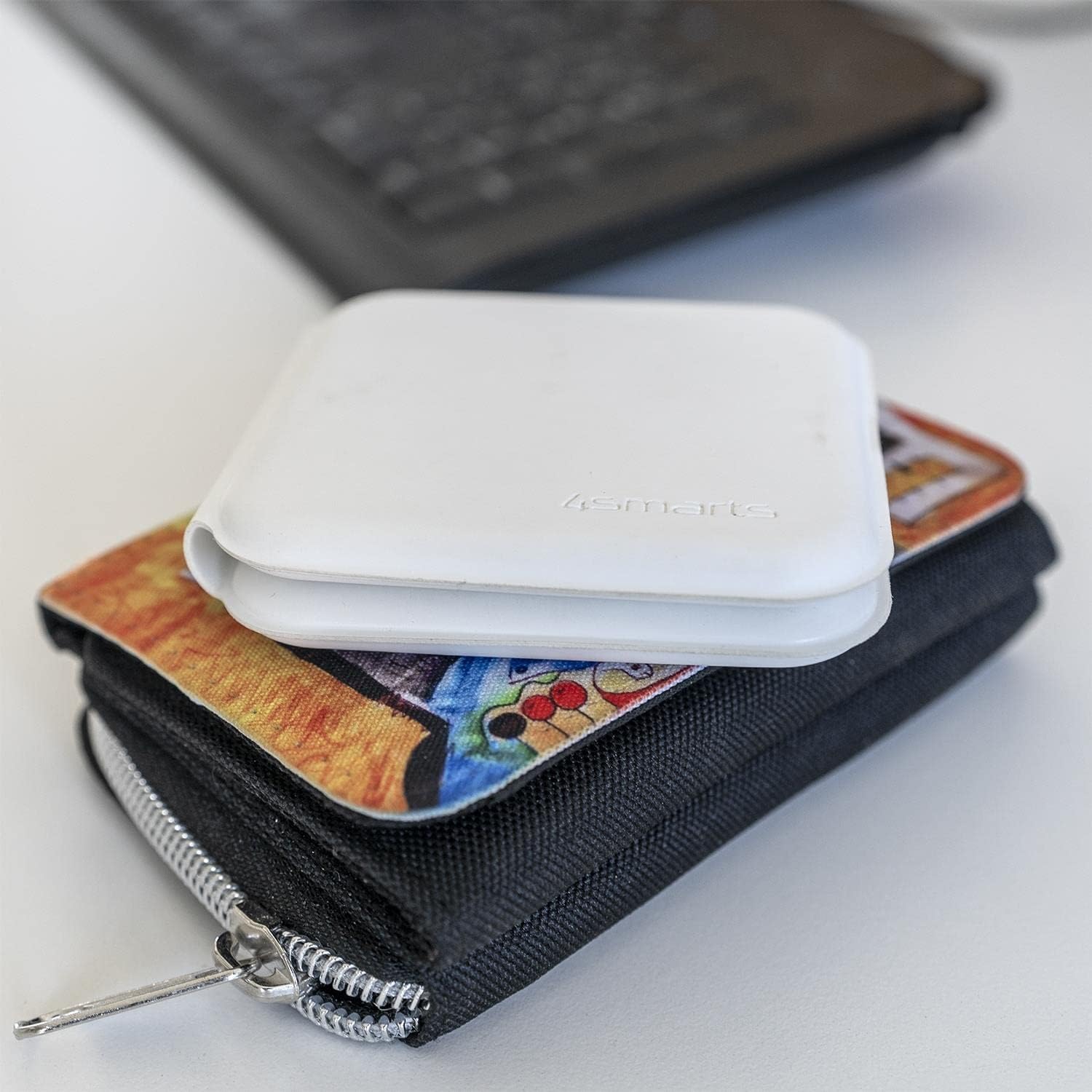
Image: The charger in its compact, folded state, demonstrating its portability by being placed on a wallet.
Înființat
- Despacheta: Carefully remove the wireless charger and USB-C cable from its packaging.
- Conectare alimentare: Insert the USB-C end of the provided cable into the charging port on the 4smarts wireless charger.
- Sursa de alimentare: Connect the other end of the USB-C cable to a compatible USB power adapter (not included) with a minimum output of 5V/2A, or preferably a Quick Charge (QC) or Power Delivery (PD) adapter for optimal 15W charging.
- Indicator: The charger may briefly illuminate an LED indicator to show it is powered on and ready for use.
Instrucțiuni de operare
Încărcarea unui smartphone:
- Unfold the charger to its flat position.
- Place your Qi-compatible smartphone on the designated charging pad (usually the larger pad).
- Ensure the phone is centered on the charging pad for optimal contact.
- The phone's screen should indicate that charging has begun.
Încărcarea unui ceas inteligent:
- Place your compatible smartwatch (e.g., Apple Watch) on the smaller, designated charging pad.
- Ensure the smartwatch is correctly aligned and magnetically attaches to the charging surface.
- The smartwatch display should show a charging indicator.
Încărcare dublă:
You can charge both a smartphone and a smartwatch simultaneously by placing each device on its respective charging pad as described above.
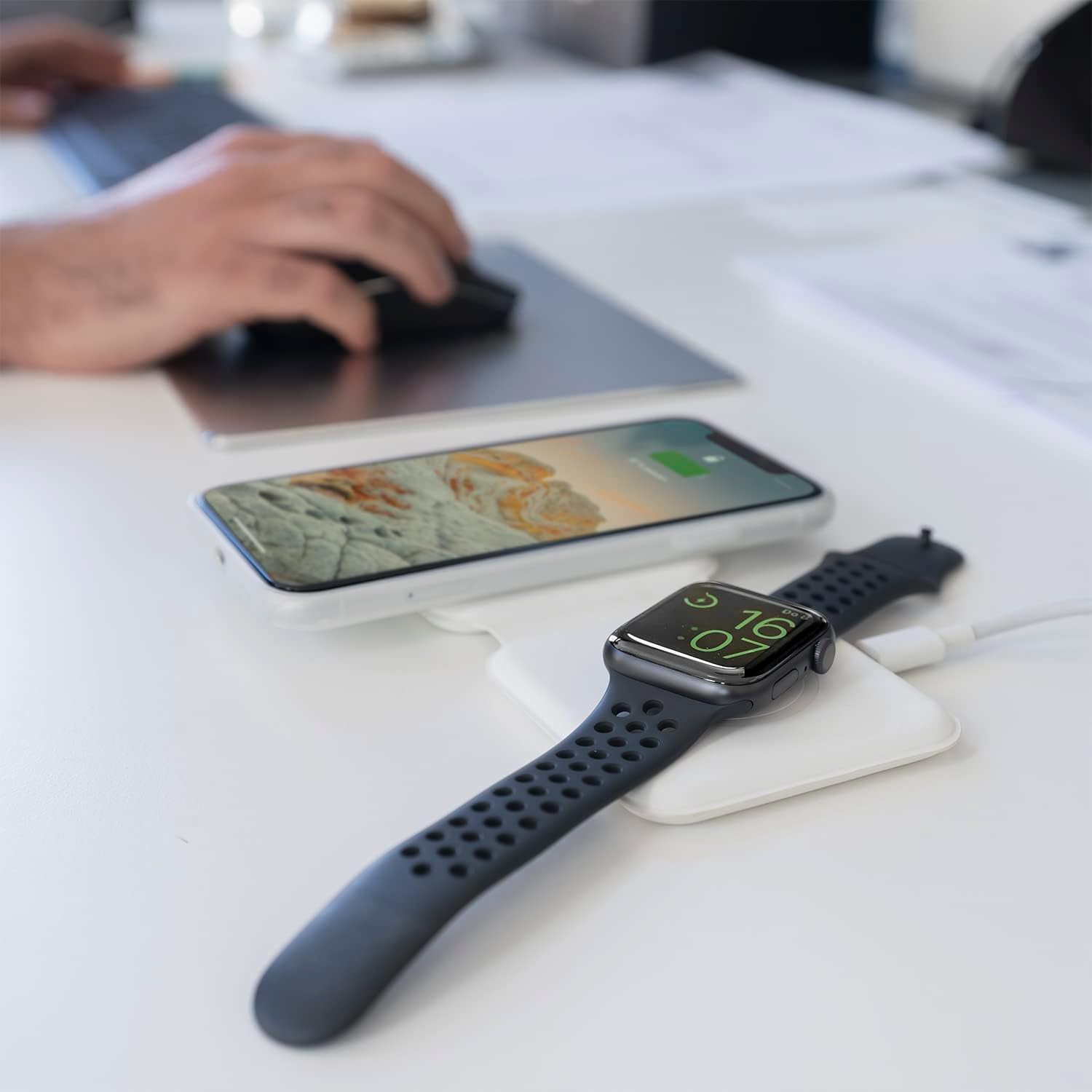
Image: The charger unfolded on a desk, simultaneously charging a smartphone and a smartwatch, demonstrating a typical use scenario.
Întreţinere
- curatenie: Disconnect the charger from power before cleaning. Use a soft, dry, lint-free cloth to wipe the surfaces. Do not use liquid cleaners or aerosols.
- Depozitare: Când nu este utilizat, depozitați încărcătorul într-un loc răcoros și uscat, ferit de lumina directă a soarelui și de temperaturi extreme. Designul pliabil permite depozitarea compactă.
- Îngrijirea cablului: Avoid bending or crimping the USB-C cable excessively to prevent damage.
Depanare
| Problemă | Cauza posibila | Soluţie |
|---|---|---|
| Dispozitivul nu se încarcă. | Device not Qi-compatible; improper placement; foreign object on pad; insufficient power adapter; faulty cable. | Ensure device supports wireless charging. Reposition device. Remove any foreign objects. Use a compatible power adapter (5V/2A minimum, QC/PD recommended). Try a different USB-C cable. |
| Încărcare lentă. | Power adapter output too low; device case too thick; background apps running. | Use a QC/PD compatible power adapter. Remove thick phone cases. Close unnecessary background applications on your device. |
| Charger LED blinking/not working. | Power issue; foreign object detection. | Check power connection. Remove any metallic objects from the charging surface. |
Specificații
- Marca: 4 deștepți
- Număr de model: 4S462334
- Dimensiuni produs: 12 x 10 x 15.4 cm
- Greutate: 30 de grame
- Tip conector: USB-C
- Dispozitive compatibile: Mobile Phones (Qi-compatible), Smartwatches (e.g., Apple Watch)
- Componente incluse: Cablu USB
- Caracteristica speciala: Portabil, pliabil
- Vol. De intraretage: 5 volți
- Evaluare curentă: 4.8 Amperes
- Total porturi USB: 1 (pentru alimentare de intrare)
- Wattage: 15 Watts (Max output)
- Conformitate: CE
Garanție și suport
For warranty information or technical support, please refer to the warranty card included with your purchase or visit the official 4smarts website. Please have your model number (4S462334) and proof of purchase ready when contacting support.