
1. Produs terminatview
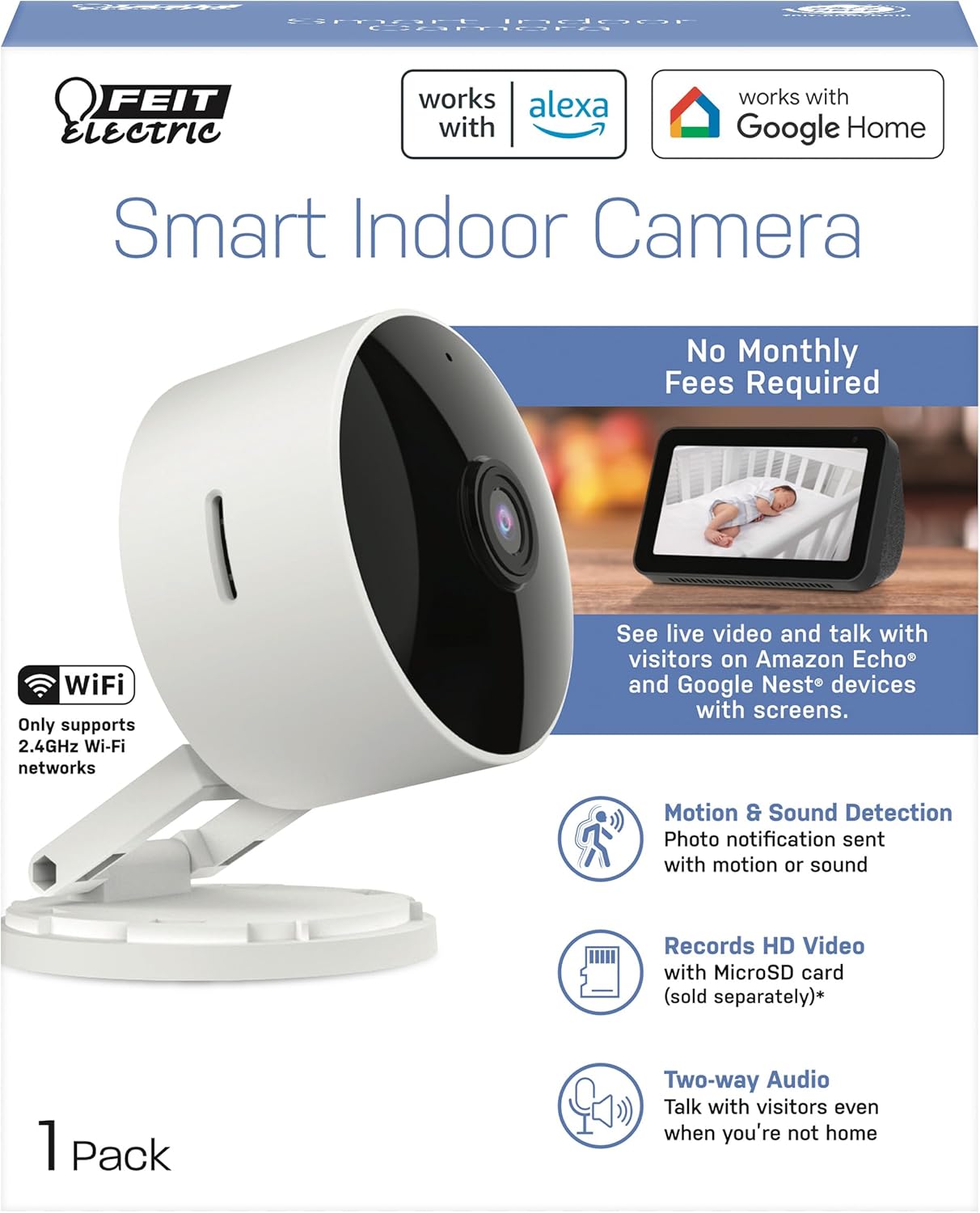
The Feit Electric CAM1/WIFI Indoor Security Camera is designed to help you monitor your property with ease. This motion-activated HD camera connects directly to your 2.4 GHz Wi-Fi network, allowing for remote control and live viewing from anywhere via the Feit Electric mobile app. It features two-way audio, 1080p HD video recording, and night vision capabilities. Recorded events can be stored locally on a Micro-SD card (sold separately), eliminating the need for monthly fees or subscriptions. The camera is compatible with popular smart home assistants like Alexa and Google Assistant for convenient voice control.
2. Conținutul pachetului
- 1 x Feit Electric Smart Security Camera (CAM1/WIFI)
- 1 x adaptor de alimentare
- 1 x 1-meter USB Cord
3. Caracteristicile produsului
- Video HD 1080p: High-quality video for clear monitoring and recording.
- Detecție avansată a mișcării: Detects motion up to 30 feet with visible night vision. Receive push notifications for detected activity.
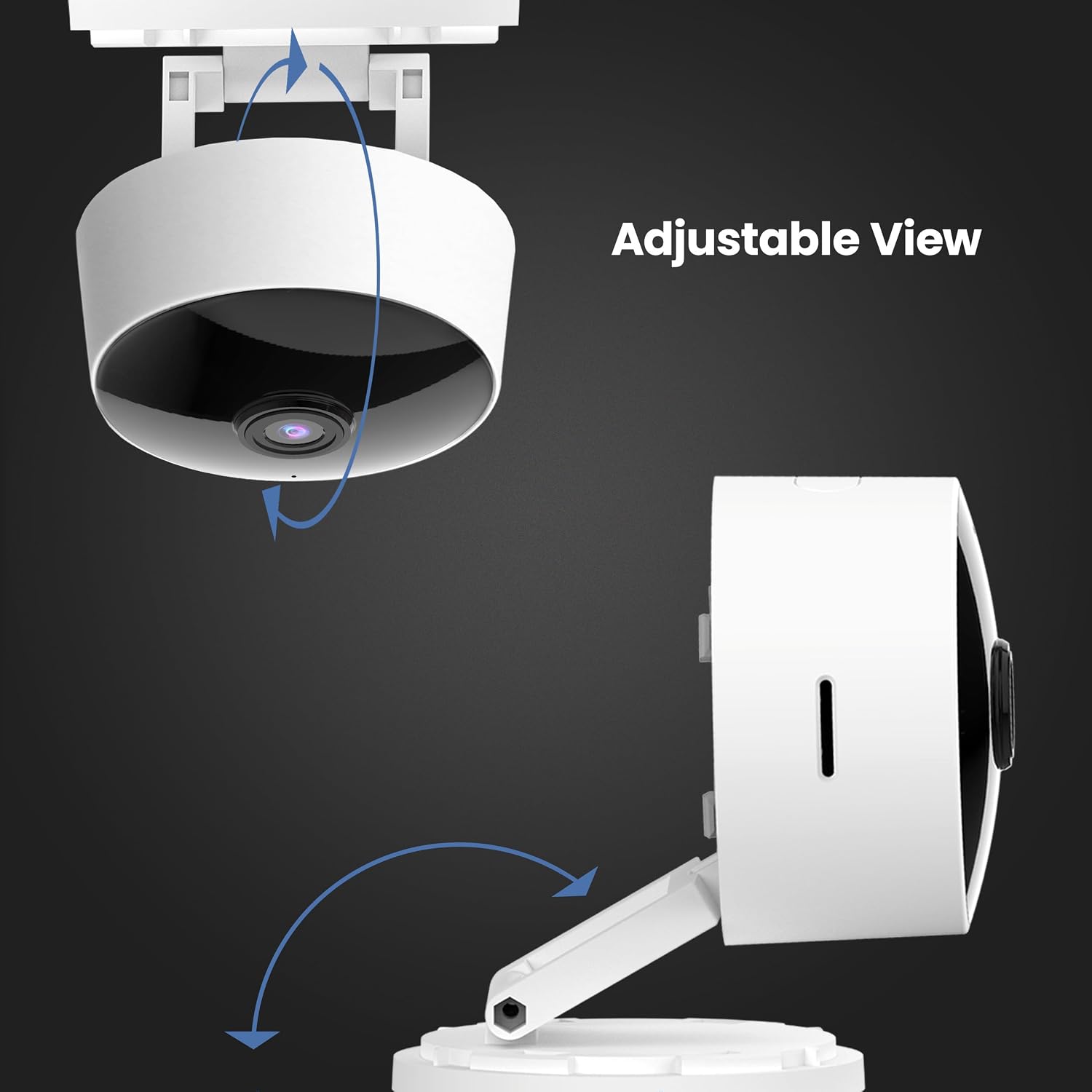
- Cap reglabil la 360°: Permite o poziționare flexibilă și viewunghiuri de ing.
- Conectivitate WiFi 2.4 GHz: Connects directly to your home Wi-Fi network for remote access.
- Audio bidirecțional: Microfonul și difuzorul încorporate permit conversații în timp real.
- Stocare locală: Supports Micro-SD cards up to 128GB for up to 10 days of continuous recording (SD card not included). No monthly fees or subscriptions required.
- Compatibilitate cu asistentul vocal: Funcționează cu Amazon Alexa și Google Assistant pentru control vocal convenabil.
- Design plug-in: Plugs into standard outlets, no hardwiring required.



Videoclip oficial al produsului
Acest videoclip oferă un overview of the Feit Electric Smart Indoor and Outdoor Cameras, highlighting their key features and benefits for home security.
4. Specificații
| Atribut | Valoare |
|---|---|
| Numărul de model | CAM1/WIFI |
| Utilizare în interior/exterior | De interior |
| Rezoluție captură video | 1080p HD |
| Gama de vedere nocturnă | 30 picioare |
| Protocol de conectivitate | Wi-Fi (2.4 GHz) |
| Audio bidirecțional | Da |
| Depozitare | Card Micro-SD (până la 128 GB, nu este inclus) |
| Sursa de alimentare | Electric cu fir (cu priză) |
| Dispozitive compatibile | Smartphone (Feit Electric App), Amazon Alexa, Google Assistant |
| Dimensiuni articol (L x l x H) | 5.1 x 4.3 x 2.5 inci |
| Greutatea articolului | 6.4 uncii |
| Culoare | Alb |
5. Ghid de instalare
- Pornire: Plug the camera into a standard electrical outlet using the provided power adapter and USB cord. The camera will power on automatically.
- Descărcați aplicația: Download the "Feit Electric" app from your smartphone's app store (available for Android and iOS).
- Creează cont: Open the Feit Electric app and create a new account or log in if you already have one.
- Adăugați dispozitiv: In the app, tap the "+" icon to add a new device. Select "Camera" from the device categories.
- Conectați-vă la Wi-Fi: Follow the in-app instructions to connect the camera to your 2.4GHz Wi-Fi network. Ensure your phone is also connected to the same 2.4GHz network during setup. You may need to reset the device by pressing and holding the RESET button for 5 seconds until you hear an audible tone.
- Asociere: The app will guide you through the pairing process, which may involve scanning a QR code displayed on your phone with the camera.
- Plasare: Position the camera in your desired indoor location. The adjustable head allows for optimal viewunghiuri de ing.

6. Instrucțiuni de utilizare
- Trăi View: Open the Feit Electric app and select your camera to view fluxul live.
- Audio bidirecțional: Tap the microphone icon in the app to speak through the camera's speaker, or listen to audio from the camera's microphone.
- Înregistrare: The camera can record continuously or when motion is detected. To enable continuous recording, ensure a Micro-SD card (up to 128GB) is inserted into the camera's slot. You can download recorded video wirelessly through the Feit app.
- Alerte de mișcare: Enable push notifications in the app settings to receive alerts on your smartphone when motion is detected.
- Control vocal:
- With Alexa: Link your Feit Electric account in the Alexa app. Then, use commands like "Alexa, show me the [camera name]" to view the feed on compatible Echo Show devices.
- With Google Assistant: Link your Feit Electric account in the Google Home app. Use commands like "Hey Google, show me the [camera name]" on compatible Google Nest devices.


7. Întreținere
- curatenie: Folosiți o cârpă moale și uscată pentru a curăța obiectivul și corpul camerei. Nu utilizați agenți de curățare lichizi sau aerosoli.
- Actualizări firmware: Regularly check the Feit Electric app for available firmware updates to ensure optimal performance and security.
- Ciclu de alimentare: Dacă întâmpină probleme cu camera, încercați să o deconectați de la sursa de alimentare timp de 10 secunde, apoi să o reconectați.
8. Depanare
| Problemă | Soluție posibilă |
|---|---|
| Camera nu se conectează la Wi-Fi. | Ensure your Wi-Fi network is 2.4GHz. Move the camera closer to the router. Reset the camera by holding the reset button for 5 seconds. Verify Wi-Fi password. |
| Poor video quality or grainy image. | Check your Wi-Fi signal strength. Ensure the camera lens is clean. Adjust camera placement for better lighting. |
| Nu se primesc alerte de detectare a mișcării. | Verify motion detection settings are enabled in the Feit Electric app. Check your phone's notification settings for the app. |
| Sunetul bidirecțional nu funcționează. | Ensure microphone and speaker permissions are granted to the Feit Electric app on your phone. Check volume settings in the app and on your phone. |
| Camera reboots itself frequently. | Ensure a stable power supply. Check the power adapter and USB cable for damage. If power goes out, the camera is designed to reboot itself upon power restoration. |
9. Garanție și asistență
This Feit Electric camera comes with a one-year warranty from the date of purchase. For customer service, technical support, or warranty inquiries, please contact Feit Electric directly.
Informații de contact:
- E-mail: info@feit.com
- Telefon gratuit: 1-866-326-BECUL
- Suport online: Visit the Feit Electric Help Center for FAQs and additional resources.
