
1. Introducere
Thank you for choosing the MARVO Scorpion Gaming Mouse M399. This manual provides essential information for setting up, operating, maintaining, and troubleshooting your new gaming mouse. Please read it carefully to ensure optimal performance and longevity of your device.
2. Caracteristicile produsului
- Ultra-lightweight Honeycomb Design: Weighing approximately 76 grams, the mouse features a unique honeycomb shell for reduced weight and enhanced airflow.
- High-Performance Optical Sensor: Equipped with a gaming-grade optical sensor, offering up to 6400 DPI for precise tracking.
- 6 butoane programabile: Customize your gaming experience with six buttons that can be assigned various functions.
- Iluminare de fundal RGB dinamică: Enjoy 16.8 million colors with 7 different backlight modes to personalize your setup.
- Design ergonomic ambidextru: Comfortable design suitable for both left and right-handed users, ideal for extended gaming or office use.
3. Conținutul pachetului
- MARVO Scorpion Gaming Mouse M399
- Manual de utilizare
4. Configurare
- Conectați mouse-ul: Plug the USB connector of the MARVO Scorpion Gaming Mouse M399 into an available USB port on your computer.
- Instalare automată a driverelor: Your operating system will typically detect the mouse and install the necessary drivers automatically. This may take a few moments.
- Funcționalitate de testare: Once installed, move the mouse and click the buttons to ensure basic functionality.
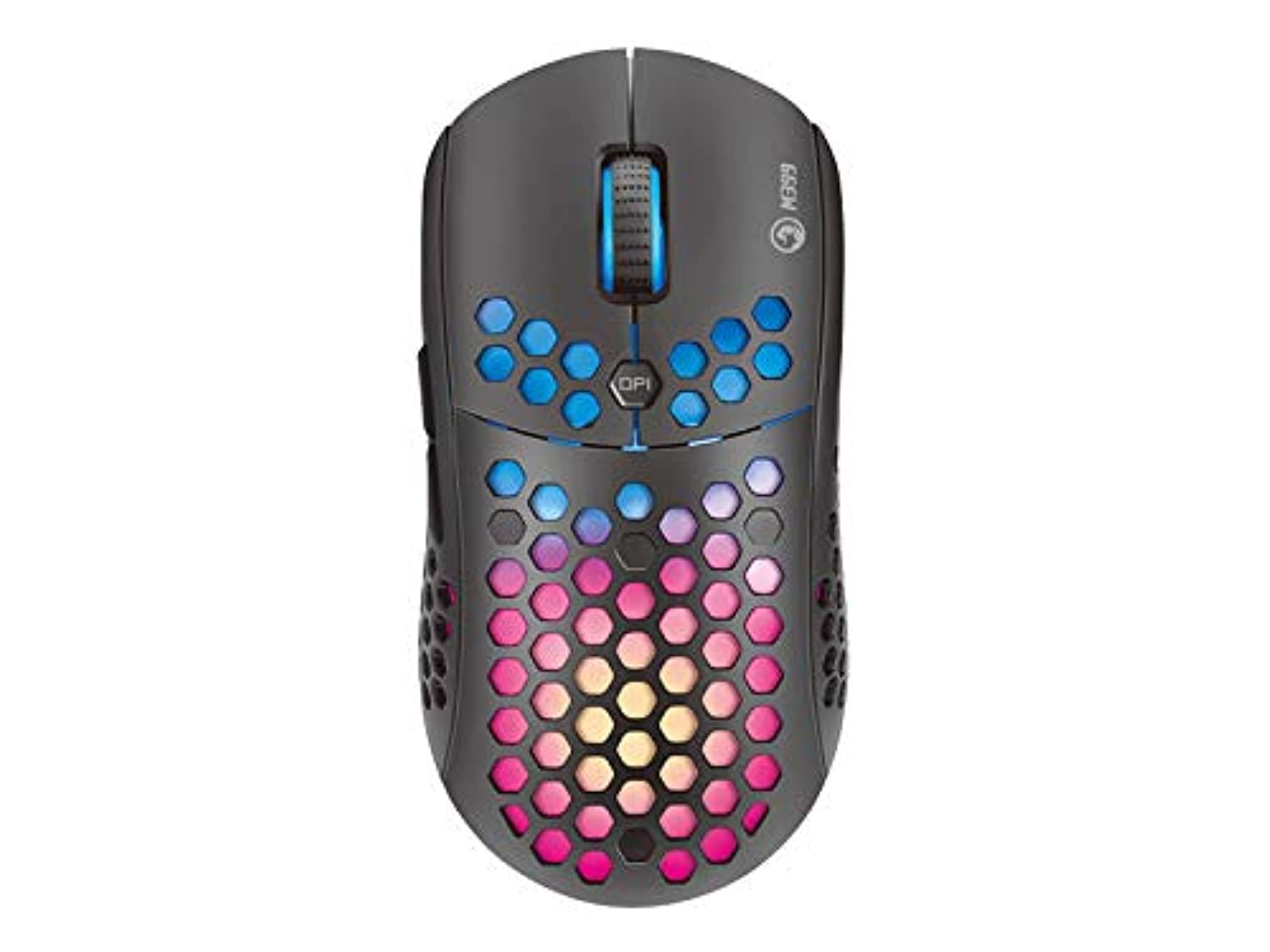
Figura 1: De sus în jos view of the MARVO Scorpion Gaming Mouse M399, highlighting its honeycomb shell and illuminated scroll wheel.
5. Instrucțiuni de utilizare
5.1 Funcții de bază
- Click stânga: Buton de acțiune principală.
- Click dreapta: Buton de acțiune secundară, de obicei pentru meniurile contextuale.
- Rotiță de defilare: Derulați în sus/în jos documentele sau web pagini. De asemenea, se poate face clic pentru funcționalitatea clicului din mijloc.
5.2 Ajustare DPI
The mouse features a dedicated DPI button (usually located behind the scroll wheel) to cycle through different sensitivity levels. Press this button to instantly change the DPI setting to match your preference or game requirements. The default DPI settings are typically pre-configured but can be customized via software.
5.3 Butoane programabile
The MARVO M399 includes 6 programmable buttons. These buttons can be assigned various functions, macros, or key combinations using the dedicated MARVO software. Refer to the customization section for more details.

Figura 2: lateral view of the MARVO Scorpion Gaming Mouse M399, illustrating the ergonomic contour and accessible side buttons.
6. Personalizare
To unlock the full potential of your MARVO Scorpion Gaming Mouse M399, including button remapping, macro creation, and advanced RGB lighting effects, you will need to download and install the official MARVO software. This software allows for detailed personalization of your mouse settings.
- Atribuire butoane: Reatribuiți funcții oricăruia dintre cele 6 butoane programabile.
- Setări DPI: Adjust DPI levels and create custom profiles.
- Iluminare RGB: Choose from 7 different backlight modes and millions of colors, adjust brightness, speed, and effects.
- Editor macro: Create and assign complex macros to streamline in-game actions.
Note: The software can typically be found on the official MARVO website. Ensure you download the correct version for your M399 model.
7. Întreținere
Proper maintenance ensures the longevity and performance of your gaming mouse.
- curatenie: Folosiți o lavetă moale și uscată pentru a șterge suprafața mouse-ului. Pentru murdăria persistentă, ștergeți ușor suprafața mouse-ului.amp cloth can be used, but ensure no liquid enters the mouse. Use compressed air to clean dust from the honeycomb holes and around buttons.
- Îngrijirea senzorului: Keep the optical sensor on the underside of the mouse clean and free from debris. Avoid touching the sensor directly.
- Organizare de cabluri: Evitați îndoirile bruște sau tragerea excesivă a cablului USB pentru a preveni deteriorarea.
- Depozitare: Depozitați mouse-ul într-un mediu curat și uscat, ferit de temperaturi extreme și de lumina directă a soarelui atunci când nu îl utilizați.
8. Depanare
If you encounter issues with your MARVO Scorpion Gaming Mouse M399, refer to the following common solutions:
| Problemă | Soluție posibilă |
|---|---|
| Șoarecele nu răspunde |
|
| Mișcarea cursorului este neregulată sau sacadată |
|
| Iluminarea RGB nu funcționează sau se blochează |
|
| Butoanele programabile nu funcționează |
|
9. Specificații
| Caracteristică | Detaliu |
|---|---|
| Numărul de model | M399 |
| Tip senzor | Optic |
| DPI (puncte pe inch) | Până la 6400 DPI |
| Butoane | 6 Butoane programabile |
| Iluminat | RGB, 16.8 Million Colors, 7 Modes |
| Proiecta | Ultra-lightweight Honeycomb, Ambidextrous |
| Greutate | Aproximativ. 76 de grame |
| Conectivitate | USB cu fir |
| Dimensiunile produsului | 4.4 x 3.23 x 2.98 cm (aproximativ) |
10. Garanție și asistență
10.1 Informații despre garanție
MARVO products are designed and manufactured to the highest quality standards. This product is covered by a limited warranty from the date of purchase. Please refer to the warranty card included with your product or visit the official MARVO webpentru termenii și condițiile detaliate de garanție specifice regiunii dumneavoastră.
10.2 Suport tehnic
For technical assistance, driver downloads, or further inquiries, please visit the official MARVO support website or contact their customer service. You may need your product model number (M399) and proof of purchase when seeking support.
- Oficial Website: www.marvo-tech.com (Vă rugăm să verificați variațiile regionale)
- E-mail de asistență: Consultați website pentru detalii de contact.