
Introducere
Thank you for choosing the MEDION E11909 (MD 20059) 19-inch HD TV. This television features an integrated DVD player, a 12V car adapter for mobile use, and a triple tuner for receiving cable, satellite, or DVB-T2 HD signals. This manual provides essential information for the safe and efficient use of your new device. Please read it thoroughly before operation and keep it for future reference.
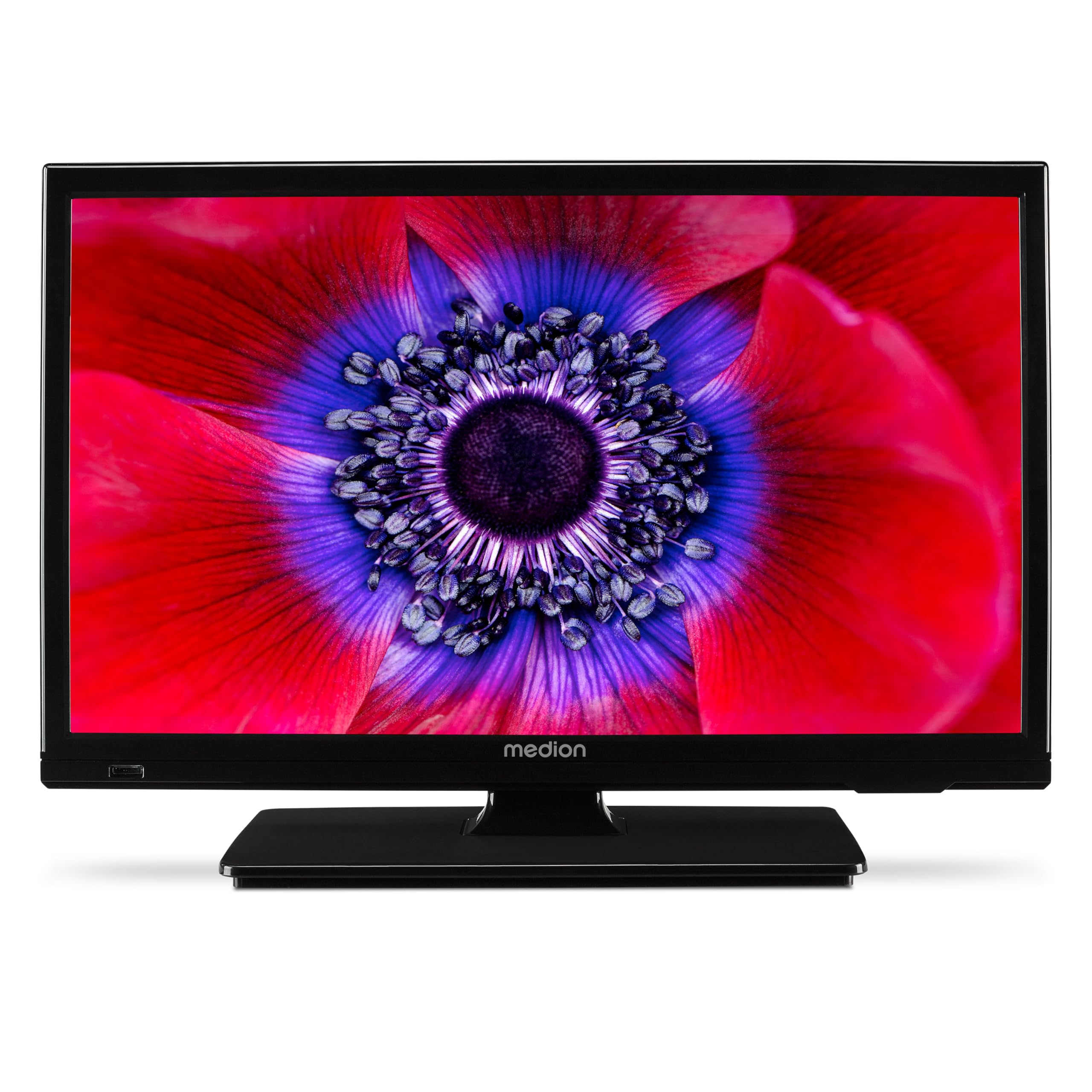
Figura 1: MEDION E11909 19-inch HD TV. This image shows the front view of the television, highlighting its compact design suitable for various environments.
Informații de siguranță
Please observe the following safety instructions to prevent damage to the device or injury to yourself:
- Nu expuneți televizorul la ploaie sau umezeală.
- Asigurați o ventilație corespunzătoare; nu blocați orificiile de ventilație.
- Utilizați numai adaptorul de alimentare furnizat împreună cu dispozitivul.
- Nu deschideți televizorul.asing; consultați personalul calificat pentru toate lucrările de service.
- Țineți televizorul departe de surse de căldură și de lumina directă a soarelui.
- When using the 12V car adapter, ensure the vehicle's power outlet is clean and provides stable power.
Conținutul pachetului
Vă rugăm să verificați dacă toate articolele sunt prezente în colet:
- MEDION E11909 MD20059 LCD TV
- Remote control with batteries (AAA)
- Adaptor de alimentare extern
- Car adapter (12V)
- Antenă DVB-T
- Adaptor AV
- Stand cu șuruburi
- Manual de utilizare
- Broșura de garanție
Înființat
1. Atașarea suportului
- Carefully place the TV screen-down on a soft, clean surface.
- Aliniați suportul cu orificiile de montare din partea inferioară a televizorului.
- Fixați suportul folosind șuruburile furnizate.
2. Conectarea puterii
- Pentru uz casnic: Connect the external power adapter to the TV's DC IN port and then plug it into a standard wall outlet.
- For Mobile Use (Car/Caravan): Connect the 12V car adapter to the TV's DC IN port and then plug it into your vehicle's 12V DC power socket.
3. Connecting Antennas and External Devices
Refer to the connection diagram below for port locations.

Figura 2: Rear panel connections. This image illustrates the various input and output ports on the back of the television, including HDMI, USB, SCART, VGA, AV In, YPbPr, PC Audio In, Headphone Jack, Digital Audio Out, and the 12V DC power input.
- Antena/Cablu: Connect your DVB-T antenna (included), cable, or satellite dish to the appropriate RF IN port.
- Dispozitive HDMI: Connect devices like Blu-ray players or game consoles to the HDMI ports.
- Dispozitive USB: Introduceți unitățile USB pentru redarea fișierelor media în portul USB.
- Older Devices: Use the SCART, VGA, or AV IN ports for older equipment.
4. Configurare inițială
After connecting power and turning on the TV for the first time, an initial setup wizard will guide you through language selection, country, and channel scanning. Follow the on-screen instructions.
Funcționează
1. Pornire/Oprire
Apăsați tasta PUTERE butonul de pe telecomandă sau de pe televizor pentru a porni sau a opri unitatea.
2. Funcții de control de la distanță
The remote control allows you to navigate menus, change channels, adjust volume, and select input sources. Refer to the remote control diagram in your separate warranty booklet for specific button functions.
3. Channel Selection and Volume
- Utilizați CH +/- butoane pentru a schimba canalele.
- Utilizați VOL +/- butoane pentru reglarea volumului.
4. Selectarea sursei de intrare
Apăsați tasta SURSĂ button on the remote control to cycle through available input sources (TV, HDMI1, HDMI2, AV, USB, DVD).
5. Using the Integrated DVD Player
- Insert a DVD disc into the disc slot on the side of the TV.
- The TV should automatically switch to DVD mode. If not, press the SURSĂ button and select DVD.
- Folosiți butoanele de redare ale telecomenzii (PLAY, PAUSE, STOP, FF, REW) to control DVD playback.

Figura 3: TV with integrated DVD player. This image shows the television screen displaying high-definition content, with a DVD disc partially visible, indicating the integrated DVD player functionality.
6. Using the Media Player (USB)
- Introduceți un dispozitiv de stocare USB în portul USB.
- Apăsați tasta SURSĂ button and select USB.
- Navigați prin files (photos, music, videos) using the remote control and press OK a juca.

Figura 4: Easy playback of photos, videos, and more. This image highlights the USB port on the TV's side and icons representing music, photos, and video files, indicating the TV's multimedia playback capabilities.
Întreţinere
1. Curățarea ecranului
Ștergeți ușor ecranul cu o lavetă moale, fără scame. Pentru petele persistente, ștergeți ușorampClătiți laveta cu apă sau cu o soluție specială de curățare a ecranelor. Nu pulverizați lichid direct pe ecran.
2. Curățarea unității
Ștergeți televizorul casinȘtergeți cu o cârpă moale și uscată. Evitați utilizarea de produse de curățare abrazive sau solvenți.
3. Depozitare
Dacă depozitați televizorul pentru o perioadă lungă de timp, deconectați-l de la alimentare, scoateți bateriile din telecomandă și depozitați-l într-un loc răcoros și uscat, de preferință în ambalajul original.
Depanare
If you encounter problems with your TV, please refer to the following common issues and solutions:
- Fără putere:
- Check if the power adapter is securely connected to both the TV and the power outlet.
- Ensure the power outlet is functional. - Fără imagine/sunet:
- Verify that the correct input source is selected (e.g., HDMI1, TV, DVD).
- Check all cable connections (antenna, HDMI, AV).
- Perform a channel scan if using TV mode. - DVD Not Playing:
- Ensure the disc is inserted correctly with the label facing up.
- Check if the disc is clean and free from scratches.
- Try a different DVD to rule out disc issues. - Telecomanda nu funcționează:
- Replace the batteries (AAA).
- Ensure there are no obstructions between the remote and the TV's IR sensor.
Dacă problema persistă după ce încercați aceste soluții, vă rugăm să contactați serviciul de asistență pentru clienți.
Specificații
- Marca: MEDIU
- Model: E11909 (MD 20059)
- Dimensiunea ecranului: 18.5 inch (47 cm)
- Tehnologia de afișare: LCD LED
- Rezoluţie: 768p (HD)
- Rata de reîmprospătare: 60 Hz
- Raport de aspect: 1.77:1
- Tehnologie de conectivitate: HDMI, USB
- Caracteristici speciale: Built-in DVD player, 12V Car Adapter, Triple Tuner for HD reception (Cable, Satellite, DVB-T2)
- Componente incluse: LCD TV (MD 20059)
- Dimensiuni produs: 16A x 44L x 31Î cm
- Ieșire audio: 2 x 3 W RMS Stereo Speakers
Garanție și suport
Your MEDION E11909 (MD 20059) TV comes with a manufacturer's warranty. Please refer to the included warranty booklet for detailed terms and conditions, including the warranty period and coverage.
Pentru asistență tehnică, service sau întrebări suplimentare, vă rugăm să vizitați site-ul oficial MEDION. website or contact their customer service department. Contact information can typically be found in your warranty booklet or on the MEDION support page.