
1. Introducere
Thank you for choosing the Joyroom JR-X1 Bluetooth Wireless Earphones. These earphones are designed to provide a comfortable and high-quality audio experience with bone conduction technology, allowing you to enjoy sound without blocking your ears. This manual will guide you through the setup, operation, and maintenance of your new earphones.

Figure 1: Joyroom JR-X1 Bluetooth Wireless Earphones, showcasing designul lor elegant.
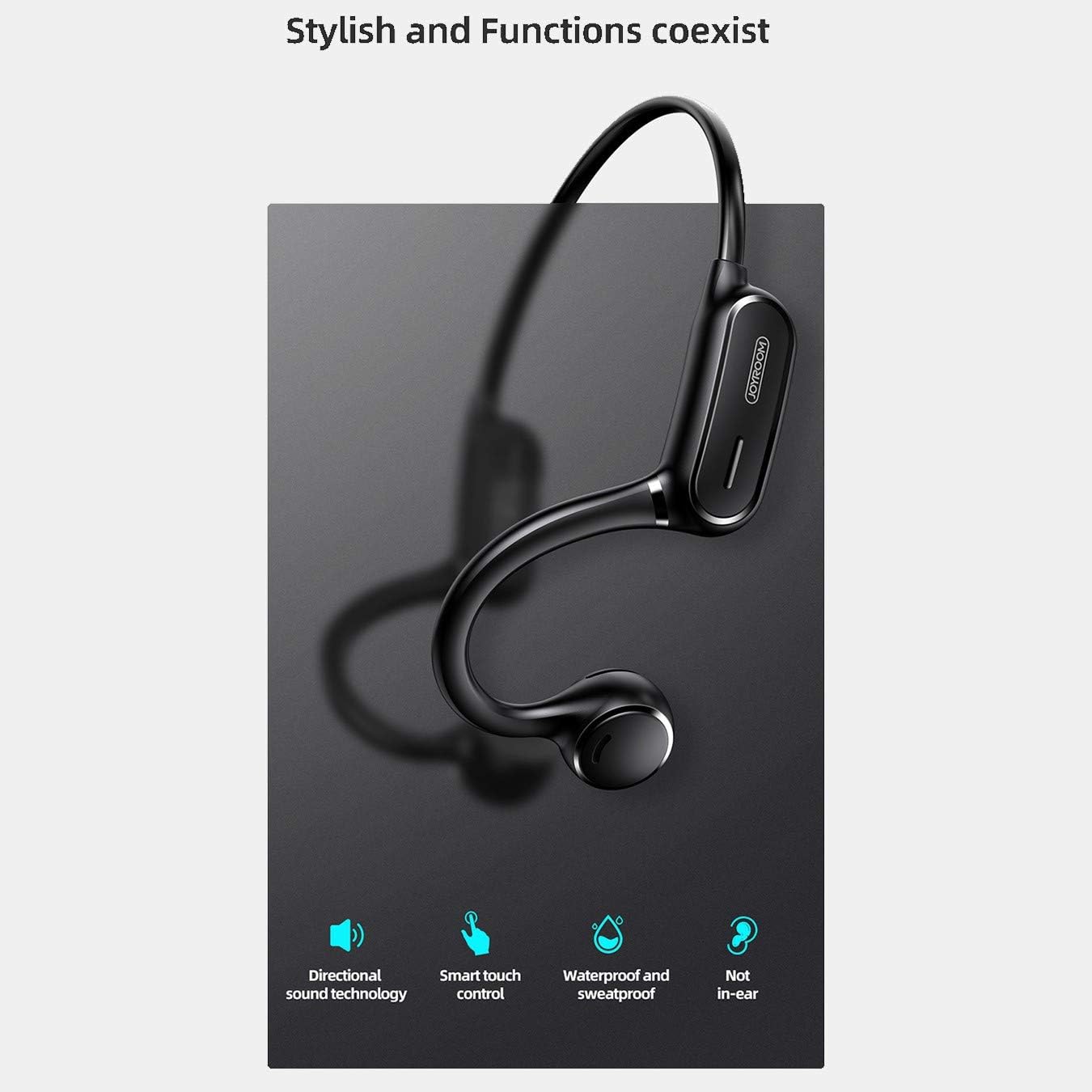
Figure 2: Key features of the JR-X1, including directional sound technology, smart touch control, waterproof and sweatproof design, and non-in-ear wearing style.
2. Configurare
2.1. Încărcarea căștilor
Before first use, fully charge your JR-X1 earphones. Connect the charging cable to the charging port on the earphones and a compatible USB power source (5V/1A). The indicator light will show the charging status and turn off or change color once fully charged. A full charge takes approximately 2 hours.
2.2. Pornire/Oprire
- Pornire: Press and hold the multi-function button for a few seconds until the indicator light flashes and you hear a power-on prompt.
- Oprire: Press and hold the multi-function button for a few seconds until the indicator light turns off and you hear a power-off prompt.
2.3. Asociere Bluetooth
- Asigurați-vă că sunt oprite căștile.
- Press and hold the multi-function button until the indicator light flashes red and blue alternately, indicating pairing mode.
- Pe dispozitivul dvs. (smartphone, tabletă etc.), activați Bluetooth și căutați dispozitivele disponibile.
- Select "JR-X1" from the list of found devices.
- Once connected, the indicator light will stop flashing and you will hear a connection confirmation.
The earphones will automatically power off after 5 minutes if not connected to a device.

Figure 3: The JR-X1 earphones are designed for comfortable, non-in-ear wearing, utilizing bone conduction technology.
3. Instrucțiuni de utilizare
3.1. Redarea muzicii
- Redare/Pauză: Tap the multi-function button once.
- Următoarea piesă: Double-tap the multi-function button.
- Pista anterioară: Triple-tap the multi-function button.
3.2. Controlul volumului
The JR-X1 features volume control. Refer to the specific buttons or touch areas on your earphones for volume adjustment. Typically, there are dedicated volume up (+) and volume down (-) buttons or touch gestures.
3.3. Managementul apelurilor
- Răspundeți/Terminați apelul: Tap the multi-function button once.
- Respinge apelul: Țineți apăsat butonul multifuncțional timp de 2 secunde.
- Asistent vocal (Siri/Asistent Google): Tap the multi-function button three times to activate your device's voice assistant.

Figure 4: The JR-X1 features smart touch controls for easy operation, including managing calls and music playback.
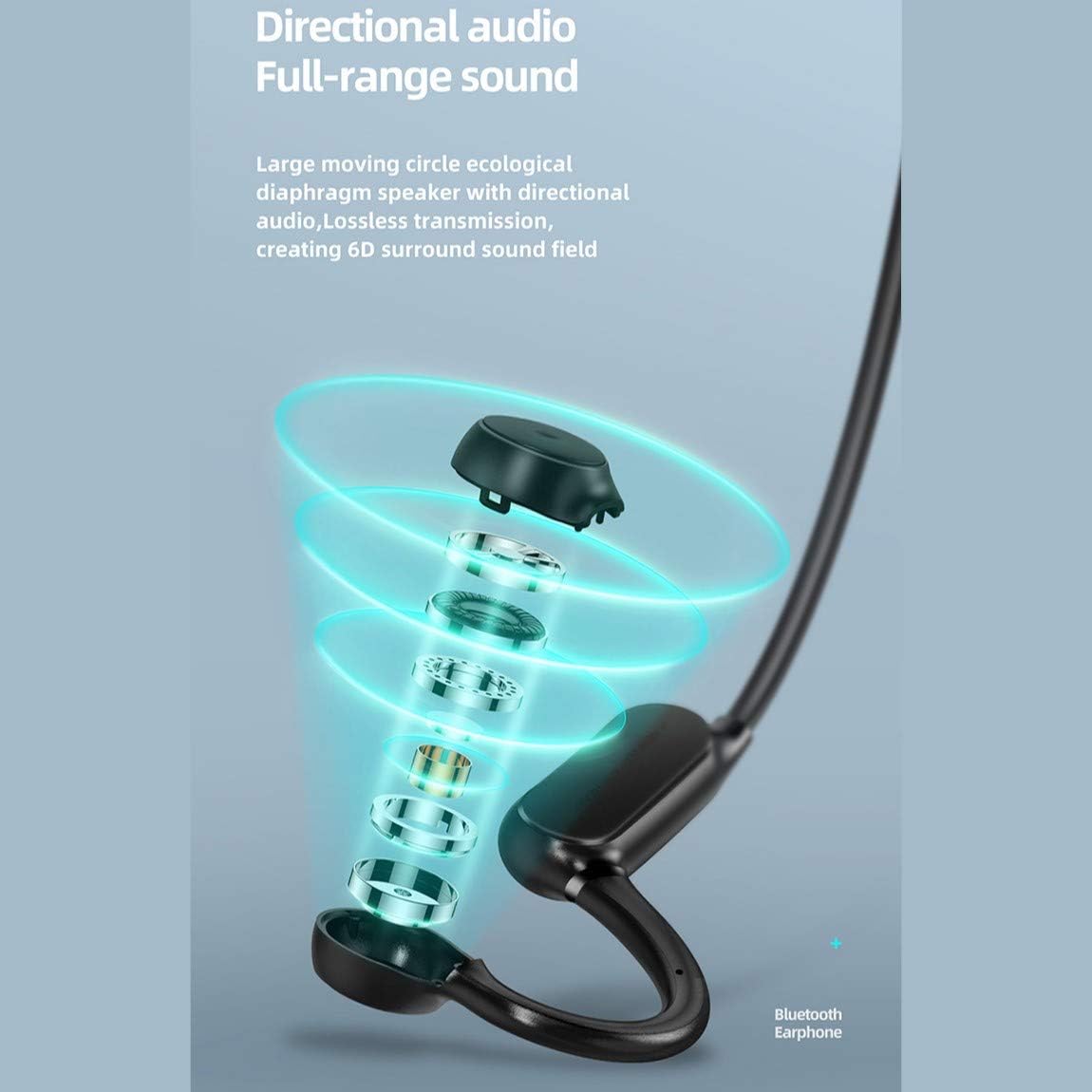
Figure 5: The directional audio technology provides full-range sound through a large moving circle ecological diaphragm speaker, ensuring lossless transmission and a 6D surround sound field.
4. Întreținere
4.1. Curatenie
Regularly clean your earphones to ensure optimal performance and hygiene. Use a soft, dry, lint-free cloth to wipe the surfaces. Do not use harsh chemicals, cleaning solvents, or strong detergents.
4.2. Depozitare
When not in use, store the earphones in a cool, dry place, away from direct sunlight and extreme temperatures. Avoid placing heavy objects on them or storing them in a tangled state.
4.3. Rezistenta la apa
The JR-X1 earphones are designed to be waterproof and sweatproof. However, they are not intended for submersion in water. Avoid prolonged exposure to heavy rain or swimming. After exposure to sweat or light rain, wipe them dry before charging.
5. Depanare
5.1. Earphones Not Powering On
- Asigurați-vă că sunt complet încărcate căștile. Conectați-le la o sursă de alimentare și verificați indicatorul de încărcare.
- Press and hold the power button for a longer duration (5-7 seconds) to ensure it's not a brief press.
5.2. Cannot Pair with Device
- Make sure the earphones are in pairing mode (indicator flashing red and blue alternately).
- Asigurați-vă că Bluetooth este activat pe dispozitiv și că acesta se află în raza de acțiune (de obicei 10 metri).
- Dezactivați și activați Bluetooth-ul dispozitivului.
- If previously paired, try forgetting "JR-X1" from your device's Bluetooth settings and re-pairing.
- Ensure no other devices are currently connected to the earphones.
5.3. Fără sunet sau volum redus
- Verificați nivelurile de volum atât la căști, cât și la dispozitivul conectat.
- Asigurați-vă că sunt conectate corect căștile la dispozitiv.
- Încercați să redați diferite surse audio pentru a exclude o problemă cu fișierele media. file.
5.4. Conexiune intermitentă
- Apropiați-vă de dispozitivul conectat pentru a reduce interferențele.
- Evitați mediile cu semnale Wi-Fi puternice sau alte dispozitive Bluetooth care ar putea cauza interferențe.
- Asigurați-vă că sunt complet încărcate căștile.
6. Specificații
| Caracteristică | Caietul de sarcini |
|---|---|
| Marca | Joyroom |
| Numărul de model | JR-X1 |
| Tip | Wireless Earphones (Bone Conduction) |
| Culoare | Alb |
| Materiale | ABS + silicon |
| Versiune Bluetooth | 5.0 |
| Sensibilitate | 84 ± 3 dB |
| Interval de răspuns în frecvență | 20 Hz - 20 kHz |
| Sensibilitatea microfonului | -38 dB |
| Capacitatea bateriei căștilor | 230 mAh |
| Impedanta | 10 Ohm ± 15% (800 Hz) |
| Putere nominală | 1 Watt |
| Timp de joacă | Approx. 6 hours (70-80% volume) |
| Timp de vorbire | Aproximativ. 6 ore |
| Timp de așteptare | Aproximativ. 10 zile |
| Oprire automată | 5 minutes if not connected |
| Intrare de încărcare | 5V/1A |
| Timp de încărcare | Aproximativ. 2 ore |
| Caracteristici speciale | Lightweight, Microphone Included, Waterproof, Sweatproof |
| Metoda de control | Control tactil, control volum |
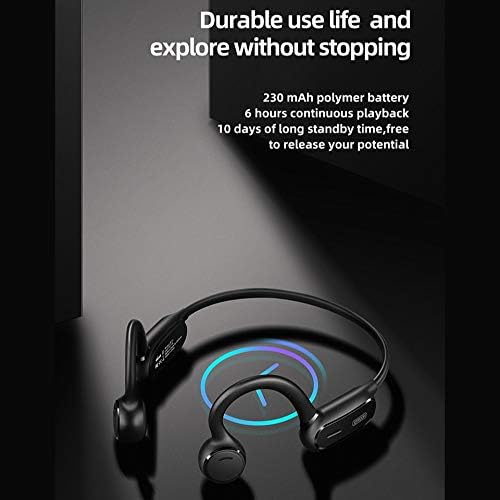
Figure 6: The JR-X1 features a 230 mAh polymer battery, offering approximately 6 hours of continuous playback and up to 10 days of standby time.

Figure 7: Equipped with Bluetooth 5.0 and a QCC master chip, the JR-X1 ensures fast, stable connection, low latency, and efficient power consumption.
7. Garanție și asistență
7.1. Informații despre garanție
The Joyroom JR-X1 Bluetooth Wireless Earphones come with a standard manufacturer's warranty. Please refer to the warranty card included in your product packaging for specific terms, conditions, and duration. Keep your purchase receipt as proof of purchase for warranty claims.
7.2. Asistență pentru clienți
For any technical assistance, troubleshooting not covered in this manual, or warranty inquiries, please contact Joyroom customer support. Contact details can typically be found on the official Joyroom website-ul sau pe ambalajul produsului.