
1. Produs terminatview
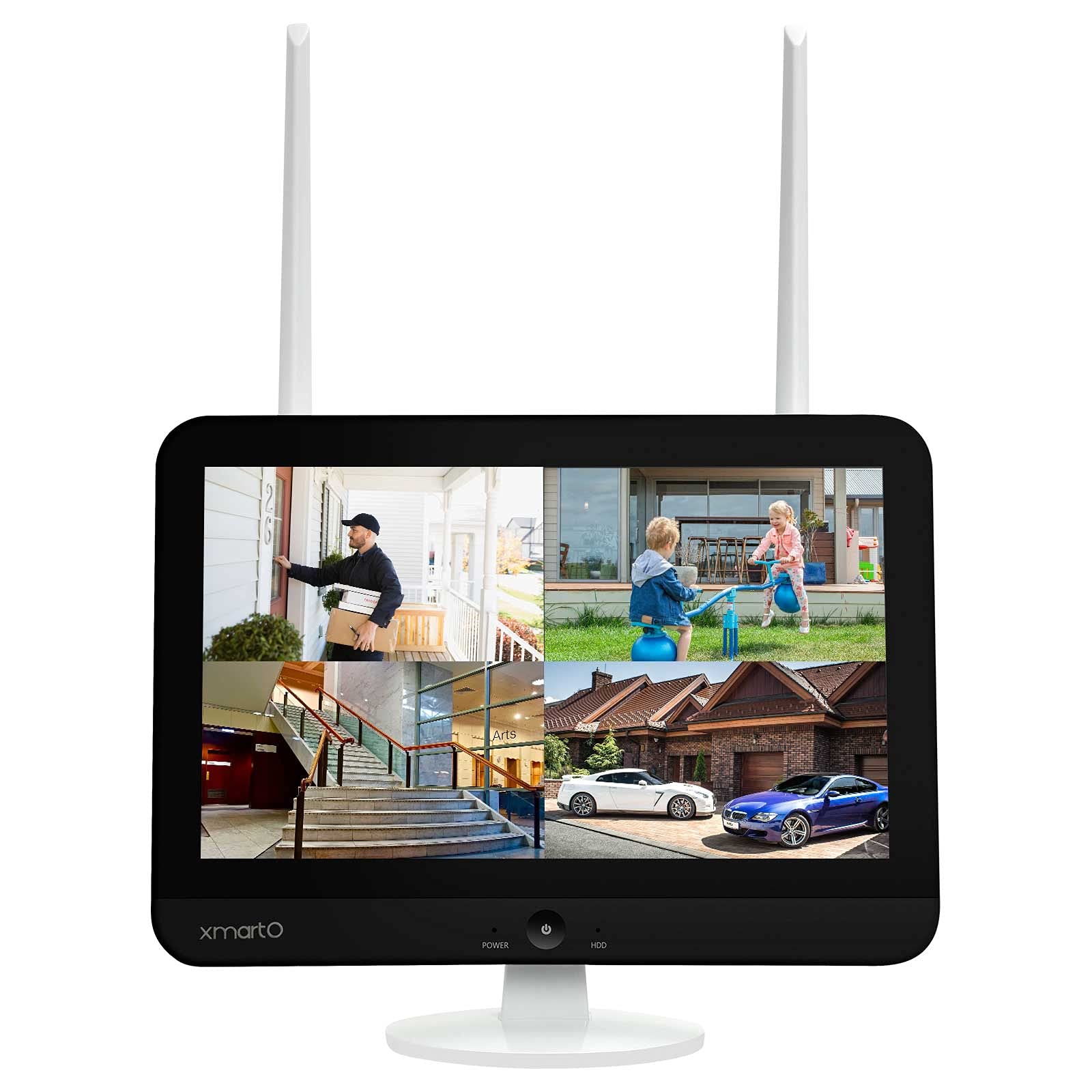
The xmartO WNS28 is an 8-channel WiFi Security NVR/DVR system featuring an integrated 12.1-inch 1080p Full HD screen. This system supports up to 8 xmartO WiFi security cameras, including 5MP, 3MP, 2MP (1080p), 1.3MP (960p), and 1MP (720p) resolutions. It is designed for convenient home surveillance with easy remote viewing capabilities and support for SATA HDDs.
The NVR incorporates dual WiFi modules: one dedicated for camera connections to maintain a clear home WiFi network, and another for connecting the system to the internet via WiFi, eliminating the need for a wired connection to your router. It also features G3 AUTO Dream Liner Wi-Fi relay technology, which automatically uses a closer camera as a WiFi repeater to extend the range to the NVR for cameras with weaker signals.
The system offers dual recording modes, capturing 24/7 footage and simultaneous motion events. During playback, events are highlighted for quick review. The companion mobile application provides a daily message list with snapshots and video clips of detected events.
2. Conținutul pachetului
Verificați dacă toate articolele enumerate mai jos sunt incluse în pachetul dumneavoastră:
- xmartO WNS28 NVR with 12.1" HD Screen
- Adaptor de alimentare pentru NVR
- Mouse USB
- Cablu HDMI
- Cablu Ethernet
- Șuruburi și ancore de montare
- Manual de utilizare
- Security Cameras (quantity as per purchased kit, e.g., 4 cameras)
- Power Adapters for Cameras (one per camera)

3. Caracteristici cheie
- Integrated 12.1" 1080p Full HD Screen: Provides a convenient and flexible display for your surveillance system.
- Dual WiFi Modules: One WiFi module is dedicated to camera connections, preventing interference with your home network. The second module connects the NVR to the internet wirelessly.
- G3 AUTO Dream Liner Wi-Fi Relay Technology: Automatically extends WiFi range by using closer cameras as repeaters for cameras with weak signals, requiring no manual configuration.
- Dual Records Mode: Records 24/7 and simultaneously captures motion events, highlighting them for easy review în timpul redării.
- Easy Mobile Live View & Redare: Free mobile app and cloud technology allow for remote viewing and playback of recorded videos on your smartphone or tablet.
- Detectarea mișcării: The system detects motion and sends instant messages with snapshots and video clips to the mobile app.
- Stocare extensibilă: Supports up to 6TB SATA hard drive for extensive video storage.


Video 3.5: Un overview of the xmartO WiFi Camera System, demonstrating its features and capabilities.
4. Ghid de instalare
4.1 Configurarea inițială a NVR-ului
- Conectare alimentare: Plug the NVR power adapter into the NVR's 12V DC input and then into a power outlet.
- Conectați mouse-ul: Conectați mouse-ul USB la unul dintre porturile USB ale NVR-ului.
- Pornire: Press the power button on the front of the NVR. The system will boot up and display the xmartO logo and 'NVR Network Video Recorder'.
- Selectarea limbii: Use the mouse to select your preferred language (e.g., English) from the on-screen menu and click 'Next step'.
- Configurarea Rețelei: Follow the on-screen prompts to configure network settings. The NVR's dual WiFi will automatically attempt to connect to your home network.
4.2 Împerecherea camerei
The xmartO NVR system features AUTO-PAIR technology, meaning cameras should automatically connect to the NVR once powered on. If a camera does not connect automatically or if you are adding a new camera, follow these steps:
- Ensure Empty Channel: In the NVR's main menu, navigate to 'Device Manage'. Check for an empty channel. If all channels are occupied, you may need to delete an existing channel to free one up for the new camera.
- Access 'Add by WiFi': Right-click on the NVR screen to open the main menu. Select 'Add by WiFi'. The NVR will begin searching for available cameras.
- Power Camera: Plug the camera's power adapter into the camera and then into a power outlet. Wait approximately 10 seconds for the camera to initialize.
- Reset Camera (if needed): If the camera does not appear in the 'Add by WiFi' list after a minute, locate the reset button on the camera (refer to the camera's specific manual for location) and press and hold it for 10 seconds. Release the button and wait for the camera to restart and attempt to pair.
- Verificați conexiunea: Once the camera is successfully paired, its live view will appear on the NVR screen.


Video 4.4: A demonstration on how to wirelessly pair a new camera to an xmartO NVR system.
5. Instrucțiuni de utilizare
5.1 În direct View și Redare
- NVR Screen: The integrated 12.1-inch screen displays live feeds from all connected cameras. Use the USB mouse to navigate the NVR interface, select specific camera views, or access playback options.
- Aplicație mobilă: Download the free 'WallPixel' app from the App Store or Google Play. Scan the QR code provided on the NVR screen to add your device. Once connected, you can view fluxuri live, redare înregistrare footage, and receive alerts from anywhere.
- Monitor extern: Connect the NVR to an external TV or monitor via the HDMI output for a larger display.
5.2 Moduri de înregistrare
- Înregistrare continuă 24/7: The system records continuously to the installed SATA hard drive.
- Înregistrare activată de mișcare: Înregistrează doar atunci când este detectată mișcare, economisind spațiu de stocare și reînregistrând evenimentele.view mai eficient.
- Înregistrare programată: Configure specific times for recording based on your needs.
5.3 Detectarea mișcării și alertele
The system's advanced motion detection capabilities allow you to receive instant alerts:
- Notificări ale aplicației: Receive push notifications on your mobile device when motion is detected.
- Alerte prin e-mail: Configure email alerts to be sent with snapshots of detected events.
- Alarme sonore: The NVR can be configured to sound an alarm when motion is detected.

6. Întreținere
- curatenie: Regularly clean the camera lenses and NVR screen with a soft, dry cloth to ensure clear image quality. Avoid abrasive cleaners.
- Actualizări de software: Periodically check the xmartO website or mobile app for firmware updates to ensure optimal performance and security.
- Gestionarea hard disk-ului: The NVR supports loop recording, automatically overwriting the oldest footage when the hard drive is full. Back up important footagîn mod regulat.
- Poziționarea antenei: Ensure NVR and camera antennas are positioned for optimal signal reception.
7. Depanare
- Fără alimentare de la cameră:
- Ensure the camera is powered on and within range of the NVR's WiFi.
- Check if the camera is properly paired to an NVR channel (refer to Section 4.2).
- Verify power connections for both the camera and NVR.
- Calitate video slabă:
- Curățați obiectivele camerei.
- Check WiFi signal strength between the camera and NVR. Relocate cameras or NVR if necessary to improve signal.
- Asigurați o iluminare suficientă pentru o captare optimă a imaginii, mai ales noaptea.
- Fără acces de la distanță prin aplicație:
- Asigurați-vă că NVR-ul este conectat la internet.
- Verificați dacă dispozitivul mobil are o conexiune activă la internet.
- Confirm the 'WallPixel' app is correctly configured and the device is added.
- NVR-ul nu înregistrează:
- Check if a SATA hard drive is installed and properly formatted.
- Verify recording schedules and settings in the NVR menu.
- Ensure the hard drive is not full (though loop recording should manage this).
8. Specificații
| Caracteristică | Caietul de sarcini |
|---|---|
| Numărul de model | WNS28 |
| Marca | xmartO |
| Afișare pe ecran | 12.1" 1080p Full HD |
| Camere foto acceptate | Up to 8 xmartO WiFi security cameras (5MP, 3MP, 2MP, 1.3MP, 1MP) |
| Conectivitate WiFi | Dual WiFi modules (one for cameras, one for internet) |
| WiFi Range Extension | G3 AUTO Dream Liner Wi-Fi relay technology |
| Moduri de înregistrare | 24/7 Continuous, Motion-Activated, Scheduled |
| Capacitate de stocare | Supports up to 6 TB SATA HDD |
| Acces de la distanță | Free 'WallPixel' mobile app (iOS/Android) |
| Porturi de ieșire | HDMI, USB, Ethernet |
| Consumul de energie | 24 wați |
| Dimensiuni | 11.9 x 11.9 x 11 inci |
| Greutate | 3.99 lire sterline |
9. Garanție și asistență
The xmartO WNS28 NVR/DVR system typically comes with a 1-year warranty. Please refer to the warranty card included in your package or visit the official xmartO website-ul pentru termenii și condițiile detaliate ale garanției.
For product support, including FAQs, how-to videos, and manuals, please visit the xmartO website sau contactați serviciul de asistență pentru clienți:
- Website: www.xmarto.com
- E-mail: support@xmarto.com