
1. Introducere
Thank you for choosing the Vantrue T3 Dash Cam. This manual provides essential information for setting up, operating, and maintaining your device. The Vantrue T3 is designed to capture high-quality video footage of your journeys and parking incidents, offering features such as 1520P resolution, radar motion detection parking mode, and enhanced night vision. Please read this manual thoroughly before use to ensure proper operation and to maximize the benefits of your dash cam.
2. Produs terminatview
2.1 Conținutul pachetului
- Vantrue T3 Dash Cam
- OBD Hardwired Cable
- Cablu de date USB-C
- Încărcător auto
- Suport pentru ventuză
- Manual de utilizare
2.2 Aspectul dispozitivului
Familiarize yourself with the buttons and ports on your Vantrue T3 Dash Cam:

Imagine: Vantrue T3 Dash Cam with labeled components. Key features include the 2.45" IPS Screen, Button Panel, Emergency Button, Mic, Type-C USB port, Micro SD Card slot (supports up to 256GB), Reset Button, Radar Microwave Detection Indicator, Sony Starvis CMOS Sensor, 6-Glass Lens, and F1.4 Large Aperture.
- Button Panel: Pentru navigarea și selecția meniurilor.
- Buton de urgență: Manually locks current recording.
- Ecran IPS de 2.45": Afișează în direct view, meniu și redare.
- Microfon: Înregistrează sunetul din interiorul vehiculului.
- USB tip C: Intrare alimentare și transfer de date.
- Slot pentru card Micro SD: Insert your memory card here (up to 256GB).
- Buton de resetare: Resetează dispozitivul la setările din fabrică.
- Radar Microwave Detection Indicator: Lights up when radar motion is detected.
- Obiectiv: High-resolution 6-glass lens with F1.4 aperture and 160° wide angle.
3. Configurare
3.1 Introducerea cardului Micro SD
- Asigurați-vă că camera de bord este oprită.
- Insert a Class 10 or higher Micro SD card (up to 256GB recommended) into the Micro SD card slot until it clicks into place.
- Pentru a scoate cardul, împingeți ușor cardul până când se aude un clic, apoi eliberați-l.
Nota: Always format the Micro SD card within the dash cam before first use and periodically thereafter to ensure stable recording performance.
3.2 Montarea camerei de bord
- Curățați zona parbrizului unde intenționați să montați camera de bord.
- Atașați suportul cu ventuză la camera de bord.
- Apăsați ferm ventuza pe parbriz și rotiți maneta pentru a o fixa.
- Adjust the lens angle to ensure it captures the road ahead clearly, avoiding obstruction from the rearview mirror or wipers.
3.3 Power Connection (OBD Hardwired Cable)
The Vantrue T3 includes an OBD hardwired cable for continuous power, enabling 24/7 parking monitoring and protecting your car battery from depletion.
- Locate your vehicle's OBD-II port (usually under the dashboard on the driver's side).
- Plug the OBD connector into the vehicle's OBD-II port.
- Connect the USB-C end of the OBD cable to the dash cam's Type-C USB port.
- Route the cable neatly along the windshield and dashboard edges to avoid obstructing your view sau interferând cu comenzile de conducere.
The dash cam will automatically power on and begin recording when the vehicle's ignition is turned on, and switch to parking mode when the ignition is off.
3.4 Configurare inițială
Upon first power-on, you may need to set the date, time, and language. Navigate the menu using the button panel.
Optional GPS Functionality: For GPS tracking of location and speed, an external GPS mount (sold separately, ASIN: B083XBS88L) is required. Attach the GPS mount to the dash cam and connect it to power instead of the standard mount.
4. Instrucțiuni de utilizare
4.1 Înregistrare de bază
Once powered on, the Vantrue T3 automatically starts continuous loop recording. The 1520P resolution and 160° wide-angle lens capture a broad view a drumului.

Imagine: Comparison of 1520P and 1080P recording quality, highlighting the 160° wide angle and other features like Sony Starvis Sensor and F1.4 Aperture.
4.2 Night Vision and HDR
The dash cam features a Sony Starvis Sensor, 6-glass lens, and F1.4 large aperture, combined with High Dynamic Range (HDR) technology, to deliver clear and detailed video even in low-light conditions or at night.

Imagine: Illustrates the Super Night Vision capability of the Vantrue T3, equipped with Sony Starvis Sensor, HDR technology, and F1.4 Large Aperture for clear low-light recording.
4.3 24/7 Radar Detection Parking Monitor
When the vehicle is parked and the ignition is off, the dash cam enters parking mode. The integrated microwave radar sensitively detects any movement in front of the car or vibrations, triggering recording to capture potential incidents.
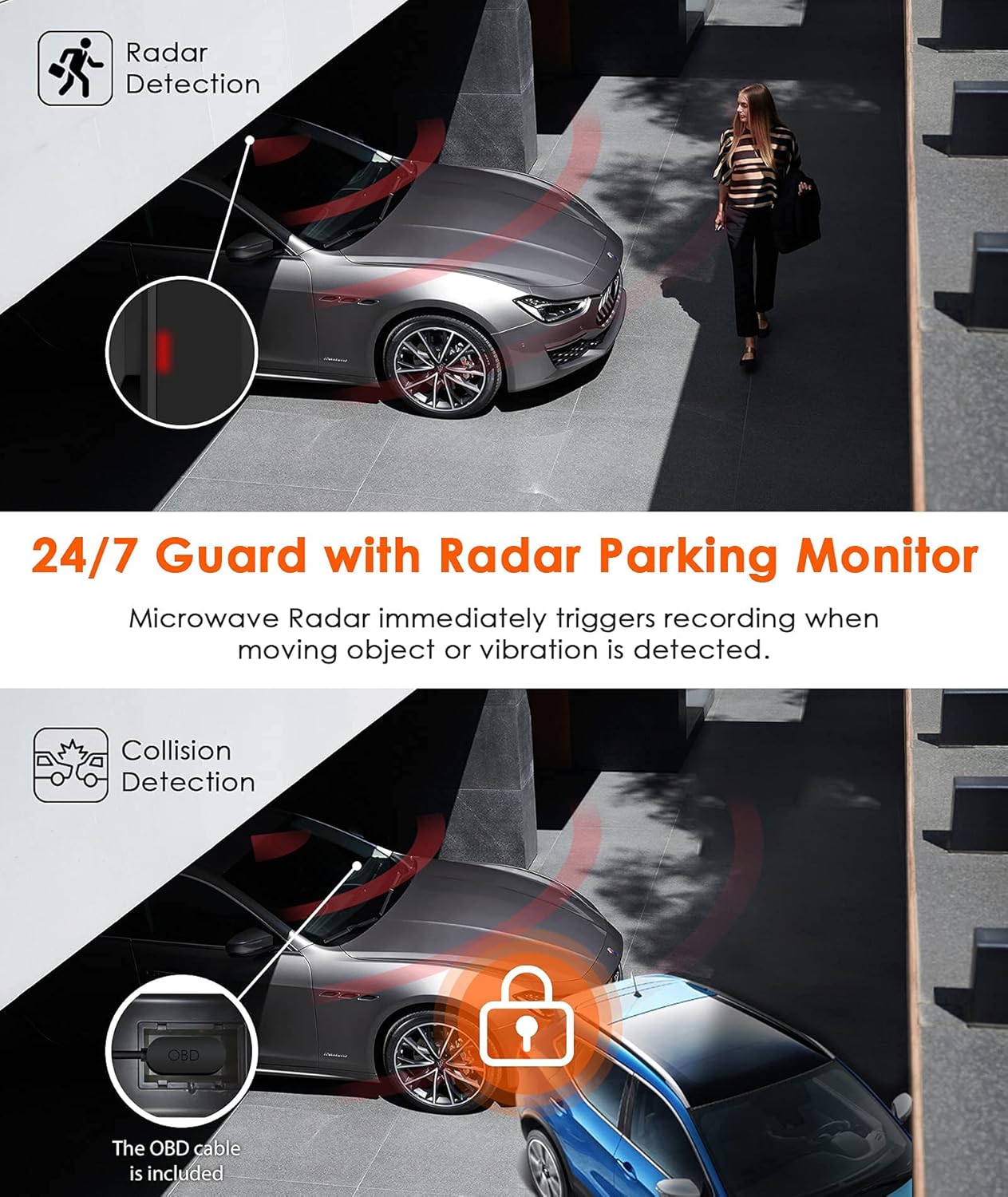
Imagine: Depicts the 24/7 Guard with Radar Parking Monitor, showing how microwave radar triggers recording upon movement. Also illustrates Collision Detection, where the OBD cable ensures continuous power.
4.4 Senzor G (Detectare coliziune)
The built-in G-sensor automatically detects sudden shakes or collisions. When activated, it locks and saves the current footage to a protected folder, preventing it from being overwritten by loop recording. This ensures critical incident evidence is preserved.

Imagine: Shows the G-Sensor feature, acting as a reliable witness by automatically recording incidents and locking video footage for insurance claims, captured in 2592x1520 at 30FPS.
4.5 Înregistrare în buclă fără întreruperi
The dash cam continuously records video in short segments (e.g., 1, 3, or 5 minutes). When the Micro SD card is full, the oldest unlocked footage is automatically overwritten by new recordings. This ensures uninterrupted recording without manual intervention.

Imagine: Illustrates Seamless Loop Recording, where the dash cam continuously records and overwrites the oldest footage. Also shows the Time Lapse function, which records frames to create a condensed video, saving memory card space.
4.6 Înregistrare cu interval de timp
The Time Lapse function allows the dash cam to capture still images at set intervals (e.g., one photo per second) and then combine them into a video. This is useful for monitoring long periods, such as a multi-week road trip, while conserving memory card space.
4.7 Super Capacitor Technology
The Vantrue T3 utilizes a super capacitor instead of a traditional battery. This provides superior heat and cold resistance, allowing the dash cam to operate reliably in temperatures ranging from 14°F to 158°F (-10°C to 70°C). This design enhances durability, prevents overheating issues, and extends the device's service life.

Imagine: Demonstrates the high performance of the Super Capacitor, providing heat resistance from 14°F to 158°F, ensuring explosion-proof operation and extended working life for stable recording.
5. Întreținere
5.1 Gestionarea cardului Micro SD
- Formatare: Regularly format your Micro SD card (at least once a month) through the dash cam's menu to prevent data corruption and ensure optimal performance.
- Capacitate susținută: The Vantrue T3 supports Micro SD cards up to 256GB. Using a high-quality, reputable brand Class 10 (or higher) card is crucial for reliable recording.
- Durata de viață a cardului: Micro SD cards have a limited number of write cycles. If you experience frequent recording errors, consider replacing the card.
5.2 de actualizări de firmware
Vantrue continuously provides firmware updates to improve performance and add new features. Check the official Vantrue website for the latest firmware. Firmware updates are typically performed by downloading the update file to your Micro SD card and inserting it into the dash cam.
6. Depanare
If you encounter issues with your Vantrue T3 Dash Cam, please refer to the following common problems and solutions:
- Camera de bord nu pornește:
- Ensure the OBD cable is securely connected to both the dash cam and the vehicle's OBD-II port.
- Check if the vehicle's ignition is on (if not using 24/7 parking mode).
- Try using the standard car charger to rule out an issue with the OBD cable.
- Dash cam stops recording or freezes:
- Format the Micro SD card within the dash cam.
- Ensure you are using a genuine Class 10 (or higher) Micro SD card from a reputable brand. Counterfeit or low-quality cards can cause issues.
- Try a different Micro SD card to see if the issue persists.
- Perform a factory reset via the dash cam's menu.
- Video footage este neclar sau neclar:
- Clean the dash cam lens and the section of the windshield in front of the lens.
- Asigurați-vă că folia de protecție a fost îndepărtată de pe lentilă.
- Verificați setările de rezoluție video din meniu.
- Parking monitor is not working:
- Ensure the OBD hardwired cable is correctly installed and providing continuous power.
- Verify that parking mode is enabled in the dash cam's settings.
- Adjust the radar detection sensitivity if necessary.
If these steps do not resolve your issue, please contact Vantrue customer support for further assistance.
7. Specificații
| Caracteristică | Caietul de sarcini |
|---|---|
| Marca | VANTRU |
| Numărul de model | T3 |
| Rezoluție captură video | 1520p (2592x1520 @ 30FPS) or 1080P @ 60FPS |
| Câmpul de View | 160 de grade |
| Dimensiunea ecranului | 2.45 inci (IPS LCD) |
| Caracteristici speciale | F1.4 Large Aperture, Parking Monitor (Radar Detection), Super Capacitor, Night Vision (HDR), G-Sensor, Loop Recording, Time Lapse |
| Tehnologia de conectivitate | USB |
| Tip memorie flash | MicroSD (Suportă până la 256 GB) |
| Sursa de alimentare | OBD Hardwired Cable (12V/24V compatible) |
| Temperatura de operare | 14°F până la 158°F (-10°C până la 70°C) |
| Greutatea articolului | 100 grame |
8. Garanție și asistență
The Vantrue T3 Dash Cam comes with an 18 luni garantie de la data achiziției. Această garanție acoperă defectele de fabricație și garantează că produsul dumneavoastră nu prezintă defecte de material și de manoperă în condiții normale de utilizare.
Vantrue also provides suport tehnic pe viață. If you have any questions, encounter issues, or require assistance with your device, please do not hesitate to contact our support team. We are committed to continuously updating the firmware to improve performance and features, and our team is ready to help you resolve any product-related concerns.
For support, please visit the official Vantrue website-ul web sau consultați informațiile de contact furnizate pe ambalajul produsului.