
1. Introducere
This manual provides detailed instructions for the installation, operation, and maintenance of your D-Link DCS-8627LH Full HD Outdoor Wi-Fi Camera with Spotlight. Please read this manual thoroughly before using the device to ensure proper setup and functionality. Keep this manual for future reference.
2. Produs terminatview
The D-Link DCS-8627LH is an outdoor Wi-Fi camera designed for security monitoring, featuring Full HD 1080p resolution, a built-in spotlight, and advanced detection capabilities. It integrates with the mydlink app for remote access and smart home ecosystems like Google Assistant and Amazon Alexa.
2.1 Conținutul pachetului
- Cameră Wi-Fi D-Link DCS-8627LH Full HD pentru exterior
- Kit de montare (șuruburi, dibluri)
- Adaptor de alimentare
- Ghid de instalare rapidă
2.2 Caracteristicile camerei
- Rezoluție Full HD 1080p: Capturează videoclipuri clare la 30 de cadre pe secundă.
- Spotlight integrat: Enhances color night vision and acts as a deterrent.
- Viziune de noapte în infraroșu: Provides clear video up to 7 meters in low light conditions.
- Audio bidirecțional: Microfon și difuzor încorporate pentru comunicare.
- Detectare mișcare și sunet: Triggers recording and sends notifications.
- Conectivitate Wi-Fi: Configurare și acces wireless ușor.
- Stocare locală: Supports microSD card for video recording.
- Design rezistent la intemperii: Potrivit pentru instalare în exterior.
- Integrare Smart Home: Compatible with mydlink app, Google Assistant, Amazon Alexa, and IFTTT.
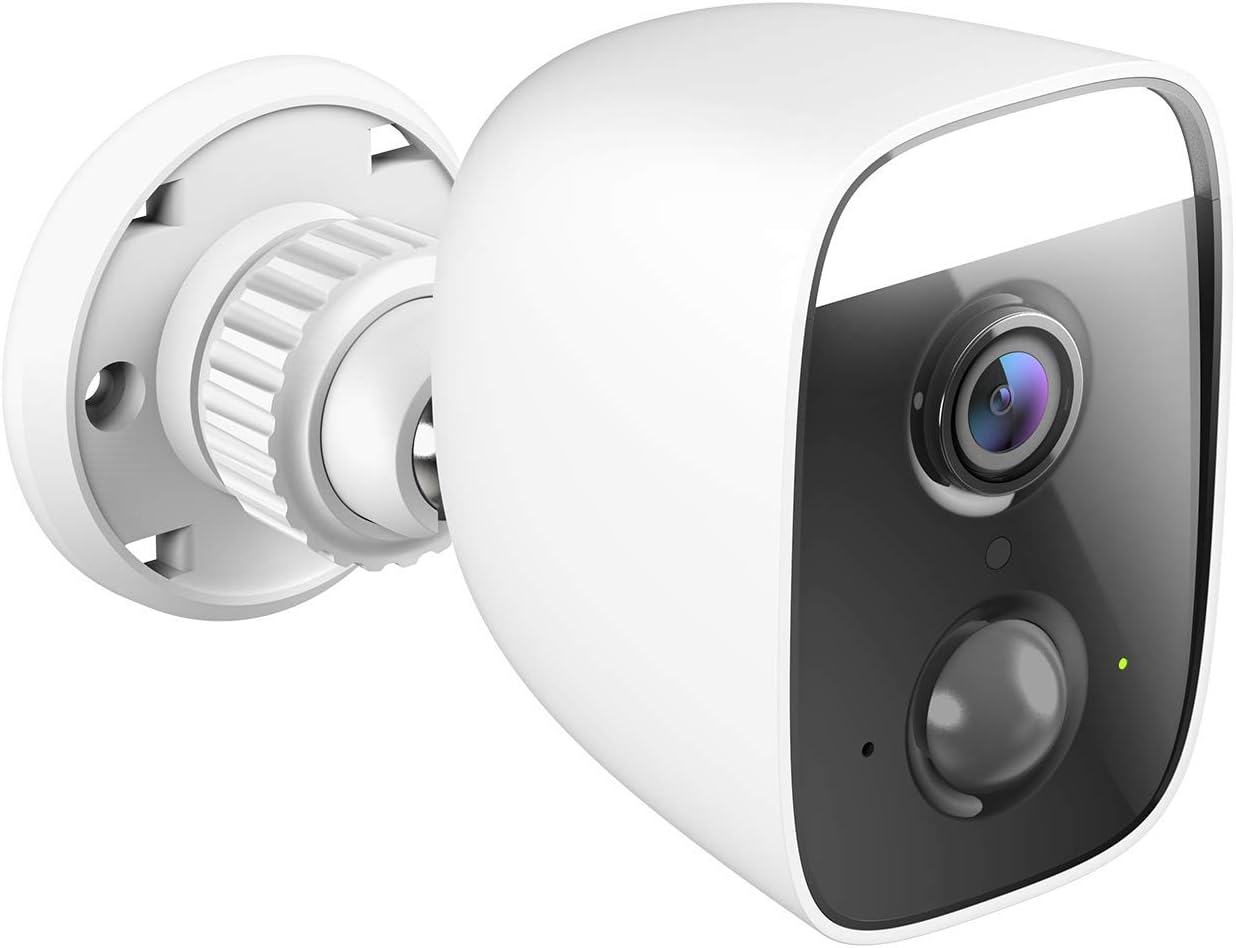
Figura 1: Înclinat view of the D-Link DCS-8627LH camera, showcasing its compact design and integrated spotlight.

Figura 2: Faţă view of the D-Link DCS-8627LH camera, highlighting the lens, motion sensor, and spotlight.
3. Configurare
3.1 Înainte de a începe
- Ensure your Wi-Fi network is active and you have the Wi-Fi password.
- Have your smartphone or tablet ready.
- Choose a suitable outdoor location for installation, ensuring Wi-Fi signal strength and access to a power outlet.
3.2 mydlink App Installation
- Download the free mydlink app from the App Store (iOS) or Google Play (Android).
- Launch the mydlink app and create a new account or log in with an existing one.
3.3 Adding the Camera to mydlink
- Plug the camera into a power outlet near your Wi-Fi router for initial setup.
- Wait for the camera's LED indicator to flash orange, indicating it's ready for setup.
- In the mydlink app, tap the menu icon (☰) and select "Add a Device."
- Scan the setup QR code located on the camera or its packaging.
- Urmați instrucțiunile de pe ecran din aplicație pentru a conecta camera la rețeaua Wi-Fi.
- Once connected, the LED indicator will turn solid green.
3.4 Instalare fizică
The DCS-8627LH camera is designed for wall or pole mounting. Ensure the chosen location provides a clear view and is within range of your Wi-Fi signal and a power source.
- Use the provided mounting template to mark screw holes on the wall or pole.
- Drill pilot holes and insert wall plugs if mounting on masonry.
- Fixați suportul de montare pe suprafață folosind șuruburile.
- Atașați camera la suportul de montare și reglați unghiul după cum este necesar.
- Connect the power adapter to the camera and plug it into a weather-protected outdoor power outlet.

Figura 3: Înclinat view of the D-Link DCS-8627LH camera, showing the adjustable mounting base.

Figura 4: Spate view of the camera, indicating the location of the microSD card slot and reset button.
4. Instrucțiuni de utilizare
The D-Link DCS-8627LH camera is primarily operated through the mydlink app.
4.1 Using the mydlink App
- Trăi View: Atingeți camera în aplicație pentru a view fluxul video live.
- Înregistrare: Manually record video or configure event-based recording (motion/sound detection).
- Redare: Access recorded videos stored on the microSD card or mydlink cloud (if subscribed).
- Notificări: Receive push notifications on your smartphone when motion or sound is detected.
- Audio bidirecțional: Folosește pictograma microfonului în transmisiunea live view să vorbească prin difuzorul camerei.
- Spotlight Control: Manually turn the spotlight on/off or configure it to activate upon motion detection.

Figura 5: A smartphone screen showing a mydlink app notification for motion detection, with options for live view or contacting security.
4.2 Detectarea mișcării și a sunetului
Configure detection zones and sensitivity levels within the mydlink app settings for your camera. This allows you to customize when the camera triggers recordings and sends alerts.
4.3 Integrare Smart Home
The DCS-8627LH supports integration with:
- Asistent Google: Utilizați comenzi vocale pentru a view your camera feed on compatible devices.
- Amazon Alexa: Controlează-ți camera și view its feed using Alexa-enabled devices.
- IFTTT (Dacă asta, atunci aia): Create custom automation rules with other smart devices and services.
Refer to the respective platform's documentation or the mydlink app for detailed setup instructions for these integrations.
5. Întreținere
5.1 Curățarea camerei
Curățați periodic obiectivul și carcasa camerei cu o lavetă moale șiamp cloth. Avoid using harsh chemicals or abrasive materials that could damage the lens or finish.
5.2 de actualizări de firmware
D-Link regularly releases firmware updates to improve performance and add new features. Check for and install updates via the mydlink app to ensure your camera has the latest enhancements and security patches.
5.3 Gestionarea cardului MicroSD
If using a microSD card for local storage, ensure it is properly inserted and formatted through the mydlink app. Regularly check the card's status and consider replacing it if errors occur or its performance degrades.
6. Depanare
This section addresses common issues you might encounter with your D-Link DCS-8627LH camera.
6.1 Probleme de conectare
- Nici o conexiune: Ensure the camera is powered on and within Wi-Fi range. Check your router's internet connection.
- Semnal Wi-Fi slab: Relocate the camera closer to your router or consider using a Wi-Fi extender.
- Setup Failure: Try resetting the camera and repeating the setup process in the mydlink app.
6.2 Probleme de calitate a imaginii
- Imagine neclară: Clean the camera lens. Ensure there are no obstructions in front of the lens.
- Vedere nocturnă slabă: Ensure the infrared LEDs are not obstructed. Check for reflective surfaces close to the camera.
6.3 Notificări neprimite
- Check mydlink app settings to ensure notifications are enabled for your camera.
- Verify your smartphone's notification settings for the mydlink app.
- Adjust motion/sound detection sensitivity and zones in the app.
6.4 Resetarea camerei
To perform a factory reset, locate the reset button (refer to Figure 4). With the camera powered on, use a paperclip to press and hold the reset button for approximately 10 seconds until the LED changes color. Release the button and wait for the camera to restart. You will then need to set up the camera again through the mydlink app.
7. Specificații
| Caracteristică | Caietul de sarcini |
|---|---|
| Numărul de model | DCS-8627LH |
| Rezoluție video | 1080p Full HD (1920x1080) |
| Frame Rate | 30 de cadre pe secundă |
| Viewunghiul ing | 123.8 de grade |
| Gama de vedere nocturnă | Până la 7 metri (infraroșu) |
| Conectivitate wireless | Wi-Fi (2.4 GHz), Bluetooth (for setup) |
| Sursa de alimentare | Electric cable (12 Volts) |
| Rezistenta la apa | Impermeabil |
| Temperatura de operare | Up to 45 degrees Celsius |
| Dimensiuni (L x l x H) | 12.6 x 6 x 8.4 cm |
| Greutate | 237 de grame |
| Stocare locală | Slot pentru card MicroSD |
| Dispozitive compatibile | Smartphone (mydlink app), Google Assistant, Amazon Alexa |
8. Garanție și asistență
8.1 Garanția producătorului
The D-Link DCS-8627LH camera comes with a Garanție de 2 an de la producător de la data achiziției. Această garanție acoperă defectele de materiale și de fabricație în condiții normale de utilizare. Vă rugăm să păstrați dovada achiziției pentru reclamațiile în garanție.
8.2 Disponibilitatea pieselor de schimb
Spare parts for this product are available for a period of 2 ani de la data cumpărării.
8.3 Suport tehnic
For technical assistance, troubleshooting beyond this manual, or warranty inquiries, please visit the official D-Link support website-ul lor web sau contactați serviciul lor de asistență pentru clienți. Informațiile de contact pot fi găsite de obicei pe site-ul D-Link website pentru regiunea dvs.