
CREATE 901ac5f5-3fab-4ab6-92cb-7ef7d8ca7a54
Manual de utilizare pentru ventilatorul turn CREATE/COOL DC
Model: 901ac5f5-3fab-4ab6-92cb-7ef7d8ca7a54
1. Introducere
Thank you for choosing the CREATE/COOL DC Tower Fan. This bladeless tower fan is designed to provide efficient and quiet air circulation with its advanced DC motor and 9-speed settings. Featuring a sleek design, remote control, and 90-degree oscillation, it offers optimal comfort for any room.
Please read this manual thoroughly before operating the device to ensure safe and proper use. Keep this manual for future reference.
2. Instrucțiuni de siguranță
- Deconectați întotdeauna ventilatorul de la priză înainte de curățare sau de efectuarea oricărei operațiuni de întreținere.
- Nu folosiți ventilatorul cu un cablu sau un ștecher deteriorat. Dacă cablul sau ștecherul sunt deteriorate, contactați personalul de service calificat.
- Do not place the fan near water or in excessively humid environments.
- Keep fingers, hair, and loose clothing away from the fan's openings during operation.
- Asigurați-vă că ventilatorul este așezat pe o suprafață plană și stabilă pentru a preveni răsturnarea.
- Acest aparat nu este destinat utilizării de către persoane (inclusiv copii) cu capacități fizice, senzoriale sau mentale reduse sau cu lipsă de experiență și cunoștințe, cu excepția cazului în care acestea au fost supravegheate sau instruite cu privire la utilizarea aparatului de către o persoană responsabilă pentru siguranța lor.
- Copiii trebuie supravegheați pentru a se asigura că nu se joacă cu aparatul.
- Do not insert any objects into the fan's openings.
- Do not cover the fan during operation.
3. Conținutul pachetului
Verificați dacă toate articolele sunt prezente în colet:
- CREATE/COOL DC Tower Fan Unit
- Telecomanda
- Cablu de alimentare (integrat)
- Manual de utilizare (acest document)
4. Configurare
- Despachetați ventilatorul: Carefully remove the tower fan and all accessories from the packaging.
- Plasare: Așezați ventilatorul pe o suprafață fermă și plană. Asigurați-vă că există suficient spațiu în jurul ventilatorului pentru o circulație și o oscilație corespunzătoare a aerului.
- Conectare alimentare: Insert the power plug into a standard electrical outlet. Ensure the voltage corespunde cerințelor ventilatorului (230V).
- Baterie telecomandă: The remote control may require batteries (not included). Open the battery compartment and insert the correct type and number of batteries, observing polarity.
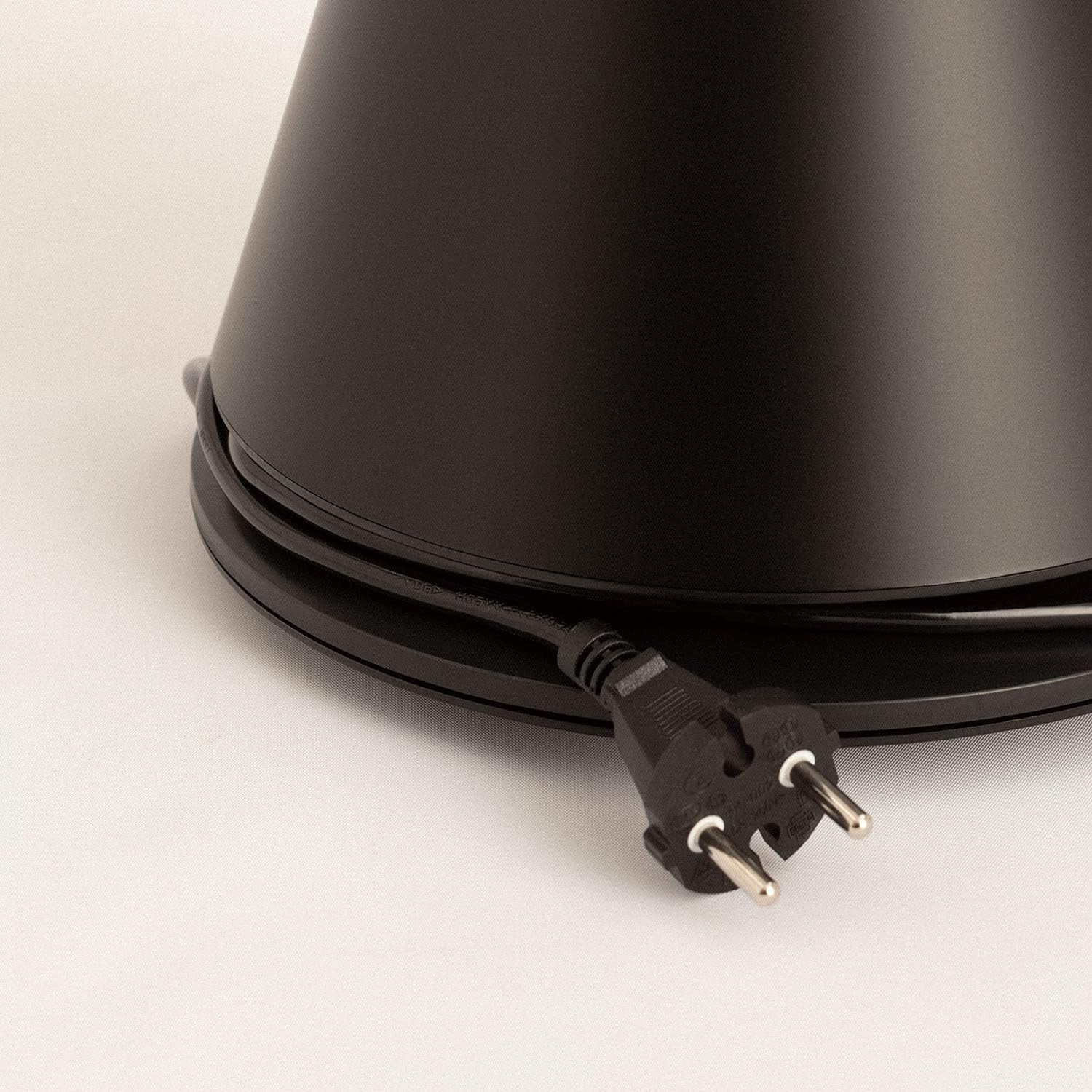
Image: Power cord connected to the fan base.
This image shows the integrated power cord and plug, ready for connection to a wall outlet. The cord is neatly wrapped around the base for storage.
5. Instrucțiuni de utilizare
Control Panel (Digital Display Touch-System)
The fan features a digital display touch-system on its top, which also serves as the integrated remote control storage. Touch the icons to control the fan.
Telecomanda
The magnetic remote control can be stored conveniently on top of the fan. It provides full functionality for operating the fan from a distance.

Image: Remote control for the tower fan.
This image displays the compact remote control with clearly labeled buttons for power, speed adjustment, mode selection, and oscillation control.
Functii:
- Pornire/Oprire: Apăsați butonul de pornire (⏻) pentru a porni sau opri ventilatorul.
- Reglarea vitezei: The fan has 9 speed levels. Use the '+' and '-' buttons to increase or decrease the fan speed.
- Moduri de vânt: Select between 2 wind modes (e.g., Normal, Sleep, Natural - specific modes may vary). Press the mode button to cycle through available modes.
- Oscilaţie: Apăsați butonul de oscilație (↻) to activate or deactivate the 90-degree oscillation feature, which distributes air evenly across the room.
- Cronometru: Set the fan to automatically turn off after a specified period. Refer to the display for timer settings (e.g., 1-12 hours).

Image: Tower fan placed in a bedroom.
This image shows the sleek black tower fan positioned in a modern bedroom, demonstrating its compact footprint and aesthetic integration into a living space.
6. Întreținere
Curățarea regulată va ajuta la menținerea performanței ventilatorului și la prelungirea duratei sale de viață.
- Curățarea exteriorului: Ștergeți suprafețele exterioare ale ventilatorului cu o lavetă moale șiamp pânză. Nu utilizați agenți de curățare abrazivi sau solvenți.
- Îndepărtarea prafului: Use a vacuum cleaner with a brush attachment or compressed air to remove dust from the air intake and outlet grilles.
- Depozitare: Dacă depozitați ventilatorul pentru o perioadă lungă de timp, scoateți-l din priză, curățați-l bine și depozitați-l într-un loc răcoros și uscat, de preferință în ambalajul original.
- Nu scufundați ventilatorul în apă sau în orice alt lichid.
7. Depanare
| Problemă | Cauza posibila | Soluţie |
|---|---|---|
| Ventilatorul nu pornește. | Neconectat; Priza nu funcționează; Butonul de alimentare nu este apăsat. | Asigurați-vă că ventilatorul este conectat corect la o priză funcțională. Apăsați butonul de alimentare. |
| Flux de aer slab. | Low speed setting; Air inlets/outlets blocked by dust. | Increase the fan speed. Clean the air inlets and outlets. |
| Ventilatorul este zgomotos. | Fan not on a level surface; Internal obstruction; High speed setting. | Place the fan on a flat, stable surface. Check for any obstructions. Reduce fan speed. |
| Telecomanda nu funcționează. | Baterii descărcate sau introduse incorect; Obstrucție între telecomandă și ventilator. | Replace batteries, ensuring correct polarity. Remove any obstructions. Ensure remote is pointed at the fan. |
8. Specificații
| Caracteristică | Detaliu |
|---|---|
| Marca | CREA |
| Numărul de model | 901ac5f5-3fab-4ab6-92cb-7ef7d8ca7a54 |
| Dimensiunile produsului | 102 x 23 x 102 cm (aprox. 23 l x 23 l x 102 în cm) |
| Greutate | 2.6 kilograme |
| Culoare | Negru |
| Sursa de alimentare | Electric cu fir |
| Voltage | 230 volți |
| Wattage | 26 wați |
| Nivel de zgomot | 2 dB (Note: This value seems unusually low based on customer reviews, typical fan noise is higher. Please refer to actual product performance.) |
| Numărul de viteze | 9 |
| Caracteristici speciale | Oscillating, Lightweight, DC Motor, Timer, Remote Control |
9. Garanție și asistență
CREATE products are manufactured to the highest quality standards. For information regarding warranty coverage, please refer to the warranty card included with your purchase or visit the official CREATE website-ul.
For technical support, troubleshooting assistance, or spare parts, please contact CREATE customer service. Contact details can typically be found on the product packaging or the official brand website-ul.
Website: CREAȚI Magazinul Oficial
Ask a question about this manual
Ask about setup, troubleshooting, compatibility, parts, safety, or missing instructions. Manuals+ will review the question and use this page’s manual context to help answer it.