
1. Introducere
The Solar-Power Wireless Endoscope is a versatile inspection tool designed for detailed visual examination in hard-to-reach areas. It connects wirelessly to your smartphone or tablet, providing a live view and allowing you to capture high-resolution images and videos. Its IP68 waterproof rating and adjustable LED lights make it suitable for various environments, including wet or dark conditions. This manual provides instructions for setup, operation, maintenance, and troubleshooting to ensure optimal performance of your device.
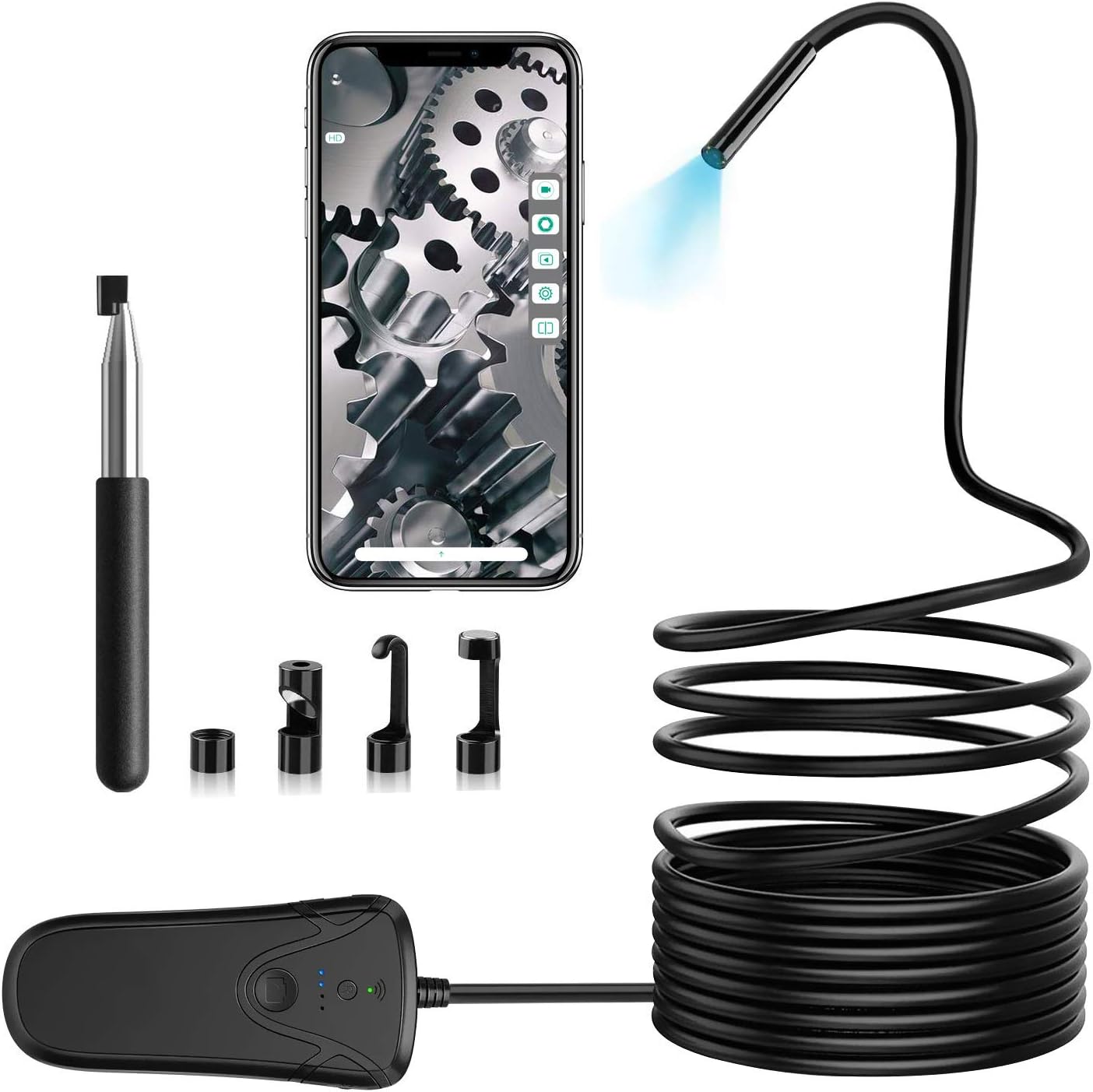
2. Conținutul pachetului
Vă rugăm să verificați dacă toate articolele enumerate mai jos sunt incluse în pachetul dumneavoastră:
- 1 x Industrial Endoscope
- 1 x cablu micro-USB
- 1 x cutie de depozitare
- 1 x Manual de utilizare
- 4 x Accessories (Mirror, Hook, Magnet, Protective Cap)

3. Ghid de instalare
3.1 Charging the Endoscope
Before initial use, ensure the endoscope is fully charged. Use a DC5V-1A adapter to charge the endoscope camera via the Micro-USB cable. The charging indicator light will provide feedback on the charging status.
3.2 Pași de conectare Wi-Fi
Follow these steps to connect your endoscope to your smartphone or tablet:
- Download the free application "inskam" from Google Play Store (for Android) or the App Store (for iOS).
- Ensure the endoscope is fully charged. Turn on the endoscope camera by pressing the power button on the Wi-Fi box. Wait for the Wi-Fi indicator to stay green, signifying that the endoscope has successfully generated its signal.
- On your smartphone or tablet, go to "Settings" → "Wi-Fi".
- Select the Wi-Fi network named "inskam130A-xxx" (the "xxx" will be unique to your device).
- Enter the password: "12345678" to connect to the inspection camera.
- Open the "inskam" application. You should now be able to view the real-time feed from the endoscope camera.


4. Instrucțiuni de utilizare
4.1 Operare de bază
Odată conectat, poți view the live feed through the "inskam" app. To capture images or record videos, press the dedicated shutter button located on the endoscope Wi-Fi box. The app also provides functions such as zoom in/out, rotate, and split screens for enhanced viewing şi analiză.
4.2 Image Quality and Focal Distance
The endoscope is equipped with a 2.0-megapixel CMOS sensor, offering adjustable resolutions of 1920x1080, 1280x720, and 640x480. For optimal clarity, the recommended focal distance is between 5cm and 500cm (approximately 1.97 inches to 16.4 feet).


4.3 Scenarii de aplicare
This endoscope is an ideal tool for various inspection tasks, including but not limited to:
- Vehicle inspection (e.g., engine cylinders, exhaust systems)
- Aero engine inspection
- Pipeline and drain inspection
- Mechanical parts maintenance
- Home appliance repair and inspection
- Non-destructive testing in various industrial applications

5. Întreținere și îngrijire
- Capac protector: Always install the protective cap on the camera lens when not in use or during inspection to prevent damage to the lens.
- Îngrijirea cablului: The endoscope cable is semi-rigid. Please refrain from folding the cable more than 90 degrees to prevent internal damage. Store the cable coiled loosely.
- Încărcare: Use only a DC5V-1A adapter for charging to ensure proper battery health and longevity.
- Luminozitate LED: Be aware that higher LED brightness settings will consume more power and may reduce the endoscope's operating time.
- curatenie: Gently wipe the camera lens and cable with a soft, dry cloth after each use. For stubborn dirt, a slightly damp cloth can be used, but ensure the device is completely dry before storage.

6. Depanare
6.1 Probleme de conectare
If you experience difficulty connecting the endoscope to your smartphone or tablet, try the following:
- Reset the Endoscope: Press the reset button on the Wi-Fi box. This can help re-establish the Wi-Fi signal.
- Check Wi-Fi Indicator: Ensure the Wi-Fi indicator light on the endoscope box is solid green, indicating a stable signal.
- Reintroduceți parola: Double-check that you are entering the correct Wi-Fi password ("12345678").
- Reporniți dispozitivele: Try restarting both your endoscope and your smartphone/tablet.
- Reinstalarea aplicației: If issues persist, consider uninstalling and reinstalling the "inskam" app.
- Distanţă: Ensure your smartphone is within the effective Wi-Fi transmission distance of approximately 10 meters from the endoscope.
7. Specificații
| Caracteristică | Caietul de sarcini |
|---|---|
| Rezoluția camerei | 2.0 Megapixel (1080P) |
| Metoda de conectare | Wifi |
| Distanța focală | 5cm - 500cm (1.97 inches - 16.4 feet) |
| Grad impermeabil | IP68 |
| Temperatura de operare | 0 to 45 ℃ (32 to 113 ℉) |
| Intrare de putere | DC 5V 500 mAh/1A |
| Lungimea cablului | 10 m / 32.8 ft |
| Diametrul camerei | 5.5mm / 0.216 inch |
| Tip baterie | 1 litiu ion (inclus) |
| Greutatea articolului | 1.3 lire sterline |
8. Garanție și asistență
For warranty information or technical support, please refer to the contact details provided on the product packaging or the official Solar-Power webPăstrați bonul fiscal ca dovadă a achiziției pentru orice reclamații în garanție.