
1. Introducere
This manual provides detailed instructions for the installation, operation, and maintenance of your JOOAN 3MP Wireless Security Camera System, Model 703. This system is designed to provide reliable surveillance with features such as 3MP resolution, AI human detection, audio recording, and remote access.

Imaginea 1.1: Pesteview of the JOOAN Wireless Security Camera System components.
2. Componente de sistem
The JOOAN 3MP Wireless Security Camera System typically includes the following components:
- NVR (Network Video Recorder) with pre-installed 1TB HDD
- Wireless IP Cameras (4 units)
- Power Adapters for NVR and cameras
- Mouse USB
- Cablu Ethernet
- Șuruburi și ancore de montare
- Manual de utilizare (acest document)

Image 2.1: The 1TB Hard Disk Drive included with the NVR for video storage.
3. Ghid de instalare
3.1 Pornirea inițială și conectare
- Conectați NVR-ul la un monitor folosind un cablu HDMI sau VGA.
- Conectați mouse-ul USB la NVR.
- Connect the NVR to power using its adapter.
- Connect each camera to its respective power adapter.
- The cameras will automatically pair with the NVR upon power-up.

Image 3.1: Illustration of the 'Auto Pair, Plug N Play' setup process for the camera system.
The system is designed for 'Plug N Play' functionality, meaning cameras should automatically connect to the NVR once powered. For optimal wireless signal, consider the NVR's built-in router capabilities.

Image 3.2: The NVR features a built-in router, providing up to 200ft range with one wall obstruction and up to 1640ft in open spaces.
3.2 Remote Access Setup (Eseecloud App)
La view your cameras remotely on mobile devices or PC, download the Eseecloud application.
- Download the Eseecloud app from your mobile app store (iOS/Android) or the Eseecloud software for PC.
- Înregistrați un cont și conectați-vă.
- On the NVR interface, navigate to Network Setup to find the Cloud ID (QR code).
- In the Eseecloud app, scan the Cloud ID QR code or manually enter the ID to add your device.
- Ensure your NVR is connected to the internet for remote viewing.

Imaginea 3.3: Telecomandă viewing setup showing the Eseecloud app on mobile and PC for multi-device access.
Video 3.1: Demonstrates how to get a local image within one minute, showcasing the quick setup process.
Video 3.2: Un overview of the Jooan 3MP Super HD Wireless System, highlighting its features and ease of use.
4. Instrucțiuni de utilizare
4.1 În direct View și Redare
Odată ce sistemul este configurat, puteți view trăi footage on your connected monitor or through the Eseecloud app. Recorded footage can be accessed via the NVR interface or the app for playback.
4.2 Detectarea mișcării și alertele
The system features advanced AI Human Detection to minimize false alarms. When motion or a human shape is detected, the system can trigger various alerts:
- NVR Buzzer
- Alertă prin e-mail
- APP Notification (Push Alert)

Image 4.1: Demonstrates motion detection and the corresponding app push alerts and email notifications.
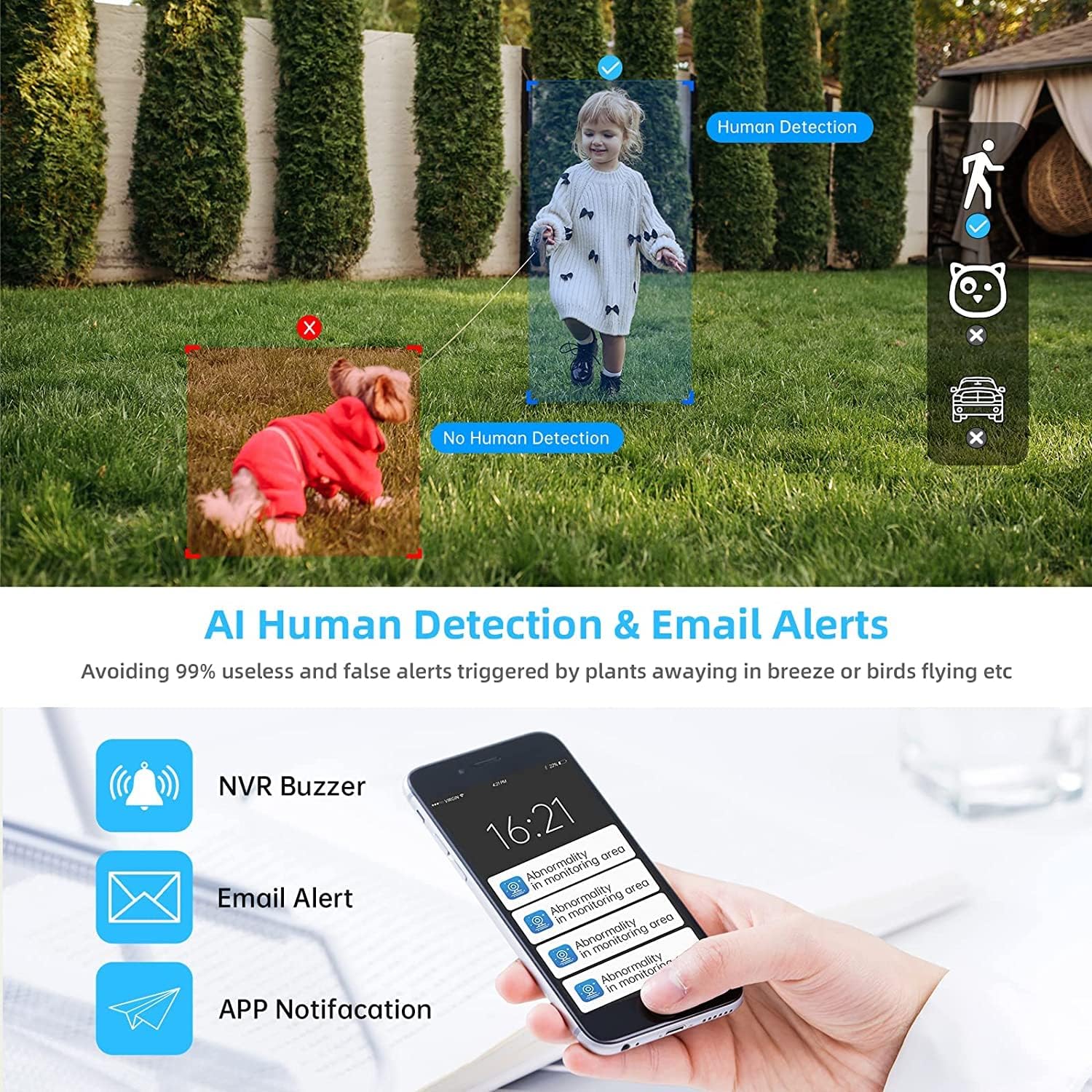
Image 4.2: AI Human Detection feature, distinguishing human shapes from other movements to reduce false alarms.
4.3 Audio Recording (One-Way Audio)
Each camera is equipped with a microphone, allowing for one-way audio recording. You can hear the sound from the monitoring scene during live viewing și redare.
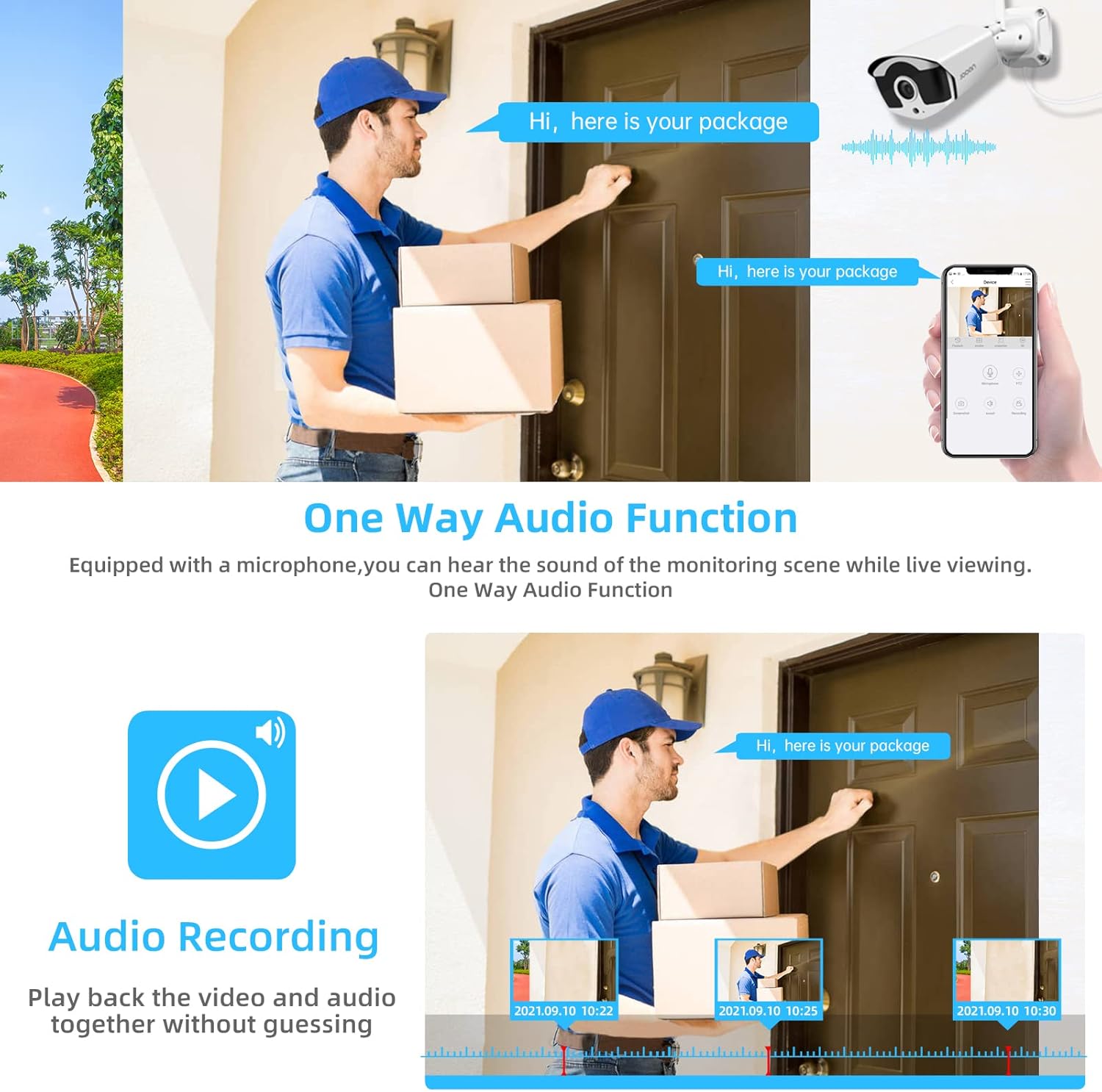
Image 4.3: Illustration of the one-way audio function, showing a delivery person speaking and the audio being recorded.
4.4 Vedere nocturnă
The cameras provide clear night vision, ensuring continuous surveillance even in low-light conditions.

Image 4.4: Depiction of the camera's night vision feature, providing clear images in darkness.
Video 4.1: A short clip demonstrating the night time monitoring capabilities of the camera system.
Compresie video 4.5 H.265+
The system utilizes advanced H.265+ video compression technology, which significantly reduces storage space requirements while maintaining high video quality. This allows for longer recording times on the 1TB HDD.

Image 4.5: Comparison showing how H.265+ compression saves storage space compared to H.264 and H.265.
5. Întreținere
Întreținerea regulată asigură longevitatea și performanța optimă a sistemului dumneavoastră de securitate.
- Curățarea lentilelor camerei: Curățați periodic obiectivele camerei cu o lavetă moale,amp cloth to remove dust and smudges. Avoid abrasive cleaners.
- Organizare de cabluri: Asigurați-vă că toate cablurile sunt conectate în siguranță și protejate de daunele provocate de mediu.
- Actualizări de software: Verifică-l pe cel al producătorului website or the Eseecloud app for firmware updates for the NVR and cameras to ensure the latest features and security patches.
- Protecția mediului: While cameras are IP67 waterproof, extreme weather conditions can still affect performance. Ensure cameras are mounted securely and protected where possible.

Image 5.1: The IP67 waterproof rating ensures the camera's durability against various weather conditions, including rain, snow, and dust.
6. Depanare
If you encounter issues with your JOOAN Security Camera System, refer to the following common troubleshooting steps:
6.1 Fără afișaj video
- Verificați puterea: Asigurați-vă că NVR-ul și toate camerele sunt pornite corect.
- Conexiune monitor: Verificați conexiunea cablului HDMI/VGA dintre NVR și monitor.
- Asocierea camerei: If a specific camera has no video, check its power and ensure it's within range of the NVR for wireless connection. Re-pair if necessary (refer to NVR manual for specific re-pairing steps).
6.2 Probleme de acces la distanță
- Conexiune la internet: Ensure the NVR is connected to the internet via an Ethernet cable.
- Conectare aplicație: Verify your Eseecloud app login credentials.
- ID Cloud: Double-check that the correct Cloud ID is entered in the app.
- Setări de rețea: Ensure your router settings are not blocking the NVR's internet access.
6.3 Probleme de înregistrare
- Starea HDD-ului: Check the NVR's settings to ensure the 1TB HDD is detected and functioning correctly.
- Program de înregistrare: Verify that the recording schedule is properly configured.
- Setări de detectare a mișcării: If using motion-triggered recording, ensure motion detection is enabled and sensitivity is adjusted appropriately.
7. Specificații
| Caracteristică | Caietul de sarcini |
|---|---|
| Marca | JOOAN |
| Numărul de model | 703 |
| Rezoluție captură video | 3MP (Clearer than 1080p) |
| Numărul de canale | 8 |
| Vedere de noapte | Night color (up to 100ft) |
| Modul de înregistrare | Continuous, Motion Detection, Event |
| Interfață hardware | 802.11 ac/b/g/n (Wireless) |
| Intrare video | VGA, HDMI |
| Tehnologia senzorilor optici | CMOS |
| Evaluare rezistentă la apă | IP67 |
| HDD Included | 1TB |
8. Garanție și asistență
Pentru informații despre garanție și asistență tehnică, vă rugăm să consultați site-ul oficial JOOAN. website-ul lor web sau contactați direct serviciul lor de asistență pentru clienți. Păstrați bonul fiscal ca dovadă a achiziției pentru reclamațiile în garanție.
De asemenea, puteți găsi resurse suplimentare și întrebări frecvente pe JOOAN Store on Amazon.