
1. Introducere
The Poly TC8 is an intuitive touch interface designed to provide easy access to Poly video conferencing solutions. This device features an 8-inch high-resolution touch display, ensuring that all control options are clear and readily accessible. It is compatible with the Poly Studio X family and Poly G7500 systems.
A single Ethernet cable provides both power and data connectivity, simplifying installation and reducing cable clutter in your meeting space. The TC8 enhances collaboration by offering a streamlined experience for initiating, joining, and sharing content during meetings.
2. Caracteristici
- Design elegant: Equipped with an 8-inch high-resolution touch display for clear and accessible control options.
- Alimentare prin Ethernet (PoE): Utilizes a single cable for both power and data transmission, minimizing cable management.
- One-Touch Meeting Join: Features an integrated calendar for quick identification and connection to scheduled meetings.
- Enhanced Collaboration: An intuitive interface allows for personalized experiences, contributing to more productive meetings.
- Compatibilitate: Fully compatible with Poly Studio X family and Poly G7500 video conferencing systems.
3. Configurare
Follow these steps to set up your Poly TC8 Touch Controller:
- Despachetați dispozitivul: Carefully remove the TC8 from its packaging.
- Position the Controller: Place the TC8 on a stable, flat surface in your meeting room, ensuring it is within easy reach of participants.
- Conectați cablul Ethernet: Locate the Ethernet port on the back of the TC8. Connect a standard Ethernet cable from a PoE-enabled network switch or injector to this port. This single connection provides both power and network connectivity to the device.

Figura 3.1: Spate view of the Poly TC8, highlighting the Ethernet port for power and data.
- Pornire: Once the Ethernet cable is connected, the TC8 will automatically power on. Allow a few moments for the device to boot up.
- Configurație inițială: Follow the on-screen prompts to complete the initial setup, including network settings and pairing with your Poly video conferencing system (Studio X or G7500). Refer to your Poly video system's manual for specific pairing instructions.
4. Instrucțiuni de utilizare
The Poly TC8 provides an intuitive touch interface for managing your video conferences.
4.1. Navigarea prin interfață
The 8-inch high-resolution display presents clear options for meeting control. The main screen typically displays your meeting calendar, allowing for quick access to scheduled events.
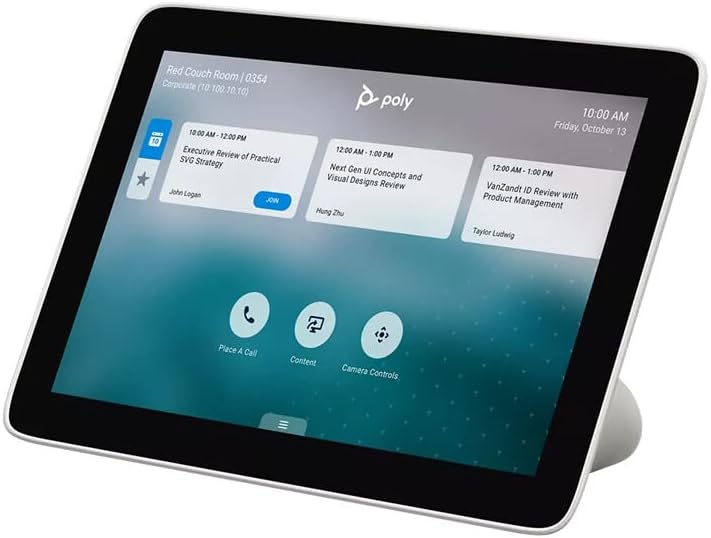
Figure 4.1: Poly TC8 display showing meeting schedule and control options.
4.2. Joining a Meeting
If your calendar is integrated, scheduled meetings will appear on the display. To join a meeting:
- Tap on the desired meeting entry from the calendar list.
- Apăsați tasta Alăturați-vă button that appears on the screen.
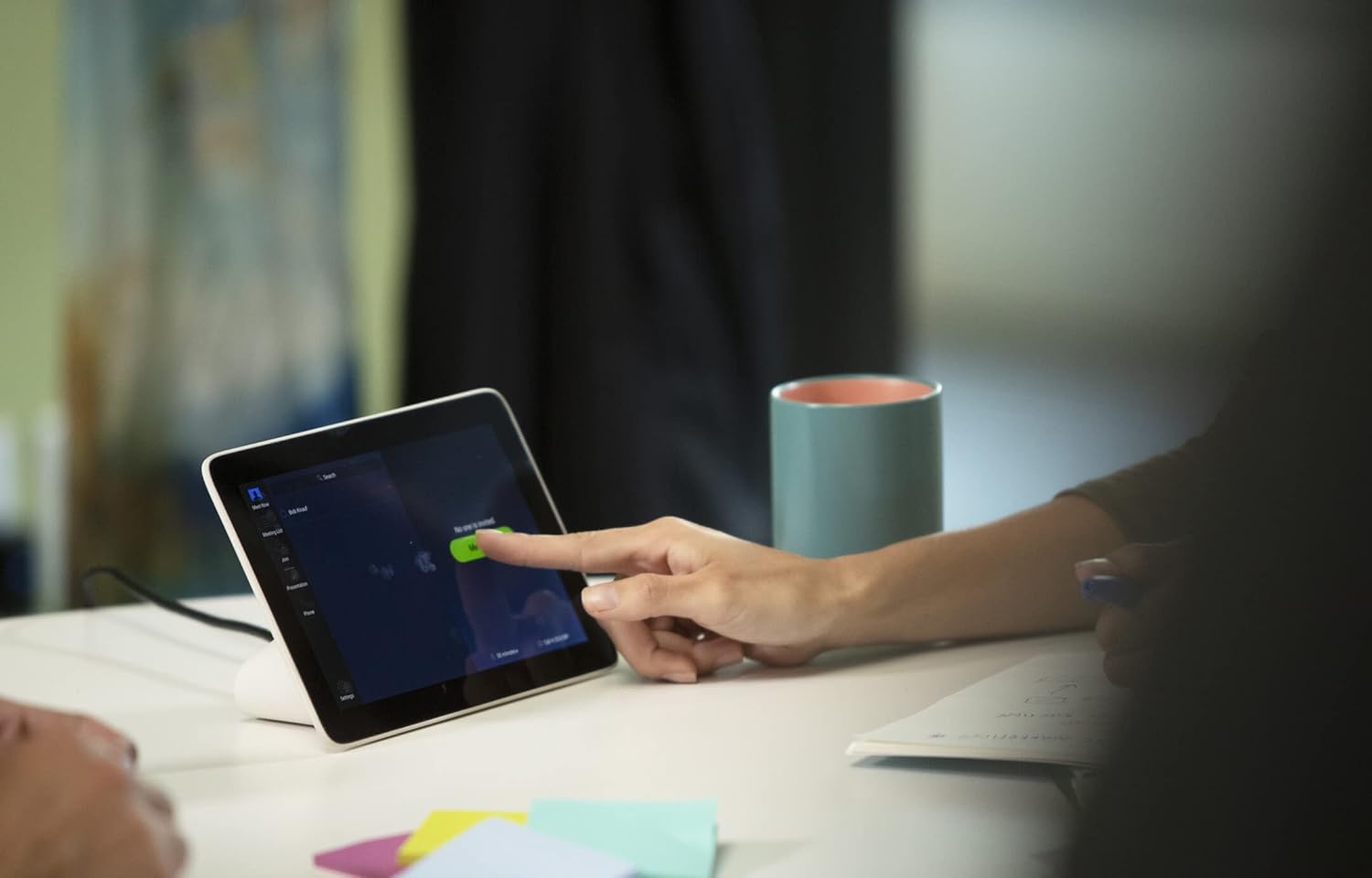
Figure 4.2: User interacting with the TC8 to join a meeting.
4.3. Efectuarea unui apel
To initiate a new call:
- Atingeți Place A Call icon on the main screen.
- Enter the contact or meeting ID using the on-screen keypad.
- Press the call button to connect.
4.4. Sharing Content
To share content during a meeting:
- Atingeți Conţinut icon on the main screen or during an active call.
- Follow the on-screen instructions to select your content source (e.g., connected laptop, wireless sharing).
4.5. Comenzile camerei
To adjust camera settings:
- Atingeți Comenzile camerei pictograma.
- Use the on-screen controls to pan, tilt, zoom, or select camera presets for your Poly video system.
5. Întreținere
To ensure optimal performance and longevity of your Poly TC8 Touch Controller, follow these maintenance guidelines:
- Curățarea ecranului: Folosiți o cârpă moale, fără scame, ușor umezităampened with water or a screen-safe cleaning solution, to gently wipe the touch display. Avoid abrasive materials or harsh chemicals.
- Curățarea C-uluiasing: Ștergeți dispozitivul casing with a soft, dry cloth. Do not use liquid cleaners directly on the device.
- Conditii de mediu: Operate the device within recommended temperature and humidity ranges. Avoid exposing it to direct sunlight, excessive heat, or moisture.
- Actualizări de software: Periodically check for and install software updates provided by Poly to ensure the device has the latest features and security enhancements.
6. Depanare
If you encounter issues with your Poly TC8, consider the following troubleshooting steps:
- Dispozitivul nu pornește: Ensure the Ethernet cable is securely connected to both the TC8 and a PoE-enabled network port. Verify that the PoE source is active.
- Fără conectivitate la rețea: Check the Ethernet cable for damage. Confirm that the network port is active and configured correctly. Restart your network switch if necessary.
- Ecranul tactil nu răspunde: Try restarting the device by disconnecting and reconnecting the Ethernet cable. If the issue persists, ensure the screen is clean and free of debris.
- Cannot Connect to Video System: Verify that the TC8 is properly paired with your Poly Studio X or G7500 system. Check network settings on both devices to ensure they are on the same network and can communicate.
- Defecțiuni software: If the interface behaves unexpectedly, a device restart often resolves temporary software issues. Ensure the device firmware is up to date.
For persistent issues, consult the Poly support website or contact your IT administrator.
7. Specificații
| Numărul de model | 2200-30760-001 |
| Dimensiunile produsului | 8.07 x 4.84 x 3.11 inci |
| Greutatea articolului | 1.8 lire sterline |
| Tehnologia de afișare | LCD |
| Dimensiunea ecranului | 8 inchi |
| Rezoluția afișajului | 1280x800 |
| Rezoluţie | XGA Wide |
| Raportul de aspect | 16:10 |
| Descrierea suprafeței ecranului | Lucios |
| Tehnologii de conectivitate | Ethernet (PoE) |
| Caracteristici speciale | Touch screen |
| Intrare interfață umană | Touch screen |
| Culoare | Negru |
| Producător | Poli |
| Data primului disponibil | 17 ianuarie 2020 |
8. Garanție și asistență
For detailed warranty information and technical support, please visit the official Poly website or contact your authorized Poly reseller. Product registration may be required to activate your warranty.
Online resources, including FAQs, documentation, and software downloads, are available on the Poly support portal to assist with any queries or issues you may encounter.