Introducere
This manual provides comprehensive instructions for the setup, operation, maintenance, and troubleshooting of your VisionTechShop TVC-60 Counting Scale. Please read this manual thoroughly before using the device to ensure proper functionality and longevity.
Înființat
Unboxing și plasare
Carefully remove the TVC-60 Counting Scale from its packaging. Place the scale on a stable, level surface to ensure accurate measurements. Avoid locations with excessive vibration, drafts, or extreme temperature fluctuations.
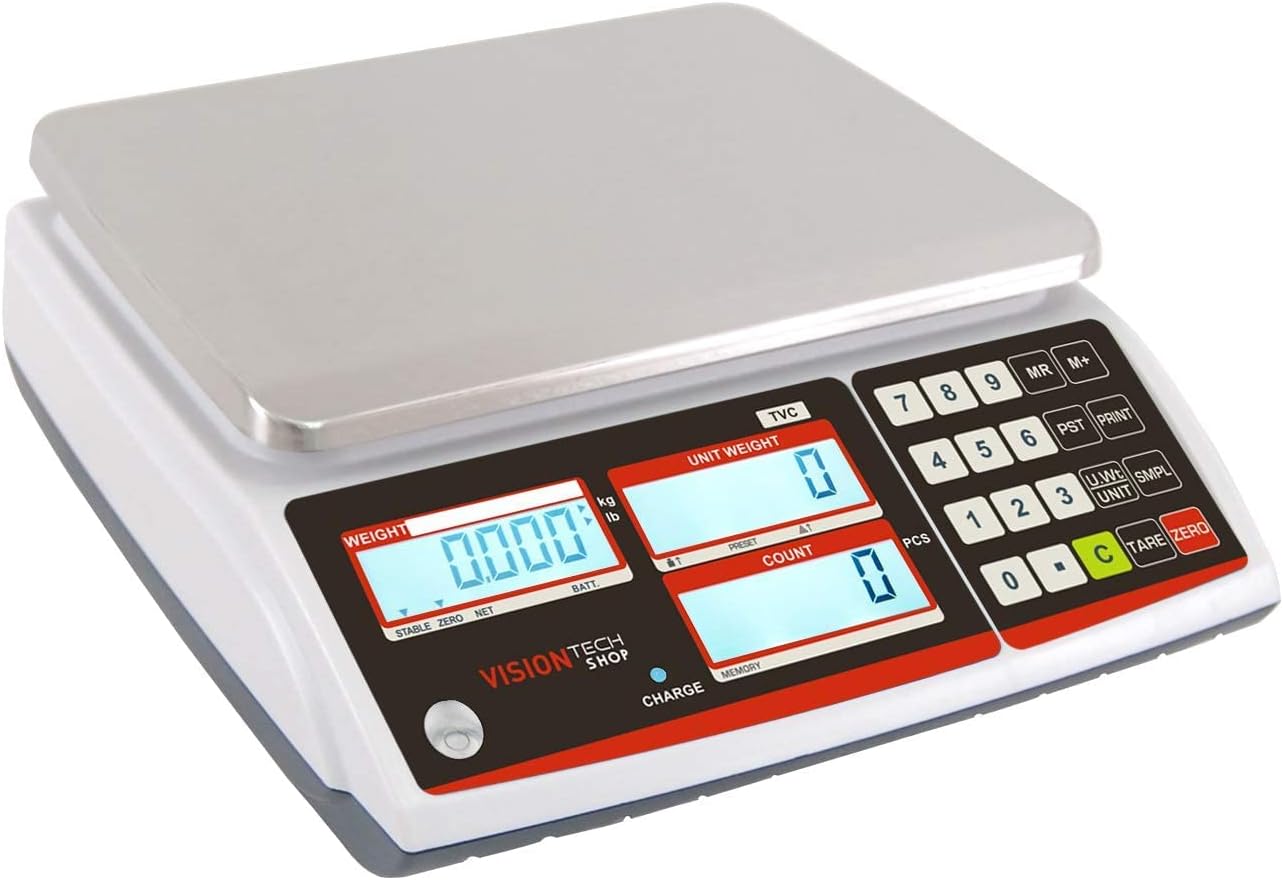
Platter Installation
Place the stainless steel platter securely onto the scale's weighing platform. Ensure it is centered and stable.
Conexiune de alimentare
Connect the provided power adapter to the scale and a suitable power outlet. The scale can also operate on its internal battery for portability. Ensure the battery is charged for cordless operation.
Dimensiuni fizice
The TVC-60 scale has dimensions of approximately 11 inches (width) x 12 inches (depth) x 4 inches (height).

Instrucțiuni de operare
Pornire/Oprire
Apăsați tasta ON/OFF button to power the scale on or off.
Unit Switching (Lb/Kg)
The scale supports both pounds (Lb) and kilograms (Kg). Press the UNITATE key to switch between these units.
Tararea scalei
To zero out the weight of a container or tray, place the empty container on the platter and press the TARĂ key. The display will show 0.000, indicating the container's weight has been deducted.
Funcția de numărare
The TVC-60 scale is designed for efficient counting of small parts or coins.
- Place an empty tray on the scale and press the TARĂ key to zero the display.
- Plasați un număr cunoscut de sample pieces (e.g., 5 coins) onto the tray.
- Once the weight is stable, use the numeric keypad to enter the quantity of your sample pieces (e.g., '5').
- Apăsați tasta SMPL (Sample) key. The scale will calculate the average unit weight and display it in the "Unit Weight" section. The "Count" section will show the number of sample pieces.
- You can verify the accuracy by adding a few more pieces. The "Count" display should update accordingly.
- To accumulate count data, press the M+ key after each count.
- To recall the accumulated memory, press the MR cheie.
- To clear the accumulated data, press the C cheie.

Connectivity and Print Functions
The TVC-60 features a standard RS-232C interface, allowing connection to a computer or printer for data output.

Video Tutorial: Counting Coins
Întreţinere
Curatenie
The stainless steel platter is removable for easy cleaning. Use a soft, damp cloth with mild detergent to clean the platter and the scale's body. Avoid abrasive cleaners or excessive moisture.

Capac de praf
A dust cover is included to protect the scale from dust and debris when not in use. Place the dust cover over the scale after each use to maintain its condition.

Depanare
Lecturi inexacte
- Asigurați-vă că cântarul se află pe o suprafață stabilă și plană.
- Check for any obstructions under or around the platter.
- Verify that the scale has been properly tared before weighing or counting.