
Introducere
This manual provides essential information and instructions for the Easytry123 replacement remote control. This remote is designed to be compatible with various Hisense LCD LED HDTV models, specifically those that originally used the EN3A31 series remote. Please review citiți cu atenție acest manual înainte de utilizare.
Înființat
Instalarea bateriei
The remote control requires two (2) AAA batteries for operation. Batteries are not included with the remote control and must be purchased separately.
- Localizați compartimentul bateriei de pe spatele telecomenzii.
- Glisați capacul compartimentului bateriei în jos și scoateți-l.
- Introduceți două baterii AAA, asigurându-vă că bornele pozitive (+) și negative (-) se aliniază corect cu marcajele din interiorul compartimentului.
- Puneți la loc capacul compartimentului bateriei glisându-l înapoi în poziție până când se aude un clic sigur.

This image illustrates the battery compartment located on the back of the remote control. The cover slides off to allow insertion of two AAA batteries.
Instrucțiuni de operare
This replacement remote control is designed for immediate use with compatible Hisense televisions. No programming is typically required.
Compatibilitate
- Ensure your television model is listed as compatible with the Hisense EN3A31 series remote. Compatible models include LTDN42K320UWSEU, LTDN42K390XWSEU3D, and LTDN42K680XWSEU3D.
- While designed to replace the original, some advanced or specific functions of your original remote may not be fully supported by this replacement unit.
Funcții de bază
Point the remote control directly at the infrared receiver on your television. Press the desired buttons to control functions such as power, volume, channel selection, and menu navigation.
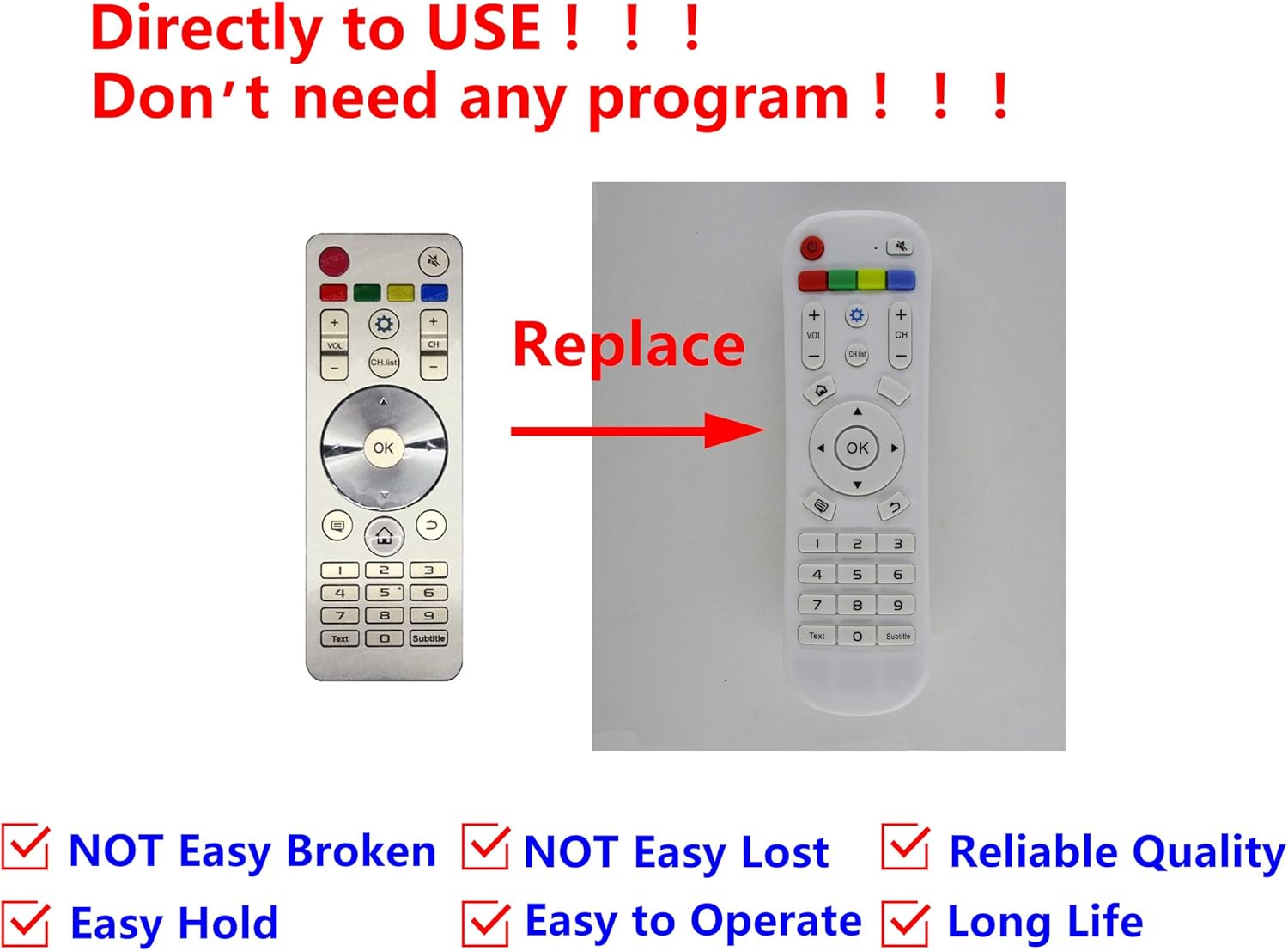
This image displays the Easytry123 replacement remote control, showing its button layout. It also includes a comparison to an original Hisense remote, indicating that the replacement is designed to function similarly.
Întreţinere
Curatenie
Pentru a curăța telecomanda, ștergeți-o ușor cu o cârpă moale și uscată. Nu utilizați produse de curățare lichide, bureți abrazivi sau solvenți chimici, deoarece aceștia pot deteriora suprafața sau componentele interne ale telecomenzii.
Îngrijirea bateriei
- Replace batteries when the remote's performance diminishes or stops working.
- Scoateți bateriile dacă telecomanda nu va fi utilizată pentru o perioadă lungă de timp pentru a preveni scurgerile și potențialele deteriorări.
- Aruncați bateriile uzate în mod responsabil, conform reglementărilor locale.
Depanare
Telecomanda nu răspunde
- Verificați bateriile: Asigurați-vă că bateriile sunt introduse corect, respectând polaritatea corectă (+/-) și că nu sunt descărcate. Înlocuiți-le cu baterii AAA noi, dacă este necesar.
- Linia de vedere: Make sure there are no obstructions between the remote control and the television's infrared receiver. The remote uses infrared technology, requiring a clear line of sight.
- Distanţă: Asigurați-vă că vă aflați în raza de acțiune efectivă a telecomenzii.
- Compatibilitate TV: Double-check that your television model is indeed compatible with the EN3A31 series remote.
Specificații
| Marca | Easytry123 |
| Serie model | EN3A31 |
| Dispozitive compatibile | Hisense Televisions (e.g., LTDN42K320UWSEU, LTDN42K390XWSEU3D, LTDN42K680XWSEU3D) |
| Tehnologia de conectivitate | infraroșu (IR) |
| Tip controler | Buton de control |
| Caracteristica specială | Design ergonomic |
| Bateriile necesare | 2 x AAA (nu sunt incluse) |
Garanție și suport
For any issues or questions regarding your Easytry123 replacement remote control, please contact the seller directly through your purchase platform. Specific warranty details may vary by retailer and purchase date.