
1. Instrucțiuni importante de siguranță
Please read all instructions carefully before using the ProfiCare PC-BSR 3043 Robot Vacuum Cleaner. Keep this manual for future reference.
- Acest aparat este destinat numai pentru uz casnic.
- Do not immerse the robot, charging station, or power adapter in water or other liquids.
- Țineți robotul departe de flăcări deschise și surse de căldură.
- Asigurați-vă că puterea voltage matches the rating label on the charging adapter.
- Nu utilizați robotul pe suprafețe umede sau în zone cu apă stătătoare.
- Supravegheați copiii pentru a vă asigura că nu se joacă cu aparatul.
- Only use original accessories and spare parts provided or approved by ProfiCare.
- The robot contains a lithium-ion battery. Do not expose it to high temperatures or direct sunlight.
- Dacă cablul de alimentare este deteriorat, acesta trebuie înlocuit de producător, de agentul său de service sau de persoane calificate similar pentru a evita un pericol.
2. Conținutul pachetului
Verificați dacă toate componentele sunt prezente și în stare bună la despachetare:
- ProfiCare PC-BSR 3043 Robot Vacuum Cleaner
- Stație de încărcare
- Adaptor de alimentare pentru stația de încărcare
- Telecomanda
- 2 x Side Brushes (one pair)
- 1 x HEPA Filter (pre-installed or spare)
- Manual de instrucțiuni (acest document)

Image: The ProfiCare PC-BSR 3043 robot vacuum cleaner, showcasing its sleek design, along with its remote control and a smartphone displaying the companion app interface.
3. Produs terminatview
The ProfiCare PC-BSR 3043 is a high-quality robot vacuum cleaner designed for efficient and autonomous floor cleaning. It features rotating floor and side brushes to effectively remove dirt, dust, crumbs, and pet hair from various surfaces.
- Curățare versatilă: Suitable for all hard floors and short-pile carpets.
- Navigare inteligentă: Utilizes gyroscope technology for systematic and efficient cleaning paths.
- Design compact: Extra-flat dimensions (only 7.5 cm high) allow cleaning under furniture.
- Filtrare avansată: Equipped with a HEPA filter for high-efficiency particle air filtration.
- Funcții automate: Automatic return to charging station, stair and obstacle detection.
- Opțiuni multiple de control: Sensor touch display, multi-function remote control, and Wi-Fi app control.

Imagine: Laterală view of the ProfiCare PC-BSR 3043 robot vacuum cleaner, highlighting its compact height of 75 mm and a diameter of 300 mm, ideal for cleaning under furniture.
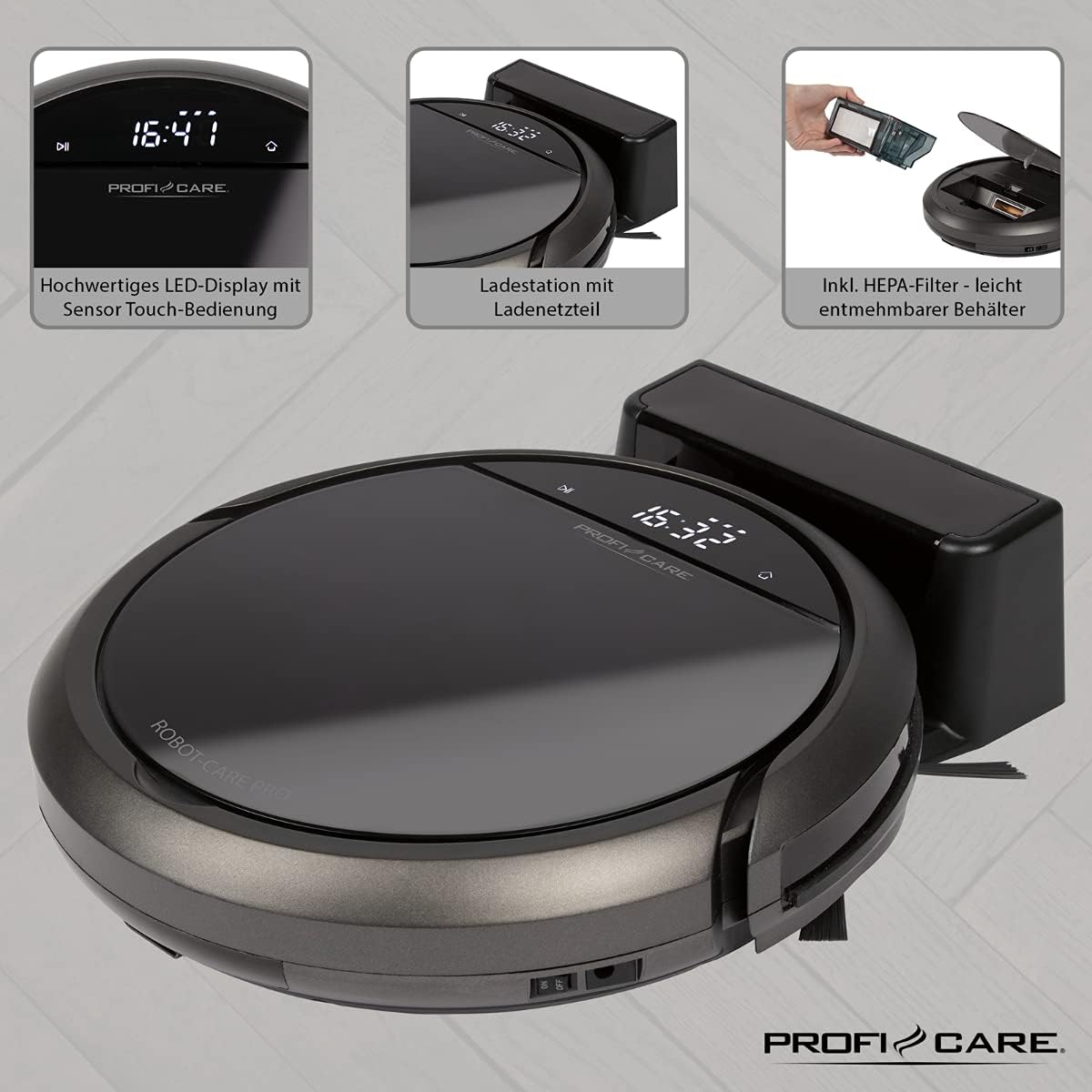
Imagine: Sus view of the ProfiCare PC-BSR 3043 robot vacuum cleaner with key features labeled, including LED display, sensor touch operation, Wi-Fi app control, auto-return function, 2600 mAh / 14.8 V Lithium-ion battery, and 120 minutes runtime.
4. Configurare
4.1 Încărcarea robotului
- Așezați stația de încărcare lângă un perete într-o zonă deschisă, asigurându-vă că nu există obstacole la o distanță de 1 metru în lateral și 2 metri în față.
- Connect the power adapter to the charging station and plug it into a power outlet. The indicator light on the charging station will illuminate.
- Place the robot vacuum onto the charging station. Ensure the charging contacts on the robot align with those on the station. The robot will emit a sound and the display will show charging status.
- Allow the robot to fully charge before first use (approximately 3 hours).

Image: The ProfiCare PC-BSR 3043 robot vacuum cleaner docked on its charging station, illustrating the automatic return and charging capability.
4.2 Instalarea periilor laterale
Gently push the side brushes onto the square posts on the underside of the robot until they click into place.
4.3 Configurarea Wi-Fi și a aplicației
- Download the ProfiCare app from the Google Play Store (for Android 4.4 or higher) or Apple App Store (for iOS 9.0 or higher).
- Open the app and follow the on-screen instructions to register an account and add your PC-BSR 3043 robot.
- Ensure your Wi-Fi network is 2.4 GHz, as 5 GHz is not supported.
5. Funcționarea aspiratorului robot
5.1 Pornire/Oprire
Press and hold the power button on the robot's display or the remote control to turn the robot on or off.
5.2 moduri de curățare
The robot offers four distinct cleaning programs:
- Mod auto: The robot cleans systematically, covering the entire area.
- Modul spot: Robotul curăță o zonă concentrată într-un model spiralat, ideal pentru petele foarte murdare.
- Corners Mode: The robot focuses on cleaning along walls and in corners.
- Systematic Mode (Gyroscope Controlled): Ensures independent orientation for faster and more efficient cleaning results.
5.3 Opțiuni de control
- Sensor Touch Display: Use the integrated LED display with touch controls for basic operations.
- Telecomanda: The multi-function remote allows for timer settings, individual control, and recalling the robot to the charging station.
- Controlul aplicației: The smartphone app provides advanced features like 2D map function, live tracking, remote control functions, cleaning plan creation (day, time, frequency), cleaning program selection, and battery status display.
- Control vocal: The robot supports voice control for convenient operation.
5.4 Funcții automate
- Returnare automată: The robot automatically returns to the charging station after completing a program or when the battery level is low.
- Detectarea obstacolelor: Infrared sensors detect obstacles, allowing the robot to navigate around furniture and other items. Mechanical soft protection is also included for sensitive furniture.
- Stair Detection: Infrared sensors prevent the robot from falling down stairs.
- Resetare automată: After recharging, the robot continues cleaning from the last cleaned position.

Image: The ProfiCare PC-BSR 3043 robot vacuum cleaner actively cleaning a wooden floor in a home environment, demonstrating its ability to navigate and clean open spaces.
6. Întreținere
Întreținerea regulată asigură performanțe optime și prelungește durata de viață a aspiratorului robot.
6.1 Golirea recipientului de gunoi
- Press the dustbin release button and pull out the 400 ml dirt tank.
- Deschideți capacul coșului de gunoi și goliți conținutul acestuia într-un coș de gunoi.
- Închideți capacul recipientului de praf și introduceți-l din nou în robot până când se fixează în poziție cu un clic.
6.2 Curăţarea filtrului HEPA
The HEPA filter should be cleaned regularly and replaced periodically (e.g., every 3-6 months, depending on usage).
- Scoateți recipientul de praf așa cum este descris mai sus.
- Carefully remove the HEPA filter from the dustbin.
- Tap the filter gently over a trash can to remove loose dust. Do not wash the HEPA filter with water.
- Brush off any remaining debris with a soft brush.
- Reintroduceți filtrul curat și recipientul de praf.
6.3 Cleaning Side Brushes and Main Brush
Regularly check the side brushes and main brush for tangled hair or debris. Use scissors to cut away any tangled hair and pull out debris.
6.4 Curățarea senzorilor și a contactelor de încărcare
Wipe the infrared sensors (located around the robot's bumper and underside) and the charging contacts on both the robot and the charging station with a clean, dry cloth to ensure proper function.
7. Depanare
If you encounter issues with your ProfiCare PC-BSR 3043, refer to the following common problems and solutions:
| Problemă | Cauza posibila | Soluţie |
|---|---|---|
| Robotul nu pornește. | Bateria este descărcată sau descărcată. | Place the robot on the charging station and allow it to fully charge. |
| Robotul nu se încarcă. | Contactele de încărcare sunt murdare sau nealiniate. | Clean the charging contacts on both the robot and the station. Ensure proper alignment. |
| Robotul se blochează frecvent. | Too many obstacles or tangled cables. | Clear the cleaning area of excessive clutter, cables, and small objects. |
| Performanță slabă de curățare. | Dustbin is full, filter is clogged, or brushes are tangled. | Empty the dustbin, clean or replace the HEPA filter, and clean the side and main brushes. |
| Robotul nu se conectează la Wi-Fi. | Incorrect Wi-Fi band (5 GHz not supported) or incorrect password. | Ensure your Wi-Fi network is 2.4 GHz. Re-enter Wi-Fi password carefully. Restart router and robot. |
| Robotul cade pe scări. | Stair sensors are dirty or obstructed. | Clean the stair sensors on the underside of the robot. |
For issues not listed here, or if problems persist, please contact ProfiCare customer support.
8. Specificatii tehnice
| Caracteristică | Caietul de sarcini |
|---|---|
| Numărul de model | PC-BSR 3043 |
| Marca | ProfiCare |
| Dimensiuni (L x l x H) | 33 x 33 x 7 cm (aprox. 31 x 22 x 13 cm ambalat) |
| Greutate | 2.5 kilograme |
| Tip baterie | Litiu-ion |
| Capacitatea bateriei | 14.8 V, 2600 mAh |
| Timp de funcționare | Aproximativ. 120 minute |
| Timp de încărcare | Aproximativ. 3 ore |
| Capacitate gunoi | 400 ml |
| Tip filtru | Filtrul HEPA |
| Nivel de zgomot | Aproximativ. 61 dB |
| Conectivitate | Wi-Fi 2.4 GHz (5 GHz not supported) |
| Tip control | App Control, Remote Control, Sensor Touch |
| Recomandare de suprafață | Tiles, Hard Floors, Short-Pile Carpets |
9. Garanție și asistență
ProfiCare products are manufactured with high quality standards. For information regarding warranty terms and conditions, please refer to the warranty card included with your product or visit the official ProfiCare website-ul.
If you require technical assistance, have questions about product operation, or need to order spare parts, please contact ProfiCare customer support. Contact details can typically be found on the product packaging, the official website-ul web sau prin intermediul distribuitorului dumneavoastră.
Please note that information regarding the availability of spare parts for this specific model is currently unavailable through standard channels. It is recommended to contact ProfiCare directly for any spare part inquiries.