
ROCCAT ROC-12-940-BN
Roccat Vulcan 122 Mechanical Gaming Keyboard User Manual
Model: ROC-12-940-BN
1. Introducere
The Roccat Vulcan 122 is a high-performance mechanical gaming keyboard designed for precision and durability. It features Roccat's unique Titan switches, advanced AIMO RGB lighting, and a robust aluminum construction. This manual provides detailed instructions for setting up, operating, maintaining, and troubleshooting your keyboard.

Image: The Roccat Vulcan 122 keyboard shown with a Roccat mouse and headset, demonstrating its vivid, dynamic lighting synergy with AIMO.
Caracteristici cheie:
- Unique design with lowered keycaps and reduced reaction time.
- RGB lighting with configurable LED effects and adjustable AIMO effects.
- High-quality and resistant design with robust materials and an anodized aluminum surface.
- Advanced anti-ghosting with N-Key Rollover (NKRO).
- Programmable macro keys and ROCCAT Easy-Shift[+].
2. Configurare
2.1 Conectarea tastaturii
To connect your Roccat Vulcan 122 keyboard:
- Unpack the keyboard and its accessories.
- Plug the USB connector from the keyboard into an available USB port on your computer.
- Sistemul de operare va detecta și instala automat driverele necesare.
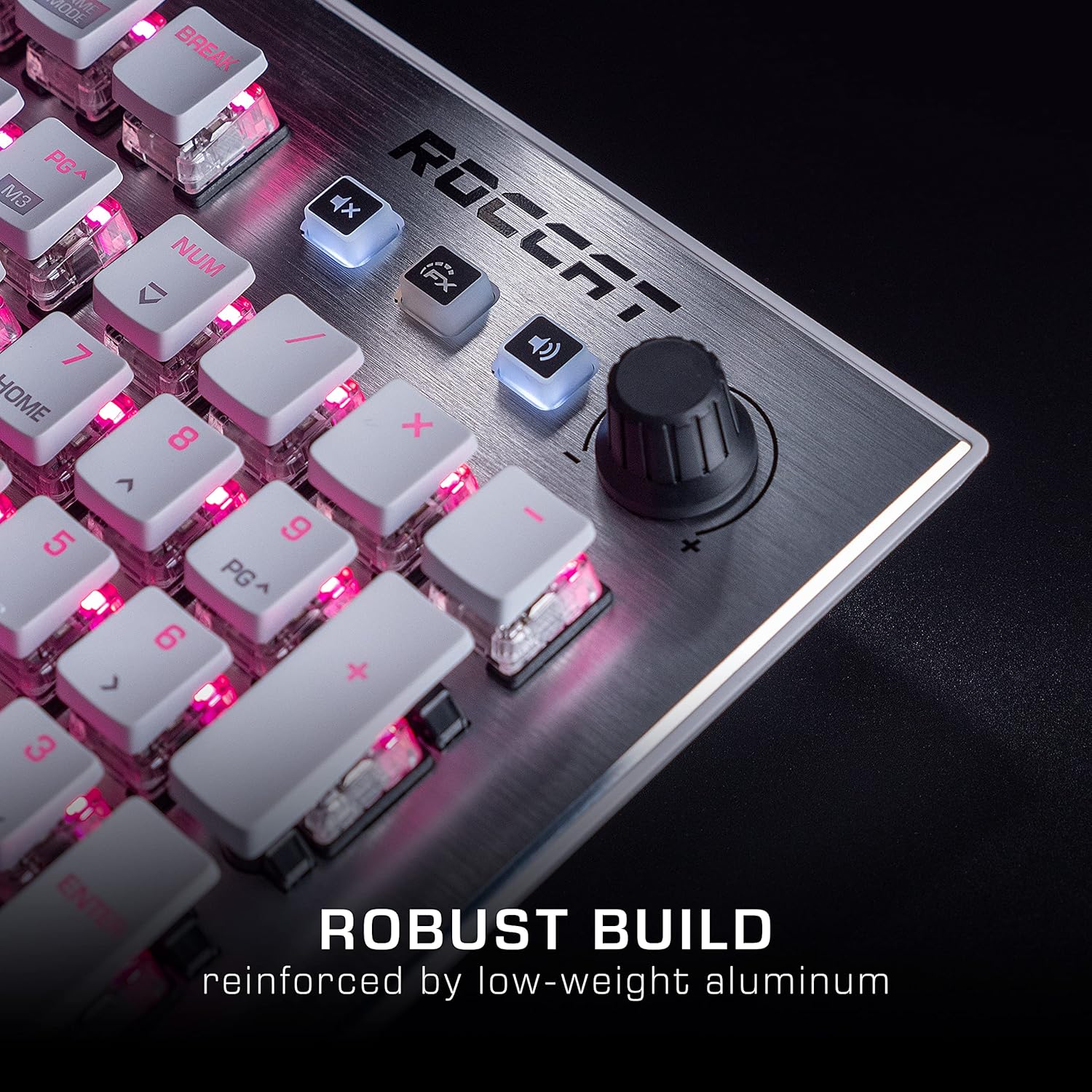
Image: The Roccat Vulcan 122 keyboard shown with its detachable wrist rest, ready for connection.
2.2 Instalare software (ROCCAT Swarm)
For full functionality and customization, install the ROCCAT Swarm software:
- Vizitați pagina oficială ROCCAT website (www.roccat.com) and navigate to the support section.
- Download the latest version of the ROCCAT Swarm software for your operating system.
- Rulați programul de instalare și urmați instrucțiunile de pe ecran.
- After installation, launch ROCCAT Swarm to configure your keyboard settings, lighting, and macros.
3. Utilizarea tastaturii
3.1 Funcții standard ale tastelor
The Vulcan 122 functions as a standard QWERTY keyboard. All alphanumeric keys, function keys (F1-F12), navigation keys, and the numeric keypad operate as expected.
3.2 Media Controls
The keyboard features dedicated media controls for convenient audio management.
- Buton de volum: Located in the upper right corner, rotate to adjust system volume.
- Buton mut: Press to mute/unmute audio.
- Butonul FX: Cycles through lighting effects or other programmable functions.

Imagine: Un prim-plan view of the mixer-style media controls on the Roccat Vulcan 122, including the volume knob and dedicated function keys.
3.3 RGB Lighting Customization (AIMO)
The Vulcan 122 features advanced RGB lighting with Roccat's AIMO intelligent lighting system. Use the ROCCAT Swarm software to:
- Select from various pre-set lighting effects.
- Customize individual key illumination.
- Ajustați luminozitatea și viteza efectelor.
- Synchronize lighting with other AIMO-compatible devices.
3.4 Programmable Macro Keys and Easy-Shift[+]
The keyboard includes programmable macro keys and the Easy-Shift[+] function, allowing you to assign secondary functions to keys.
- Use the ROCCAT Swarm software to record and assign macros to designated keys.
- Easy-Shift[+] allows you to double the number of assignable functions by holding down the Easy-Shift[+] key (usually Caps Lock by default, configurable in Swarm) and pressing another key.
3.5 Anti-Ghosting with NKRO
The Vulcan 122 features advanced anti-ghosting technology with N-Key Rollover (NKRO), ensuring that every key press is registered accurately, even when multiple keys are pressed simultaneously.

Image: A hand demonstrating typing on the Roccat Vulcan 122 keyboard, emphasizing the ergonomic design of the keys for comfortable use.
4. Întreținere
4.1 Curățarea tastaturii
To ensure the longevity and optimal performance of your Vulcan 122 keyboard, regular cleaning is recommended.
- Deconectați tastatura de la computer înainte de curățare.
- Folosiți o cârpă moale, fără scame dampened with water or a mild cleaning solution to wipe the keycaps and surface. Avoid harsh chemicals.
- For dust and debris between keys, use compressed air. The raised keycap design makes cleaning easier.
- Asigurați-vă că tastatura este complet uscată înainte de a o reconecta.

Image: A close-up of the Roccat Vulcan 122 keyboard keys, illustrating their design which facilitates easy cleaning and resistance to dust and liquids.
5. Depanare
If you encounter issues with your Roccat Vulcan 122 keyboard, refer to the following common problems and solutions:
- Tastatura nu răspunde:
- Asigurați-vă că ați conectat cablul USB în siguranță atât la tastatură, cât și la computer.
- Încearcă să conectezi tastatura la un alt port USB.
- Reporniți computerul.
- Verificați dacă tastatura este dezactivată în managerul de dispozitive al sistemului de operare.
- Iluminarea RGB nu funcționează sau este incorectă:
- Ensure the ROCCAT Swarm software is installed and up to date.
- Verificați setările de iluminare din software-ul Swarm.
- Perform a firmware update for the keyboard via Swarm.
- Cheile nu se înregistrează sau apar ghosting:
- Clean the affected keys as described in the Maintenance section.
- Ensure the keyboard's firmware is up to date.
- Testați tastatura pe un alt computer pentru a exclude probleme specifice sistemului.
- ROCCAT Swarm software not detecting keyboard:
- Asigurați-vă că tastatura este conectată corect.
- Restart the Swarm software and your computer.
- Reinstalați software-ul ROCCAT Swarm.
- Verificați dacă există software sau drivere conflictuale.
6. Specificații
| Caracteristică | Detaliu |
|---|---|
| Marca | ROCCAT |
| Numele modelului | vulcan 122 |
| Numărul de model | ROC-12-940-BN |
| Descrierea tastaturii | Mecanic |
| Tip comutator | Tactil |
| Material | Aluminiu |
| Caracteristici speciale | Iluminare din spate |
| Dispozitive compatibile | Laptop (PC) |
| Suport sistem de operare | Windows 10, Windows 7, Windows 8 |
| Dimensiunile produsului | 46.2 x 23.5 x 3.2 cm |
| Greutatea articolului | 1.15 kg |

Imagine: O explozie view diagram illustrating the components of a Roccat Titan Tactile mechanical switch, highlighting its design for swift and precise response.
7. Garanție și asistență
7.1 Informații despre garanție
Your Roccat Vulcan 122 keyboard is covered by a manufacturer's warranty. The specific terms and duration of the warranty may vary by region and retailer. Please retain your proof of purchase for warranty claims. For detailed warranty information, refer to the warranty card included with your product or visit the official ROCCAT website-ul.
7.2 Suport tehnic
For technical assistance, driver updates, or further inquiries, please visit the official ROCCAT support page:
Puteți găsi întrebări frecvente, ghiduri de depanare și informații de contact pentru serviciul clienți pe site-ul lor website-ul.
Ask a question about this manual
Ask about setup, troubleshooting, compatibility, parts, safety, or missing instructions. Manuals+ will review the question and use this page’s manual context to help answer it.