
1.view
The Crenova BL-76 Home Video Projector is designed to provide a versatile and immersive viewing experience. Supporting Full HD 1080P resolution, this projector offers remarkable brightness and clarity for various entertainment needs, from streaming movies to gaming. Its compact design and multiple connectivity options make it suitable for both indoor home theater setups and outdoor activities.

Figure 1.1: Crenova BL-76 Home Video Projector, showcasing designul său elegant.
2. Instrucțiuni de siguranță
Please read and follow all safety instructions carefully to prevent injury or damage to the projector.
- Alimentare electrică: Use only the specified power adapter. Ensure the power voltage este compatibil cu cerințele proiectorului.
- Ventilare: Nu blocați orificiile de ventilație. Asigurați o circulație adecvată a aerului în jurul proiectorului pentru a preveni supraîncălzirea.
- Plasare: Place the projector on a stable, flat surface. Avoid placing it in direct sunlight, near heat sources, or in humid environments.
- curatenie: Deconectați alimentarea înainte de curățare. Folosiți o cârpă moale și uscată. Nu utilizați agenți de curățare lichizi sau cu aerosoli.
- Protecția ochilor: Nu priviți direct în lentila proiectorului atunci cândamp este pornit, deoarece poate provoca leziuni oculare.
- Reparatii: Nu încercați să reparați singur proiectorul. Apelați la personal de service calificat pentru toate lucrările de service.
3. Conținutul pachetului
Verificați dacă toate articolele sunt prezente în colet:
- Crenova BL-76 Home Video Projector
- Telecomanda
- Cablu de alimentare
- AV Cable (RCA to 3.5mm)
- Manual de instructiuni
- Simple Projection Screen (100-inch) with accessories

Figure 3.1: Projector and included accessories, including the remote control, cables, and projection screen.
4. Caracteristicile produsului
The Crenova BL-76 projector offers a range of features designed to enhance your viewexperiență:
- Luminozitate și rezoluție ridicate: Native 1280x720P resolution with 6000 Lux brightness, supporting up to 1080P input for clear and vibrant images.
- Large Image Display: Projects images up to 200 inches, with a zoom function (75%-100%) for flexible screen sizing.
- Opțiuni multiple de conectivitate: Equipped with HDMI, VGA, USB, AV inputs, and TF Card slot for connecting various devices like TV sticks, game consoles, PCs, laptops, and smartphones (additional adapter may be required for smartphones).
- Audio încorporat: Integrated SRS sound system provides a satisfactory audio experience without external speakers.
- Sistem de racire eficient: Features SmartEco technology and updated double tube cooling to minimize lamp consumption and extend lamp durata de viata de pana la 50,000 de ore.
- Focus & Keystone Adjustment: Manual focus and keystone correction allow for precise image alignment and clarity.

Figure 4.1: Visual representation of the projector's native 1080P HD resolution capability.
5. Configurare
5.1 Plasamentul inițial
Choose a dark or semi-dark environment for optimal viewing. Position the projector on a stable surface at the desired distance from your projection screen or wall.
5.2 Conexiune la alimentare
Conectați cablul de alimentare la intrarea de alimentare a proiectorului, apoi introduceți-l într-o priză.
5.3 Reglarea focalizării și a trapezului
Use the focus ring and keystone correction dial located on the projector to achieve a clear and rectangular image. Adjust until the image appears sharp and undistorted.

Figure 5.1: Adjusting the focus and keystone for optimal image clarity.
6. Instrucțiuni de utilizare
6.1 Pornire/Oprire
Apăsați butonul de alimentare de pe proiector sau de pe telecomandă pentru a porni sau opri dispozitivul.
6.2 Selectarea sursei
Use the 'Source' button on the remote or projector control panel to select the desired input source (HDMI, VGA, USB, AV, TF Card).
6.3 Navigare prin meniu
Navigate through the on-screen menu using the arrow keys and 'OK' button on the remote or projector. Adjust settings such as picture mode, brightness, contrast, and color temperature as needed.

Figure 6.1: The projector displaying a large image, demonstrating its screen size capabilities.
7. Conectivitate
The Crenova BL-76 projector offers various ports for connecting external devices:
- HDMI: Connects to devices like TV sticks, game consoles (PS4, Xbox), laptops, and Blu-ray players.
- USB: For playing media directly from USB drives or connecting devices like Amazon Fire Stick.
- VGA: Connects to older computers or laptops.
- DE: Connects to devices with RCA outputs (e.g., DVD players).
- Card TF: Insert a TF card to play media files direct.
- Ieșire audio: Conectați difuzoare externe sau căști pentru un sunet îmbunătățit.
7.1 Conectarea smartphone-ului
To connect a smartphone, an additional HDMI adapter (not included) is required. This allows for a stable wired connection. Note that copyrighted content from services like Hulu or Netflix cannot be mirrored or screencast directly from a smartphone due to copyright restrictions.

Figura 7.1: Pesteview of the various input ports for connecting multiple devices to the projector.
7.2 Videoclipuri oficiale ale produselor
Native 1080P Projector BL-76 Overview
Videoclipul 7.1: Acest videoclip oferă o prezentare detaliatăview of the Crenova BL-76 projector, highlighting its native 1080P capabilities and design.
CRENOVA 1080P OUTDOOR VIDEO PROJECTOR - Quick Look
Video 7.2: A brief video showcasing the Crenova 1080P projector, emphasizing its suitability for outdoor use.
8. Întreținere
Regular maintenance ensures the longevity and optimal performance of your projector:
- Curățarea lentilelor: Use a soft lens cleaning cloth to gently wipe the projector lens. Avoid abrasive materials that could scratch the lens.
- Îndepărtarea prafului: Periodically clean the ventilation grilles to prevent dust buildup, which can affect cooling efficiency. Use a soft brush or compressed air.
- Depozitare: Când nu este utilizat pentru perioade lungi de timp, depozitați proiectorul într-un loc răcoros și uscat, ferit de praf și temperaturi extreme.
- Lamp Viaţă: LED-ul lamp has a lifespan of up to 50,000 hours. No user replacement is typically required for the lamp.
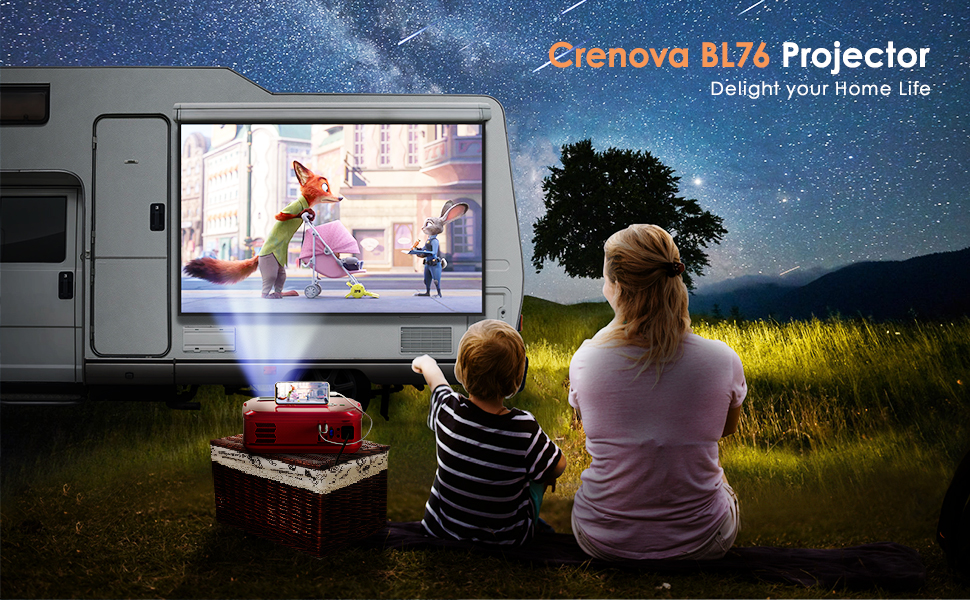
Figure 8.1: The projector in operation, demonstrating its visual output.
9. Depanare
Dacă întâmpinați probleme cu proiectorul, consultați următoarele soluții comune:
| Problemă | Cauza posibila | Soluţie |
|---|---|---|
| Nu este afișată nicio imagine | Sursă de intrare selectată incorect; conexiune slăbită a cablului; dispozitivul nu este pornit. | Select the correct input source; check all cable connections; ensure connected device is powered on. |
| Imagine neclară | Lens out of focus; incorrect keystone adjustment. | Adjust the focus ring; adjust the keystone correction dial. |
| Nici un sunet | Volume too low; audio cable not connected; external device audio settings. | Increase projector volume; ensure audio cables are connected correctly; check audio output settings on the connected device. |
| Telecomanda nu funcționează | Batteries depleted; obstruction between remote and projector; remote sensor blocked. | Replace batteries; ensure clear line of sight to projector's IR sensor; remove any obstructions. |
10. Specificații
| Caracteristică | Detaliu |
|---|---|
| Marca | Crenova |
| Numărul de model | BL-76 |
| Rezoluția afișajului | Rezoluție nativă 1280 x 720 (acceptă 1080P) |
| Luminozitate | 6000 lux |
| Raport de contrast | 5000:1 |
| Tehnologia de conectivitate | HDMI, VGA, USB, AV, TF Card |
| Tip difuzor | Stereo (SRS Sound System) |
| Lamp Viaţă | Până la 50,000 ore |
| Dimensiunile produsului | 16.54 x 6.69 x 11.81 inci |
| Greutatea articolului | 7.65 lire sterline |
11. Garanție și asistență
For warranty information, technical support, or service inquiries, please refer to the contact details provided in your product packaging or visit the official Crenova webPăstrați bonul fiscal ca dovadă a achiziției pentru reclamații în garanție.