
1. Introducere
This manual provides essential instructions for the installation, operation, maintenance, and troubleshooting of your VIVOTEK CC9381-HV 5MP Dome Camera. Please read this manual thoroughly before using the product to ensure proper setup and functionality. The CC9381-HV is a high-performance surveillance camera designed for reliable monitoring with a 180-degree field of view and advanced imaging capabilities.
2. Informații de siguranță
Respectați următoarele măsuri de siguranță pentru a preveni deteriorarea produsului și a asigura siguranța utilizatorului:
- Ensure the power source matches the camera's requirements (AC/DC, 220V).
- Do not expose the camera to extreme temperatures outside its operating range (Upper Temperature Rating: 50 Degrees Celsius).
- Avoid direct exposure to water or moisture unless the product's IP rating specifically allows it (International Protection Rating: IP21).
- Nu încercați să dezasamblați sau să modificați camera. Apelați la personal calificat pentru orice service.
- Mount the camera securely using appropriate hardware to prevent it from falling.
3. Conținutul pachetului
Verify that all items are present in the package. If any items are missing or damaged, contact your vendor immediately.
- VIVOTEK CC9381-HV Dome Camera
- Suport de montare și hardware
- Ghid de instalare
- Accessory Kit (e.g., screws, anchors)
4. Configurare
4.1 Instalare fizică
The VIVOTEK CC9381-HV camera is designed for bracket mounting. Choose a suitable location that provides the desired field of view and is within reach of power and network connections. The camera dimensions are approximately 8.5 x 7 x 3.5 inches.
- Mark the drilling points on the mounting surface using the provided template or bracket.
- Dați găuri pilot și introduceți ancore de perete, dacă este necesar.
- Fixați suportul de montare pe suprafață folosind șuruburile furnizate.
- Attach the camera to the mounting bracket, ensuring it is firmly locked in place.
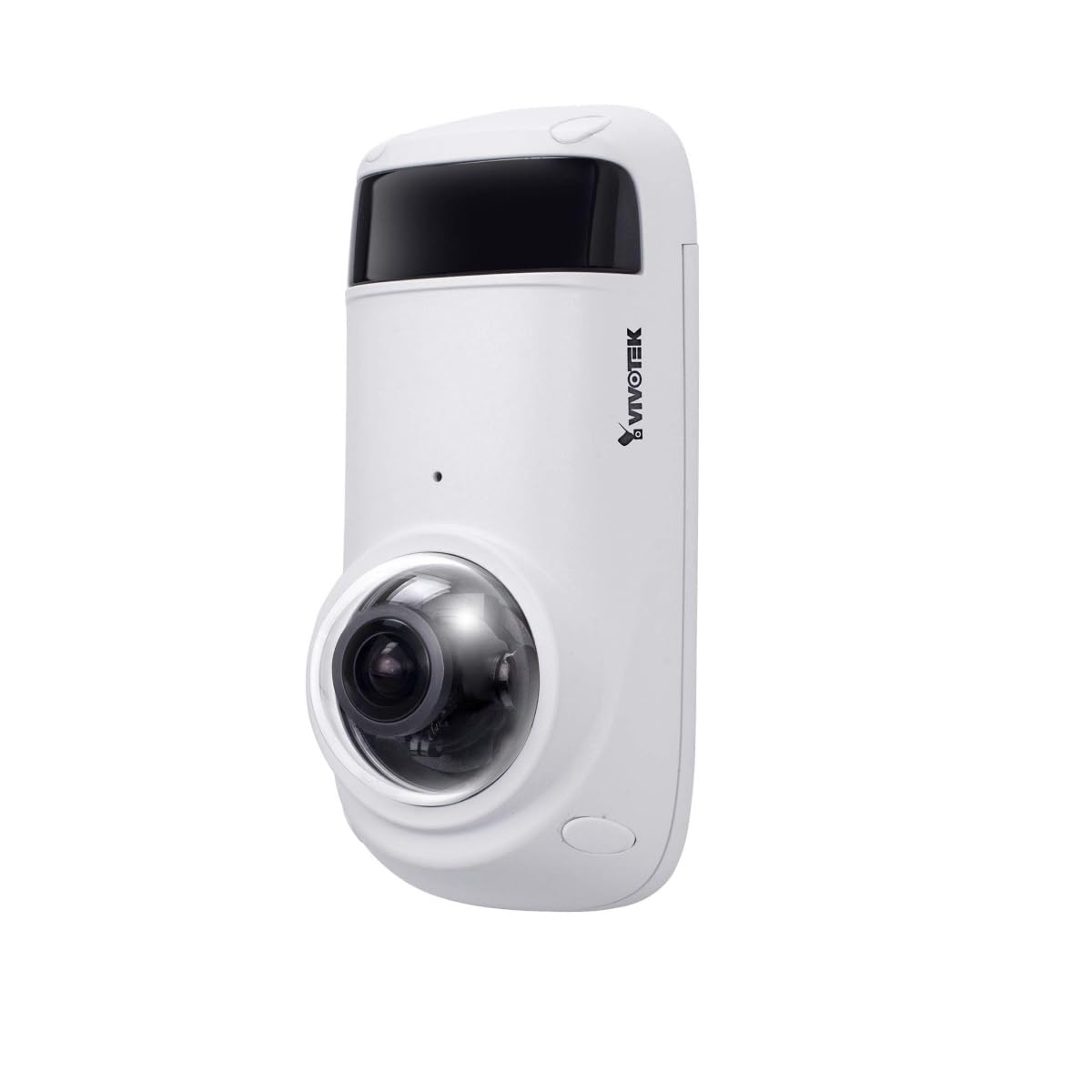
Figure 1: VIVOTEK CC9381-HV Dome Camera. This image shows the compact dome design of the surveillance camera, suitable for various indoor and outdoor installations.
4.2 Conexiune la alimentare
Connect the camera to a suitable AC/DC power source. Ensure the voltage (220V) și apătage (3600W) requirements are met to prevent damage.
4.3 Conexiune de rețea
The CC9381-HV supports both wired and Wi-Fi connectivity. For wired connection, connect an Ethernet cable from your network router or switch to the camera's network port. For Wi-Fi setup, refer to the camera's web interface for wireless configuration after initial wired setup.
5. Instrucțiuni de utilizare
5.1 Acces inițial și configurare
After connecting power and network, access the camera's web interface using its IP address. You may need to use a VIVOTEK utility to discover the camera's IP address on your network. Follow the on-screen prompts to set up a strong password and configure basic network settings.
5.2 În direct View și Înregistrare
The camera provides a 180-degree field of view with a maximum webcam image resolution of 5 MP and a frame rate of 30 fps. You can view trăi footage and configure recording settings through the web interface or compatible VIVOTEK software.
- Format de captură video: Supports MJPEG and MP4 formats.
- Tehnologie cu lumină scăzută: Features Night Color technology for enhanced visibility in low-light conditions.
- Tip alertă: Configurable for Motion Only alerts.
5.3 Telecomandă
The camera supports remote control, allowing you to manage settings and view footage from a distance using compatible software or mobile applications. The controller type is Iris.
6. Întreținere
Întreținerea regulată asigură performanța optimă și durata de viață a camerei dumneavoastră.
- curatenie: Ștergeți ușor obiectivul și carcasa camerei cu o cârpă moale și uscată. Nu utilizați substanțe chimice dure sau produse de curățare abrazive.
- Actualizări firmware: Periodically check the VIVOTEK website-ul pentru actualizări de firmware, pentru a vă asigura că camera dvs. are cele mai recente funcții și îmbunătățiri de securitate.
- Verificare de mediu: Ensure the camera's environment remains within specified temperature and humidity ranges.
7. Depanare
If you encounter issues with your VIVOTEK CC9381-HV camera, refer to the following common problems and solutions:
| Problemă | Cauza posibila | Soluţie |
|---|---|---|
| Fara indicator de putere | Power cable disconnected; faulty power adapter | Check power connections; test with a known good power adapter. |
| Nu se poate accesa camera prin rețea | Incorrect IP address; network cable issue; Wi-Fi not configured | Verify IP address; check network cable; ensure Wi-Fi settings are correct. |
| Calitate slabă a imaginii | Dirty lens; insufficient lighting; incorrect settings | Clean the lens; ensure adequate lighting or enable Night Color; adjust image settings. |
| Detectarea mișcării nu funcționează | Motion detection disabled; incorrect sensitivity settings | Enable motion detection in settings; adjust sensitivity levels. |
If the problem persists, contact VIVOTEK technical support for further assistance.
8. Specificații
Detailed technical specifications for the VIVOTEK CC9381-HV Dome Camera:
| Caracteristică | Caietul de sarcini |
|---|---|
| Numărul de model | CC9381-HV |
| Maxim WebCam Rezoluția imaginii | 5 MP |
| Rezoluție captură video | 720p (Rezoluție video efectivă: 1920) |
| Frame Rate | 30 fps |
| Câmp de View | 180 de grade |
| Tehnologie cu lumină scăzută | Culoarea Nopții |
| Tehnologia de conectivitate | Cu fir, Wi-Fi |
| Protocol de conectivitate | Wifi |
| Sursa de alimentare | ac DC |
| Voltage | 220 |
| Wattage | 3600 |
| Tip de montare | Suport pentru suport |
| Dimensiunile produsului | 8.5 x 7 x 3.5 inci |
| Greutatea articolului | 2.42 lire sterline (1.1 kilograme) |
| Evaluarea temperaturii superioare | 50 de grade Celsius |
| Evaluarea internațională de protecție | IP21 |
| Format de captură video | MJPEG, MP4 |
| Tip de alertă | Doar mișcare |
| Metoda de control | Telecomanda |
| Tip controler | Iris |
| Tehnologia senzorului foto | CMOS |
| Dimensiunea memoriei flash instalată | 128 GB |
| Zoom optic | 3 x |
| Utilizări recomandate | Security, Surveillance |
9. Garanție și asistență
VIVOTEK products are covered by a limited warranty. For specific warranty terms and conditions, please refer to the warranty card included with your product or visit the official VIVOTEK website. For technical support, product registration, or service inquiries, please contact VIVOTEK customer service or your authorized dealer.
VIVOTEK Official Website: www.vivotek.com