
D-Link DCS-8515LH
D-Link Mydlink HD Pan & Tilt Wi-Fi Camera (DCS-8515LH) User Manual
Model: DCS-8515LH
Introducere
This manual provides comprehensive instructions for the setup, operation, and maintenance of your D-Link Mydlink HD Pan & Tilt Wi-Fi Camera (DCS-8515LH). This camera offers 360° viewing capabilities, automatic motion tracking, and integration with smart home assistants, providing enhanced monitoring for your indoor spaces.
Conținutul pachetului
Verificați dacă toate articolele enumerate mai jos sunt incluse în pachetul dumneavoastră:
- DCS-8515LH Camera
- Adaptor de alimentare
- Suport de fixare
- Ghid de instalare rapidă

Figure 1: D-Link DCS-8515LH Camera Components
This image displays the D-Link DCS-8515LH camera from multiple angles, highlighting its key components. Labels indicate the location of the IR LEDs, light sensor, built-in microphone, microSD card slot, speaker, and power connector at the base.
Produs terminatview
The D-Link DCS-8515LH is an HD Pan & Tilt Wi-Fi Camera designed for indoor surveillance. It features a 120° angle lens with a 340° pan range and 105° tilt capability, allowing for extensive coverage of your room. Key functionalities include:
- Calitate video HD: Captures clear 720p HD video.
- Vedere de noapte: Built-in infrared LEDs provide visibility up to 5 meters in darkness.
- Detectare mișcare și sunet: Alerts you to activity with snapshots and contact options.
- Audio bidirecțional: Permite comunicarea în timp real prin intermediul camerei.
- Depozitare flexibilă: Supports cloud recording and local microSD card storage.
- Integrare Smart Home: Compatibil cu Amazon Alexa și Google Assistant.

Figure 2: D-Link DCS-8515LH Camera
This image shows the D-Link DCS-8515LH camera, a white and black dome-shaped device with a visible camera lens, designed for indoor use.
Instrucțiuni de configurare
Follow these steps to set up your D-Link DCS-8515LH camera:
- Descărcați aplicația mydlink: Caută "mydlink" in your device's app store (iOS or Android) and install the application.
- Porniți camera: Connect the provided power adapter to the camera and plug it into a power outlet. Wait for the camera's LED indicator to blink orange, indicating it's ready for setup.
- Adăugați dispozitiv în aplicație: Open the mydlink app, sign in or create a new account. Tap the menu icon, then select "Add a Device." Scan the QR code located on the camera or its Quick Installation Guide.
- Urmați instrucțiunile de pe ecran: The app will guide you through connecting the camera to your Wi-Fi network and configuring initial settings. Ensure your mobile device is connected to the 2.4 GHz Wi-Fi network you intend to use for the camera.
- Plasare: Position the camera in your desired indoor location. The included mounting bracket can be used for wall or ceiling installation if needed.
Video 1: D-Link Product Overview și Configurare
Acest videoclip oferă o imagine generalăview of a D-Link camera and demonstrates basic setup steps, including connecting power and using the mydlink app for initial configuration. While it features a different model, the setup process is similar for the DCS-8515LH.

Figure 3: mydlink App Interface for Camera Control
This image illustrates the mydlink app on a smartphone, showing the interface for controlling the camera's view, including a panorama view angle selection feature that allows users to tap to jump to a specific area.
Instrucțiuni de operare
Controlul Pan și Tilt
From the mydlink app, you can remotely control the camera's pan (horizontal) and tilt (vertical) movements to view different areas of your room. Use the on-screen controls to adjust the camera's direction.
- 360° View: The camera offers a comprehensive 360° coverage when combining its 120° lens with its pan and tilt capabilities.
- Panoramă View Angle Selection: Tap on a specific area in the panoramic view within the app to quickly direct the camera to that point.

Figure 4: Pan & Tilt Live Video in mydlink App
This image shows a hand holding a smartphone displaying the mydlink app. The app is showing a live video feed from the camera, demonstrating the pan and tilt functionality to view a wide area of a room.
Auto Motion Tracking
When enabled, the camera will automatically pan and tilt to follow moving objects within its field of view, ensuring they remain in the frame.
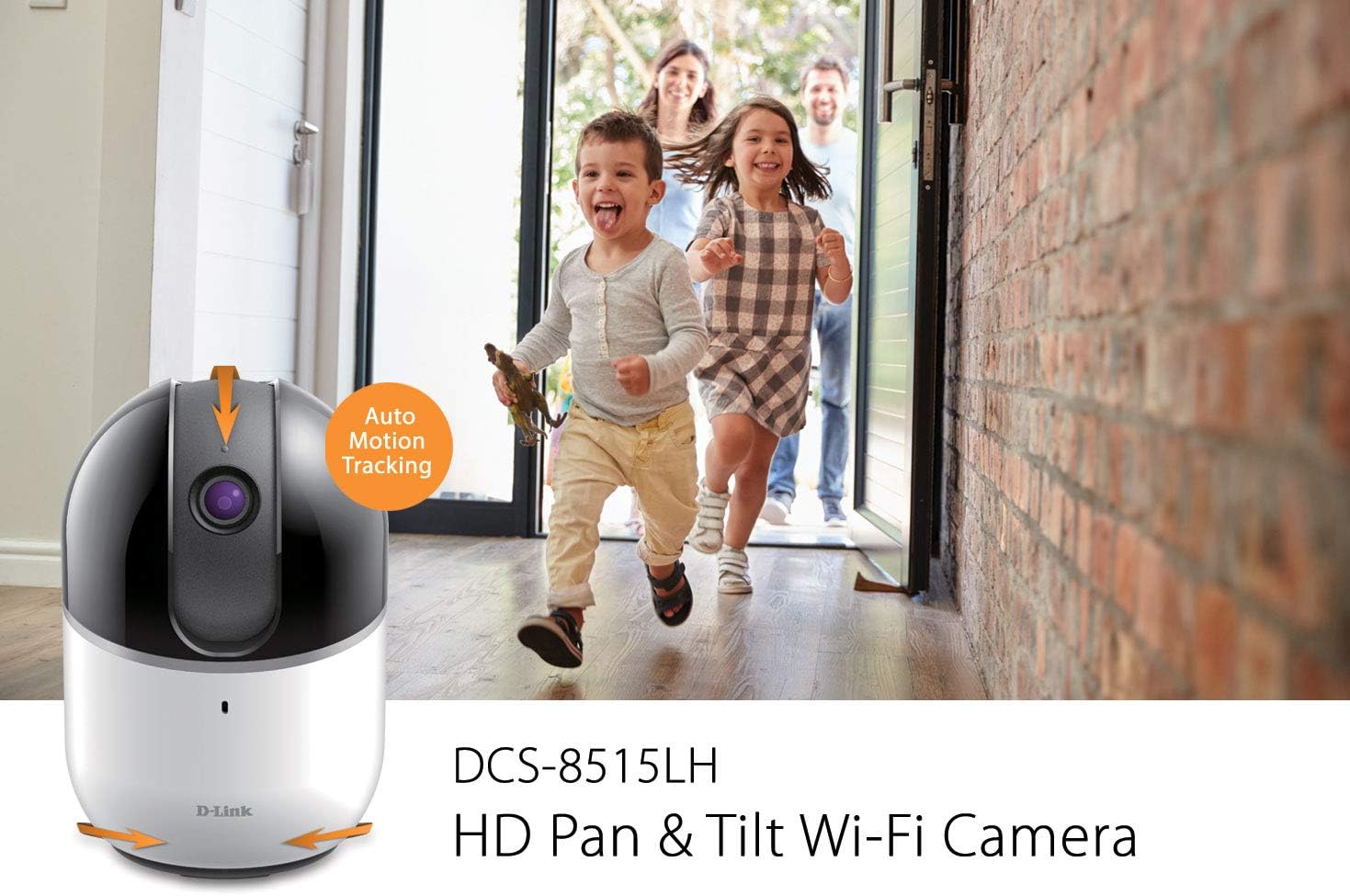
Figure 5: Auto Motion Tracking Feature
This image illustrates the camera's auto motion tracking feature. The D-Link DCS-8515LH camera is shown with an overlay indicating "Auto Motion Tracking," while children are depicted running in the background, demonstrating the camera's ability to follow movement.
Vedere de noapte
The camera is equipped with infrared LEDs for night vision, allowing it to capture clear video in low-light or complete darkness up to 5 meters.
Detectarea mișcării și a sunetului
Configure the mydlink app to receive instant notifications on your mobile device when motion or sound is detected. These alerts can include snapshots and options to call a designated contact.

Figure 6: Rich Notifications from mydlink App
This image displays a smartphone screen with a notification from the mydlink app, indicating that motion has been detected by the DCS-8515LH camera. The notification provides options to view trăi footage or call a designated contact.
Audio bidirecțional
Utilize the built-in microphone and speaker to engage in two-way conversations through the camera, allowing you to communicate with individuals in the camera's vicinity.
Opțiuni de înregistrare
Camera acceptă mai multe metode de înregistrare:
- Înregistrare în cloud: Store video recordings securely in the mydlink cloud. Free and paid plans are available.
- Local MicroSD Card: Insert a microSD card (up to 256 GB, as per latest firmware) into the camera for local storage of recordings.
Modul de confidențialitate
Activate Privacy Mode via the mydlink app to physically cover the camera lens, ensuring complete privacy when needed.
Integrare Smart Home
The DCS-8515LH camera is compatible with Amazon Alexa and Google Assistant, allowing for voice control and integration into your smart home ecosystem. You can stream live video to compatible devices like Fire TV, Echo Spot, or Google Chromecast.

Figura 7: Integrare Smart Home
This image demonstrates the D-Link camera's compatibility with smart home platforms. It shows the camera integrated with Amazon Alexa (displaying a baby monitor feed on an Echo Show) and Google Assistant (displaying a live camera feed on a television).
Întreţinere
Pentru a asigura performanța optimă și durata de viață a camerei dumneavoastră:
- curatenie: Ștergeți ușor obiectivul și corpul camerei cu o cârpă moale și uscată. Evitați utilizarea substanțelor chimice dure sau a produselor de curățare abrazive.
- Actualizări firmware: Regularly check for and install firmware updates through the mydlink app to ensure your camera has the latest features and security enhancements.
- Plasare: Asigurați-vă că așezați camera într-un mediu interior stabil și uscat, ferit de lumina directă a soarelui, surse de căldură și umiditate excesivă.
Depanare
If you encounter issues with your D-Link DCS-8515LH camera, consider the following:
- Probleme de conectivitate:
- Ensure your Wi-Fi network is active and the camera is within range of your router.
- Verify that your Wi-Fi password is entered correctly in the mydlink app.
- Restart your camera and Wi-Fi router.
- Calitate video slabă:
- Check your internet connection speed. A stable and fast connection is crucial for HD streaming.
- Curățați obiectivul camerei pentru a îndepărta praful sau petele.
- Motion/Sound Detection Not Working:
- Ensure motion and sound detection settings are enabled in the mydlink app.
- Adjust sensitivity levels to suit your environment.
- Probleme cu aplicația:
- Ensure your mydlink app is updated to the latest version.
- Try force-closing and reopening the app, or reinstalling it if problems persist.
- Resetare din fabrică: If all else fails, perform a factory reset (refer to the Quick Installation Guide for specific steps) and re-add the camera to the mydlink app.
Specificații
| Caracteristică | Detaliu |
|---|---|
| Numele modelului | DCS-8515LH |
| Rezoluție captură video | 720p HD |
| Pan Range | 340° |
| Interval de înclinare | 105° |
| View Angle (Lens) | 120° |
| Distanța de vedere pe timp de noapte | Până la 5 metri |
| Protocol de conectivitate | Wifi |
| Tehnologia comunicațiilor fără fir | Wifi |
| Opțiuni de stocare | Cloud, Local MicroSD Card (up to 256GB) |
| Audio | Audio bidirecțional |
| Tip de alertă | Audio și mișcare |
| Dispozitive compatibile | Smartphone, Tabletă |
| Tip controler | Amazon Alexa, Asistent Google |
| Sursa de alimentare | Electric cu fir |
| Dimensiuni produs (L x l x H) | 3.3 x 3.3 x 4.9 inci |
| Greutatea articolului | 12.6 uncii |
Garanție și suport
For detailed warranty information, please refer to the warranty card included with your product or visit the official D-Link website. Technical support and additional resources can be found on the D-Link support pages.
De asemenea, puteți vizita Magazinul D-Link pe Amazon for product information and customer service.
Ask a question about this manual
Ask about setup, troubleshooting, compatibility, parts, safety, or missing instructions. Manuals+ will review the question and use this page’s manual context to help answer it.