
1. Introducere
Thank you for choosing UMIDIGI Ubeats Wireless Bluetooth Headphones. These headphones are designed for an active lifestyle, offering high-quality audio, comfort, and durability. Featuring Bluetooth 5.0 connectivity, CVC 6.0 noise reduction, and IPX5 water resistance, the UMIDIGI Ubeats provide a reliable and enjoyable listening experience.
Video: UMIDIGI Ubeats Wireless Bluetooth Headphones OverviewAcest videoclip oferă o imagine generalăview of the UMIDIGI Ubeats headphones, showcasindesignul și caracteristicile lor cheie.
2. Ce se află în cutie
The UMIDIGI Ubeats package includes the following items:
- 1 x UMIDIGI Wireless Bluetooth Headphones
- 1 x cablu USB
- 1 x manual de utilizare
- 3 x Earbuds (S, M, L sizes)

Image: Package contents of UMIDIGI Ubeats headphones. This image displays all items included in the product box: the UMIDIGI Ubeats headphones, a USB charging cable, the user manual, and three pairs of silicone ear tips in different sizes.
3. Produs terminatview și Caracteristici
The UMIDIGI Ubeats headphones are engineered for superior audio and user convenience. Key features include:
- Bluetooth 5.0 & QCC3003 Chipset: Ensures faster speed, more stable connection, and enhanced power efficiency.
- CVC 6.0 Broadband Noise Reduction: Effectively minimizes ambient noise for an immersive audio experience.
- IPX5 Sweat Resistant: Designed to withstand dripping sweat, making them ideal for active lifestyles and outdoor sports.
- Design ușor de utilizat: Features magnetic earbuds to prevent tangles and a comfortable silicone neckband for all-day wear.
- Drivere dinamice de 10 mm: Delivers excellent sound quality with deep, clear bass and crisp mids and highs.

Image: UMIDIGI Ubeats Wireless Bluetooth Headphones. This image shows the headphones laid out on a desk, highlighting their sleek design and neckband style.

Image: Soft silicone neckband of UMIDIGI Ubeats. A close-up view emphasizing the comfortable and flexible silicone material of the neckband.

Image: Magnetic earbuds of UMIDIGI Ubeats. This image illustrates the magnetic feature of the earbuds, allowing them to snap together for secure storage and tangle prevention.
Video: UMIDIGI Neckband in-Ear Headphones. This video highlights the comfortable neckband design and in-ear fit of the UMIDIGI Ubeats headphones.
4. Configurare
4.1 Încărcarea căștilor
Before first use, fully charge your UMIDIGI Ubeats headphones. Connect the included USB cable to the Micro-USB charging port on the neckband and plug the other end into a compatible USB power source. A full charge takes approximately 1.5 hours, providing up to 12 hours of playtime and 300 hours of standby time.
4.2 Pornire/Oprire
- Pentru a porni: Apăsați și mențineți apăsat butonul de pornire până când indicatorul LED se aprinde.
- Pentru a opri: Apăsați și mențineți apăsat butonul de pornire până când indicatorul LED se stinge.
4.3 Asociere Bluetooth
- Asigurați-vă că căștile sunt oprite.
- Press and hold the power button for approximately 5-7 seconds until the LED indicator flashes white, indicating pairing mode.
- Pe dispozitivul dvs. (smartphone, tabletă etc.), activați Bluetooth și căutați dispozitivele disponibile.
- Select "UMIDIGI Ubeats" from the list of devices.
- Once connected, the LED indicator will turn solid white.
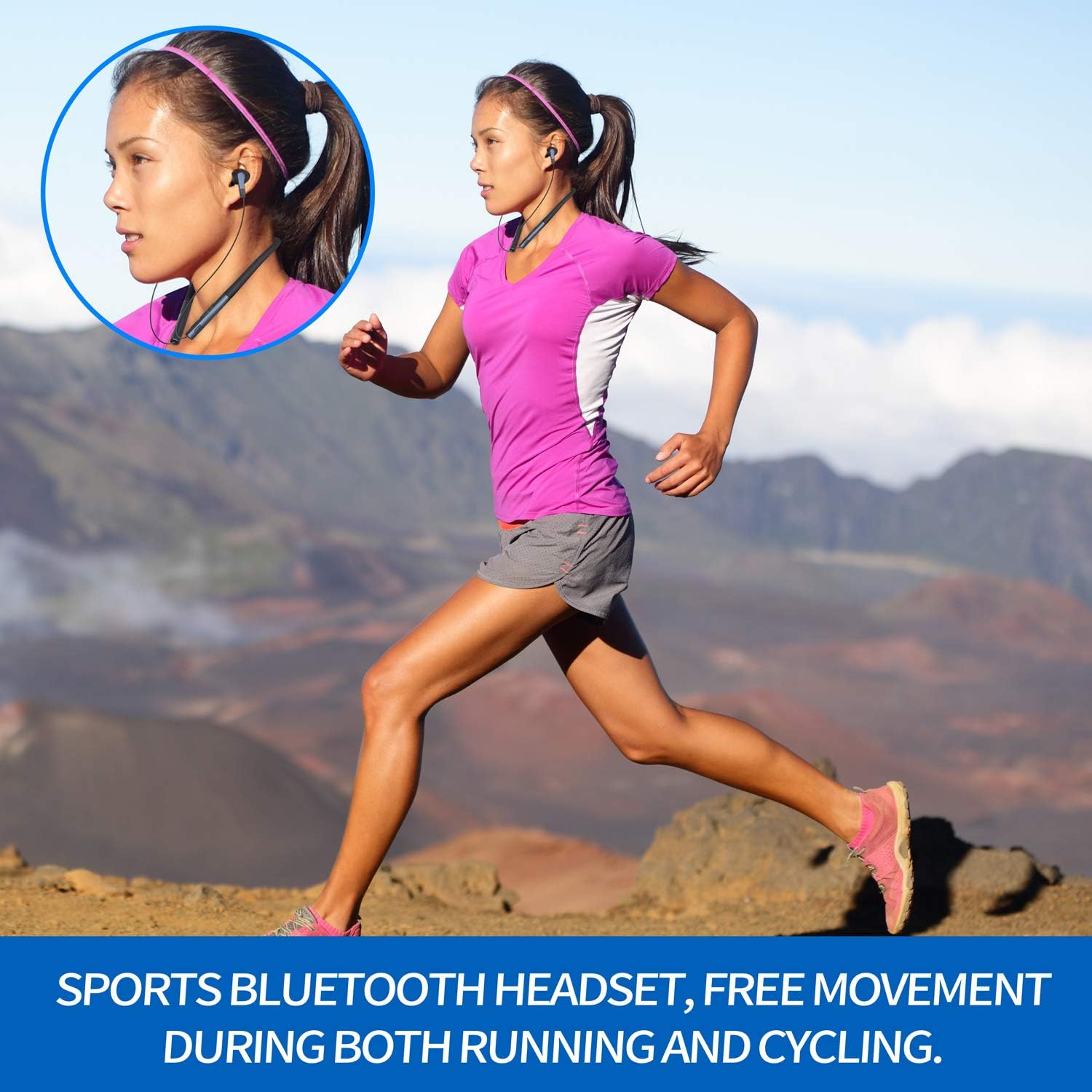
Image: Control buttons on UMIDIGI Ubeats. A detailed view of the power, volume, and track control buttons located on the neckband.
5. Instrucțiuni de utilizare
5.1 Redarea muzicii
- Redare/Pauză: Apăsați o dată butonul multifuncțional.
- Următoarea piesă: Press and hold the "+" volume button.
- Pista anterioară: Press and hold the "-" volume button.
- Creșterea volumului: Short press the "+" volume button.
- Volum scăzut: Short press the "-" volume button.
5.2 Gestionarea apelurilor
- Răspundeți/Terminați apelul: Apăsați o dată butonul multifuncțional.
- Respinge apelul: Țineți apăsat butonul multifuncțional timp de 2 secunde.
- Reapelează ultimul număr: Apăsați de două ori butonul multifuncțional.
5.3 Asistent vocal
Triple-press the multi-function button to activate your device's voice assistant (e.g., Siri, Google Assistant).
6. Întreținere
To ensure the longevity and optimal performance of your UMIDIGI Ubeats headphones, follow these maintenance guidelines:
- curatenie: Ștergeți căștile cu un material moale, damp pânză. Evitați utilizarea substanțelor chimice dure sau a materialelor abrazive.
- Rezistenta la apa: The headphones are IPX5 rated, meaning they are resistant to splashing water and sweat. Do not submerge them in water or expose them to heavy rain. Ensure the Micro-USB port cover is securely closed when not charging.
- Depozitare: Store the headphones in a cool, dry place away from direct sunlight and extreme temperatures. The magnetic earbuds help keep the cables tangle-free during storage.
Image: UMIDIGI Ubeats in use during sports. This image shows a person running while wearing the UMIDIGI Ubeats headphones, emphasizing their sweat-resistant design and secure fit for active use.
Video: UMIDIGI Ubeats Durability Test. This video demonstrates the durability and flexibility of the UMIDIGI Ubeats headphones, showcasing their robust construction.
7. Depanare
If you encounter any issues with your UMIDIGI Ubeats headphones, please refer to the following common solutions:
- Nu se poate porni: Asigurați-vă că sunt complet încărcate căștile.
- Nu se poate realiza asocierea: Make sure the headphones are in pairing mode (flashing white LED). Ensure Bluetooth is enabled on your device and it's within the 10-meter wireless range. Try restarting both the headphones and your device.
- Fără sunet/Volum redus: Verificați nivelurile de volum atât la căști, cât și la dispozitivul conectat. Asigurați-vă că căștile sunt conectate corect.
- Calitate slabă a apelurilor: Ensure the MEMS Silicon Microphone is not obstructed. Move closer to your connected device to improve signal strength.
- Conexiune intermitentă: Ensure there are no obstacles between the headphones and your device. Stay within the 10-meter wireless range.
8. Specificații
| Numele modelului | UMIDIGI Ubeats |
| Tehnologia de conectivitate | Bluetooth |
| Tehnologia comunicațiilor fără fir | Bluetooth 5.0 |
| Chipset | Qualcomm QCC3003 |
| Plasarea urechii | În ureche |
| Factor de formă | In Ear (Neckband) |
| Material | Silicon |
| Nivel de rezistență la apă | IPX5 (rezistent la transpirație) |
| Reducerea zgomotului | CVC 6.0 Broadband Noise Reduction |
| Microfon | MEMS Silicon Microphone |
| Durata de viață a bateriei | Timp de redare de 12 ore |
| Timp de așteptare | 300 de ore |
| Timp de încărcare | 1.5 de ore |
| Port de încărcare | Micro-USB |
| Greutatea articolului | 5 uncii |
| Dimensiunile produsului | 7.87 x 6.93 x 1.42 inci |
| Caracteristici speciale | Magnetic Earbuds, Support to Connect with 2 Devices |
9. Garanție și asistență
UMIDIGI Ubeats headphones come with a 1-year lifelong service warranty. For any questions, technical support, or warranty claims, please contact UMIDIGI Support. You can typically find contact information on the official UMIDIGI website sau prin intermediul platformei dvs. de achiziții.
UMIDIGI Support offers 24-hour quick reply service to assist you with any inquiries regarding your UMIDIGI Ubeats Headphones.