
1. Introducere
This manual provides detailed instructions for the setup, operation, and maintenance of your TOPVISION SD01 Detachable Stereo Soundbar. Please read this manual thoroughly before using the product to ensure proper functionality and to maximize your audio experience. Keep this manual for future reference.
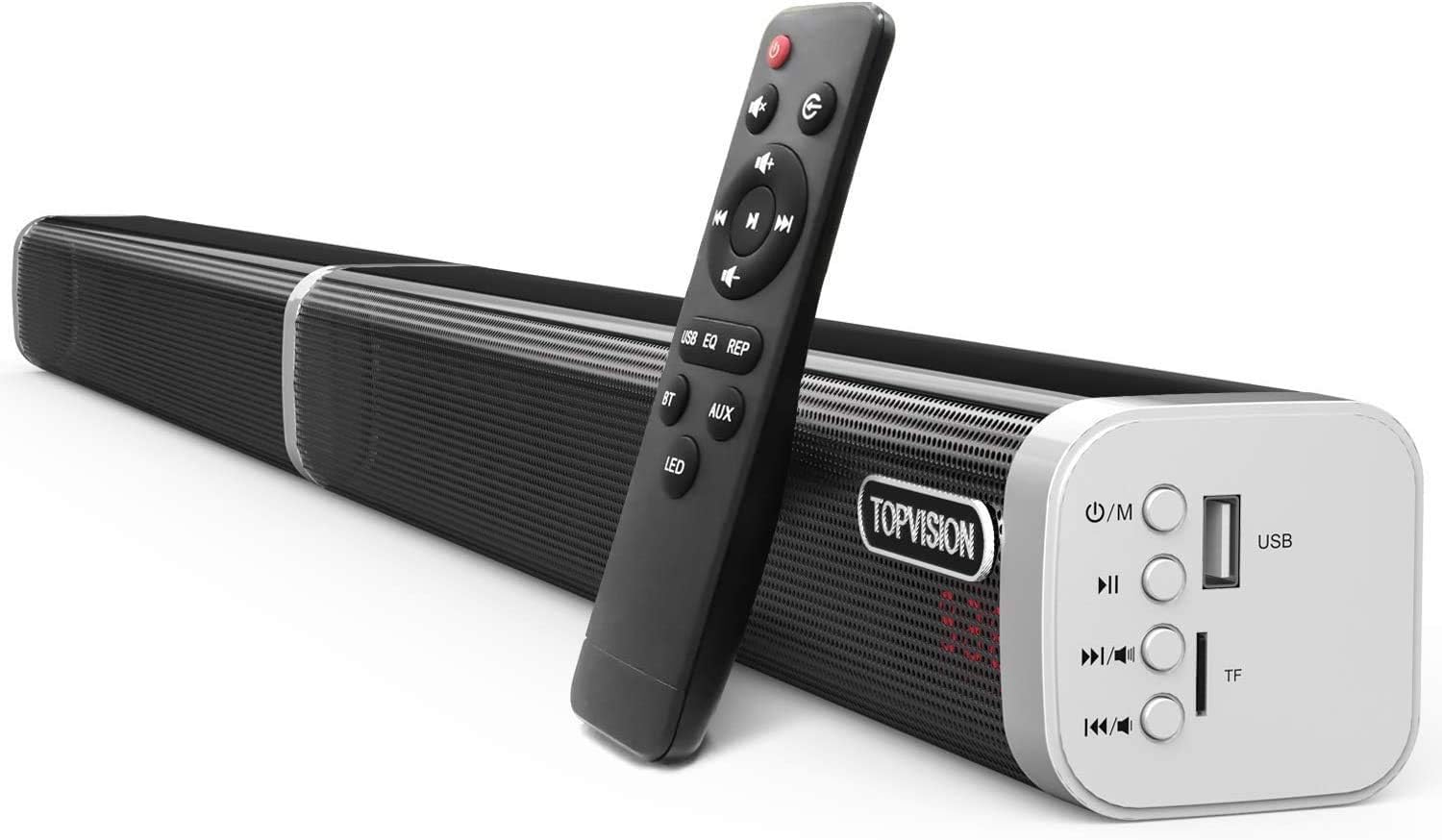
Image 1.1: TOPVISION SD01 Detachable Stereo Soundbar with included remote control.
2. Conținutul pachetului
Vă rugăm să verificați dacă toate articolele enumerate mai jos sunt incluse în pachetul dumneavoastră:
- 1x Sound Bar (detachable into two tower speakers)
- 1x Optical Cable
- 1x cablu RCA de 3.5 mm
- Cablu audio 1x 3.5mm
- 1x adaptor de alimentare
- 1x 10cm Audio Line (for connecting detached speakers)
- 1x 2m Audio Line (for connecting detached speakers)
- 1x Wall Mount Screws (set)
- 1x Wall Mount Template
- 1x telecomandă

Image 2.1: All components included in the TOPVISION SD01 Soundbar package.
3. Produs terminatview
The TOPVISION SD01 is a versatile 60-watt, 39-inch stereo soundbar designed to enhance your audio experience. It features an integrated subwoofer for strong bass and offers both wired and wireless connectivity options, including Bluetooth 5.0. Its unique detachable design allows for flexible placement as a single soundbar or two tower speakers.
3.1 Caracteristici cheie
- Design detasabil: Can be used as a single soundbar or two vertical tower speakers.
- Audio de înaltă calitate: 60 Watts output with an internal subwoofer for enhanced bass.
- Opțiuni multiple de conectivitate: Bluetooth 5.0, AUX, Optical, Coaxial, USB, TF Card.
- Tehnologie DSP: Digital Signal Processing for optimized sound modes (Music, TV, Natural, Jazz, Popular, Classical, Rock).
- Telecomanda: Full control over modes, volume, playback, and LED display.

Image 3.1: Internal components of the soundbar, highlighting the speakers and bass diaphragms.

Image 3.2: Soundbar in use with a TV, demonstrating DSP sound modes.
4. Configurare
4.1 Metode de instalare
The TOPVISION SD01 soundbar offers flexible installation options:
- Pe un suport TV: Place the soundbar horizontally in front of your television.
- Montare pe perete: Use the included wall mount kit and template to securely attach the soundbar to a wall.
- Tower Speakers: Detach the soundbar into two separate vertical speakers and place them on either side of your TV or desired location. Use the provided audio lines to connect the two halves.

Image 4.1: Various installation methods for the soundbar.

Image 4.2: Illustration of the detachable and combinable design.
4.2 Conectarea barei de sunet
The soundbar supports multiple connection types:
- Bluetooth 5.0: For wireless connection to compatible devices like smartphones, tablets, and laptops.
- AUX: Use the 3.5mm audio cable for a standard wired connection.
- Optic: Connect via the optical cable for high-quality digital audio from your TV or other devices.
- coaxial: Use a coaxial cable for digital audio connection.
- Card USB/TF: Introduceți o unitate USB sau un card TF pentru redare media directă.

Image 4.3: Easy connection options for the soundbar.
4.3 Conexiune la alimentare
Connect the provided power adapter to the DC 18V input port on the soundbar and then plug it into a power outlet. The soundbar will power on and indicate its status via the LED display.
Video 4.1: Demonstration of connecting the power adapter and powering on the soundbar, showing the LED display and remote control functionality.
5. Instrucțiuni de utilizare
The soundbar can be controlled using the buttons on the unit or the included remote control.
5.1 Pornire/Oprire
- Apăsați tasta Putere de pe soundbar sau de pe telecomandă pentru a porni sau a opri unitatea.
5.2 Selectarea modului
Apăsați tasta M (Mode) button on the soundbar or the corresponding input button (BT, AUX, OPT, COA, USB) on the remote to switch between input modes. The current mode will be displayed on the LED screen.
- Bluetooth (BT): Pentru streaming audio wireless.
- AUX: Pentru intrare audio analogică.
- Optic (OPT): For digital optical audio input.
- Coaxial (COA): For digital coaxial audio input.
- USB: Pentru redarea audio files de pe o unitate USB.
- Card TF: Pentru redarea audio files de pe un card TF.
5.3 Controlul volumului
- Apăsați tasta Creștere volum (+) or Volum scăzut (-) butoanele de pe soundbar sau de pe telecomandă pentru a regla nivelul volumului.
- Apăsați tasta Mut de pe telecomandă pentru a dezactiva sau a activa sunetul.
5.4 Playback Controls (USB/Bluetooth Mode)
- Redare/Pauză: Apăsați tasta Redare/Pauză buton.
- Următoarea piesă: Apăsați tasta Următoarea piesă buton.
- Pista anterioară: Apăsați tasta Piesa anterioară buton.
- Repeat Play (REP): Available only in USB mode.
5.5 Sound Effects (EQ)
Apăsați tasta EQ button on the remote control to cycle through different sound modes: Music, TV, Natural, Jazz, Popular, Classical, Rock.
Controlul afișajului LED 5.6
Apăsați tasta LED button on the remote control to turn the LED display on or off.

Image 5.1: Soundbar controls and remote control functions.