
SHHHMOUSE SHHH2659Black
SHHHMOUSE Silent Wireless Mouse User Manual
Model: SHHH2659Black | Brand: SHHHMOUSE
1. Introducere
Thank you for choosing the SHHHMOUSE Silent Wireless Mouse. This manual provides essential information for setting up, operating, and maintaining your new mouse. Designed for quiet operation and ergonomic comfort, this mouse enhances your productivity without disturbing those around you.
Caracteristici cheie:
- Quiet Mouse Wireless: Enjoy silent clicks with a noiseless clicking mechanism for a peaceful working environment.
- Confort ergonomic: Experience a comfortable grip that reduces strain during extended work sessions.
- Precision Elevated: Advanced optical sensor for high-precision cursor control.
- Plug & Play: Seamless connection via USB receiver, no extra software or drivers required.
- Timp de utilizare extins: Up to 18 months of battery life for prolonged use.
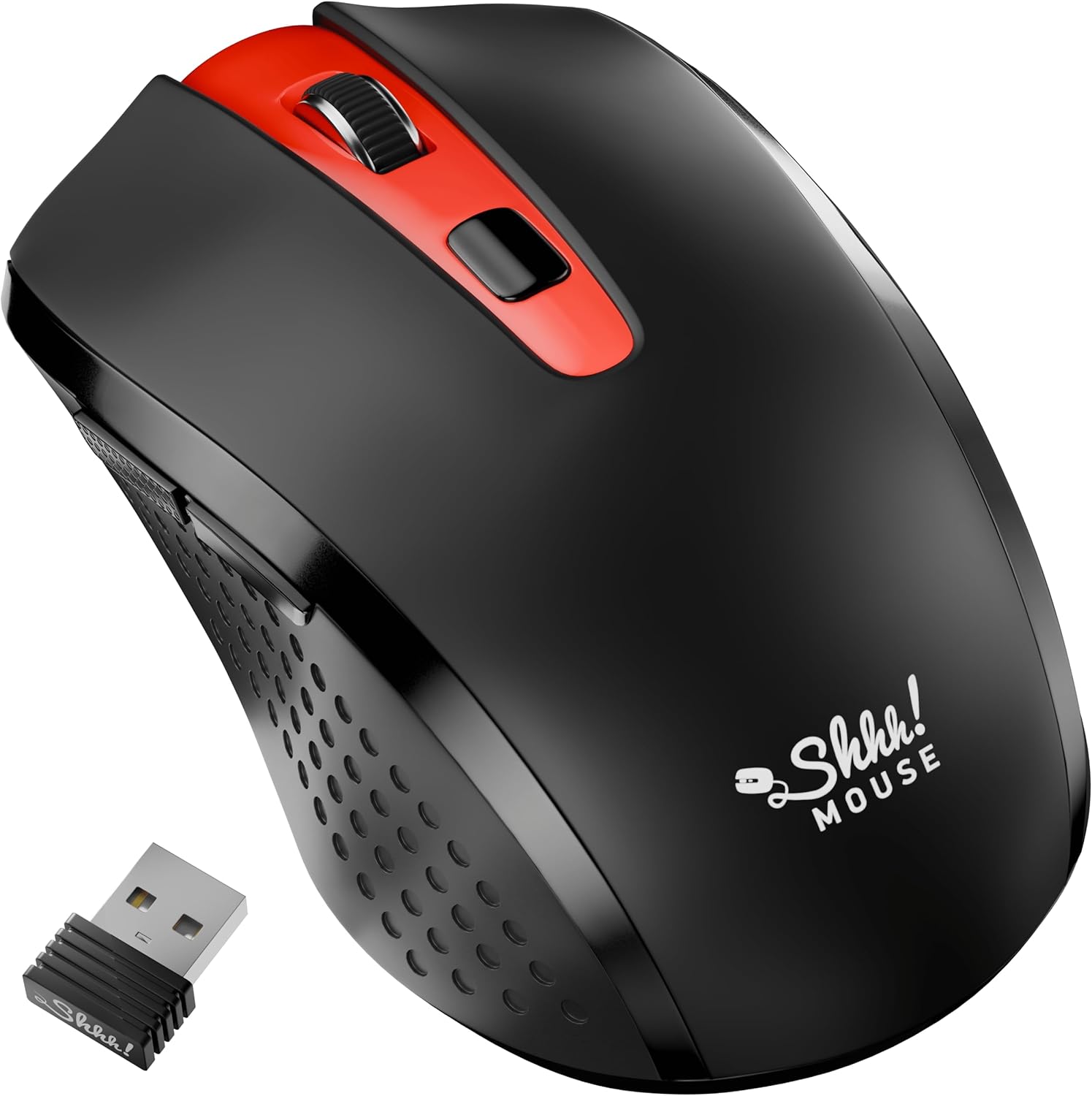
2. Ce se află în cutie
Verificați dacă toate articolele sunt prezente în colet:
- 1 x SHHHMOUSE Silent Wireless Mouse
- 1 x Receptor USB
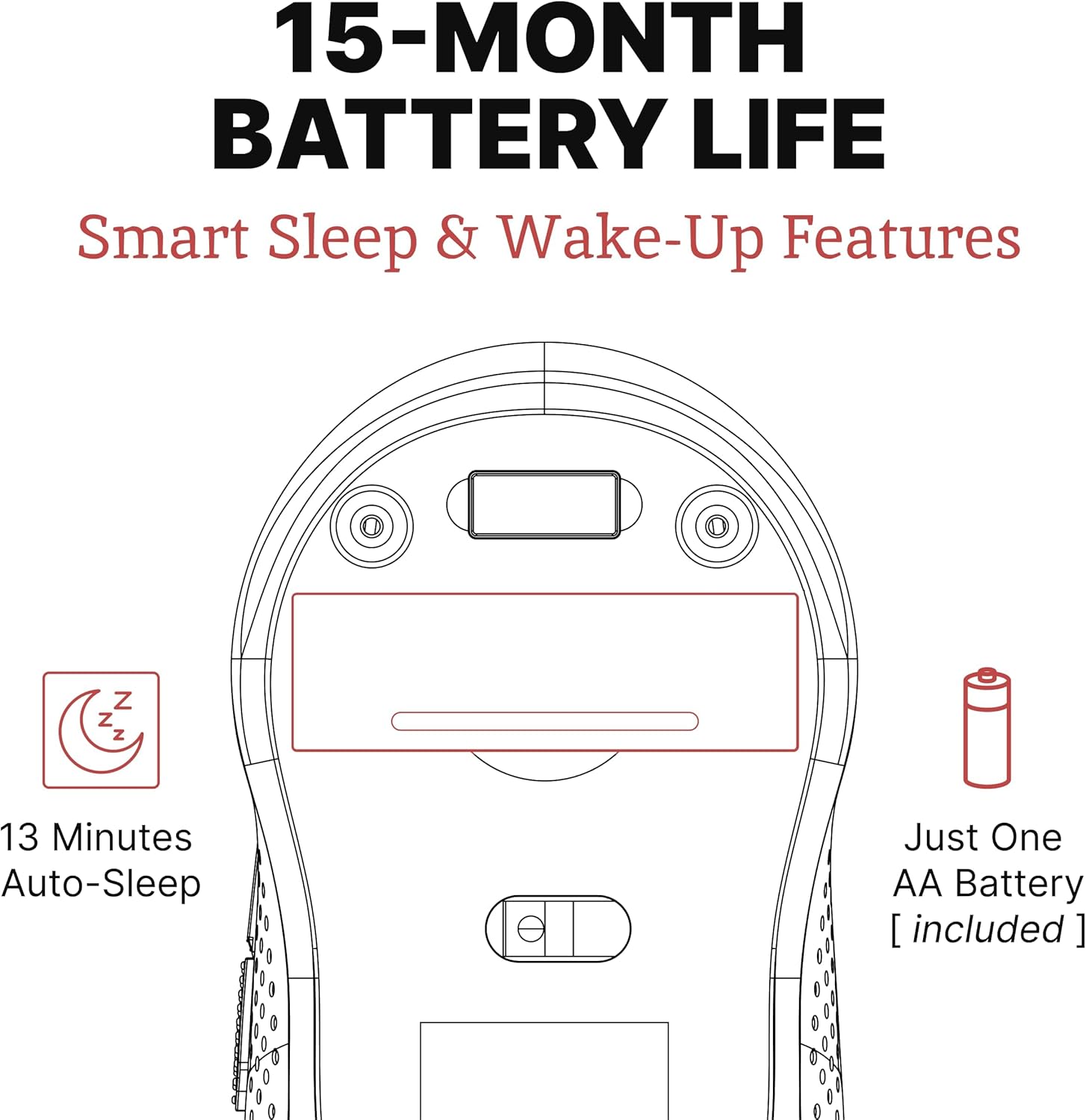
- 1 x baterie AA
3. Ghid de instalare
Follow these steps to set up your SHHHMOUSE Silent Wireless Mouse:
- Introduceți bateria: Open the battery compartment on the underside of the mouse. Insert the provided AA battery, ensuring correct polarity.
- Localizați receptorul USB: The tiny USB receiver is typically stored inside the battery compartment for safe keeping during transport. Remove it.
- Conectați receptorul: Plug the USB receiver into an available USB port on your laptop, desktop, or Chromebook.
- Pornire: Porniți mouse-ul folosind comutatorul de pornire situat în partea inferioară.
- Conexiune automată: The mouse should automatically connect to your device. No additional drivers are typically required.


Video de configurare:
Video 1: "New Silent Portable Wireless Shhhmouse i440" - This video demonstrates the unboxing and initial setup of the mouse, including battery insertion and USB receiver connection.
4. Utilizarea mouse-ului
Funcții butoane:
- Clic stânga/dreapta: Standard mouse functions for selection and context menus. These are ultra-silent buttons.
- Rotiță de defilare: Used for vertical scrolling. Also functions as a middle click button. Features an anti-slip design.
- Comutator DPI: Located near the scroll wheel, this button allows you to adjust the mouse sensitivity (DPI).
- Butoane laterale: Typically configured for 'Page Up' and 'Page Down' functions, useful for web răsfoire și navigare în documente.

Adjusting DPI (Sensitivity):
Press the DPI switch button to cycle through different sensitivity levels (e.g., 800, 1200, 1600 DPI). Choose the setting that best suits your task and preference for cursor speed.

Smart Sleep & Wake-Up Features:
To conserve battery life, the mouse will enter a smart sleep mode after 13 minutes of inactivity. To wake it up, simply click any button or move the mouse.
5. Întreținere
Înlocuire baterie:
When the mouse's performance degrades or the low power indicator (if present) illuminates, it's time to replace the battery. Open the battery compartment on the underside, remove the old AA battery, and insert a new one, observing polarity.
curatenie:
To maintain optimal performance, regularly clean your mouse. Use a soft, dry cloth to wipe the exterior. For the optical sensor, use a cotton swab lightly dampened with rubbing alcohol, ensuring no liquid enters the mouse's interior.
6. Depanare
| Problemă | Cauza posibila | Soluţie |
|---|---|---|
| Șoarecele nu răspunde | Low battery; USB receiver disconnected; Mouse power off. | Replace battery; Re-insert USB receiver; Turn on mouse power switch. |
| Mișcare neregulată a cursorului | Senzor optic murdar; Suprafață nepotrivită; Interferență. | Clean optical sensor; Use on a smooth, opaque surface; Move mouse closer to receiver or away from other wireless devices. |
| Durată scurtă de viață a bateriei | Frequent use; Battery type. | Ensure mouse enters sleep mode when idle; Use high-quality alkaline batteries. |
7. Specificații
| Caracteristică | Detaliu |
|---|---|
| Marca | SHHHMOUSE |
| Numărul de model | SHHH2659Black |
| Tehnologia de conectivitate | USB Wireless (2.4G) |
| Tehnologia de detectare a mișcării | Optic |
| Caracteristica specială | Soundless Clicks |
| Niveluri DPI | Adjustable (e.g., 800, 1200, 1600) |
| Tip baterie | 1 x baterie AA (inclusă) |
| Durata medie a bateriei | Până la 15 luni |
| Greutatea articolului | 2.29 uncii |
| Dimensiunile produsului (Lxlxh) | 4.22 x 2.5 x 0.04 inci |
| Compatibilitatea platformei hardware | Windows XP/Vista/Win7, Mac 10.x, Chromebook, PC, Laptop |
| Culoare | Negru & Roșu |
8. Garanție și asistență
SHHHMOUSE products are designed for durability and reliability. For specific warranty information, please refer to the warranty card included with your product or visit the official SHHHMOUSE website-ul.
For further assistance or technical support, please contact SHHHMOUSE customer service through the contact information provided on the product packaging or the brand's official website-ul.
A detailed User Guide (PDF) is also available for download: Descărcați Ghidul utilizatorului
Ask a question about this manual
Ask about setup, troubleshooting, compatibility, parts, safety, or missing instructions. Manuals+ will review the question and use this page’s manual context to help answer it.