
1. Introducere
This manual provides instructions for the proper setup, operation, and maintenance of your Ohaus CR5200 Compass Series Portable Balance. Please read this manual thoroughly before using the balance to ensure correct operation and to prevent damage.
The Ohaus CR5200 is a portable digital balance designed for accurate weighing with a capacity of 5200 grams and a readability of 1 gram. It supports multiple weighing units including grams (g), ounces (oz), pounds:ounces (lb:oz), troy ounces (ozt), and pennyweights (dwt).

Imaginea 1.1: Sus view of the Ohaus CR5200 Compass Series Portable Balance, showing the display and control buttons.
2. Informații de siguranță
- Operate the balance on a stable, level surface free from vibrations and drafts.
- Evitați expunerea balanței la temperaturi extreme, umiditate sau lumina directă a soarelui.
- Do not overload the balance beyond its maximum capacity of 5200 grams.
- Păstrați balanța curată și fără praf și resturi.
- Use only the specified power source (3 AA batteries or compatible AC adapter).
3. Configurare
3.1 Despachetarea
Carefully remove the balance from its packaging. Inspect the balance for any signs of damage. Retain the packaging for future transport or storage.
3.2 Powering the Balance
The Ohaus CR5200 can be powered by three AA alkaline batteries or an external AC adapter (not included, but compatible with the side power port).
Instalare baterie:
- Locate the battery compartment on the underside of the balance.
- Deschideți capacul compartimentului bateriei.
- Insert three AA alkaline batteries, ensuring correct polarity (+/-).
- Închideți bine capacul compartimentului bateriei.

Imaginea 3.1: Partea inferioară view of the balance with the battery compartment open, showing three AA batteries installed.
Conexiune de alimentare externă:
If using an AC adapter, connect it to the power input port located on the side of the balance. Ensure the adapter meets the specified voltage and current requirements (e.g., 12V 0.5A).

Imaginea 3.2: Laterală view of the balance, highlighting the external power input port.
3.3 Plasarea
Place the balance on a firm, level, and stable surface. Avoid locations near air vents, windows, or equipment that generates vibrations or electromagnetic interference.
4. Instrucțiuni de utilizare
4.1 Pornire/Oprire
- Pentru a porni: Apăsați butonul [ON/OFF] button. The display will show a self-test sequence and then settle at 0.0 g.
- Pentru a opri: Apăsați și mențineți apăsat butonul [ON/OFF] butonul până când afișajul se stinge.
4.2 Selecting Weighing Units
The balance supports multiple weighing units: grams (g), ounces (oz), pounds:ounces (lb:oz), troy ounces (ozt), and pennyweights (dwt).
- To change the weighing unit: Press the [UNITATE] button (often labeled with 'g' and an arrow). Each press cycles through the available units.
4.3 Funcția de tara
The tare function allows you to zero out the weight of a container, so only the weight of the contents is measured.
- Așezați recipientul gol pe platforma de cântărire. Afișajul va afișa greutatea acestuia.
- Apăsați tasta [TARE/ZERO] button (often labeled with '→0←'). The display will reset to 0.0.
- Adăugați materialul care urmează să fie cântărit în recipient. Afișajul va afișa greutatea netă a materialului.
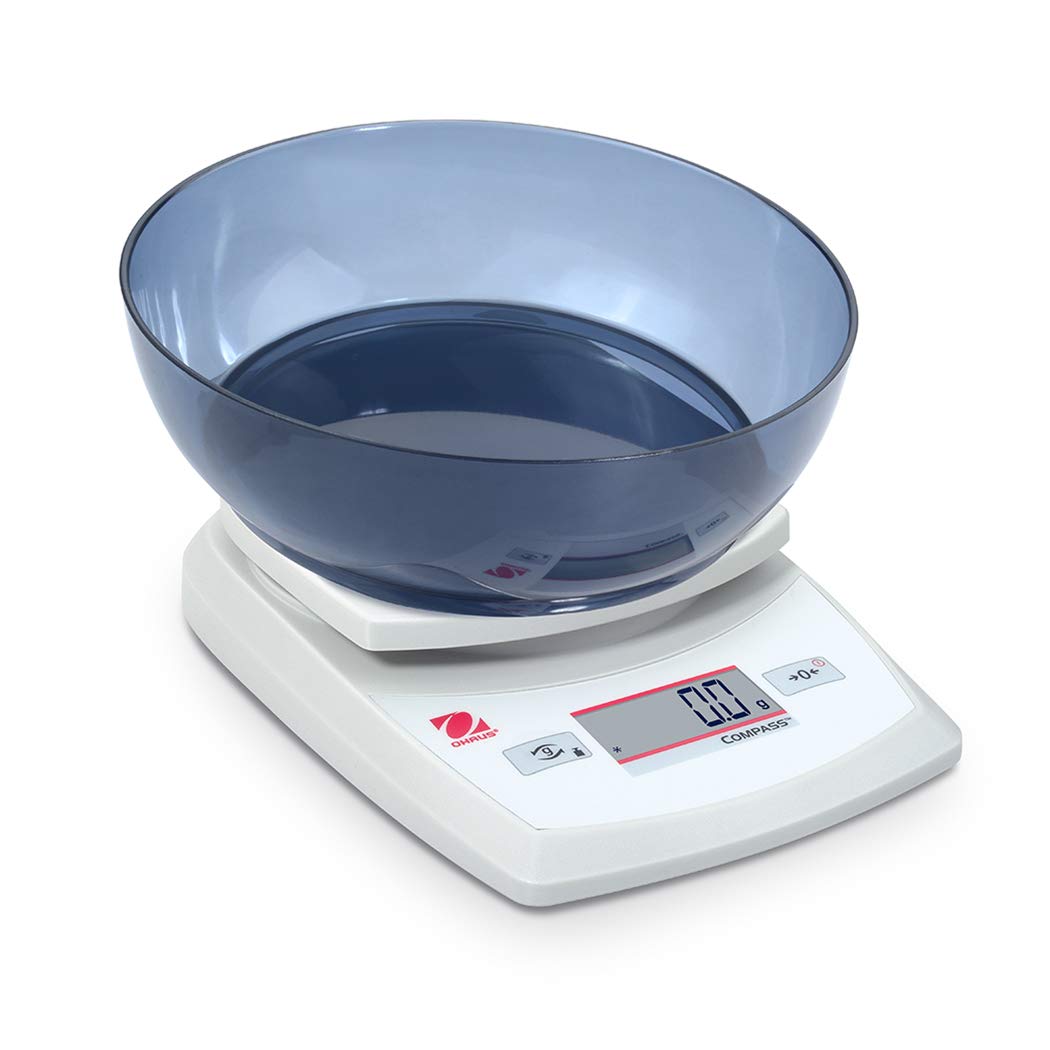
Image 4.1: The balance with an empty bowl on the weighing pan, ready for the tare function.
4.4 Cântărire de bază
- Ensure the balance is powered on and the display shows 0.0 in the desired weighing unit.
- Așezați cu grijă obiectul care urmează să fie cântărit în centrul talerului de cântărire.
- Așteptați ca afișajul să se stabilizeze. Va fi afișată greutatea stabilă.
- Scoateți obiectul din tigaie.
4.5 Calibrare externă
The Ohaus CR5200 features external calibration. This process requires a known calibration weight (not included) to ensure accuracy. Refer to the full Ohaus CR Series manual for detailed calibration procedures specific to your model.

Image 4.2: The balance with a cylindrical calibration weight placed on the weighing pan.
5. Întreținere
5.1 Curățare
- Ștergeți exteriorul balanței cu o lavetă moale șiamp pânză. Nu utilizați agenți de curățare abrazivi sau solvenți.
- Ensure no liquids enter the balance housing or display.
- Keep the weighing pan clean to ensure accurate readings.
5.2 Înlocuirea bateriei
When the battery indicator appears on the display, replace the three AA alkaline batteries as described in Section 3.2.
5.3 Depozitare
When not in use for extended periods, remove the batteries to prevent leakage. Store the balance in a dry, dust-free environment. The Ohaus CR5200 is designed for portability and can be stored in a protective case (if available).

Image 5.1: The Ohaus CR5200 balance shown alongside its protective carrying case.
6. Depanare
| Problemă | Cauza posibila | Soluţie |
|---|---|---|
| Echilibrul nu se pornește. | Dead or incorrectly installed batteries; no AC power. | Replace batteries or check AC adapter connection. Ensure correct battery polarity. |
| Citiri inexacte sau instabile. | Unstable surface; drafts; electromagnetic interference; balance needs calibration. | Move balance to a stable, level surface. Shield from drafts. Recalibrate the balance (refer to Section 4.5). |
| Afișajul afișează „Err” sau un cod de eroare. | Suprasarcină; eroare internă. | Remove excess weight if overloaded. Power cycle the balance. If error persists, contact Ohaus support. |
| Tare function not working. | Balance not stable; button not pressed correctly. | Ensure balance is stable and display is settled. Press the TARE/ZERO button firmly. |
7. Specificații
| Caracteristică | Caietul de sarcini |
|---|---|
| Numărul de model | CR5200 |
| Capacitate | 5200 g (5.2 kg) |
| Lizibilitate | 1 g |
| Unități de cântărire | g, oz, lb:oz, ozt, dwt |
| Tip de calibrare | Extern |
| Sursa de alimentare | 3 AA alkaline batteries (included) or AC adapter (not included) |
| Tip de afișare | Digital |
| Material | Plastic |
| Dimensiuni produs (L x l x H) | 23.62 x 17.02 x 5.59 cm |
| Greutatea articolului | 408.23 g (aprox. 14.4 uncii) |
| Caracteristici speciale | Portabil |
8. Garanție și asistență
Pentru informații despre garanție, asistență tehnică sau solicitări de service, vă rugăm să contactați serviciul clienți Ohaus sau să vizitați site-ul oficial Ohaus. webPăstrați bonul fiscal ca dovadă a achiziției.